Last updated: April 25th, 2023 at 11:57 UTC+02:00
SamMobile has affiliate and sponsored partnerships, we may earn a commission.
Reading time: 3 minutes
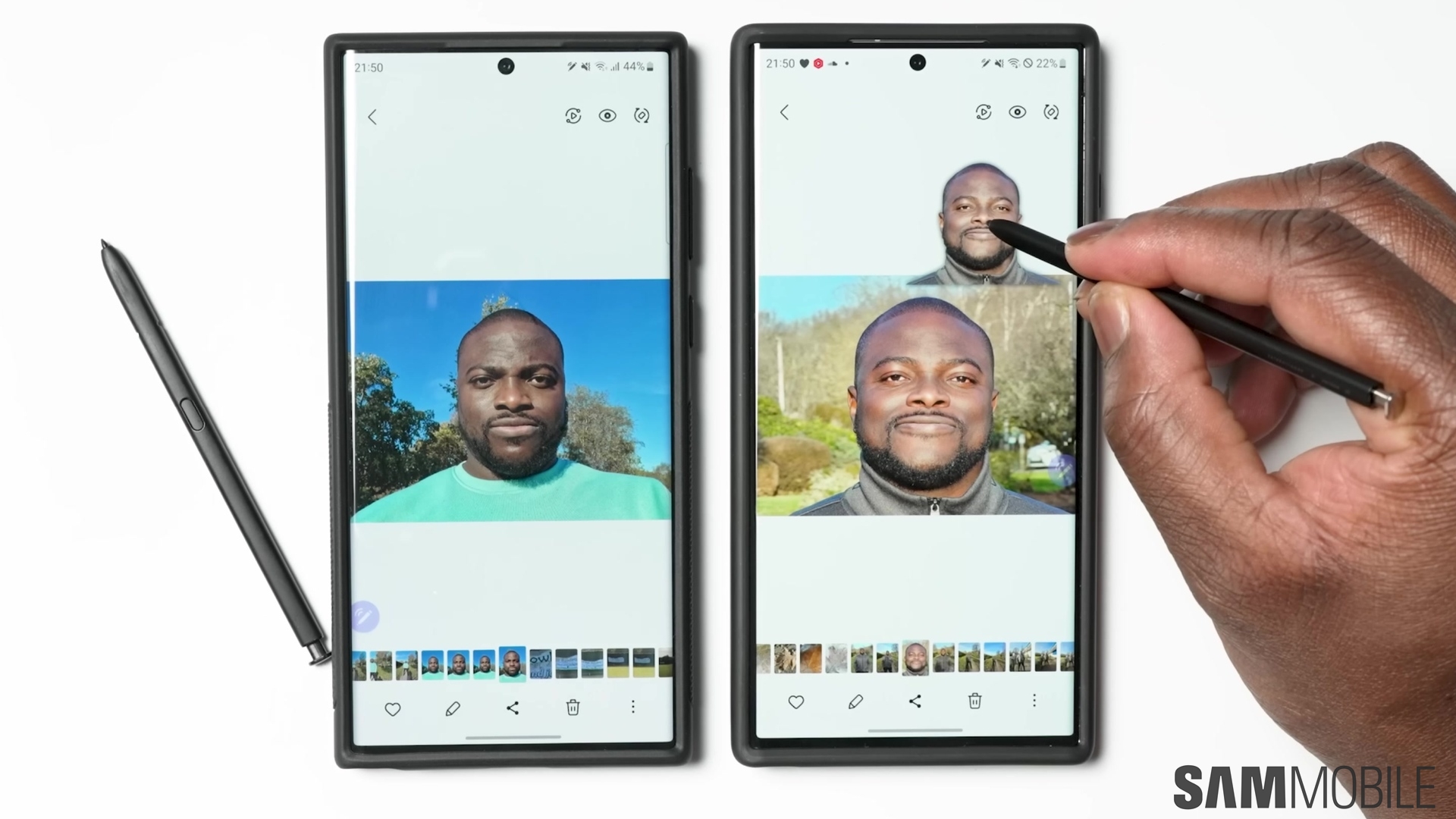
Samsung introduced many new and useful features with One UI 5.1, but some debuted exclusively on the Galaxy S23. However, that exclusivity is running out, and the company recently confirmed it wants to expand those features to older Galaxy phones and tablets.
One such feature is the Image Clipper in the built-in Gallery and Samsung Internet apps. It should now be available for the Galaxy S22 series running the April 2023 security patch, and it will also land on more phones. Check the list below for more information on compatible devices.
But what exactly is Image Clipper, and how can it be useful to you? Let us find out through our latest One UI feature overview.
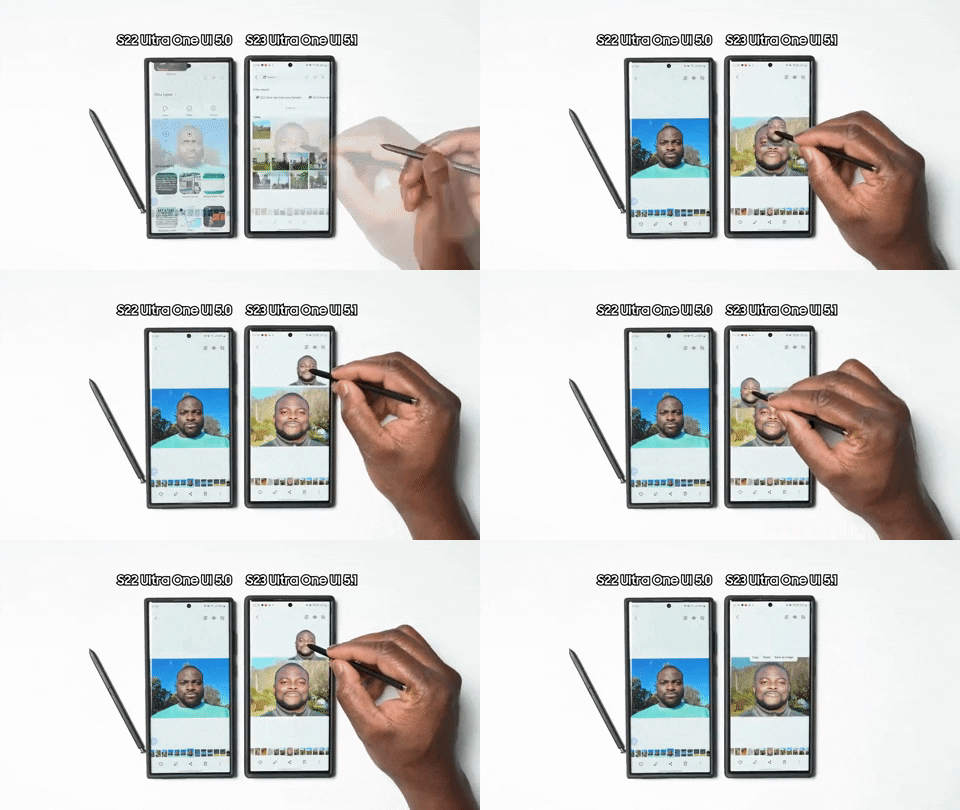
Image Clipper is a Gallery feature that lets you easily extract a subject from an image and separate it from its background. You could say it's an auto-cropping/lasso tool, but it's even more clever.
Clipped images can not only be shared but also extracted and saved in a different app. For example, you can extract a portrait from a photo and share it as a sticker in your WhatsApp group. Or, you can crop an object like a shirt from a website and use it to plan your holiday clothing by adding it to your plan in Samsung Notes.
The feature currently works in the stock Gallery and Samsung Internet apps. The South Korean firm might add the feature to more apps in the future.
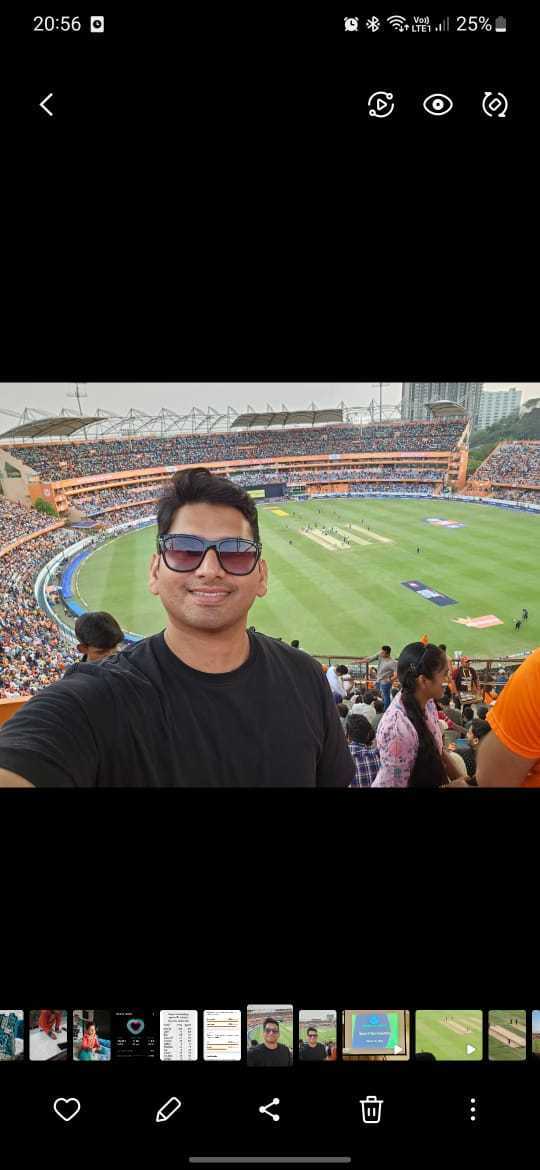

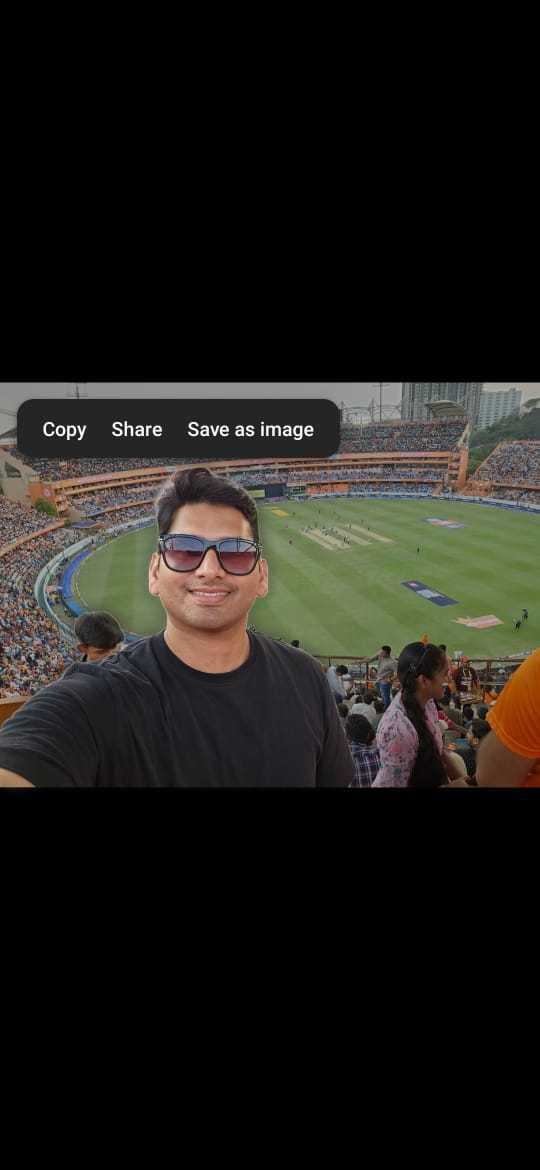
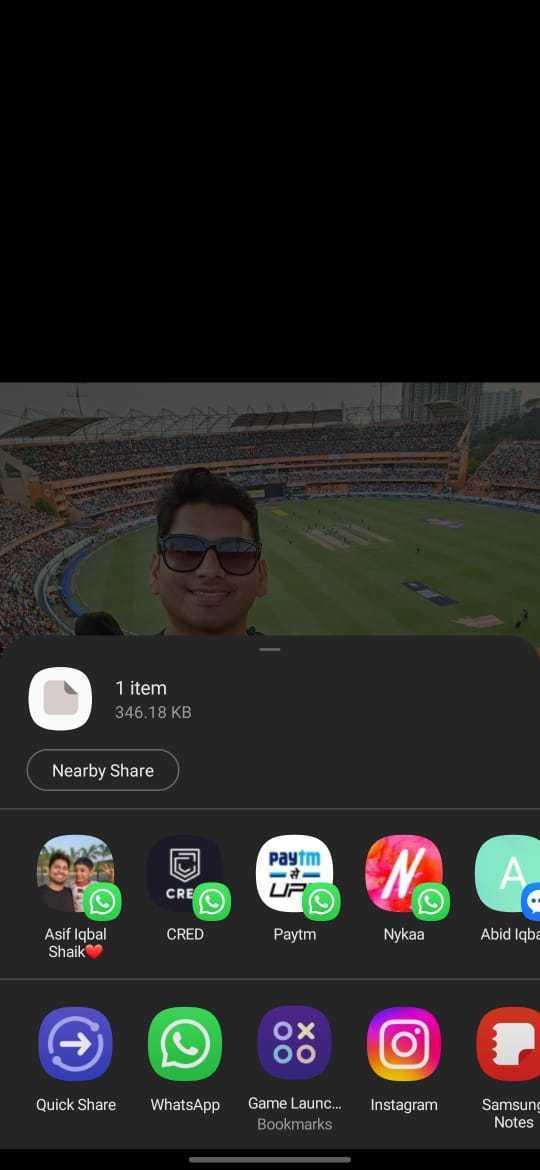
To use the Image Clipper, open an image in the Gallery app. Tap and hold the subject you want to crop, and the phone will do the rest. It will automatically identify the subject (object or person) in the image and clip it from the background. You can drag and drop the subject to a different app or share it directly from there.
If you want to use Image Clipper in the Samsung Internet app, open an image you want to use, press and hold the image, and tap on Clip Subject From Background in the options menu. You can then either copy that clipped image, share it with other apps, or save it in the Gallery. You can also drag that clipped image with one finger, switch to another app from the multitasking menu, and drop it in another app that supports inserting images.
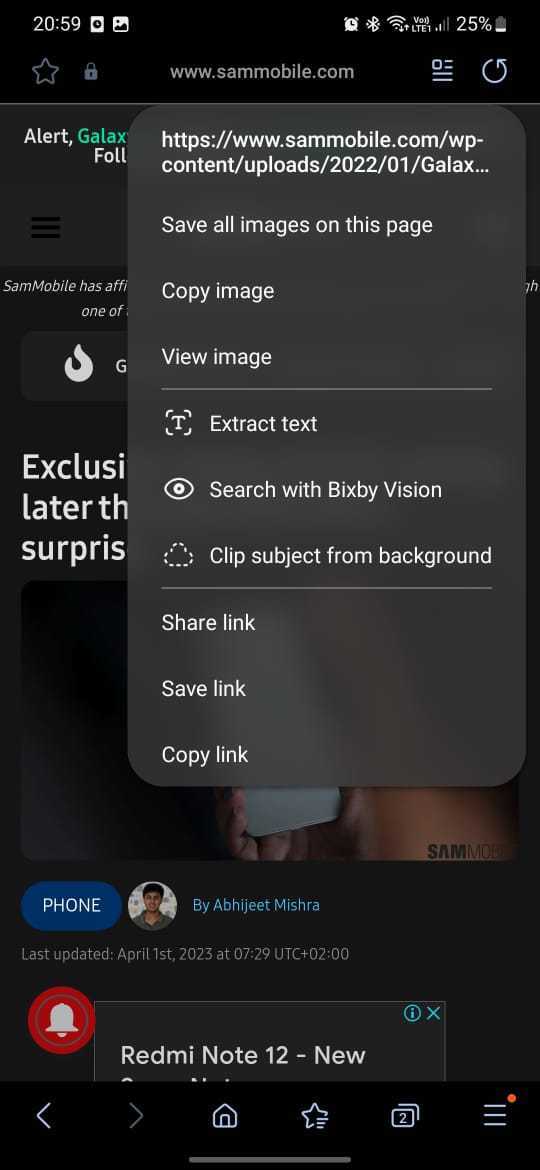
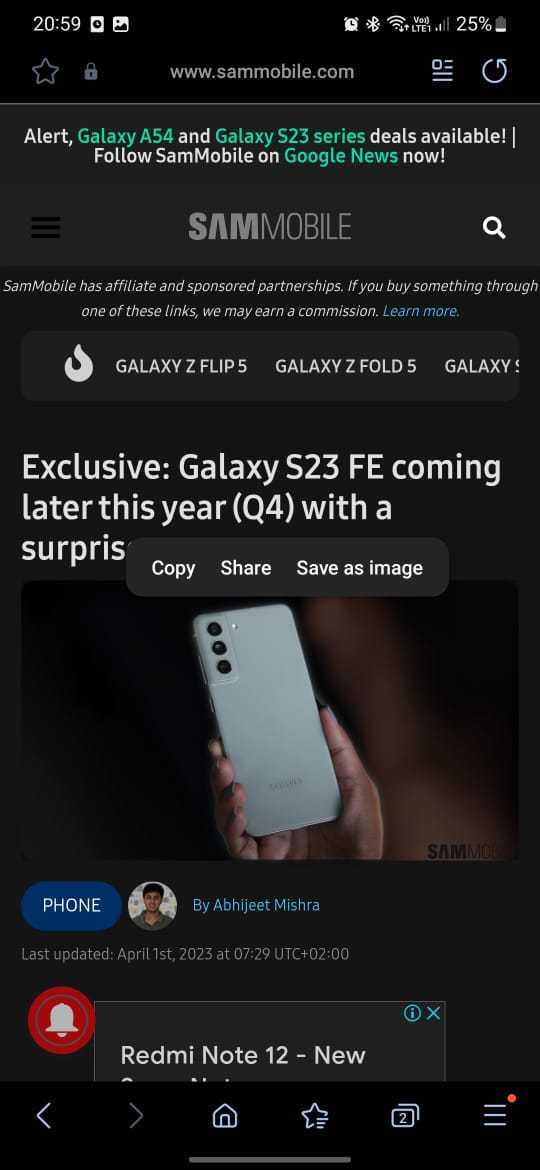
The Image Clipper feature debuted with the Galaxy S23 series but will work on other phones that run Android 13 and One UI 5.1 or higher. However, One UI 5.1 is not the only requirement for the Image Clipper feature. A separate update to the Gallery app via the Galaxy Store is also needed on some devices.
Here's a non-exhaustive list of Galaxy devices that support the Image Clipper feature (or could get it in the future via software updates):

Asif is a computer engineer turned technology journalist. He has been using Samsung phones since 2004, and his current smartphone is the Galaxy S23 Ultra. He loves headphones, mechanical keyboards, and PC hardware. When not writing about technology, he likes watching crime and science fiction movies and TV shows.













