Published: October 14th, 2026 at 03:00 UTC+02:00
SamMobile has affiliate and sponsored partnerships, we may earn a commission.
One UI 9 brings plenty of the same improvements to the Galaxy S25 and S26 series, but there are some differences.
Reading time: 4 minutes
Daniel Scuteri / SamMobile
Samsung’s One UI 9 update brings plenty of the same improvements to the Galaxy S25 and Galaxy S26 series. Owners of both lineups get new Galaxy AI tools, more ways to customize their phones, and changes to some of Samsung’s apps and settings.
The S26 series launched with One UI 8.5, and some of its camera features were already available before the latest update. One UI 9 brings more of that functionality to the S25 series, though Samsung’s newer flagships still offer a few additional options.
Both lineups get the Galaxy AI features My FanCam, Call Brief, and custom cards for Now Brief.
My FanCam can take an existing recording of a group of people and create a cropped version that follows one person. You can choose who to follow after recording, so you can try it with videos already sitting in your Gallery.
Call Brief can show relevant information during calls, such as a shared calendar event or the local time when you call an international number. It won’t show a card during every call, but it may save you from opening another app to look something up.
SamMobile
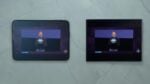
Now Brief custom cards
Custom Now Brief cards give you more say over your daily briefing. You can choose weather, health, or video information and schedule when the card should appear. For example, you could have a weather card ready in the morning before leaving home.
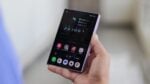
The home screen changes are similar, too. You can add a dedicated Finder bar to the home screen so you can search for apps, settings, files, and other content on your phone without first opening the app drawer.
Asif Iqbal Shaik / SamMobile
Finder and Google Search bars on home screen
Bixby widgets give you a convenient way to type or speak to Bixby while keeping Gemini assigned to the power button. You can use the widget whenever you want Bixby’s help without changing how you launch Gemini.
Both lineups also get more Quick Panel customization, easier desktop management in DeX, and the Warranty and care menu for warranty information and support.
One UI 9 brings Super steady with Horizontal Lock to the Galaxy S25 series. The S26 series already offered this with One UI 8.5. With Horizontal Lock enabled, your video stays level even when you tilt or rotate the phone.
Both lineups also get a new vertical split layout for dual recording in Video mode. On One UI 8.5, you had picture-in-picture and horizontal layout options, so you now have more choice over how the final video looks.
Daniel Scuteri / SamMobile
Vertical layout dual recording on One UI 9.0
The Galaxy S26 series gets exclusive rights on some camera features. For example, it provides a wider selection of frame rates in Pro video mode.
At Full HD and UHD resolutions, the S26 series can record at 120, 60, 48, 30, 24, 100, 50, and 25 fps. The S25 series is limited to 120, 60, 30, and 24 fps. At 8K resolution, the S26 series get a 25 fps option in addition to 30 and 24 fps.
If you generally record at 30 or 60 fps, those extra choices may not mean much to you. But anyone who wants to use one of the additional frame rates has more flexibility on the S26 lineup.
There’s also a difference for still photos. The S26 lineup lets you enable the 24MP resolution in the standard Photo mode through Samsung's Camera Assistant app, which remains missing on the Galaxy S25 series after the One UI 9 update.
It's all about convenience here: you can select 24MP while using the regular camera on a Galaxy S26-series phone. S25 owners can shoot at that resolution as well, but they have to open a separate app — Expert RAW — to do it.
The Galaxy S25 FE misses out on Call Brief, so that’s one Galaxy AI feature you won’t find after updating. The Galaxy S26 FE doesn’t support it either, even though it launched with One UI 9.
But One UI 9 does bring a useful sharing feature to the S25 FE: Quick Share support for Apple devices. You can now share photos, videos, and other files with iPhones, iPads, and Macs.