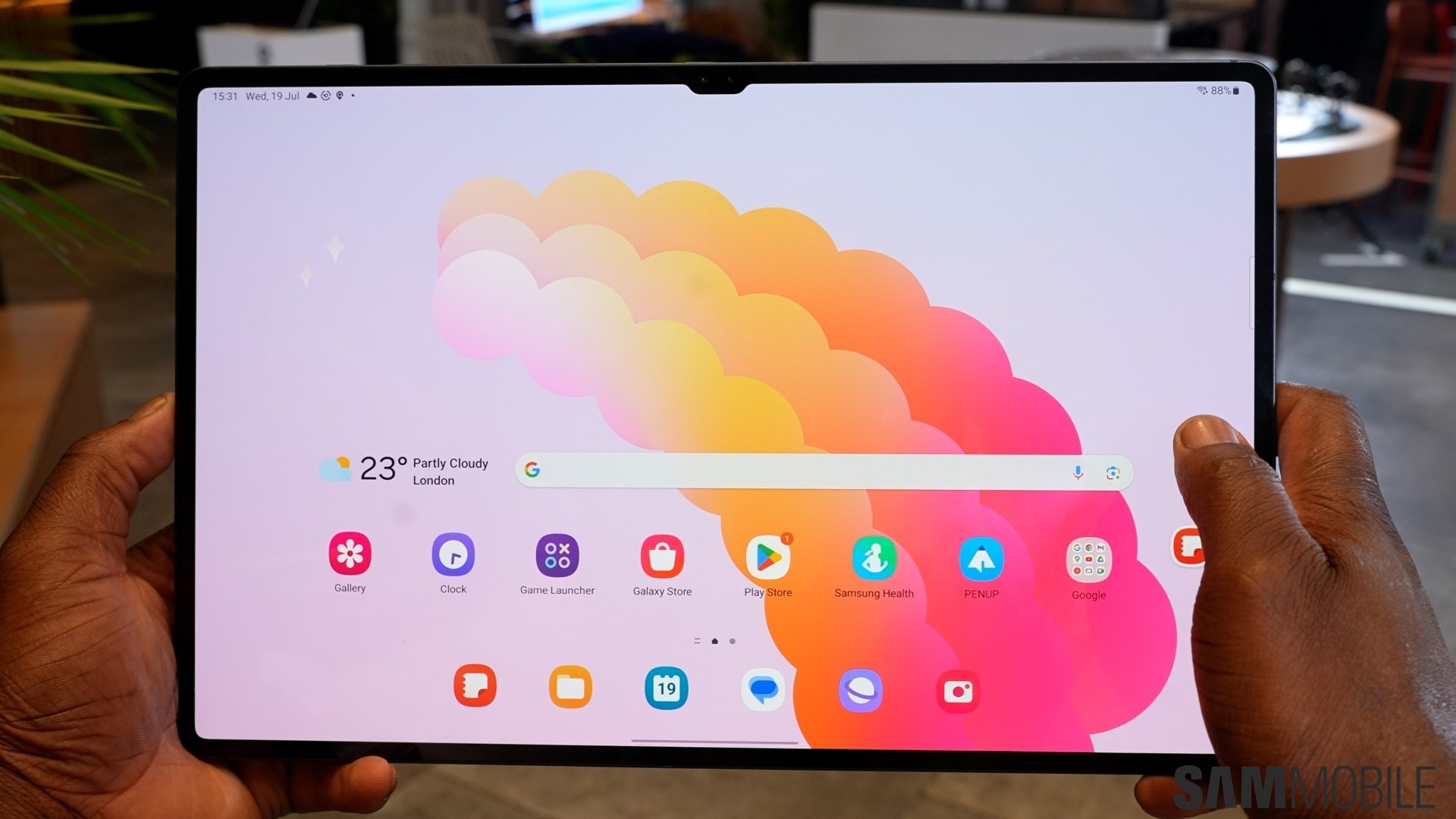
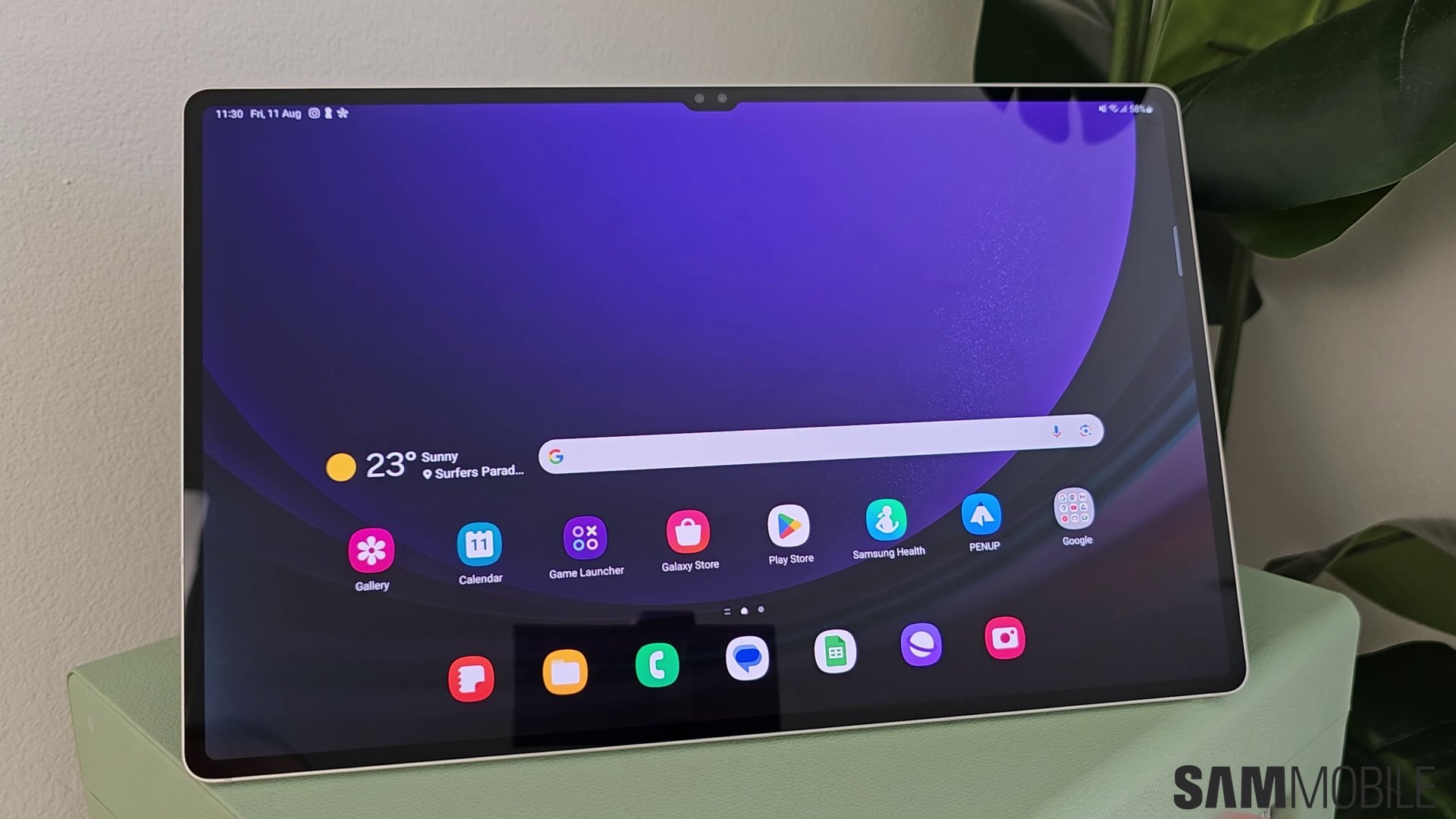
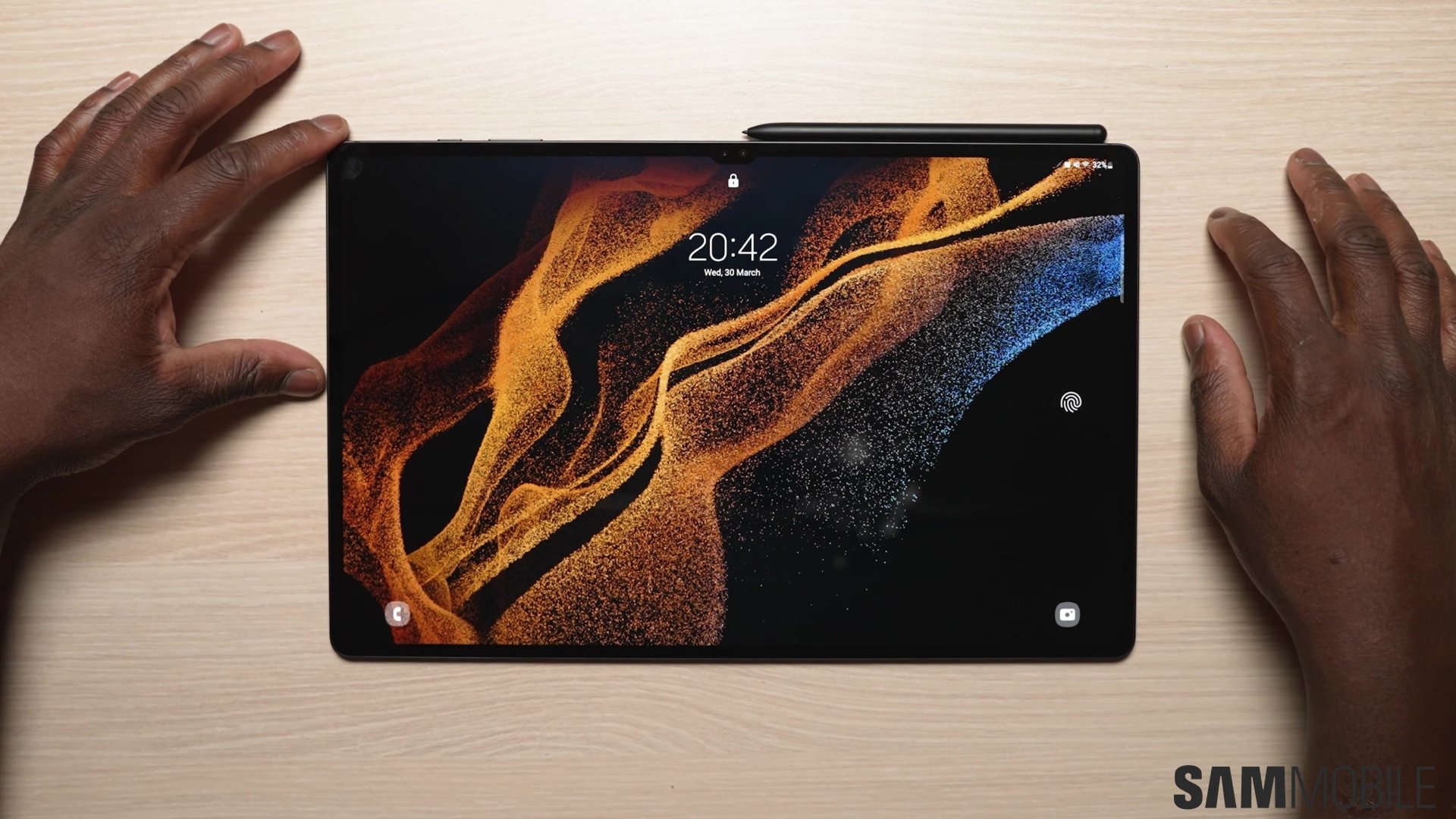
Samsung already had the hardware for a very good oversized tablet with the Galaxy Tab S11 Ultra. It was thin and had an enormous AMOLED screen that offered enough room to make Samsung’s multitasking features genuinely useful. The difficult part was deciding whether a tablet this big belonged in your life.
The Galaxy Tab S12 Ultra does little to change that decision. There is a faster MediaTek processor, a redesigned cooling system, updated audio, and One UI 9. But the basic experience is familiar, right down to the 14.6-inch display and 5.1mm body.
What makes it more interesting is the Pro Keyboard. Attached to that aluminum keyboard, the Ultra feels much closer to a Galaxy Book, and the screen’s size becomes easier to appreciate. Writing an article with research and team messages alongside it is a much better argument for this tablet than checking social media on the sofa.
The problem is the price. The Ultra starts at $1,399.99 in the US, $200 above the Tab S11 Ultra’s original launch price. Add the Pro Keyboard at its $399.99 list price and the total approaches $1,800 before tax or discounts. At that point, being a great tablet is only part of the job.
With additional testing and input from Max Jambor.
Design
Abhijeet Mishra / SamMobile
Samsung Galaxy Tab S12 Ultra
There isn’t much to distinguish the Tab S12 Ultra from its predecessor at a glance. Samsung has kept the slim bezels, small front-camera notch, and extremely thin aluminum body. That isn’t a disappointment in itself. The Tab S11 Ultra already looked suitably expensive, and this design still does.
The proportions remain impressive. A device with this much screen has no business looking quite so thin, yet Samsung has managed it without dropping the IP68 water and dust resistance. It feels like a premium tablet, as it should at this price.
Abhijeet Mishra / SamMobile
Samsung Galaxy Tab S12 Ultra
Abhijeet Mishra / SamMobile
Samsung Galaxy Tab S12 Ultra
Thinness has its limits, though. The Wi-Fi model weighs 692 grams (5G variant is 695 grams) before adding a case or keyboard. It is still a large object to hold, and reducing the thickness doesn’t make a 14.6-inch screen any easier to balance in one hand.
A device with this much screen has no business looking quite so thin.
That makes the Ultra a fairly specific purchase. On a desk, the size is an advantage. For reading in bed or casually scrolling on the sofa, it can feel like more tablet than necessary.
The smaller, 12.6-inch Tab S12+ deserves a look if the Ultra’s dimensions are already giving you doubts. Buying the biggest model only makes sense when the extra space will actually be useful.
Display and audio
Abhijeet Mishra / SamMobile
Samsung Galaxy Tab S12 Ultra
The display remains one of the strongest reasons to choose the Ultra. Samsung uses a 14.6-inch Dynamic AMOLED 2X panel with a 2960 x 1848 resolution and a refresh rate of up to 120Hz. The appeal is easy to understand: a video looks impressive, and documents and app windows have room to breathe.
For productivity, the useful part is being able to keep a source open beside a draft without constantly hiding one to read the other. A third window can hold messages or notes, or even run a video. Smaller tablets support the same layout, but the Ultra gives each part enough space to be worth using.
Samsung lists peak brightness at 1,600 nits and High Brightness Mode at 1,000 nits. The latter is the more useful number as far as everyday use is concerned, and like any tablet, the Tab S12 Ultra can get quite bright for indoor use but won’t be as bright as a phone outdoors under the sun.
Abhijeet Mishra / SamMobile
The display is quite reflective outdoors
It doesn’t help that Samsung appears to have gotten rid of the anti-reflective coating. It’s not something most people will complain about indoors, but again, if you take this tablet outdoors, its display will be more reflective than the previous model.
But the lack of an anti-reflective coating aside, this is the same display as the Galaxy Tab S11 Ultra. All the headline specifications remain the same.
Sound is one of the areas Samsung has upgraded. The tablet still has four speakers, but the new system supports four-channel spatial audio.
The upgrade has to do with the audio channels. Previous models also had four speakers, but the output was limited to 2-channel stereo audio. The Tab S12 Ultra (and the Tab S12+), on the other hand, can play multichannel audio.
Abhijeet Mishra / SamMobile
One of the Tab S12 Ultra's four speakers
That’s if you can find media that actually supports proper multichannel audio on mobile devices. We tried movies like Gravity that are renowned for their directional audio, and while sound did pan between the left and right sides of the tablet, the audio would still play on both speakers on one side.
The Galaxy Tab S12 Ultra has excellent speakers.
Still, as far as general quality is concerned, the Galaxy Tab S12 Ultra has excellent speakers. They get really loud (once you enable Dolby Atmos in sound settings) and have a lot of bass. There’s some compression in high frequencies at full volume, but given how thin this tablet is, the speakers sounds great.
Pro Keyboard and S Pen
Abhijeet Mishra / SamMobile
Galaxy Tab S12 Ultra S Pen
The Pro Keyboard does more to explain the Ultra’s purpose than many of its other aspects. Its aluminum construction feels very good, and connecting it through the pogo pins is straightforward. There is no Bluetooth-pairing routine to work through before getting started.
With the tablet attached, the setup feels much closer to a notebook than Samsung’s more basic keyboard covers. The screen suddenly looks appropriately sized for the device underneath it. This is where the Ultra’s combination of a large workspace and detachable keyboard becomes appealing.
The dedicated Galaxy AI key is included, too, although a shortcut to an assistant isn’t the main reason to buy a $400 keyboard. The more important question is how much writing and other keyboard-driven work you plan to do. Someone mostly watching movies or taking handwritten notes can spend that money elsewhere.
Abhijeet Mishra / SamMobile
Galaxy Tab S12 Ultra S Pen
There is also a portability catch. Samsung lists the keyboard at 636 grams. Combined with the tablet’s 692 (Wi-Fi) or 695 (5G) grams, that comes to roughly 1.33kg.
Once assembled, this is a laptop-sized purchase with laptop-like weight. The advantage is being able to detach the keyboard when it isn’t needed.
At least Samsung still includes the S Pen. That makes it easy to switch from typing to annotating a document or taking handwritten notes without another accessory purchase.
The pen no longer supports Bluetooth Low Energy or remote Air actions, just like the S11 generation. It doesn’t need pairing or charging for writing, but anyone coming from an older Galaxy Tab should be aware of the missing remote functionality.
Software
Abhijeet Mishra / SamMobile
Three-app multitasking on Galaxy Tab S12 Ultra
The Tab S12 Ultra ships with Android 17 and One UI 9. Multi Window supports up to three split-screen apps, while Samsung DeX provides a more desktop-like arrangement with multiple workspaces. DeX and workspace organization already existed on the S11 Ultra.
The Ultra is particularly easy to understand as a writing and research device. Put a browser beside the article, keep Slack available for conversing with your team, and there is less need to switch away from what you are doing. The large display makes that arrangement feel less cramped than it would on a smaller tablet.
The Ultra is particularly easy to understand as a writing and research device.
Samsung’s latest browser AI features fit that kind of use better than some of the more elaborate functions. Ask anything can work with the current page, open tabs, and browsing history. Finding a source that was open earlier is a practical use for an assistant, particularly when research has turned into a collection of half-remembered tabs.
Abhijeet Mishra / SamMobile
One UI 9 on the Galaxy Tab S12 Ultra
The AI answers still need checking. A summary can help navigate a source, but it doesn’t remove the need to open the page and confirm what it actually says. Buying an expensive tablet won’t change that.
There is a similarly important distinction between desktop-style windows and desktop software. DeX gives Android a more convenient layout for a keyboard and pointer. It doesn’t turn an Android app into its Windows or macOS equivalent.
If a particular desktop application is essential to your work, check the available Android or browser version before treating the Ultra as a replacement.
For work that already happens in a browser, email, documents, and messaging apps, the proposition is much stronger. For specialized desktop workflows, a laptop remains the safer purchase.
The keyboard makes the hardware feel familiar. But your actual apps decide how far that familiarity goes. Photoshop is a new addition to the Tab S12 series, and it’s especially useful if you do a lot of illustration or other creative work with the S Pen.
Samsung promises seven generations of OS upgrades and seven years of security updates from the global launch. That’s important for a device this expensive, especially if you plan to keep it for several years.
You’ll mainly notice this performance increase in demanding tasks like using Photoshop or editing videos. For everyday use, the Tab S11 Ultra was already quite powerful, and so is the Tab S12 Ultra.
For someone mostly using a browser, documents, and Samsung Notes, the new chip is a difficult reason to retire an S11 Ultra. Last year’s tablet already offered the same large workspace and a flagship-class processor.
The S12’s additional performance is more relevant to buyers moving from an older device or pushing demanding apps regularly.
The configuration choices are straightforward. The 256GB and 512GB versions have 12GB of RAM, while the 1TB version has 16GB. A microSD slot supports cards up to 2TB, which is useful for keeping a large local media library without immediately paying for the most expensive model. Wi-Fi 7 and Bluetooth 6.0 are also included.
Battery and charging
Abhijeet Mishra / SamMobile
Samsung Galaxy Tab S12 Ultra
The battery remains at 11,600mAh, with wired charging capped at 45W. Samsung claims up to 23 hours of local video playback and around 95 minutes for a full charge with a compatible 45W adapter.
The conditions behind that 23-hour figure are important. Samsung’s test uses local 720p video at 162 nits with Wi-Fi and the mobile network switched off. When running a 720p Netflix video on Wi-Fi, with auto brightness turned off and manual brightness turned all the way up, the Tab S12 Ultra drained 10% in an hour.
That’s around 10 hours of continuous video streaming on a single charge, so clearly, Samsung’s official claims aren’t a prediction of how much mileage you will get in practice.
Working with multiple browser tabs open, editing photos or videos, and playing games will see battery life vary compared to just watching videos. Still, with mixed use, the Tab S12 Ultra can go a full day without needing a charge.
Speaking of charging, Samsung hasn’t increased the speed. The Tab S12 Ultra supports 45W charging, and half an hour gets you around 40% charge. A full charge takes a little over 80 minutes.
You’ll need a compatible charger to achieve that speed, as one isn’t included in the box. At this price, both faster charging and an included adapter would have been welcome.
Cameras
Abhijeet Mishra / SamMobile
Galaxy Tab S12 Ultra rear cameras
Samsung has kept a 13MP main camera and an 8MP ultra-wide camera on the rear, with a 12MP ultra-wide camera on the front. There is no major camera upgrade to justify moving from the S11 Ultra.
For a device this size, the front camera has the more obvious everyday purpose. Video calls are a natural part of the keyboard-and-desk setup, while the rear cameras are useful for capturing a document or something you need to add to a note. Carrying a 14.6-inch tablet around to take photos is a tough sell.
The camera hardware suits those priorities on paper. Anyone expecting the rear cameras to replace a premium — or even mid-range — Galaxy phone is looking at the wrong device.
Verdict
Abhijeet Mishra / SamMobile
Apps on Galaxy Tab S12 Ultra
The Galaxy Tab S12 Ultra makes the most sense when its screen size is solving a real world problem. For keeping research beside a draft, working with several apps, or combining typed and handwritten notes, the extra space is genuinely useful.
The premium design and included S Pen also give it advantages that a conventional laptop doesn’t offer in the same way.
The Pro Keyboard makes that package much more convincing. But it also makes the price harder to ignore. At roughly $1,800 combined at US list prices, this should be a serious alternative purchase to a laptop, rather than an inexpensive companion to one. It is worth checking exactly which jobs Android can handle before spending that much.
For Tab S11 Ultra owners, there is little reason to upgrade. The screen, dimensions, battery capacity, and charging speed are familiar, and the Pro Keyboard works with that model as well. The faster chip is welcome, but it doesn’t change what this type of tablet is for.
Buyers coming from an older Galaxy Tab have more to consider. The S12 Ultra offers a huge workspace, a current flagship processor, and a long support commitment. A discounted S11 Ultra is worth comparing, though, and the Tab S12+ is the more sensible direction if the Ultra sounds too large.
Samsung has made an appealing tablet for people who know they want a very large Android tablet. It just hasn’t made that choice much easier for everyone else.
Samsung Galaxy Tab S12 Ultra
What we like
Beautiful 14.6-inch AMOLED display
Excellent speakers
Extremely thin and premium design
Great multitasking capabilities with Samsung DeX
Powerful performance
Excellent Pro Keyboard experience
S Pen included
Good battery life
Seven years of OS and security upgrades
What we don’t
Very expensive, especially with the Pro Keyboard
Too large and heavy for comfortable handheld use
Only minor upgrades over the Tab S11 Ultra
No charger included
Android/One UI still can’t fully replace a desktop operating system












 Samsung has a reason to make fewer Galaxy phones, and it's a risk worth taking
 Even a 1TB Galaxy Z Fold 8 can cost less than a 256GB iPhone Duo
 I can't stand this One UI feature many Galaxy Z Fold users seem to love
 Why Samsung needs to double down on the bet it has made on 82 million US Galaxy devices
 iPhone Duo’s reported production problems show why Samsung’s experience matters
 I missed this old Galaxy Watch feature on holiday
 How Samsung Wallet is quietly becoming irreplaceable for millions of US Galaxy owners
 Apple CEO said the iPhone Duo redefines foldables, but that's not really accurate
 Symmetry vs asymmetry: How the Galaxy Z Fold 8 beats the iPhone Duo