Last updated: July 8th, 2026 at 14:32 UTC+02:00
SamMobile has affiliate and sponsored partnerships, we may earn a commission.
It is losing its way under the weight of too many features.
Reading time: 3 minutes
Abhijeet Mishra / SamMobile
I’ve been using SmartThings almost every day for years. It is my go-to app for controlling my Samsung S90C TV, two Samsung soundbars, a Bespoke series washer, a security camera, and other compatible devices. Because I rely on the app so often, I’ve watched it evolve over the years. Unfortunately, it hasn’t kept pace with Samsung’s other One UI apps.
While apps like Gallery, My Files, and Samsung Health have received significant design improvements, SmartThings feels like it’s stuck in the past. Perhaps that’s because it is developed by Samsung’s Digital Appliances division rather than the mobile division.
Whatever the reason, the result is the same: SmartThings no longer feels like it belongs alongside Samsung’s modern app ecosystem.
For starters, the SmartThings app needs a One UI 8.5-style floating tab bar with a translucent background at the bottom of the screen. Samsung should also adopt more modern colors, updated backgrounds, and better spacing to make the interface feel lighter and more inviting.
Asif Iqbal Shaik / SamMobile
Design comparison of SmartThings (Left) and Samsung Health (Right) – Source: Asif Iqbal Shaik / SamMobile
The app also needs significant under-the-hood optimizations to make it feel faster and more responsive. More fluid animations would also be nice to have. Samsung should also update the app’s iconography to match the latest version of One UI.
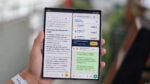
SmartThings also needs a more adaptive layout. In landscape mode, the bottom tab bar moves to the left side, similar to the Google Home app. However, it doesn’t display detailed device controls. It simply rearranges the grid to show more devices on the larger screens of foldable phones and tablets. Ideally, it should display device controls on the rightmost side of the screen to make better use of the extra screen space.
Asif Iqbal Shaik / SamMobile
Tapping an item in SmartThigns app doesn't open its controls on the same screen on big-screen devices like foldable phones and tablets – Source: Asif Iqbal Shaik / SamMobile
The app has also become too complicated for its own good. It no longer focuses solely on controlling smart home devices, as it now includes features for tracking Galaxy devices and several other services. Packing so many features into a single app has made SmartThings feel bloated and cumbersome.
Asif Iqbal Shaik / SamMobile
Samsung Find and Samsung Food components inside the SmartThings app for Android – Source: Asif Iqbal Shaik / SamMobile
Samsung should move Samsung Find out of SmartThings, especially since a dedicated Samsung Find app already exists. Features like Family Care, Music Sync, and Pet Care should also be separated into their own apps, with only shortcuts to those apps visible in the SmartThings app. The dedicated SmartThings app should focus on what it does best: controlling smart home devices and managing home automation routines.
These changes and improvements could make SmartThings feel faster, more modern, and much easier to use, bringing it in line with Samsung’s other One UI apps.