3 days until XMAS. Massive discount Galaxy Z Fold7, Watch8, S25 Ultra and S95F OLED TV
Last updated: May 3rd, 2024 at 13:21 UTC+02:00
SamMobile has affiliate and sponsored partnerships, we may earn a commission.
Reading time: 4 minutes
At the moment, the One UI 6.1 update is available only in Korea, but it should reach more markets soon, even though Samsung may have halted the update for the Galaxy S22 due to alleged boot issues.
In any case, this firmware release brings many new features and at least one under-the-hood change you need to be aware of if you're a latecomer to One UI 6.1 and are now waiting for this fresh release.
Without further ado, here are the first things you should do once you get One UI 6.1 on your 2021 or 2022 high-end phone.
One of the One UI 6.1 update's quirks is that it hides the Notification Categories menu, preventing users from managing notification types on the go.
As you probably know, the brilliant Notification Categories feature lets One UI users choose which notification types they can receive from apps individually. For example, it lets you turn off miscellaneous and marketing notifications for apps while keeping other, more important notification types enabled.
More so, this feature lets users manage notification types on the fly by tapping and holding a notification they don't like and turning it off with just a few screen taps.
Although this feature is now hidden in One UI 6.1, it still exists, and you can bring it back. To do this, open the Settings app, access “Notifications,” go to “Advanced settings,” and tap the “Manage notification categories for each app” toggle ON.
One other change you need to be aware of once you update your phone to One UI 6.1 is that Samsung navigation gestures are gone. The only remaining options are on-screen nav buttons and the arguably superior Google navigation gestures.
However, if you prefer Samsung gestures and you're actively using them, you won't be able to once you update to One UI 6.1. But fortunately, there is a way to re-enable them.
You can bring Samsung gestures back through the NavStar Good Lock module, regardless of whether or not you're in a market where Good Lock is supported. Check out our full guide for more details on how to use Samsung gestures in One UI 6.1.
On the more enjoyable side of things, the One UI 6.1 update brings Galaxy AI to your older flagship phone. For 2022 Galaxy flagships, the AI suite consists of almost everything that debuted with the Galaxy S24 series, except for Instant Slow Mo inside the Gallery app.
For 2021 flagships, things look a bit sadder, as it seems like there's only one Galaxy AI feature available for the Galaxy Z Fold 3, Z Flip 3, and Galaxy S21 series, and that is Circle to Search.
Once you get One UI 6.1, you'll probably want to try some Galaxy AI tools before others. We recommend taking Generative Wallpaper, Generative Edit, and Circle to Search for a spin.
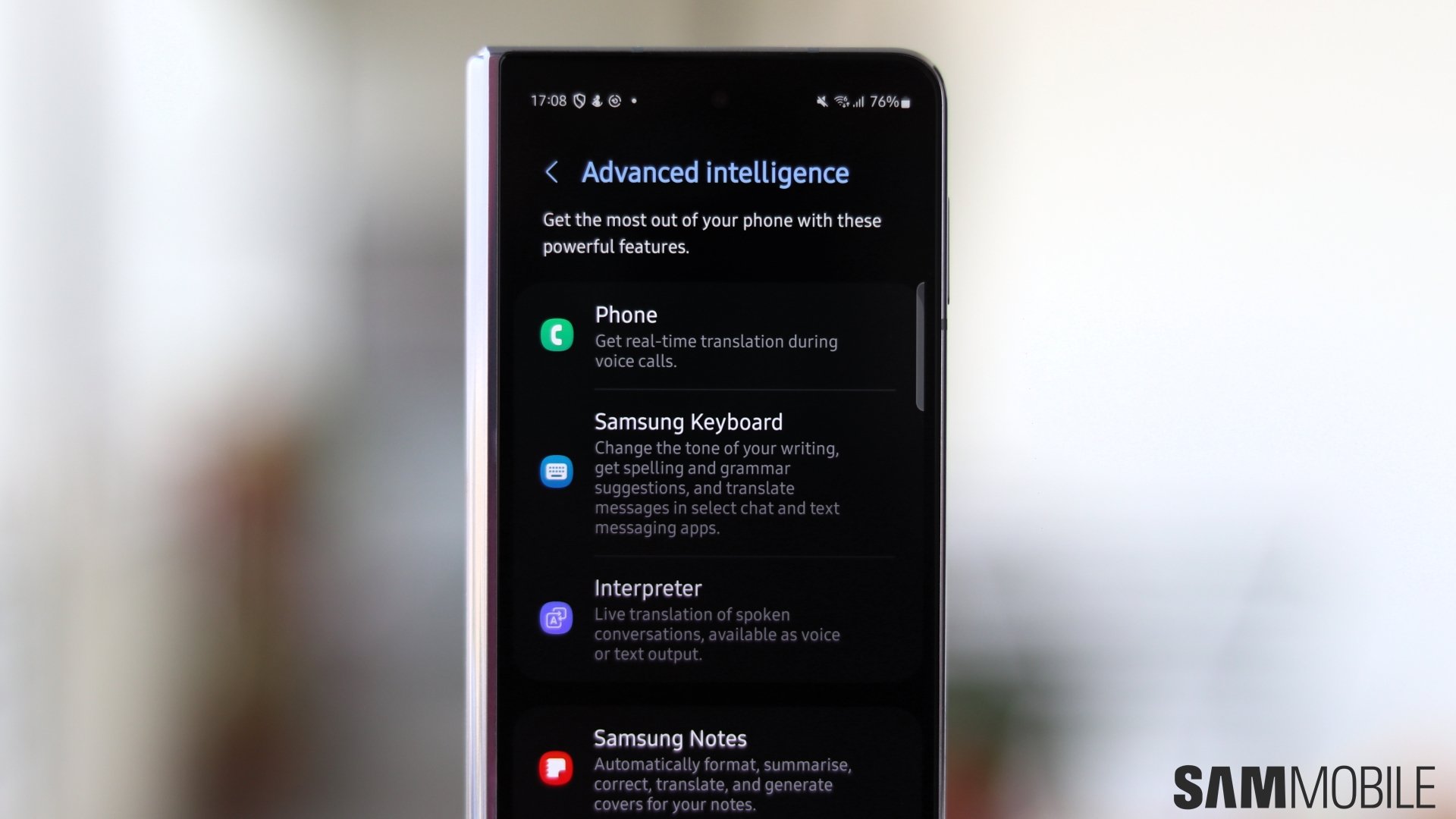
Galaxy AI brings a few other tools you may try, albeit they are focused more on productivity. As long as you are using a 2022 flagship model with One UI 6.1, you can summarize articles in Samsung Internet and Samsung Notes, use the new AI-powered Interpreter, translate calls on the fly, and even change the tone of your messages with Chat Assist.
Lastly, you should keep in mind that you can manage most of these new Galaxy AI features individually by opening the Settings app, accessing “Advanced features,” and tapping “Advanced intelligence.”