Published: November 26th, 2026 at 13:30 UTC+01:00


Why the Galaxy Z Fold 8 and Fold 8 Ultra are about more than just camera quality

More control over every shot.

Max Jambor

Reading time: 4 minutes

Galaxy Z Fold 8

Abhijeet Mishra / SamMobile

Opinion

Galaxy Z Fold 8

A video can be perfectly sharp and still leave you wishing you had filmed it differently. The horizon leans as you follow the action, or the person you wanted to capture ends up at the edge of the frame. By the time you notice, the moment has passed.

For me, a good camera phone needs to do more than produce a sharp image. I want control over how I shoot and the option to change the framing afterwards. That's why the Galaxy Z Fold 8 and Fold 8 Ultra interest me more than another jump in megapixels.

Taking control before the moment passes

Automatic shooting is convenient until the phone makes a decision you would prefer to make yourself. The Fold 8 and Fold 8 Ultra include Pro and Pro Video modes, with manual controls for things like ISO, shutter speed, white balance and focus. In Pro Video, you can also choose a compatible external microphone instead of relying on the built-in ones.

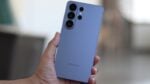
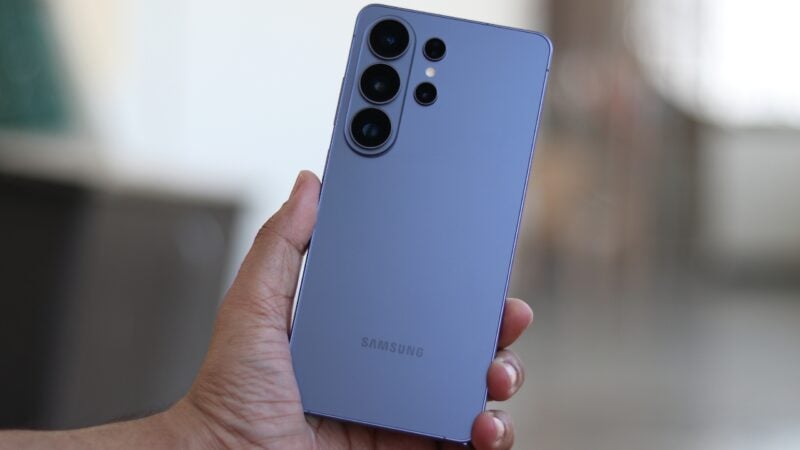
Samsung Galaxy Z Fold 8 Ultra cameras

Abhijeet Mishra / SamMobile

Samsung Galaxy Z Fold 8 Ultra

You won't need these settings for every holiday clip. But when the lighting is tricky or you want a particular look, it's nice to have them right in the Camera app.

This is particularly an advantage against the iPhone Duo, which doesn't offer a dedicated Pro mode in its native app and requires third-party software for comparable manual controls.

More cameras, more creative options

The Fold 8 can record 8K video at 30 frames per second. That's useful when editing in 4K: you can start with a wide shot and crop later without immediately running out of resolution.

And if camera hardware matters most to you, Samsung offers another option. The Fold 8 Ultra combines a 200MP main camera, a 50MP ultrawide and a dedicated 3x telephoto, giving you more ways to frame a scene before you hit record.

The regular Fold 8 puts more emphasis on portability, while the Ultra adds a more powerful camera system and a larger screen for editing. You can choose what matters more to you.

A second angle while you shoot

Say you're filming a friend opening a surprise gift. With Dual Recording on the Fold 8 or Fold 8 Ultra, you can use the rear camera to film them and the front camera to catch your own reaction at the same time. Both perspectives end up in one split-screen clip, so you don't have to cut two recordings together later.

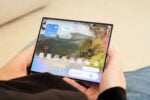
The two screens also come in handy when you're taking a photo. With Cover Screen Preview on, I can frame a portrait on the main display while the person I'm photographing sees the shot on the outer screen. They can fix their pose or move into the frame before I press the shutter, without me having to turn the phone around.

You can choose the subject after recording

This is where My FanCam comes in. Imagine filming a friend playing in a band. You want to keep the whole stage in your recording, but for the clip you share, you'd rather follow your friend.

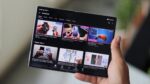
With My FanCam, you can select them in Gallery, choose an aspect ratio and let the phone reframe the video to follow their movements. No need to manually adjust the crop every time they walk across the stage. And with Photo Assist, the unfolded screen gives you room to compare the original and edited image side by side.

Keeping the horizon level as you move

Samsung's Horizontal Lock is another feature I can see myself using. Enable it with Super Steady, and the horizon stays level even if you rotate the phone 360 degrees.

Say you're filming a friend skating past and tilt the phone while following them. Instead of watching the whole scene lean sideways, you can concentrate on keeping them in the shot.

That's the appeal of Samsung's foldables for me. The Fold 8 offers creative control in a lighter, more portable design. The Fold 8 Ultra pairs those tools with stronger camera hardware and more screen space.

That freedom to shoot and edit your way deserves as much attention as image quality, and it's something that sets Samsung's foldables apart from competition like the iPhone Duo.