Last updated: May 24th, 2022 at 16:55 UTC+02:00
SamMobile has affiliate and sponsored partnerships, we may earn a commission.
Reading time: 2 minutes
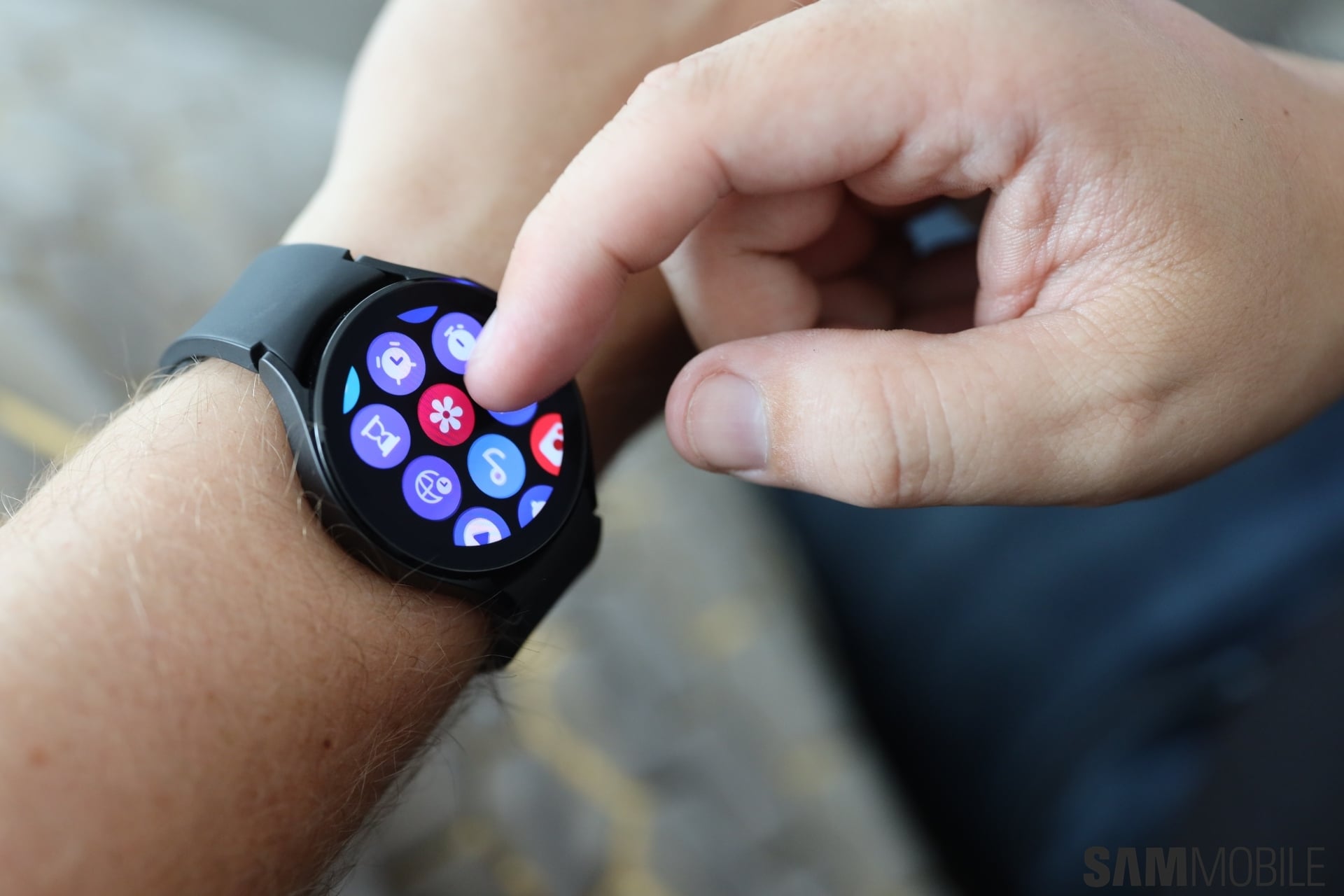
If you have a Galaxy Watch 4 and aren't sure how to get the Google Assistant going on your wearable, you've come to the right place. Here you can find everything you need to know about downloading and setting up Google Assistant on Samsung's latest smartwatch series.
Before you can use Google Assistant, you'll need to download or update the app on your watch from the Play Store. You can do this one of two ways.
The first method is to find Google Assistant on the Play Store using a web browser and remotely install the app on your smartwatch from the store page. Or tap the link if you're on a phone or tablet and you will be taken to the Play Store app where you can choose to install Assistant on your smartwatch.
If the first method fails, you can install Google Assistant as follows:
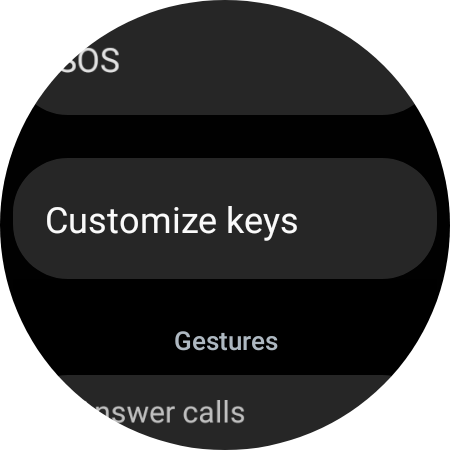
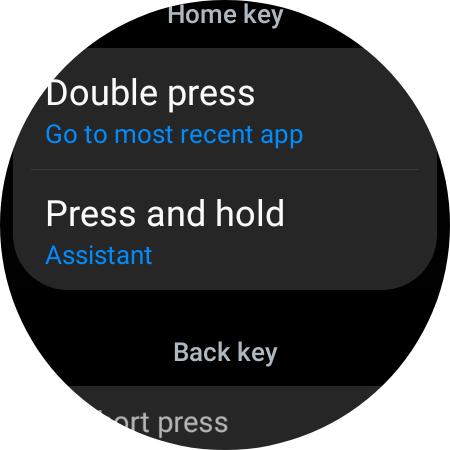
After the setup is complete, you can assign Google Assistant as your default virtual assistant with these simple steps:
Join SamMobile’s Telegram group and subscribe to our YouTube channel to get instant news updates and in-depth reviews of Samsung devices. You can also subscribe to get updates from us on Google News and follow us on Twitter.
[modelinfo model=”SM-R860″]
[modelinfo model=”SM-R890″]

Mihai is a blogger and column writer at SamMobile. His first Samsung phone was an A800 which took a lot of beating, and a part of him still misses the novelty of the clamshell design. In his free time, he enjoys watching shows, documentaries, and stand-up comedy; listening to music, taking walks, and occasionally playing old(er) video games.













