Samsung Week! Galaxy S23 Ultra: Save up to $800. Order the brand new Galaxy S23 FE up to $300 discount!

SamMobile has affiliate and sponsored partnerships. If you buy something through one of these links, we may earn a commission.

You can now easily enable 96Hz refresh rate mode on Galaxy S20

Phone
By 

Last updated: April 1st, 2020 at 05:31 UTC+02:00

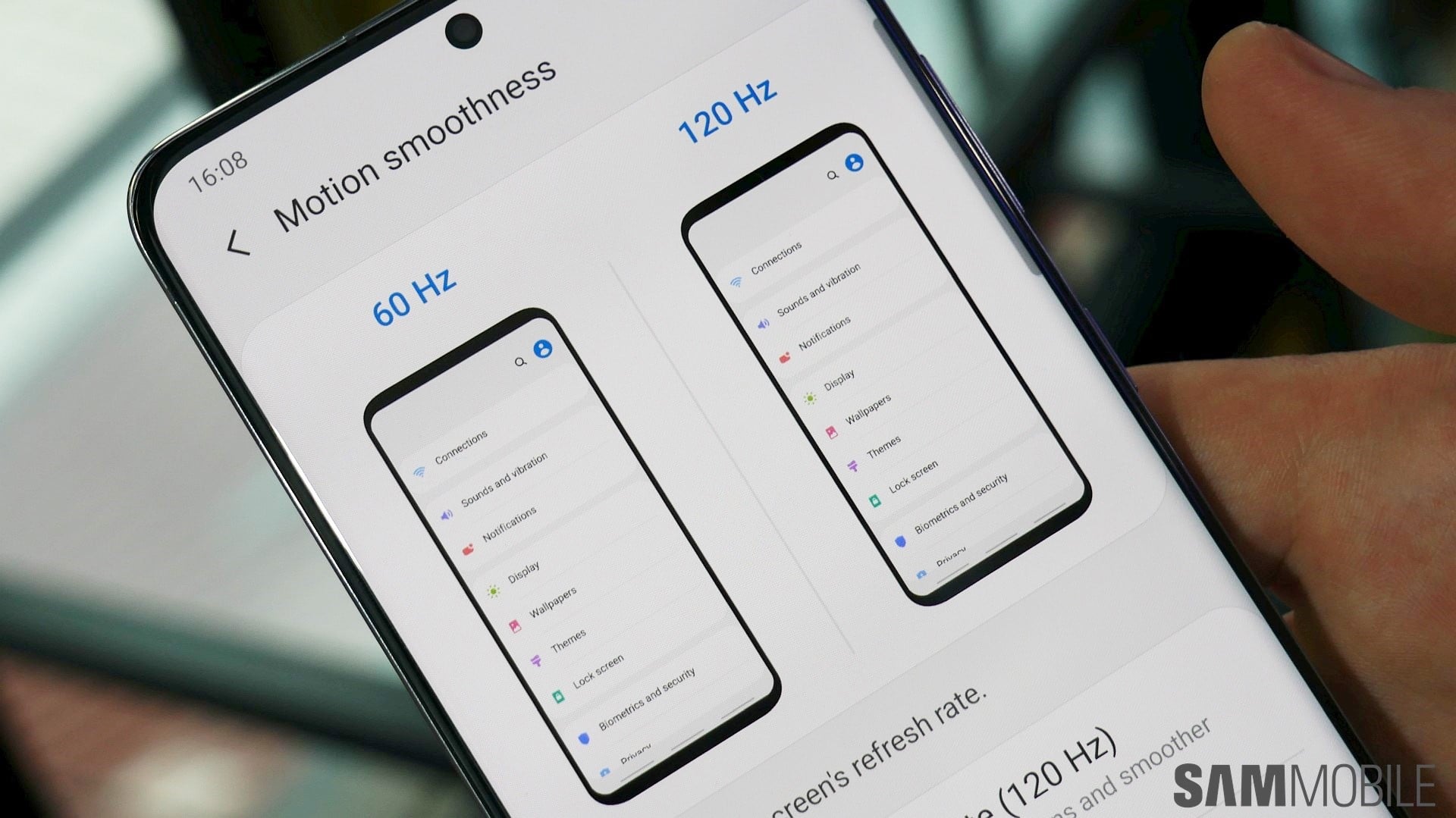
The Galaxy S20 series features 120Hz refresh rate mode for the screen, and the experience of using a high refresh rate is downright amazing. Everything feels fast, fluid, and smooth. However, it also consumes a lot of power and ends up affecting the battery life. What if you want a high refresh rate experience without depleting battery by a considerable margin?

Well, the Galaxy S20, Galaxy S20+, and the Galaxy S20 Ultra feature a hidden, 96Hz refresh rate mode. The 96Hz mode should theoretically offer a reasonable middle ground between high refresh rate and battery life, but Samsung hasn't enabled the option yet. You can still change your Galaxy S20's refresh rate setting to 96Hz via ADB, but there's an easier way that doesn't require you to hook up your phone to a PC and run some commands.

Set Galaxy S20's screen refresh rate to 96Hz using this app

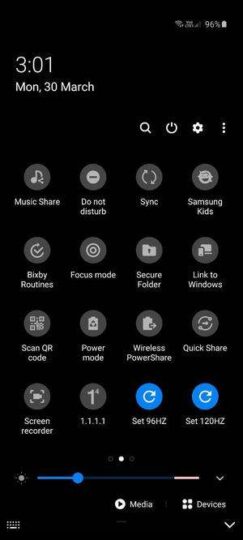
XDA forum member SatySatsZB has created an app that places two toggles—96Hz and 120Hz—in the Galaxy S20's quick settings panel. You can easily switch between those two modes without having to restart the phone. Similar to the 120Hz mode, 96Hz mode is limited to Full HD+ screen resolution.

No one has tested if the 96Hz mode actually offers better battery life than 120Hz mode, but it should be the case unless Samsung has done something wrong. You can download the app from here. Some users who tried out the app on the Exynos variant of the Galaxy S20 have reported issues with the unofficial 96Hz mode, but others say that it is working fine on their smartphones.

Since this is an unofficial workaround, we advise you to try it out at your own risk. We wish Samsung had offered a 90Hz or 96Hz setting officially, but the company may be working on the feature already with newer software builds. The company is also reportedly working to offer 120Hz refresh rate mode with QHD+ resolution.

Samsung Galaxy S20 Refresh Rate Controller

Via Phone Galaxy S20Galaxy S20 PlusGalaxy S20 Ultra

You might also like

Galaxy S20 bags September 2023 security update in the US

Galaxy S20 bags September 2023 security update in the US

A few days ago, Samsung released the September 2023 security update to the Galaxy S20 in Europe. Now, the new security has reached the US shores, with the carrier-unlocked models getting the first dibs on it. The carrier-locked models could soon get the new update as well. Galaxy S20 September 2023 security update: What's new? […]

  • By Asif Iqbal Shaik
  • 1 month ago
Galaxy S20 series gets September 2023 security update

Galaxy S20 series gets September 2023 security update

Samsung has started rolling out the September 2023 security patch to the Galaxy S20, Galaxy S20+, and Galaxy S20 Ultra. At the moment, the latest software update is available in Switzerland. Other regions, as well as other variants of these phones, should also get the update in the next few days. Galaxy S20, S20+, and […]

  • By Abid Iqbal Shaik
  • 2 months ago
August 2023 security update rolling out to Galaxy S20 series

August 2023 security update rolling out to Galaxy S20 series

While Samsung has been busy today in releasing the first One UI 6.0 Beta update to the Galaxy S23 series, it hasn't forgotten about its older phones. The company has released the latest security update to the Galaxy S20 series, which was launched three years ago. Galaxy S20 August 2023 security update: What's new? The […]

  • By Asif Iqbal Shaik
  • 3 months ago
Galaxy S20 gains July 2023 security update

Galaxy S20 gains July 2023 security update

Samsung has released the July 2023 security update to the Galaxy S20 series in several regions, including Asia, Europe, and Latin America. The Galaxy S21, Galaxy S22, and Galaxy S23 have already received the newest security updates from Samsung over the past couple of weeks. Where is the July 2023 security update rolling out to […]

  • By Asif Iqbal Shaik
  • 3 months ago
New Samsung Expert RAW update improves image quality, fixes errors

New Samsung Expert RAW update improves image quality, fixes errors

An updated version of Samsung's Expert RAW camera app has been released in the Galaxy Store. This update, which bumps the app's version number up to 2.0.10.6, went live for some users earlier this week and is now available more widely. The changelog for Expert RAW 2.0.10.6 says that image quality has improved and errors […]

  • By Abhijeet Mishra
  • 4 months ago
Galaxy S20, Note 20 units affected with green/pink lines get free screen replacement in India

Galaxy S20, Note 20 units affected with green/pink lines get free screen replacement in India

A few days ago, we reported that green/pink lines are appearing on some Galaxy smartphones with Super AMOLED screens. For some units, these lines have been appearing after updating to new software. For others, the green/pink lines have been appearing on the screen despite any physical damage. Now, Samsung has announced that it will offer […]

  • By Asif Iqbal Shaik
  • 4 months ago