Published: November 24th, 2026 at 08:00 UTC+01:00


5 weird One UI 9.5 features and changes

Some changes and limitations don't make any sense.

Abhijeet Mishra

Reading time: 5 minutes

Samsung One UI 9.5

Abhijeet Mishra / SamMobile

Firmware

Samsung One UI 9.5

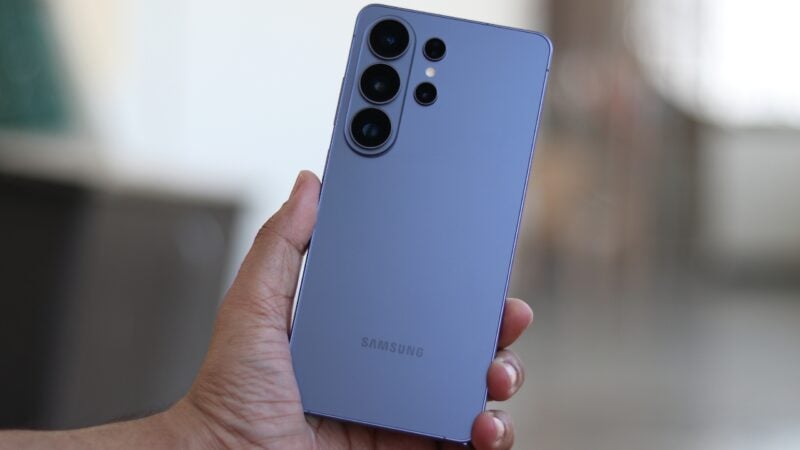
One UI 9.5 brings some welcome improvements to Galaxy phones, from a more convenient Camera interface to the long-requested App lock feature. But after spending a few days with the beta on the Galaxy S26 series, we've also come across some changes that leave us scratching our heads.

Some useful features don't work together, an upgrade button leads nowhere, and one handy Now Brief option has disappeared entirely. Here are five oddities we've noticed so far.

Shot suggestions doesn't work with 24MP photos

One UI 9.5 makes 24MP photography more convenient by putting the resolution option directly in the Camera app. Previously, Galaxy S26 users needed Camera Assistant to enable it.

But there's a catch in the current beta: Shot suggestions becomes unavailable when you select 24MP. The setting is grayed out, with a message saying it isn't supported at the current picture size, similar to when you select 50MP or 200MP resolution.

One UI 9.5 camera settings

Daniel Scuteri / SamMobile

Shot suggestions greyed out when 24MP is selected

Shot suggestions guides your camera to the best angle and composition for your photo, and on One UI 9, it can be enabled at both 12MP and 24MP, making the restricion on the One UI 9.5 beta a little confusing.

The level and center guides remain available, but they don't replace the composition suggestions. Switching back to 12MP restores Shot suggestions, which gets a cleaner design in One UI 9.5 with a small dot to help you frame the shot.

Live effect wallpapers disable background removal on Always On Display

A new Live effect option for lock screen wallpapers makes element in a wallpaper shift as you tilt the phone, adding a sense of depth. But using it means giving up an existing Always On Display option.

The Erase background setting lets you keep a photo's subject visible on the AOD while removing its surroundings. When you wake the screen, the full image returns, creating a smooth transition to the lock screen.

Enable Live effect for that wallpaper, however, and Erase background becomes grayed out, leaving you to choose between the tilt-responsive lock screen wallpaper and the background-free AOD.

Always On Display Erase Background

Daniel Scuteri / SamMobile

Erase background option greyed out

What's puzzling is that Live effect doesn't animate the Always On Display itself. The movement only starts when you wake the lock screen, yet enabling it also takes away that AOD customization.

Now Brief offers a Galaxy AI upgrade you can't try

Galaxy AI upgrade option in One UI 9.5

Daniel Scuteri / SamMobile

Galaxy AI upgrade option in One UI 9.5

Now Brief's custom cards come with limits. You can keep up to three at a time, just as in One UI 9, and the beta also restricts how often you can edit each card.

Once you've created three, trying to add a fourth brings up a pop-up offering two choices: delete an existing card or upgrade to Galaxy AI Premium.

That fits with what we've previously reported about Samsung's plans. The existing three-card allowance is expected to remain free, while a paid option would let you create more.

The problem is that the upgrade doesn't work. Tapping Upgrade produces an error, and repeated attempts don't get us any further.

It would have been useful to explore the higher allowance during the beta and see what the paid option offers. Instead, the menu presents an answer to the three-card limit that testers can't actually use.

Audio Brief has disappeared from Now Brief

Now Brief doesn't just point toward a paid upgrade that isn't available yet, it has also lost a useful existing feature.

Audio Brief is no longer available in One UI 9.5. The playback button that read your briefing aloud has disappeared, and Samsung lists the removal in the update's changelog.

On One UI 9, you can start playback, pause it, and skip to the next part of the briefing. It's a convenient way to catch up while having breakfast or drinking your morning coffee without reading everything on the screen.

That playback option is gone in One UI 9.5. Samsung lists the removal in the update's changelog, but hasn't explained why.

For anyone who preferred listening to their updates, this makes Now Brief less convenient. We'd like Samsung to retain that choice.

Privacy Display protects whole notification panel when using locked app

The final head scratcher concerns the Galaxy S26 Ultra's Privacy Display and its new integration with App lock.

Privacy Display makes the screen harder to read from the side. With One UI 9.5, you can set it to activate automatically when you open an app protected by App lock.

With Privacy Display enabled for locked apps, opening the notification panel when it contains a notification from a locked app activates protection for the whole panel.

Samsung already lets Privacy Display protect just the area occupied by an incoming notification pop-up. We'd like similar control within the notification panel, with an option to protect only notifications from selected apps.

Full panel protection could remain available for those who want it. Offering both choices would let users decide how broadly Privacy Display applies when it's combined with a locked app.

Of course, these observations come from the first One UI 9.5 beta. Samsung still has time to finish features that aren't working and reconsider some of these tradeoffs before the stable release, so here's hoping some of these oddities get addressed eventually.