Last updated: March 12th, 2022 at 19:29 UTC+01:00
SamMobile has affiliate and sponsored partnerships, we may earn a commission.
Reading time: 3 minutes

For those unaware, Samsung's Game Booster app, or the Game Optimization Service (GOS) that it runs in the background while you game, keeps games from using the full might of the CPU and GPU to keep your phone's temperature and battery life in check. However, on the Galaxy S22 series, this was found to be slowing down games a lot more than it did on previous flagships, prompting Samsung to release an update to fix it.
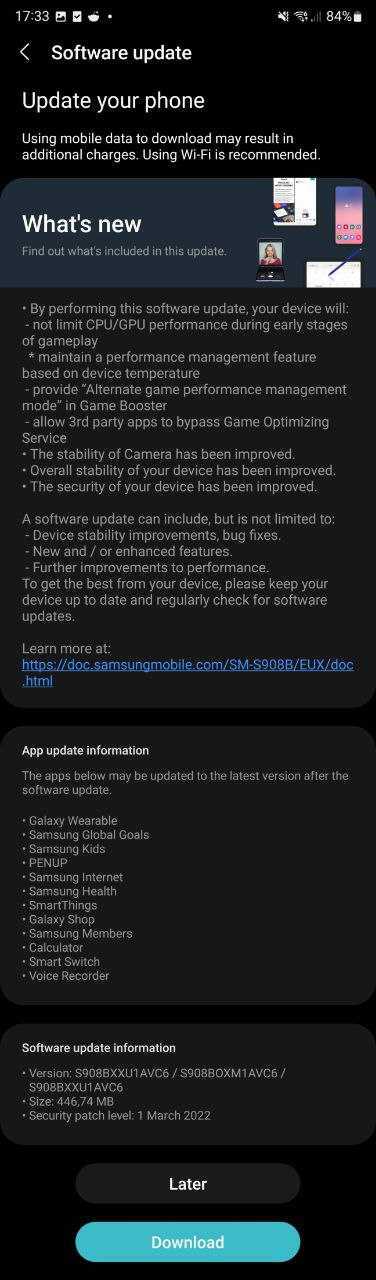
That update has now reached Europe, and according to the changelog, GOS won't cap game performance as much as it did before, though it will still ‘optimize' performance if your device starts heating up. That's a good thing in our books, but if you don't like it, Samsung is providing an alternate performance management setting in the Labs section of Game Booster for those who want the fastest gaming experience and don't care for the heat it may generate.
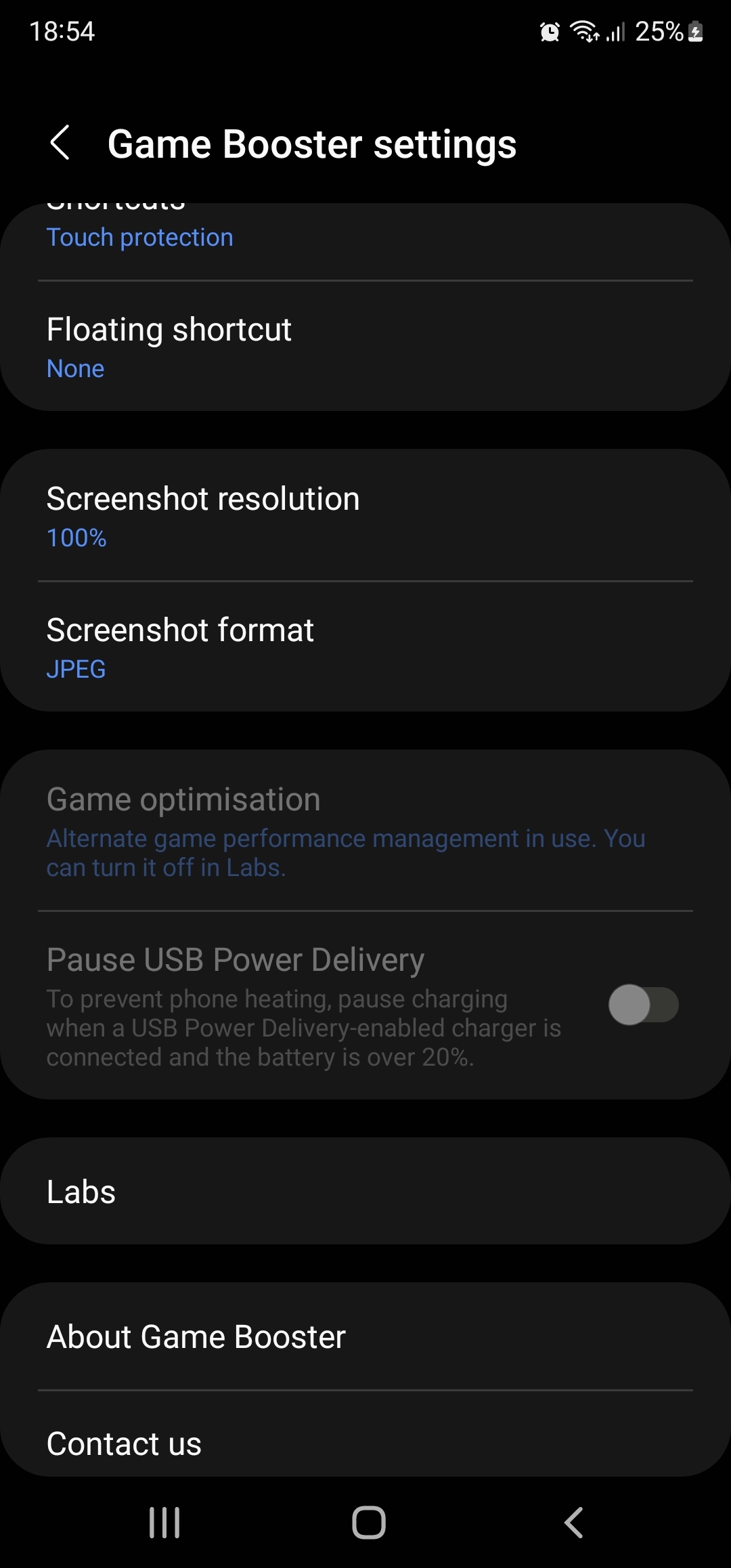
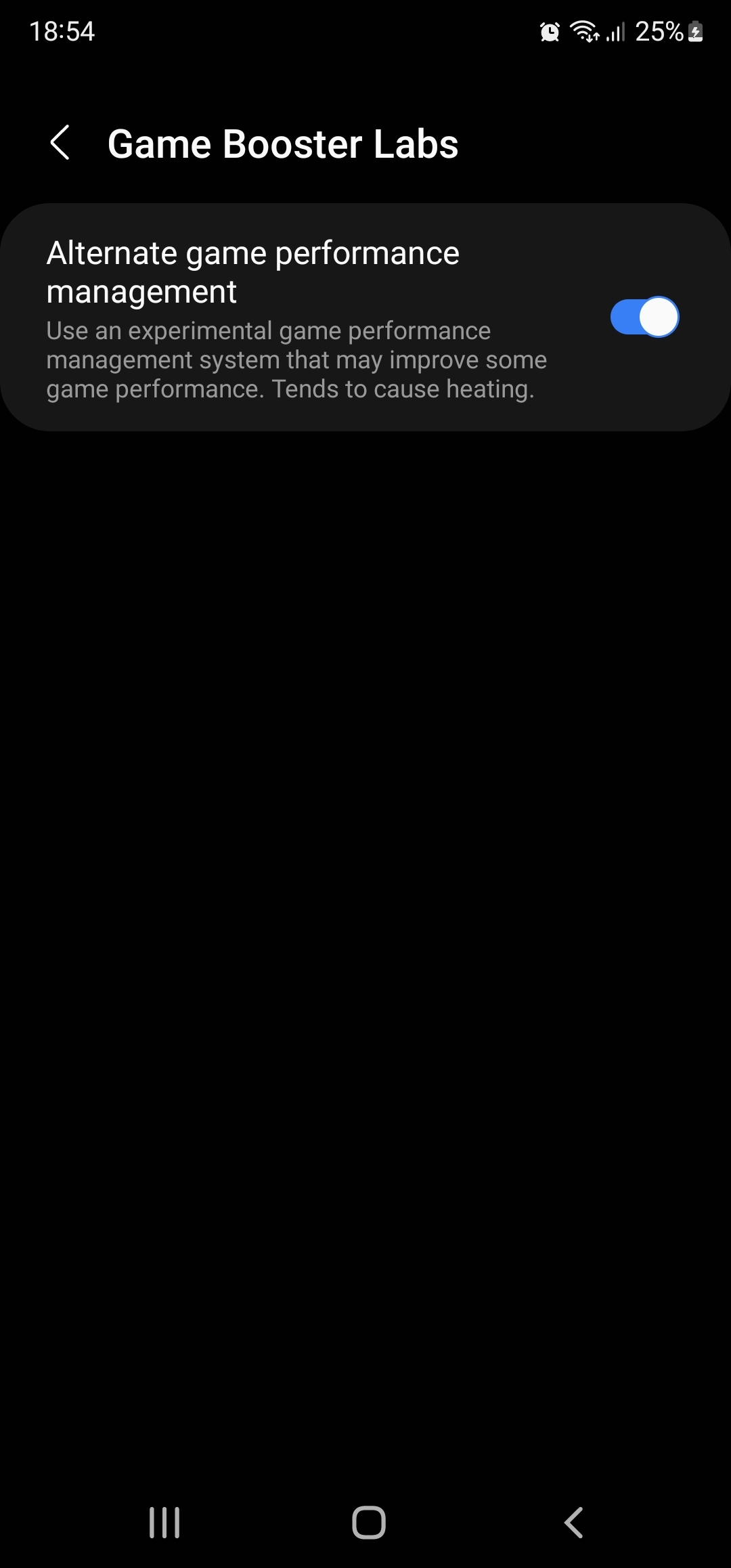
If you're new to this, Game Booster can be accessed by swiping up from the bottom of the screen while a game is running and hitting the Game Booster icon on the bottom left hand side of the screen. There, you can find many options to improve your gaming experience, like turning off notifications when a game is running or disabling touch input if you leave a game running on the device too long without touching the screen. More details here, if you're interested.
In addition to all the game optimization stuff, the update will allow third-party apps to bypass GOS optimization. The new update also optimizes camera performance. We can vouch for that – the update makes the camera app as fast as it was out of the box, something that was affected by the previous update that was released for both the Snapdragon and Exynos variants of the Galaxy S22 phones.
You can check if the latest update — firmware version S90xxXXu1AVC6 — is available for your Galaxy S22, S22+, or S22 Ultra by opening its Settings app, navigating to Software update, and selecting Download and install. Our firmware archive will also have the firmware available for download in the near future so you can manually upgrade your phone using a Windows PC.
As for when this particular update will reach other parts of the world, we can assume it will be quite soon, and you can rest assured we'll let you know about it.
Thanks for the tip, Marcel!
Join SamMobile’s Telegram group and subscribe to our YouTube channel to get instant news updates and in-depth reviews of Samsung devices. You can also subscribe to get updates from us on Google News and follow us on Twitter.

Abhijeet's writing career started with guides for custom firmware for Samsung devices (including the original Galaxy S), and he moved to SamMobile in mid-2013 and worked up the ranks to Editor-in-chief. In addition to phones and mobile devices, his interests include gaming on both PC and console, PC hardware, and spending countless hours on YouTube watching videos on tech, movies, games, politics, and internet dramas.














