Cyber week deals! Galaxy Watch8 Classic, Fold 7, S25 Ultra. Follow us on YouTube, TikTok, or LinkedIn
Last updated: September 1st, 2023 at 08:18 UTC+02:00
SamMobile has affiliate and sponsored partnerships, we may earn a commission.
Reading time: 3 minutes
Over the years, third-party Android apps have added a dark theme to go along with the dark mode feature found on pretty much every other Android device you can buy these days. Many apps let you manually switch between a light or dark theme, and a lot of them can also be set to change between a light and dark theme based on whether you have turned the system-wide dark mode off or on (which can be done from the quick toggles section in the notification shade on every Samsung Galaxy device).
However, some apps don't let you manually enable or disable the dark theme and always follow the system-wide setting, which can be frustrating if you want to use some apps with a dark theme while having the general user interface on your phone set to light mode. Well, it looks like Samsung understands that frustration and has introduced an experimental feature on One UI 6.0 that lets you force some apps to stay in dark mode even when your phone is set to light mode.
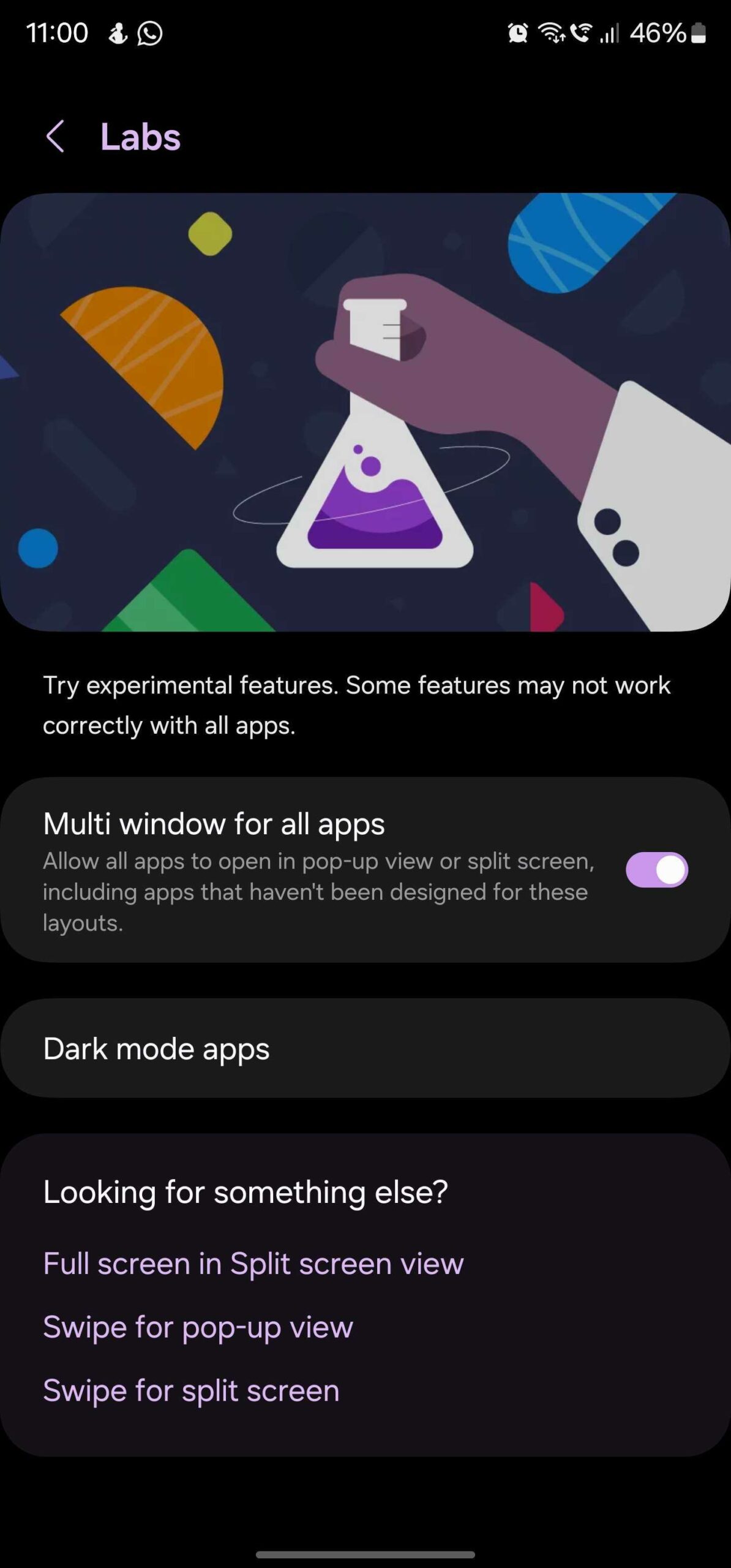
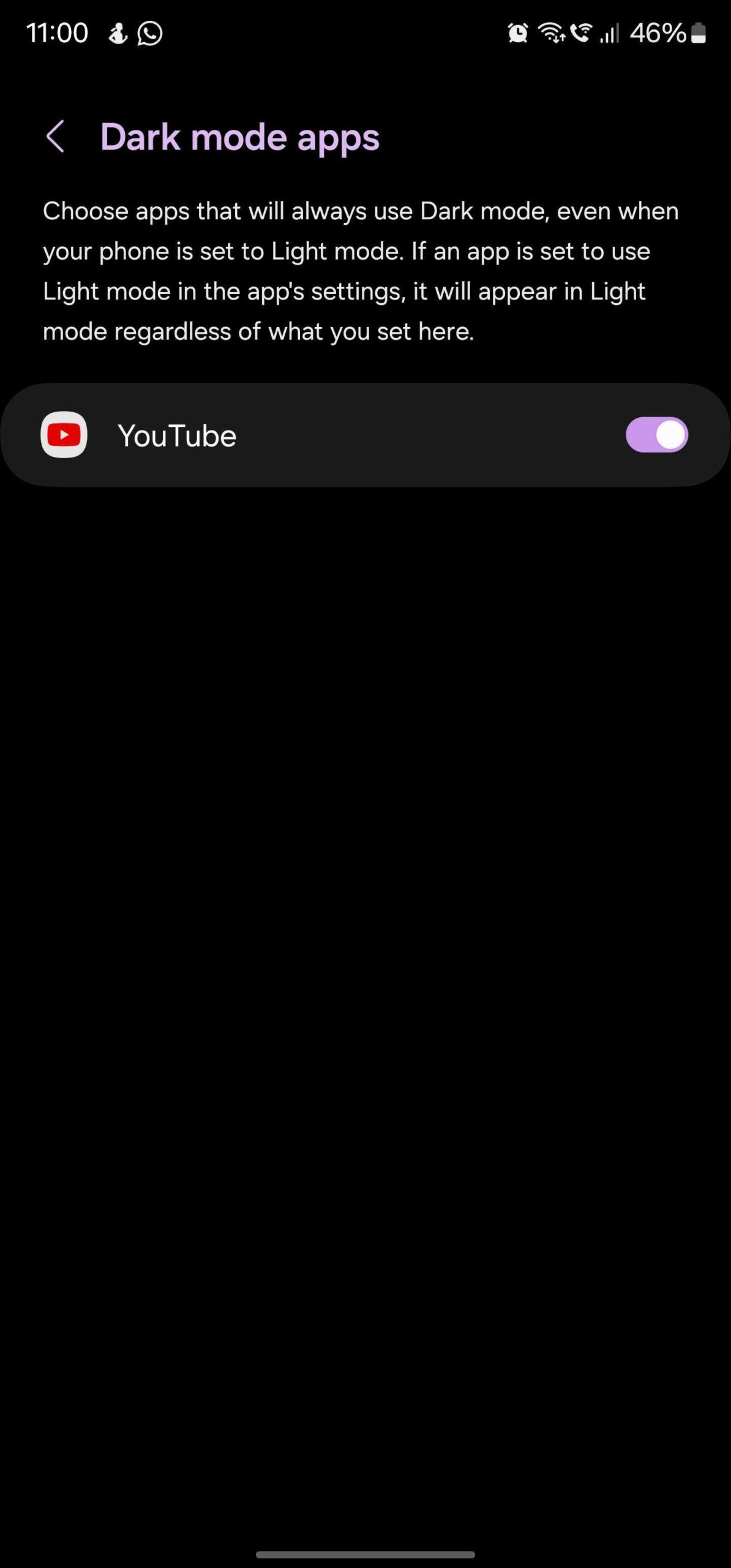
The feature, simply titled Dark mode apps, can be found in the Labs section of the Settings » Advanced features menu on a Galaxy S23, S23+, or S23 Ultra running One UI 6.0. However, it seems it needs some work because right now it doesn't make a lot of sense. For one, you can't manually add apps that you would like to force to stay in dark mode. And on the second Android 14 One UI 6.0 beta firmware for the Galaxy S23 series, the only app that's supported is YouTube.
But here's the catch: YouTube already allows you to force it to use a light or dark theme regardless of your device settings. It's only when the theme is set to the “Use device theme” option in the YouTube app's settings that the Dark mode apps feature can force YouTube to stay in dark mode. Oh, and the feature also won't do anything if you select a light theme through an app's settings, so we're left to wonder what purpose is being served here.
It's possible Samsung hasn't completed work on this functionality yet, which wouldn't be surprising as One UI 6.0 is in an early beta phase as of September 1, 2023 (it's also marked experimental). We'll be sure to check again once newer Android 14 and One UI 6.0 beta builds are released for the Galaxy S23 (and other phones that will join the beta program in the coming weeks) to see if anything changes, so be sure to stick around and keep tuning back in.
Abhijeet's writing career started with guides for custom firmware for Samsung devices (including the original Galaxy S), and he moved to SamMobile in mid-2013 and worked up the ranks to Editor-in-chief. In addition to phones and mobile devices, his interests include gaming on both PC and console, PC hardware, and spending countless hours on YouTube watching videos on tech, movies, games, politics, and internet dramas.