Last updated: October 3rd, 2019 at 13:06 UTC+02:00
SamMobile has affiliate and sponsored partnerships, we may earn a commission.
Reading time: 2 minutes
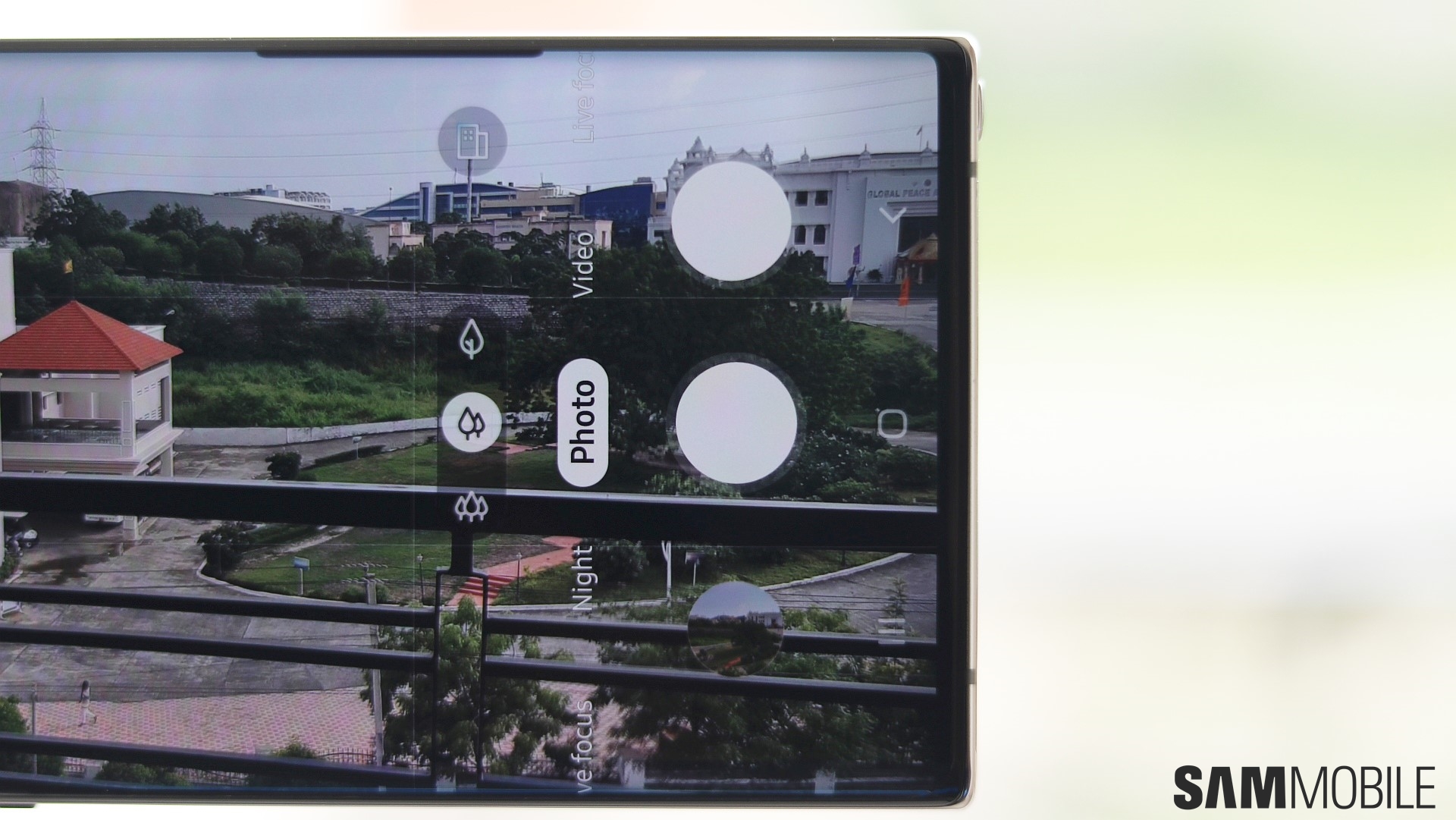
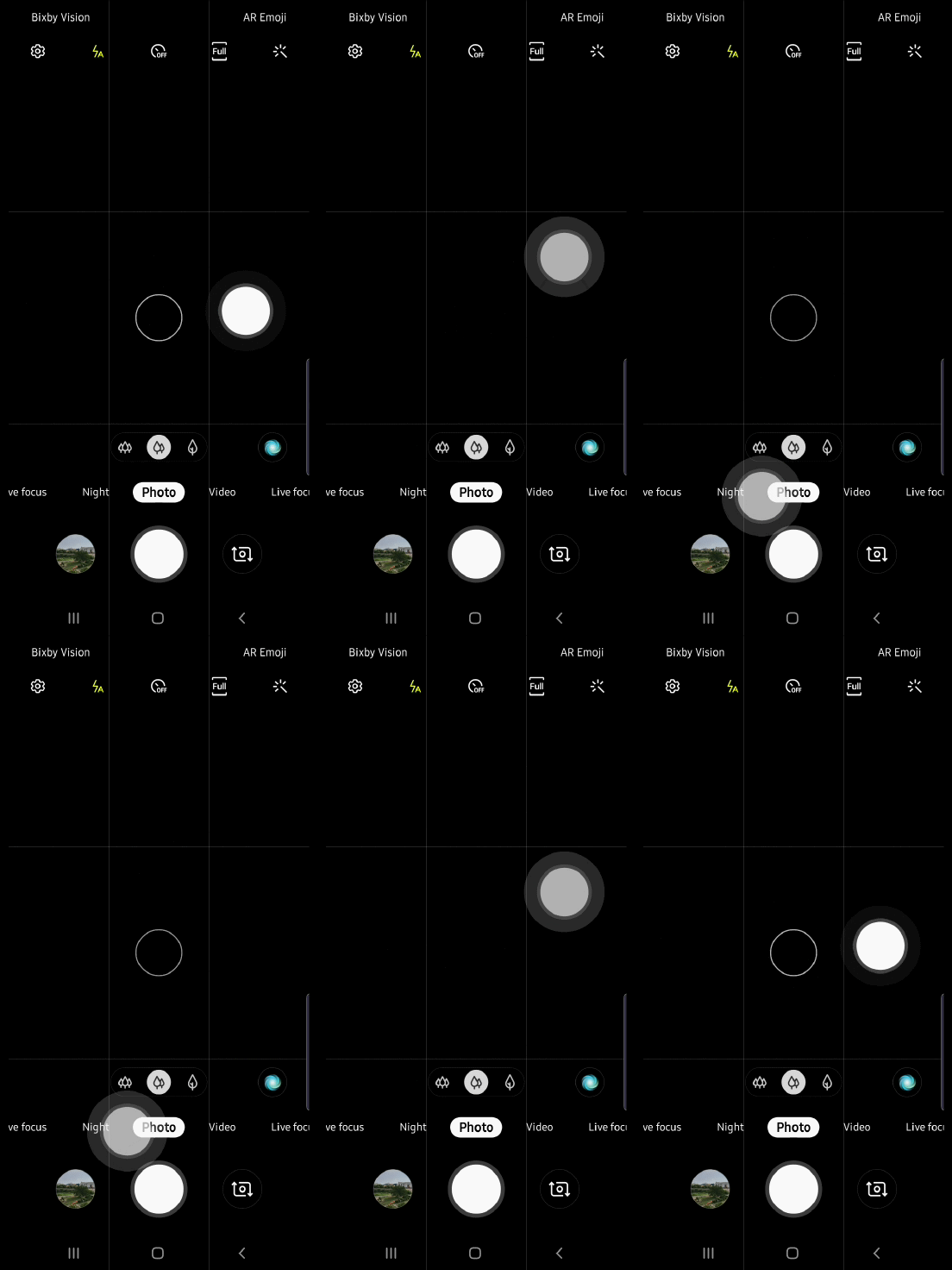
Where is the Floating Shutter button feature located on the Galaxy Note 10/10+? It's inside the camera settings, and you can follow the steps below to find out how you can enable it.
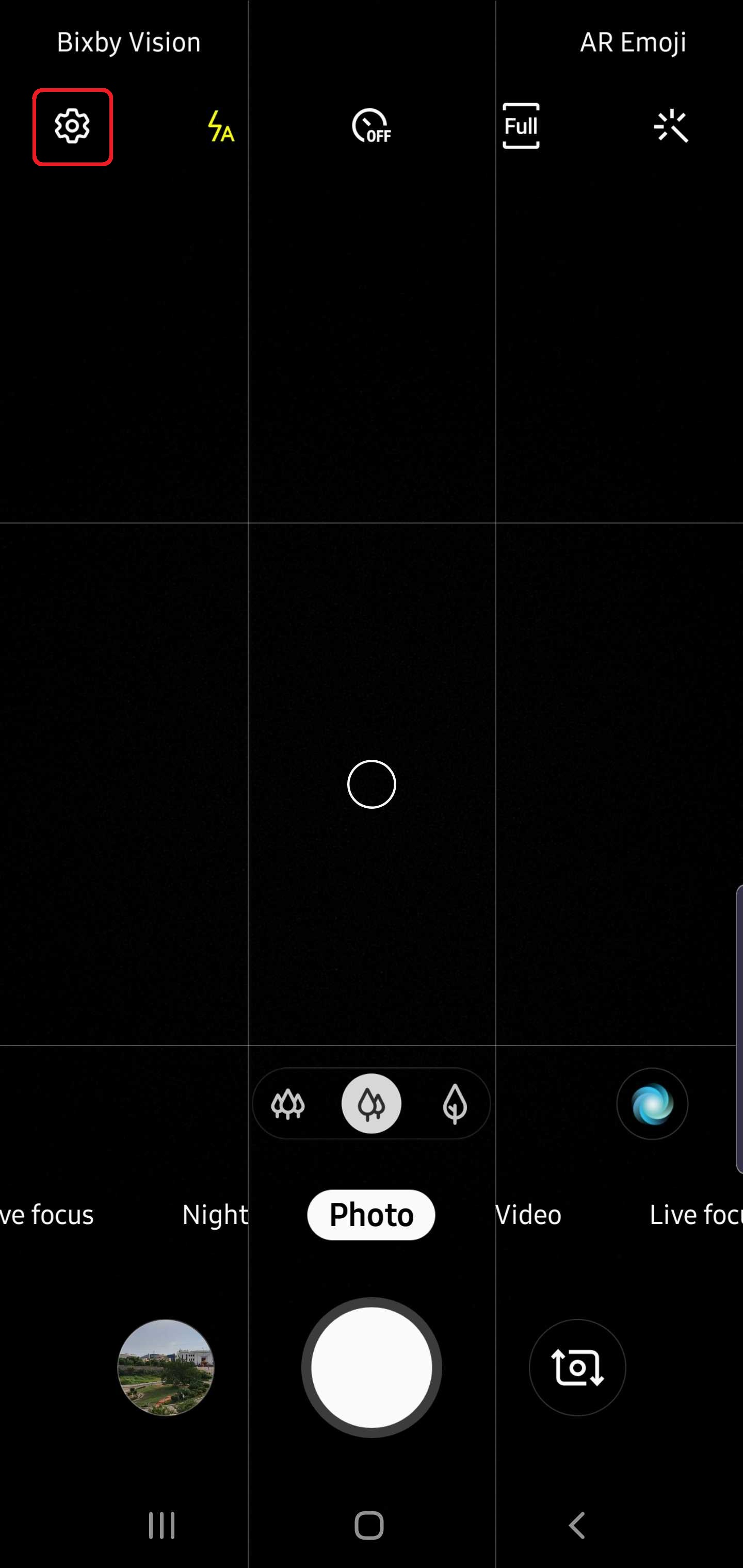
Step 1: Open the Camera app on your Galaxy Note 10 or Note 10+, then hit the gear-shaped icon in the top-left corner to go into the camera settings.
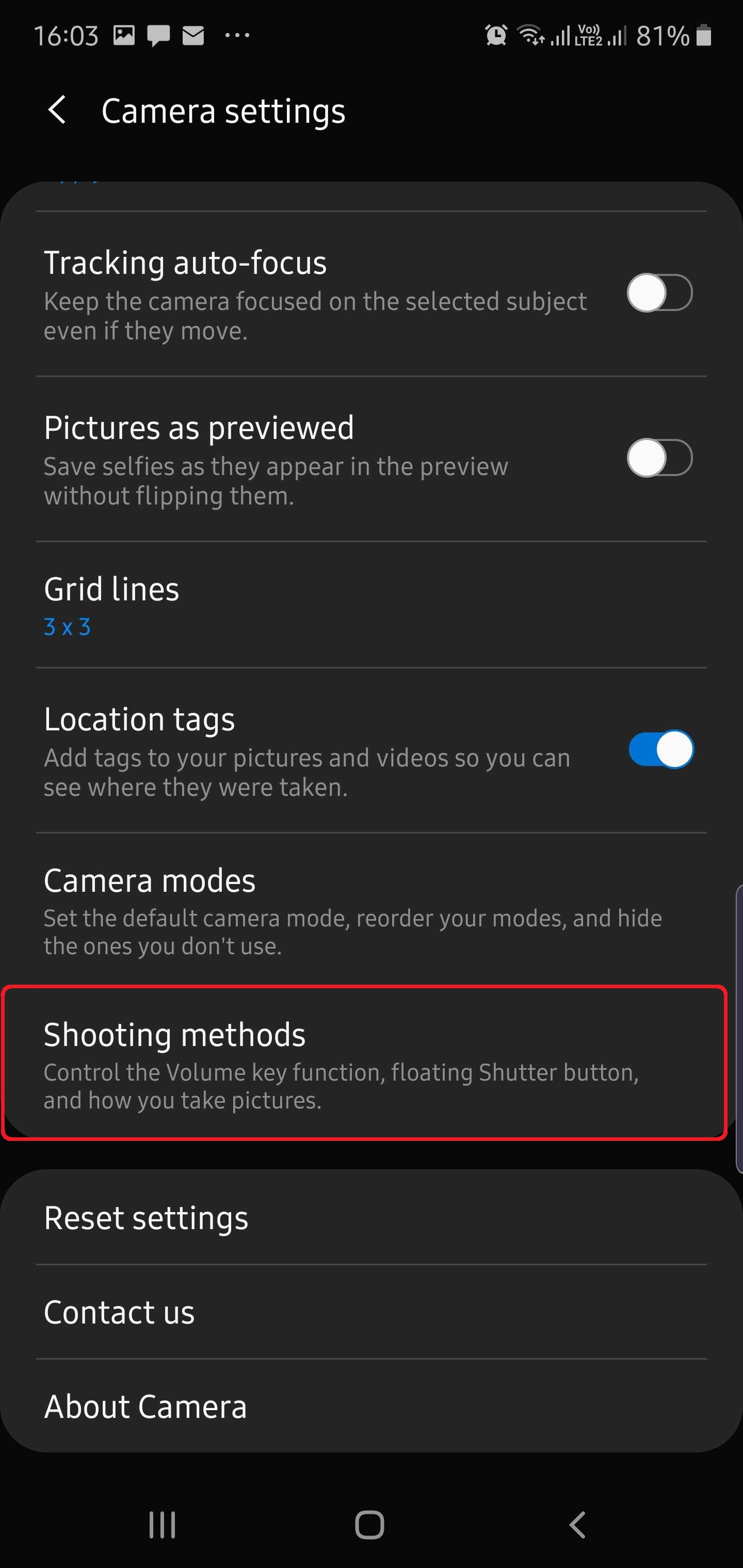
Step 2: Scroll down and tap Shooting methods.
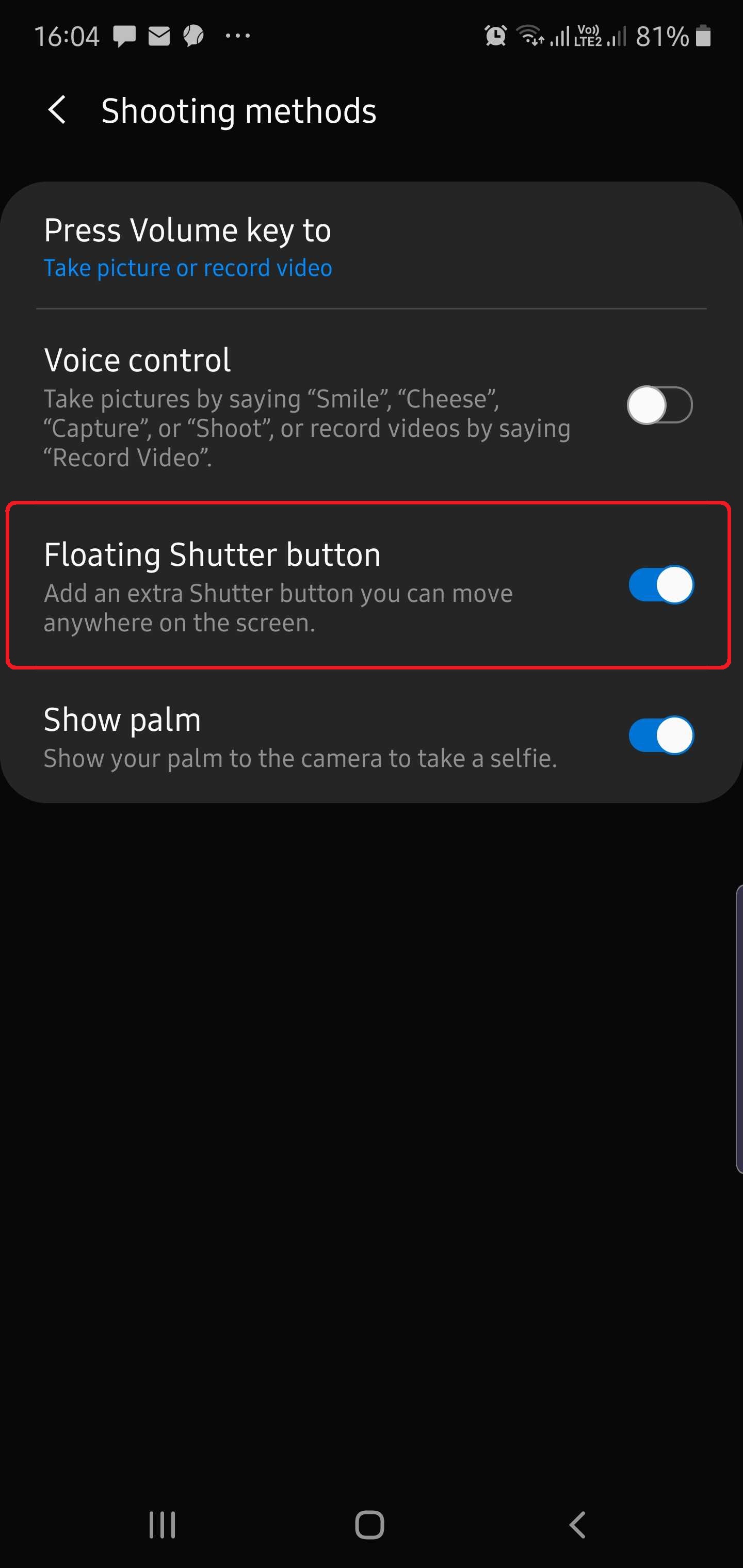
Step 3: Here, turn the switch next to the Floating Shutter button option ON.
Now, when you head back to the camera viewfinder, you will find a separate shutter button waiting to be moved around and placed wherever you wish. And here's a tip: If you don't like that extra shutter button, you don't need to go all the way into the camera settings again to disable it. Just drag the floating shutter button and drop it over the regular shutter button and the two will merge into one. This way, the floating button will be there when you need it (just move it again by dragging it out from the regular shutter button) while staying out of the way when you don't.
Check out more Galaxy Note 10 tips to get the most out of your phone, and let us know if you will be using the floating shutter button now that you know how to add it to the camera on your Note 10/10+!
[modelinfo model=”SM-N970F”]
[modelinfo model=”SM-N975F”]

Abhijeet's writing career started with guides for custom firmware for Samsung devices (including the original Galaxy S), and he moved to SamMobile in mid-2013 and worked up the ranks to Editor-in-chief. In addition to phones and mobile devices, his interests include gaming on both PC and console, PC hardware, and spending countless hours on YouTube watching videos on tech, movies, games, politics, and internet dramas.












