Last updated: March 14th, 2024 at 09:32 UTC+01:00
SamMobile has affiliate and sponsored partnerships, we may earn a commission.
Reading time: 1 minutes

In January this year, X (formerly Twitter) added support for passkeys to the X app for iOS. Now, the company is working on bringing support for passkeys to the X app for Android.
According to AssembleDebug on TheSpAndroid, the latest beta version of the X app for Android (version 10.32.0) contains strings of codes mentioning passkeys. What’s even more interesting is that the author was able to activate the feature. Once they activated it, an option to enable passkeys appeared in the app with the description “Enable passkeys for added protection that may be tied to your biometrics.” The option is located in Settings and privacy » Security and account access » Security.
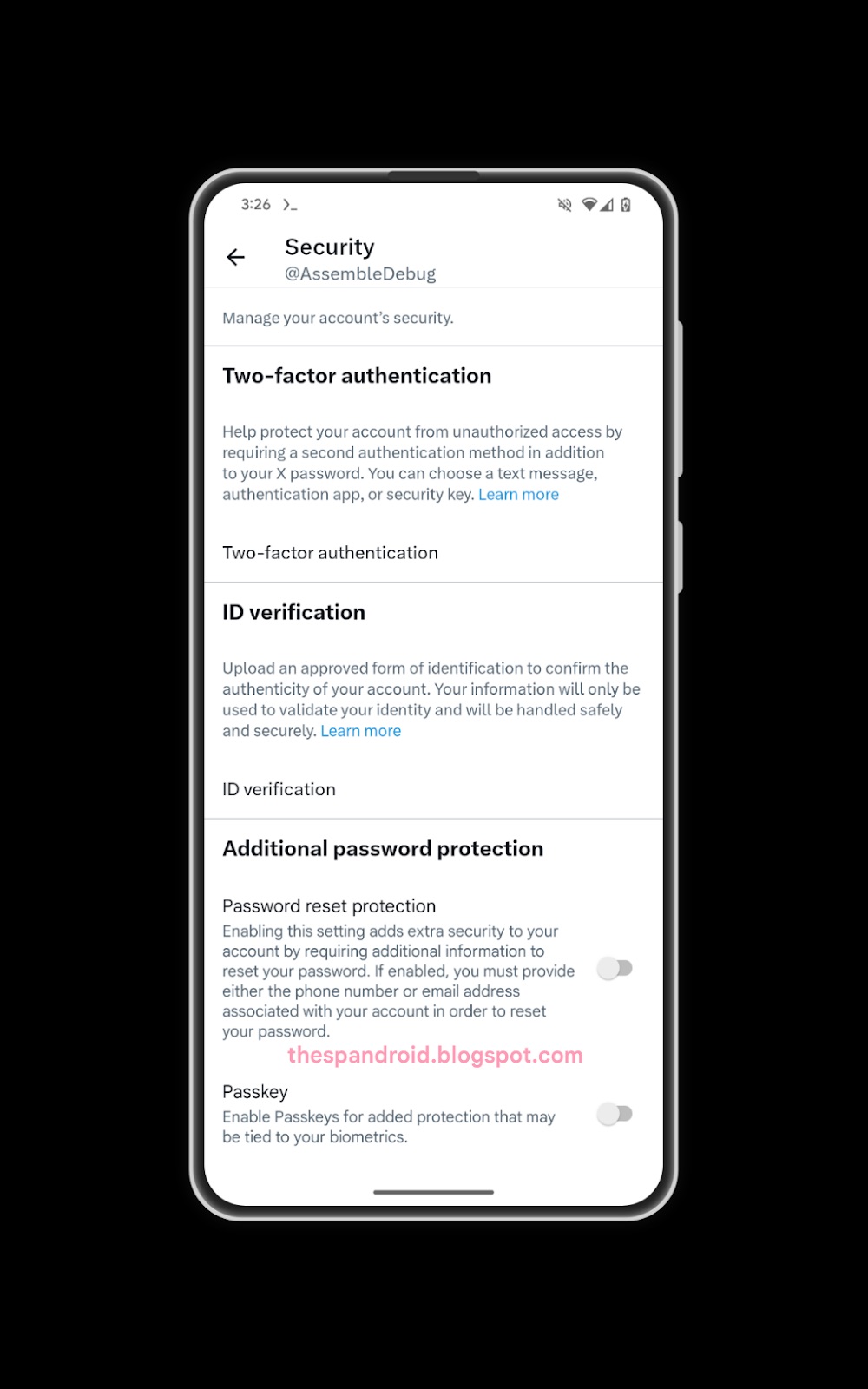
Unfortunately, the support for passkeys is not functional in the app at the moment, which suggests that the project is still under development. Once the feature is ready, the company might activate it by default in the beta version of the app, test it thoroughly, and then make it available in the stable version of the app. Once that happens, you will be able to log into the X app for Android by authenticating your identity using your phone’s or tablet’s fingerprint scanner or facial recognition system.

I’m a computer science engineer living in Hyderabad, India, who has a keen interest in automobiles and consumer electronics. My journalism career kicked off in 2017 with MySmartPrice where I wrote news, features, buying guides, and explanatory articles about technology among other things, and reviewed many products, including smartphones, tablets, laptops, PC components, smartwatches, audio devices, wearables, and smart home products. Since then, I have worked for 91Mobiles, Apple, and Onsitego, before finally landing on SamMobile.














