Last updated: January 25th, 2024 at 13:34 UTC+01:00
SamMobile has affiliate and sponsored partnerships, we may earn a commission.
Reading time: 3 minutes
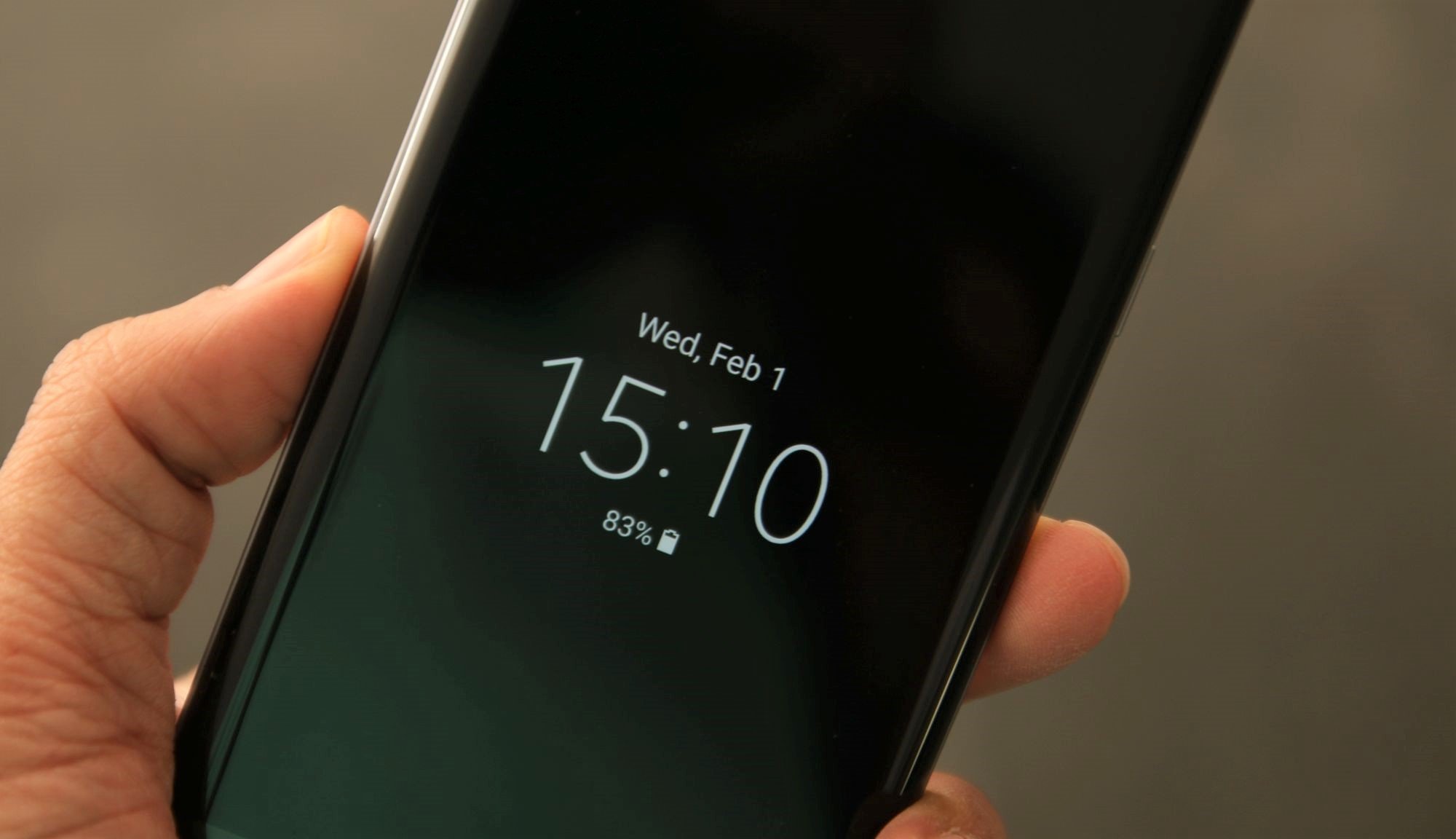
The Always On Display is a useful tool that allows Galaxy phone users to get information about the time, date, and notifications without turning the screen on. AOD doesn't consume much energy, thanks to AMOLED display technology and low refresh rates, so it's a great feature to have.
Even so, and as dim as AOD can be, it can still get relatively luminous in a dark room at night. And if you keep your phone close by when you sleep, it might become a distraction.
Thankfully, Samsung's One UI software is chock-full of useful features, and if you'd like to keep the Always On Display on during the day and off at night, you can instruct your Galaxy device to do this automatically.
Samsung's Modes and Routines is a clever IFTTT (If This, Then That) tool that allows Galaxy phone users to automate settings based on a variety of conditions.
In our case, we need Modes and Routines to automate the Always On Display so that it stays on during the day and turns off automatically at night.
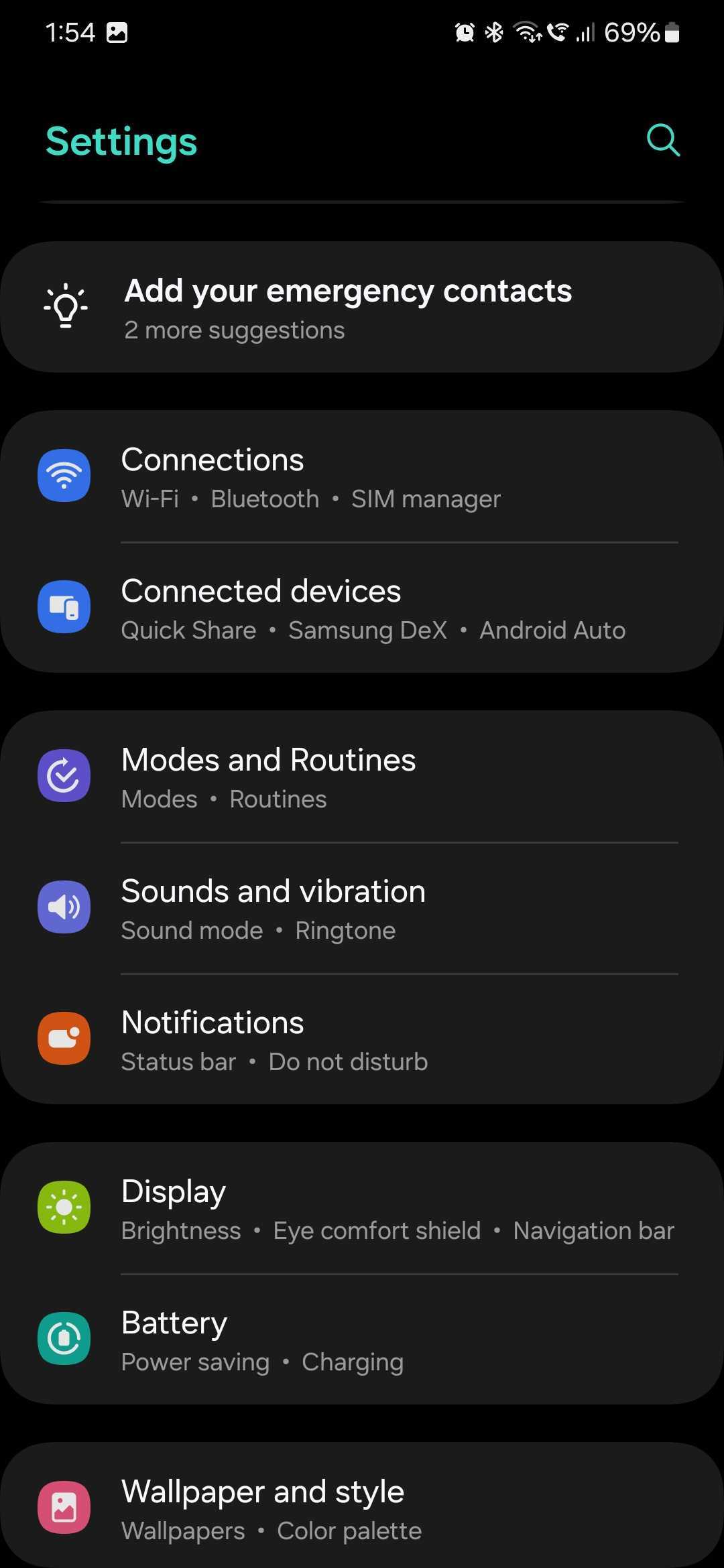
To do this, first open the Settings app and access “Modes and Routines.” Then, select the “Routines” tab at the bottom. Next, tap “+” at the top to start creating a new routine.
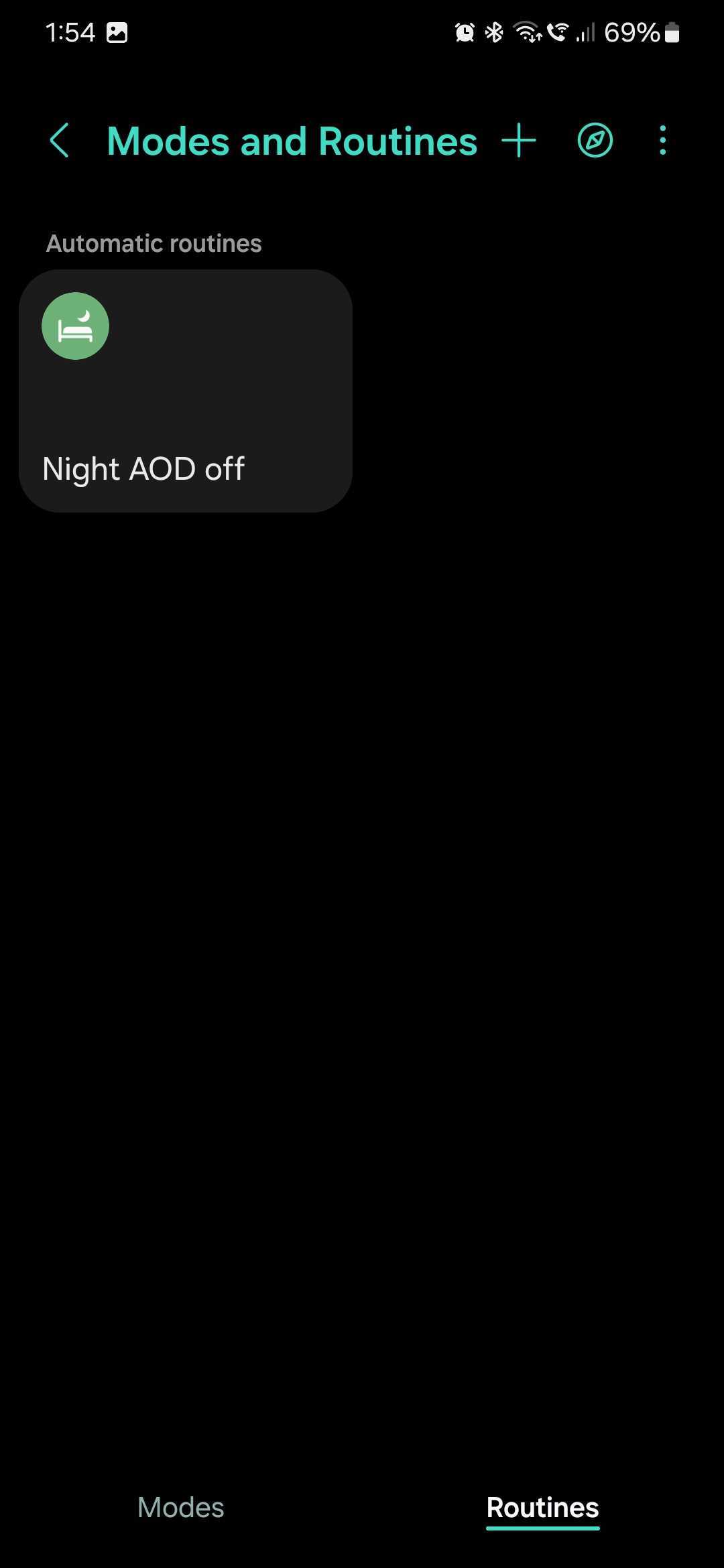
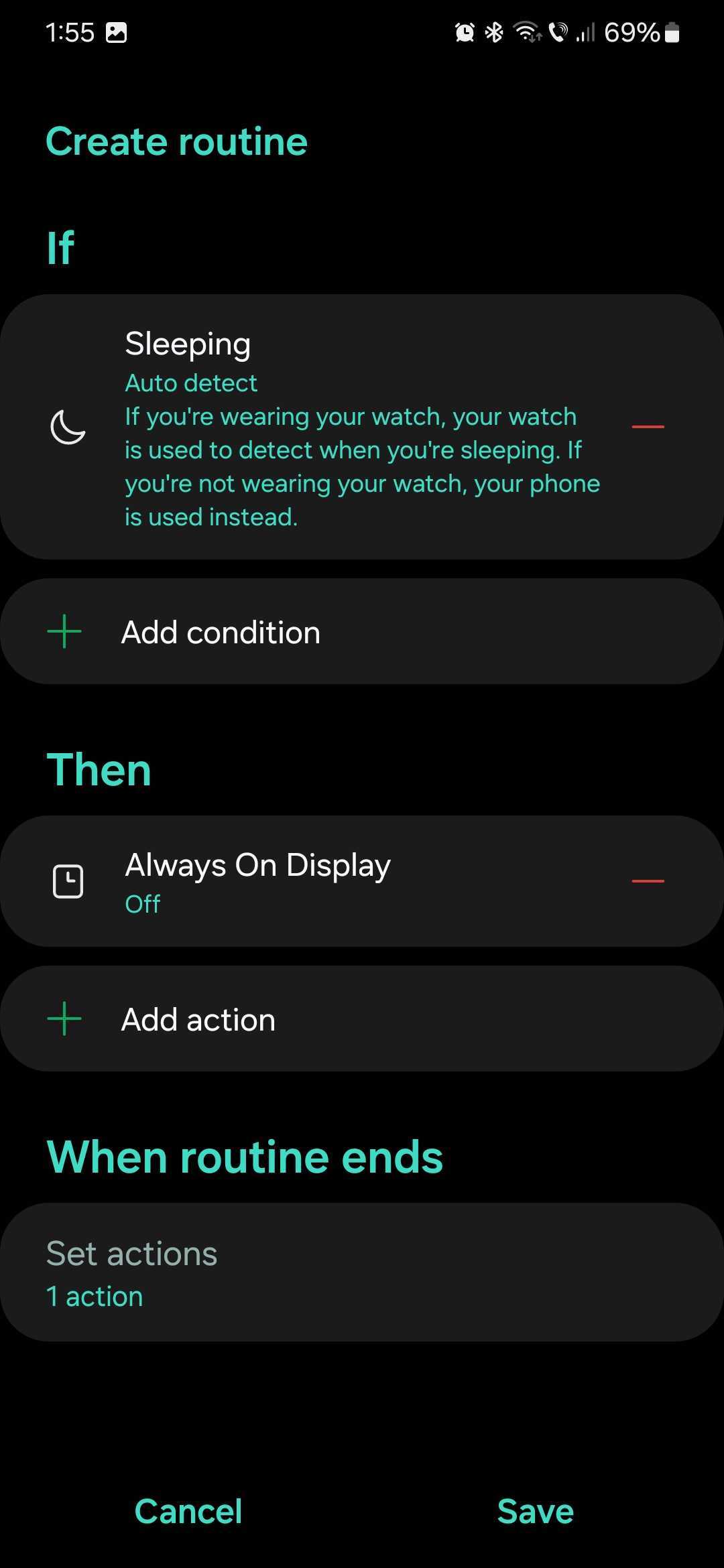
Tap the “If” field and select “Specific time” if you want the Always On Display to turn off automatically at preset times of night, or select “Sleeping” if you have Sleep Mode enabled and want it to govern when the Always On Display turns on or off.
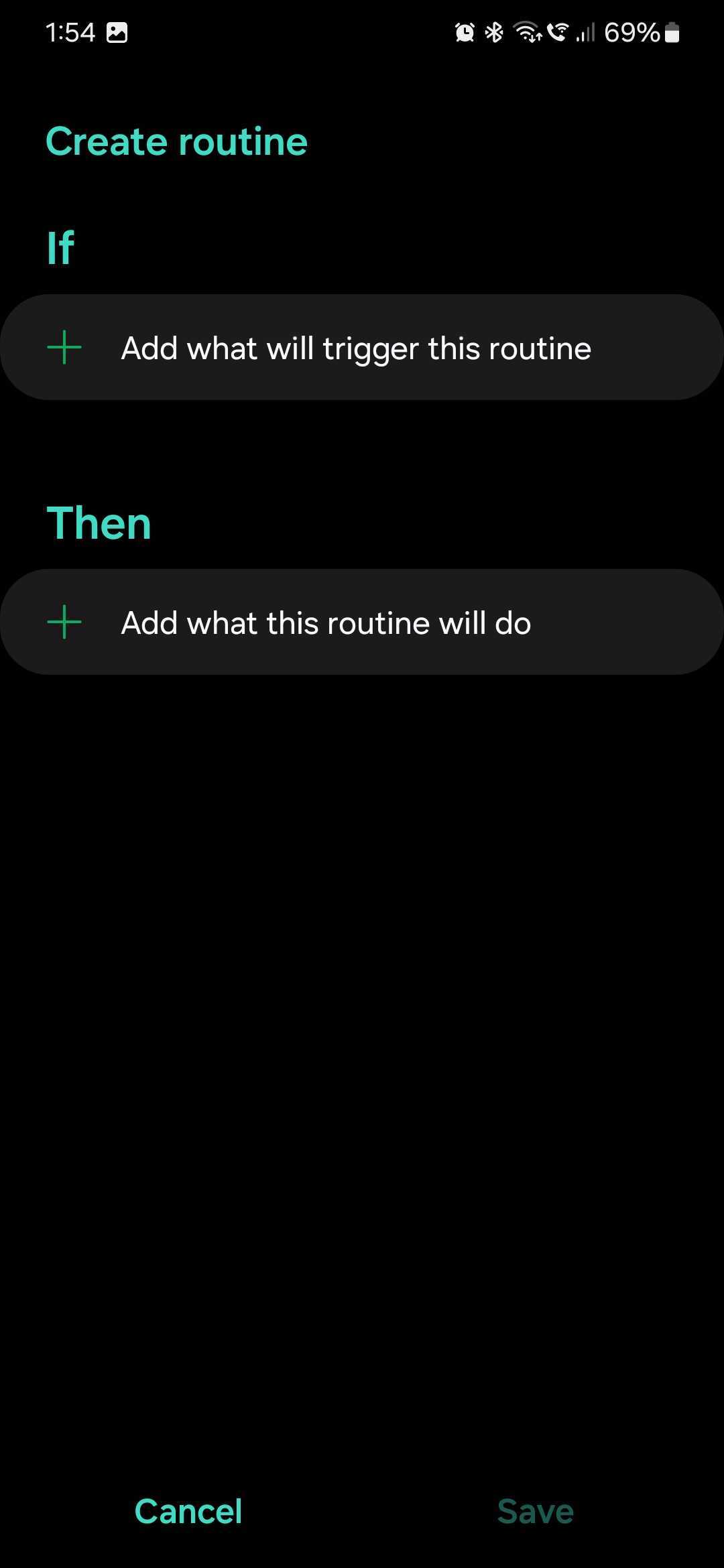
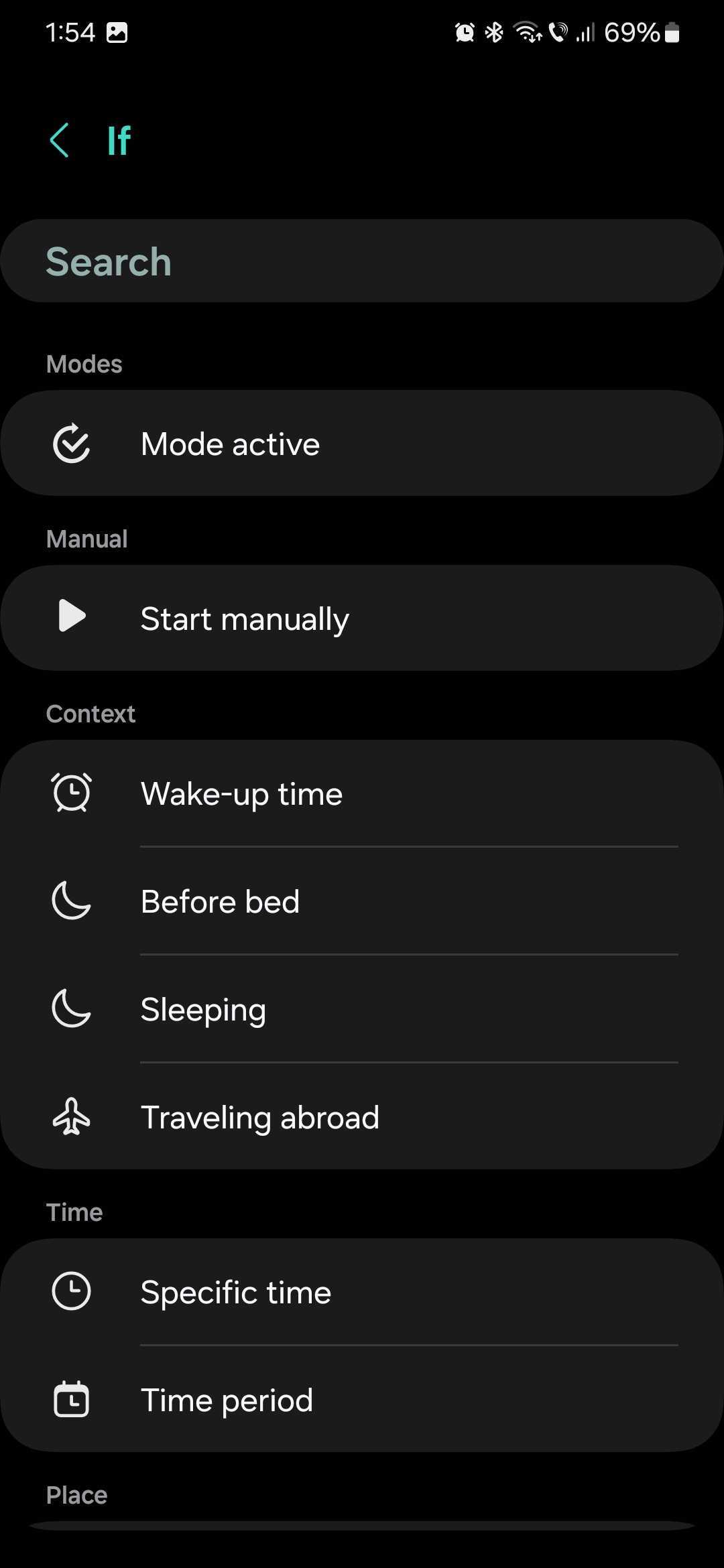
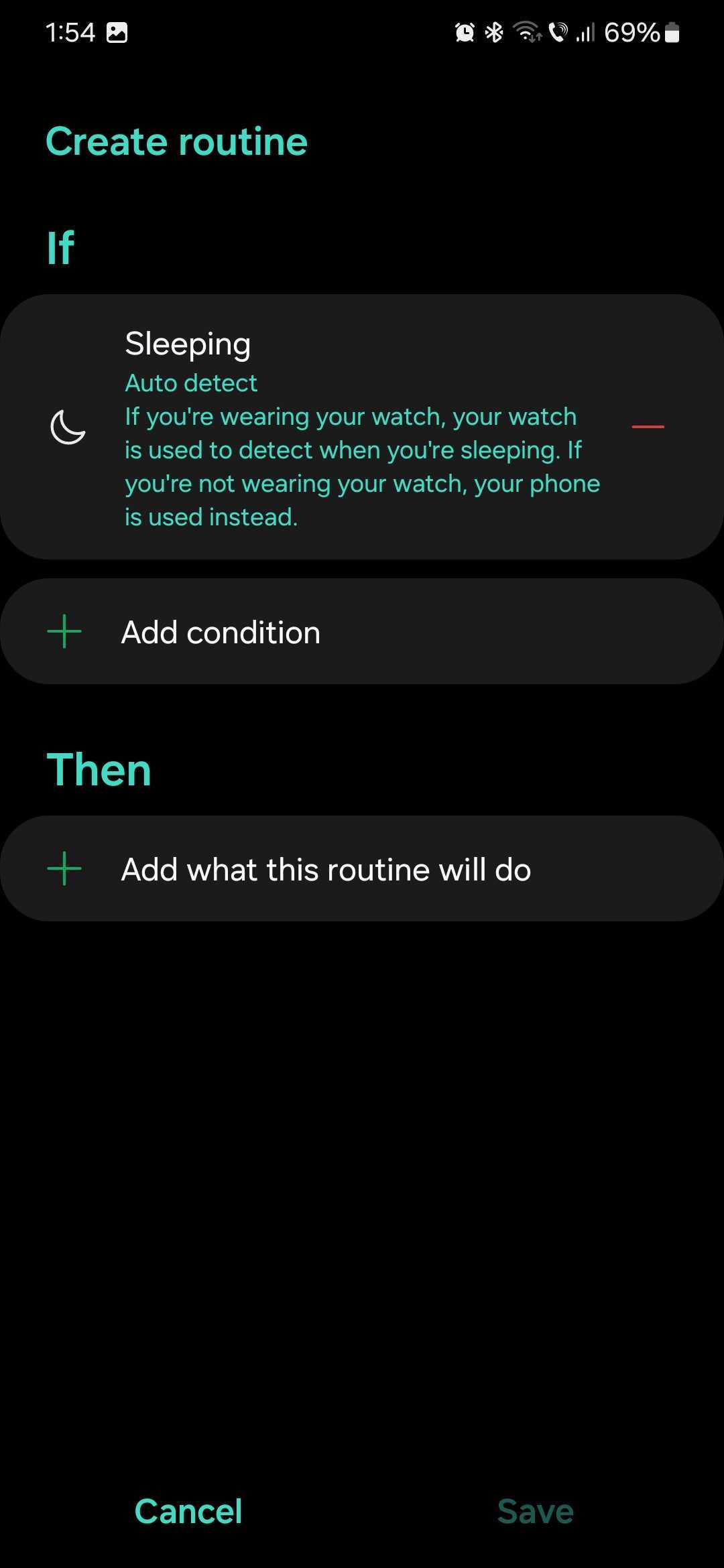
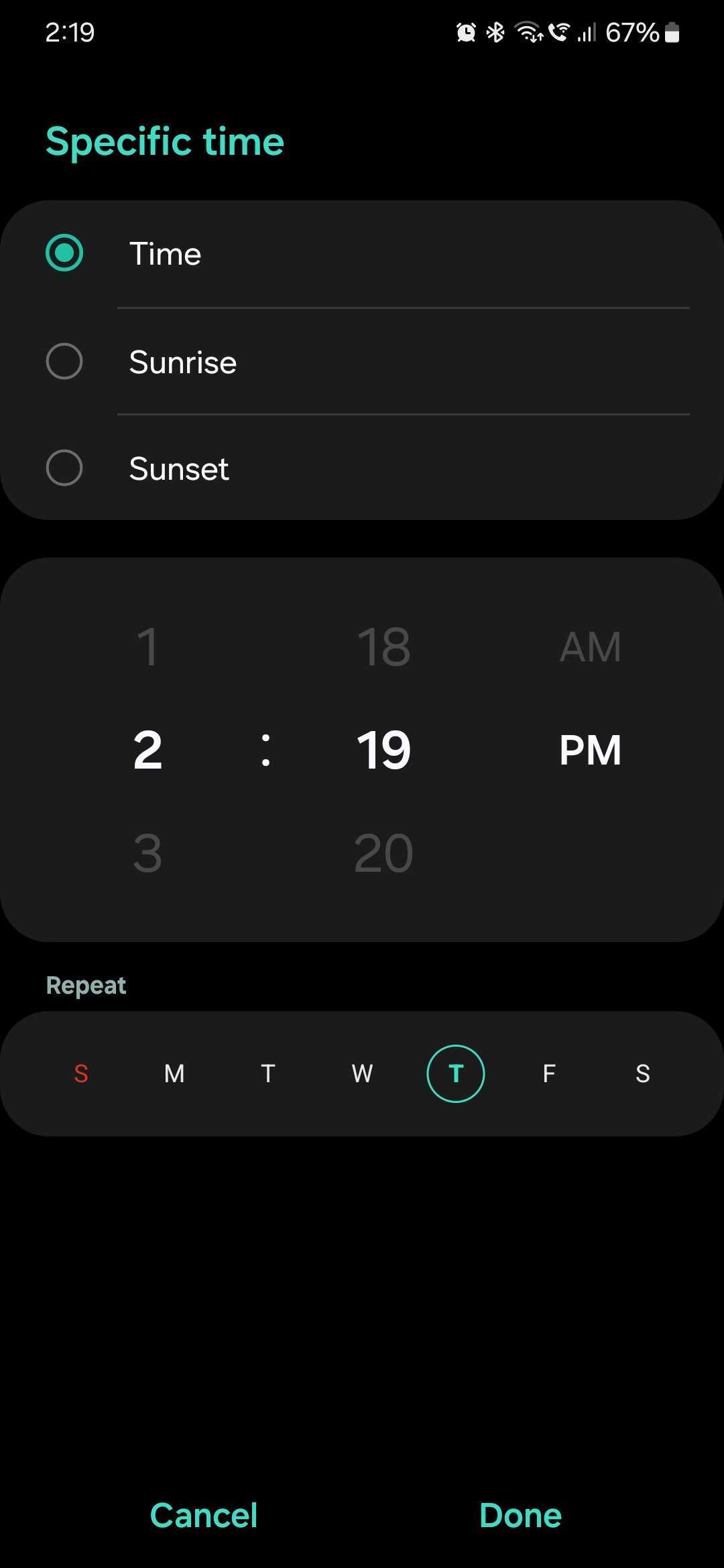
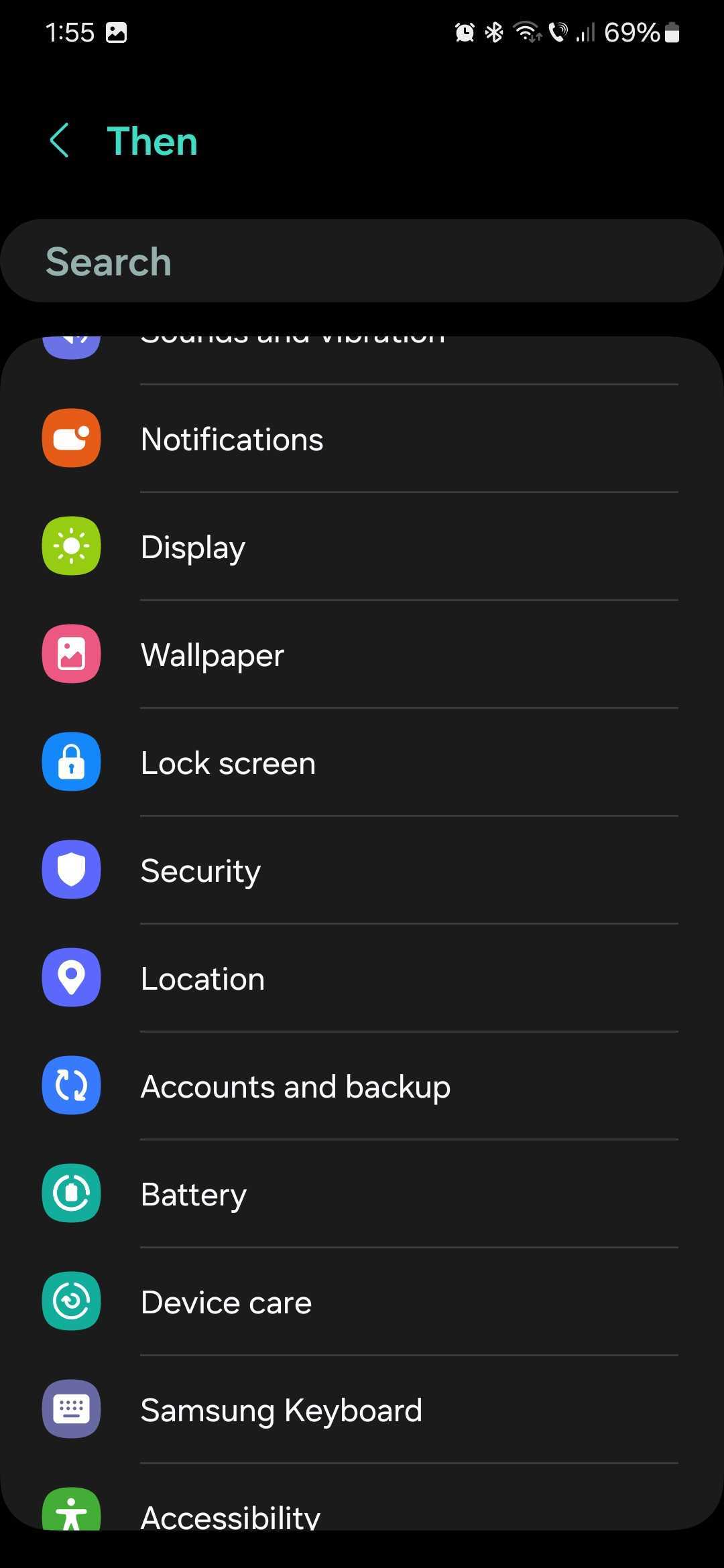
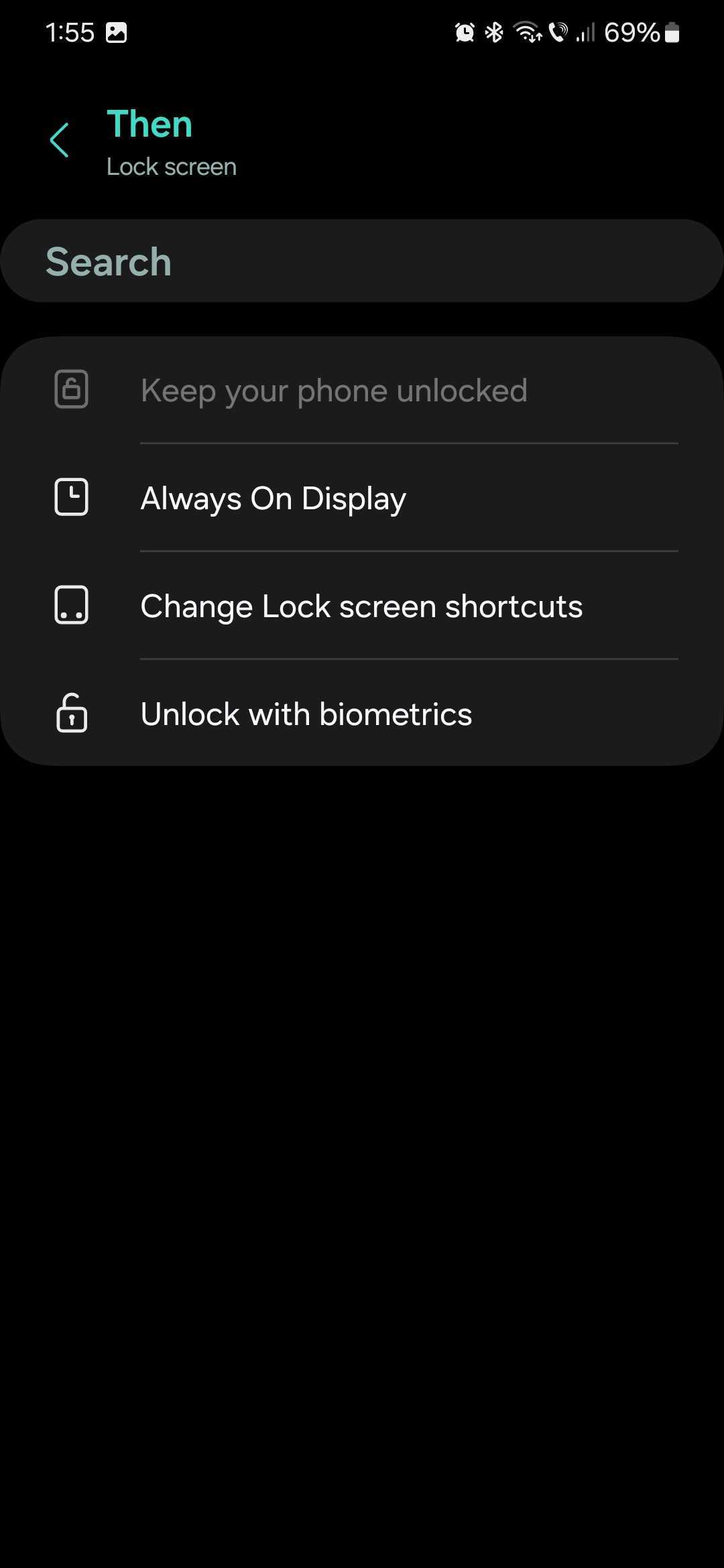
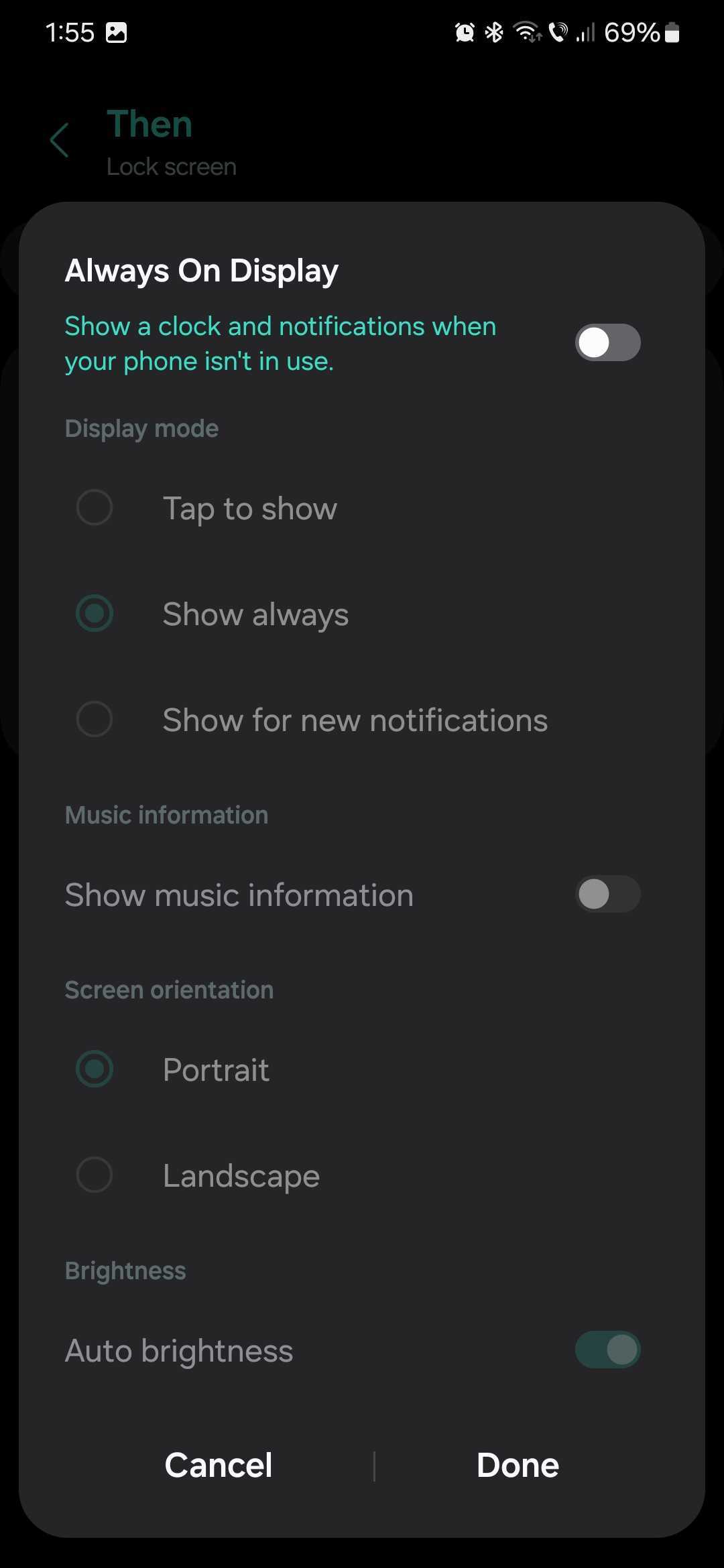
Next, tap the “Then” field and select “Lock screen,” followed by “Always On Display.” Tap the AOD toggle OFF and tap “Done.” Lastly, tap “Save” to create the Routine.
Samsung has updated the Galaxy S24 series' Always On Display to bring more functionality and even lock screen wallpapers, which might make the AOD brighter than you're used to. But this Modes and Routines automation should work with One UI 6.1 (on the Galaxy S24) and older versions alike.

Mihai is a blogger and column writer at SamMobile. His first Samsung phone was an A800 which took a lot of beating, and a part of him still misses the novelty of the clamshell design. In his free time, he enjoys watching shows, documentaries, and stand-up comedy; listening to music, taking walks, and occasionally playing old(er) video games.












