Last updated: April 15th, 2025 at 03:44 UTC+02:00
SamMobile has affiliate and sponsored partnerships, we may earn a commission.
Both are changes related to basic Android functionality.
Reading time: 2 minutes

One UI 7 brings many exciting new features and changes to the user interface, but not everyone is going to like it all. There are two changes in particular that long-time Samsung fans and users may want to roll back to how things were before One UI 7.
After years of fans requesting the feature, Samsung finally introduced a vertical app drawer to One UI. A vertical app drawer allows you to find apps faster than a drawer that scrolls horizontally, and when you upgrade to One UI 7, your phone will switch to the vertical drawer automatically.
If you want to go back to the previous version of the app drawer, here’s what you need to do:
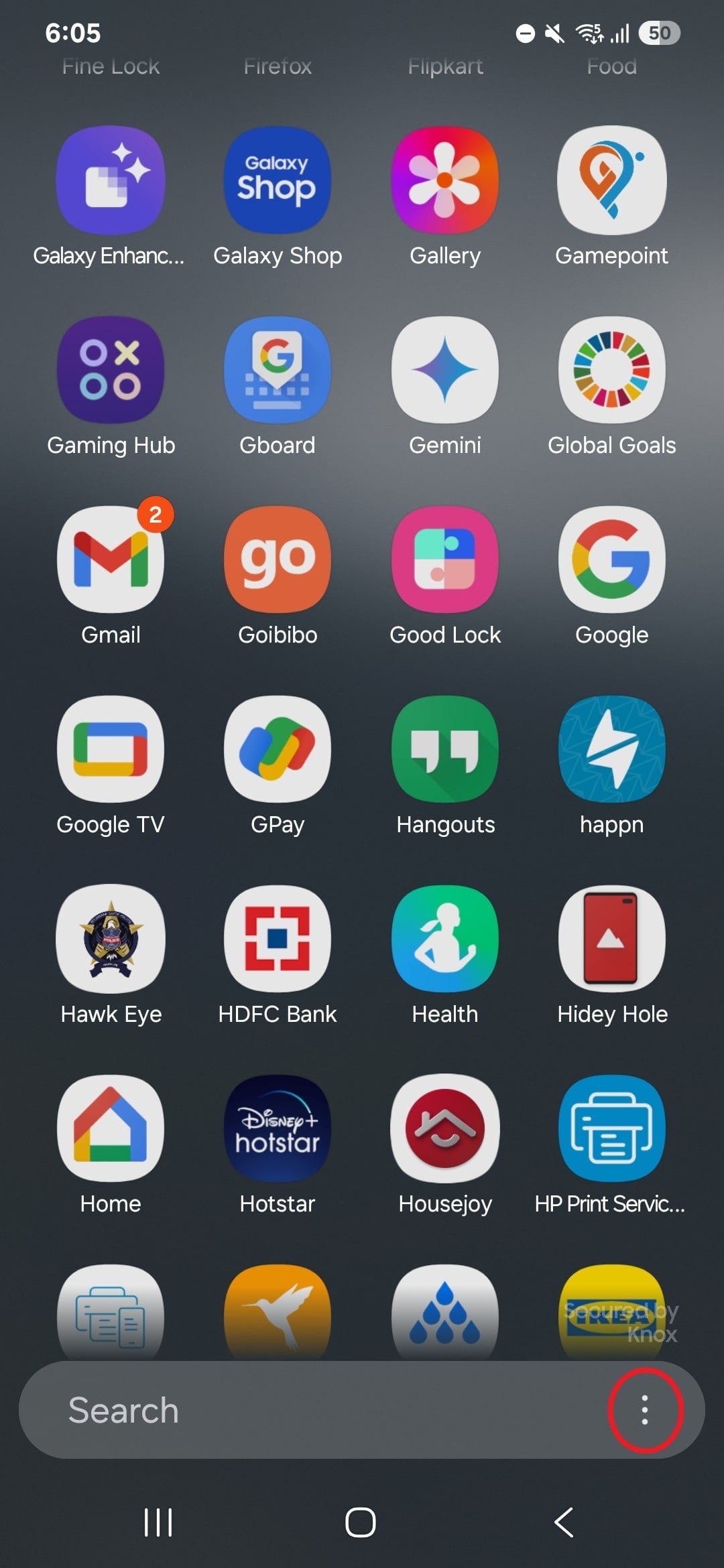
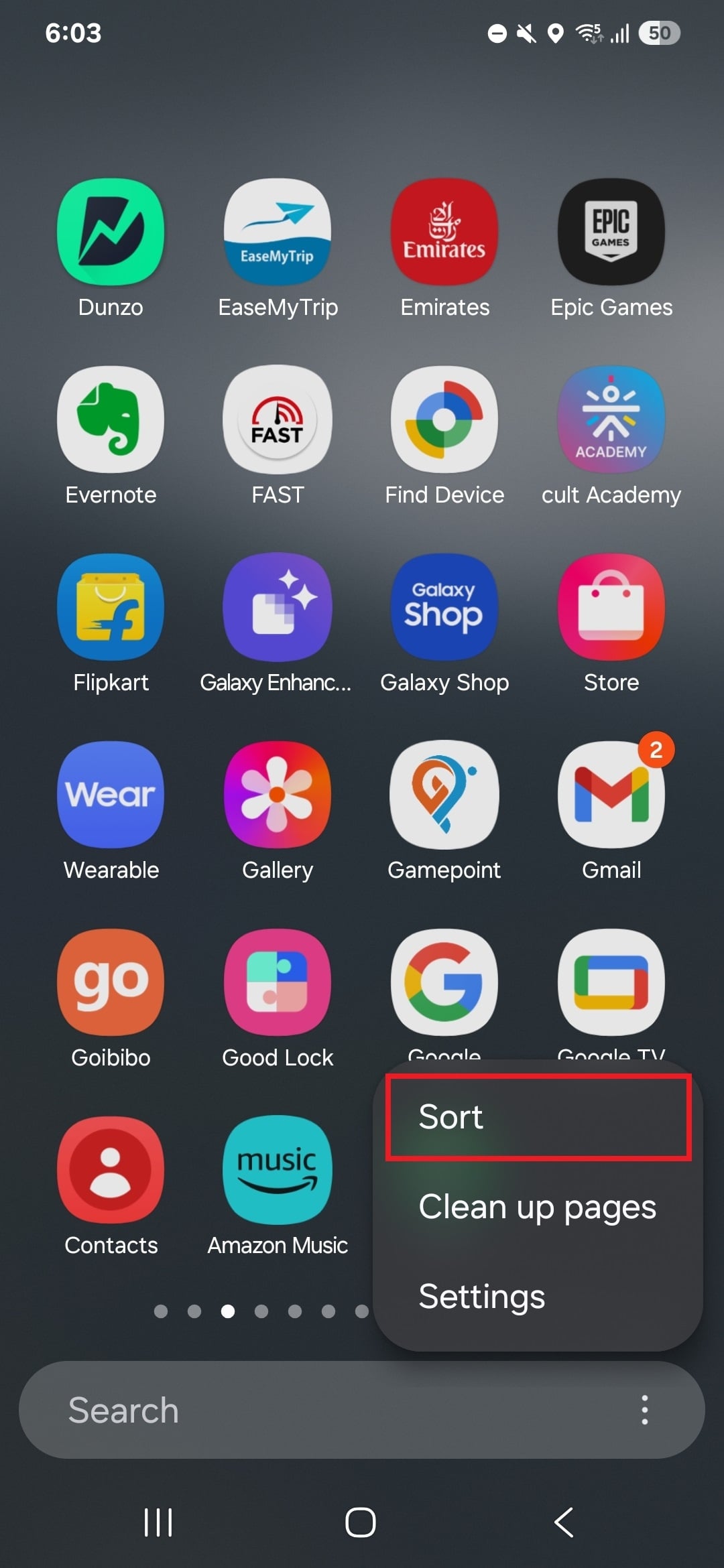
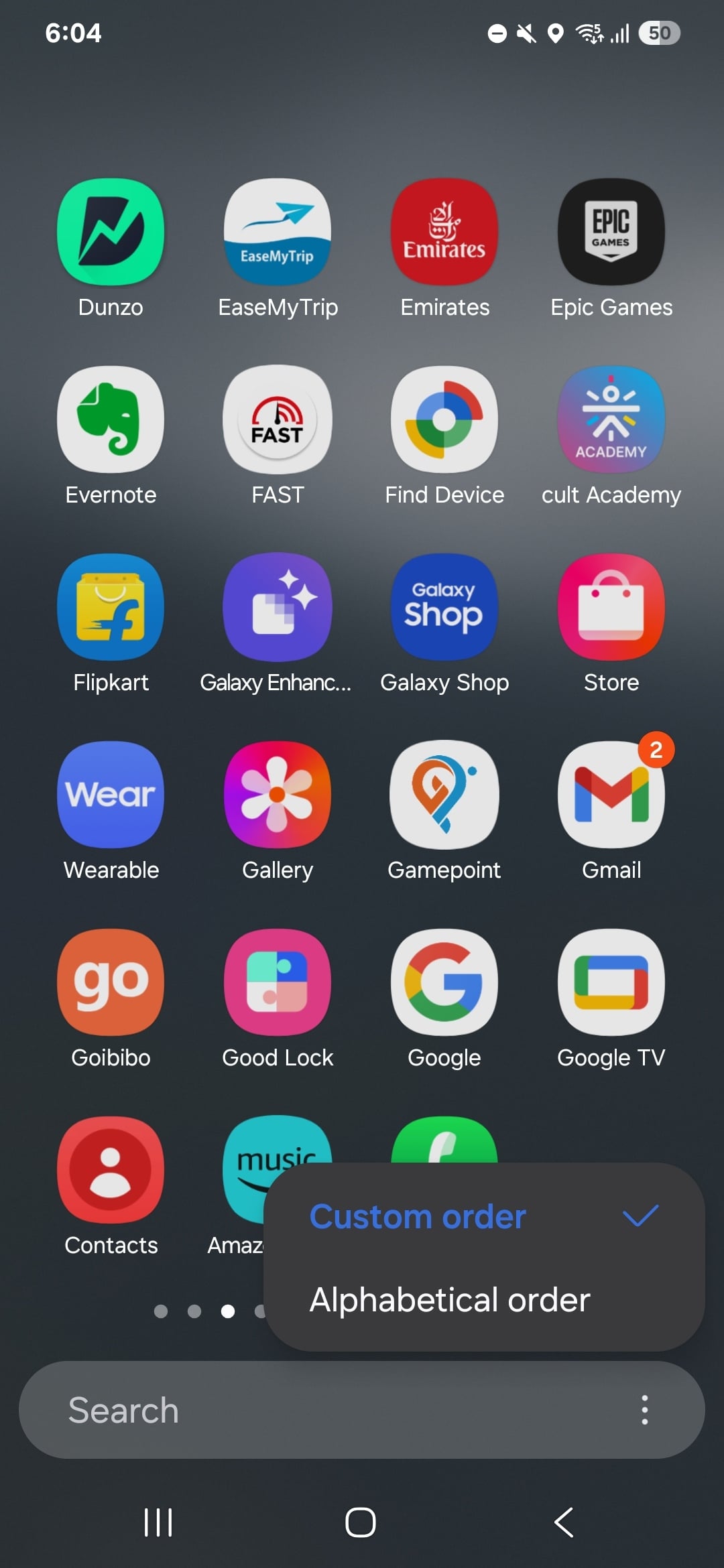
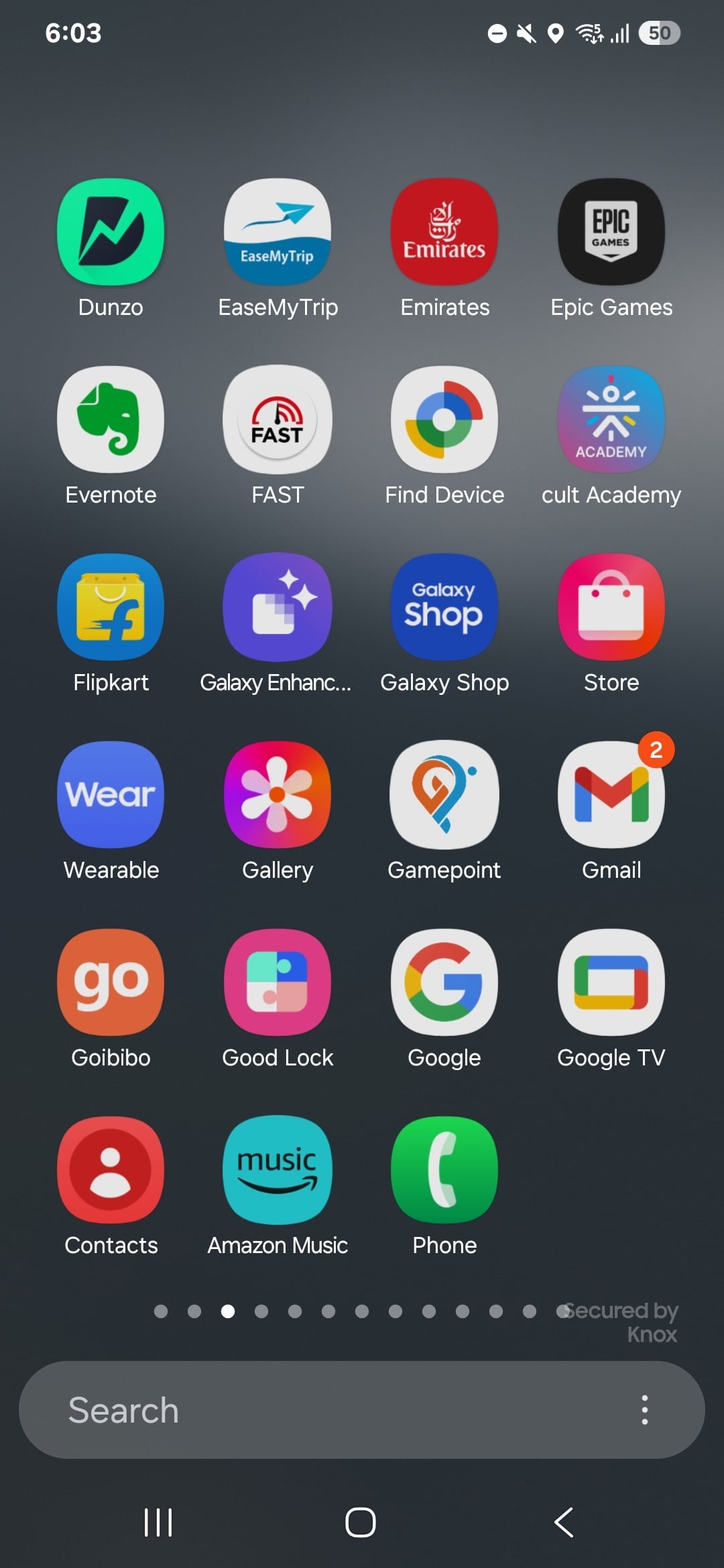
One thing to keep in mind before you switch back is that the horizontal app drawer does not support sorting apps by alphabet. That’s only possible with the vertical drawer on One UI 7. Hopefully Samsung will address this in a future version of One UI.
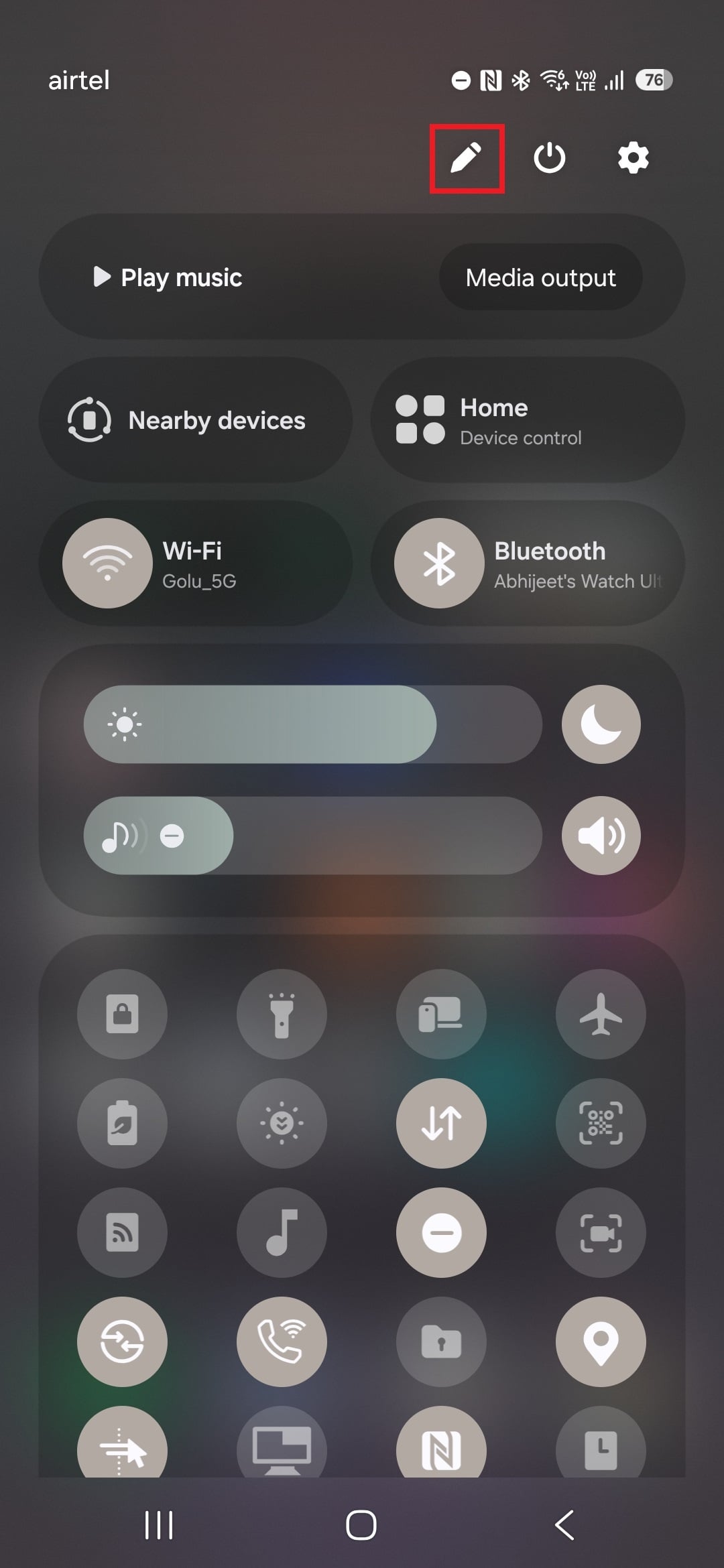
On One UI 7, the quick settings panel is more customizable than ever, with Samsung addressing some limitations, such as the inability to change the order and position of some buttons, present in One UI 6.
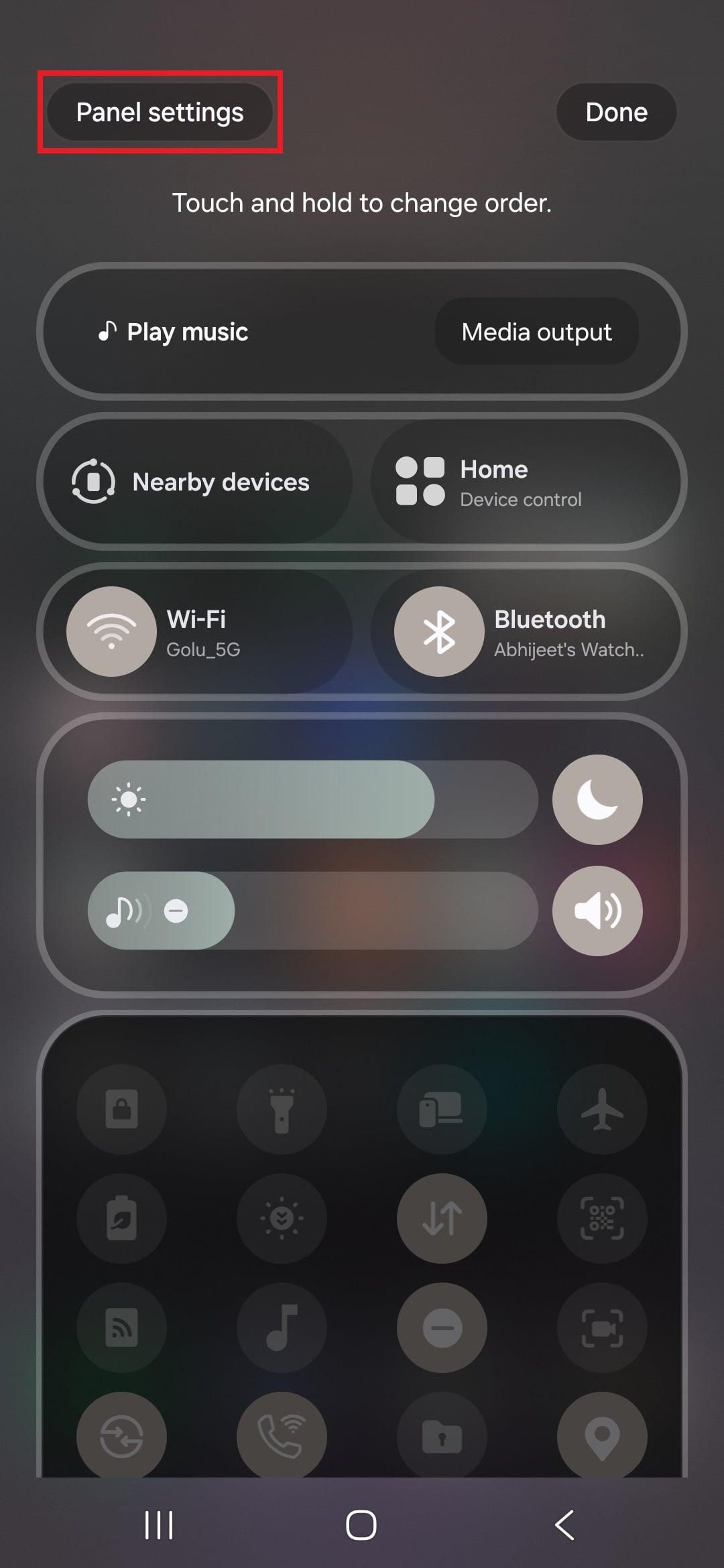
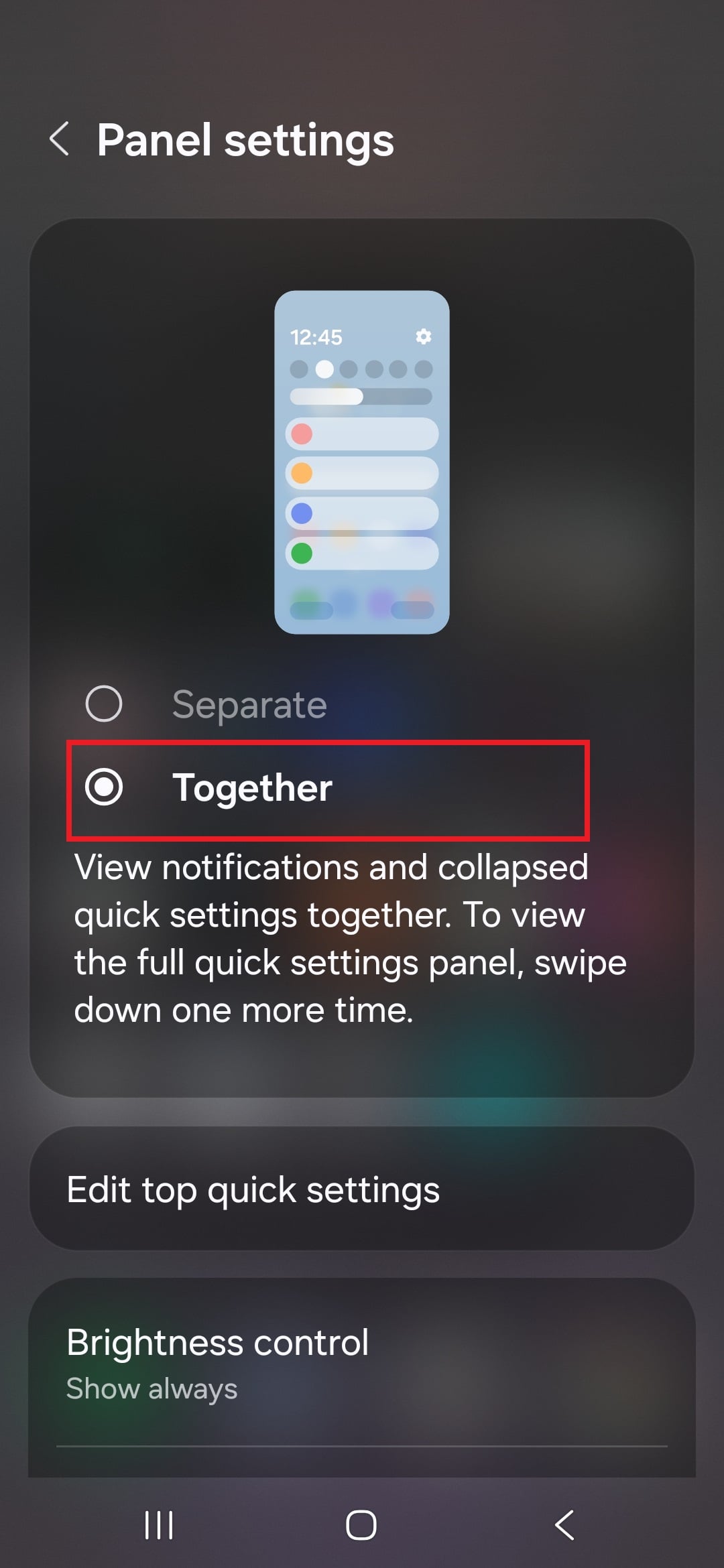
What you may not like is that One UI 7, by default, separates the notification panel and the quick panel. You can swipe left or right in the notification panel to get to the quick settings or go directly to the quick settings by swiping down from the top right corner of the screen.
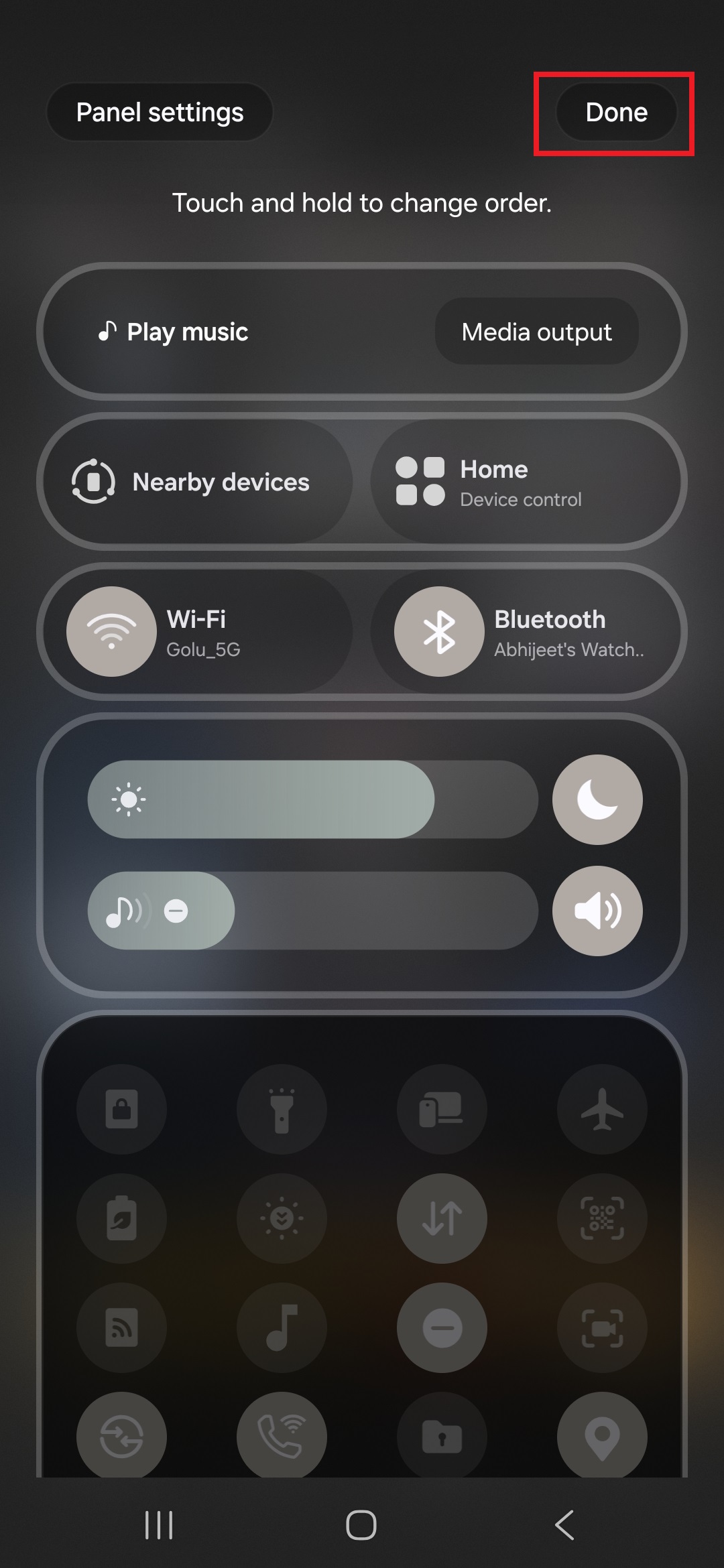
If you want to combine the notification and quick settings areas so you see some toggles above your notifications, follow the steps below.

Abhijeet's writing career started with guides for custom firmware for Samsung devices (including the original Galaxy S), and he moved to SamMobile in mid-2013 and worked up the ranks to Editor-in-chief. In addition to phones and mobile devices, his interests include gaming on both PC and console, PC hardware, and spending countless hours on YouTube watching videos on tech, movies, games, politics, and internet dramas.












