Cyber week deals! Galaxy Watch8 Classic, Fold 7, S25 Ultra. Follow us on YouTube, TikTok, or LinkedIn
Last updated: October 7th, 2021 at 20:17 UTC+02:00
SamMobile has affiliate and sponsored partnerships, we may earn a commission.
Reading time: 2 minutes
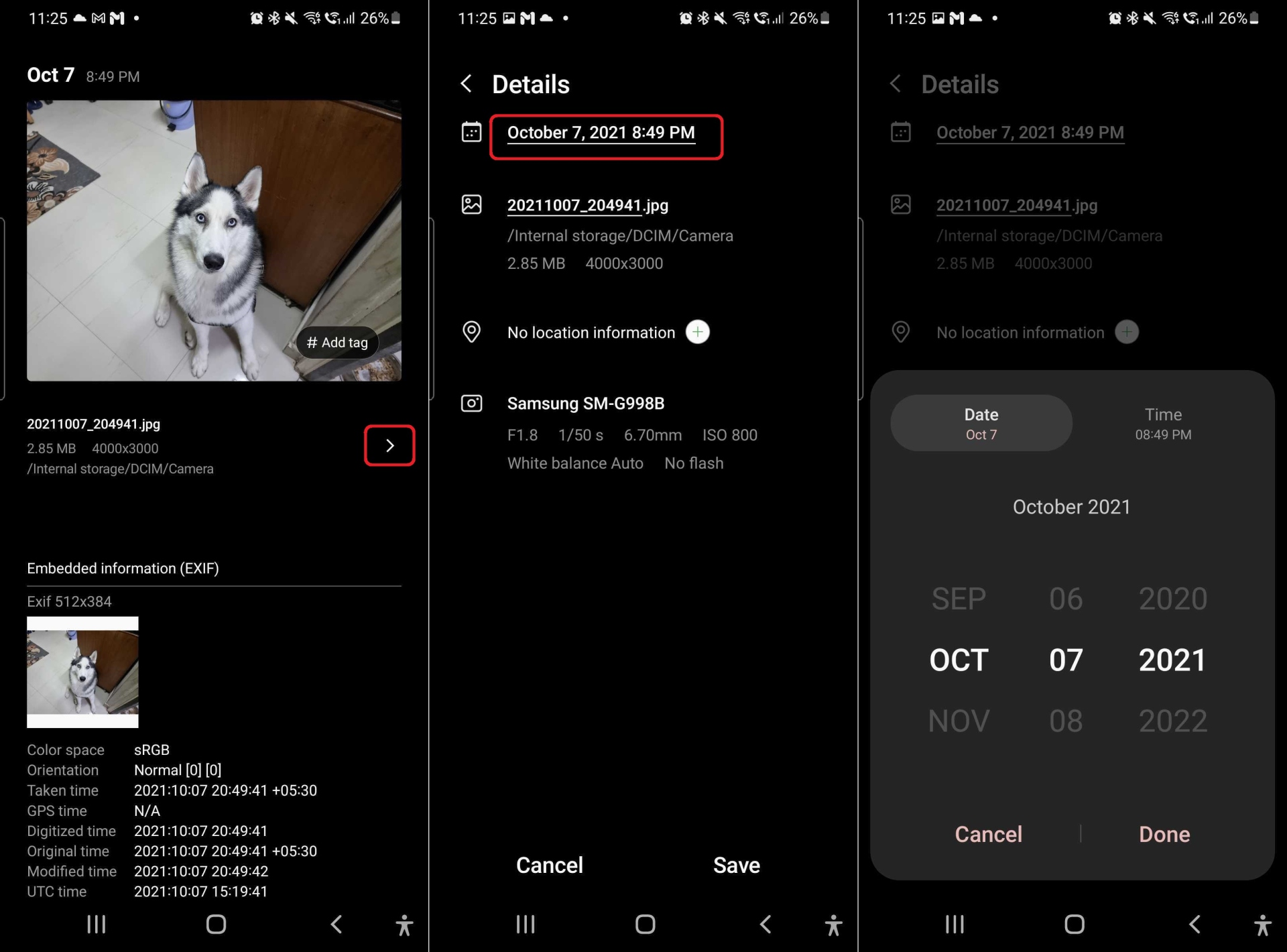
The Gallery app has a new version on the Android 12-based One UI 4.0 beta that's currently out for the Galaxy S21 series, and it features the option to change the date and time for all photos and videos. To do that, you just need to navigate to and open the image or video that you're looking to edit, swipe up on it to see the details page, tap the small arrow on the right side of the screen, tap Edit, and then tap the date field at the very top.
Like most of the new stuff in One UI 4.0, this Gallery feature is pretty basic, but it should still prove useful for those who need it. The updated Gallery app is only available on the One UI 4.0 beta at this time and hasn't been pushed as an update for devices running Android 11 and earlier, but we can assume that will change soon.
Join SamMobile’s Telegram group and subscribe to our YouTube channel to get instant news updates and in-depth reviews of Samsung devices. You can also subscribe to get updates from us on Google News.
Abhijeet's writing career started with guides for custom firmware for Samsung devices (including the original Galaxy S), and he moved to SamMobile in mid-2013 and worked up the ranks to Editor-in-chief. In addition to phones and mobile devices, his interests include gaming on both PC and console, PC hardware, and spending countless hours on YouTube watching videos on tech, movies, games, politics, and internet dramas.