Cyber week deals! Galaxy Watch8 Classic, Fold 7, S25 Ultra. Follow us on YouTube, TikTok, or LinkedIn
Last updated: November 7th, 2023 at 15:01 UTC+01:00
SamMobile has affiliate and sponsored partnerships, we may earn a commission.
Reading time: 2 minutes
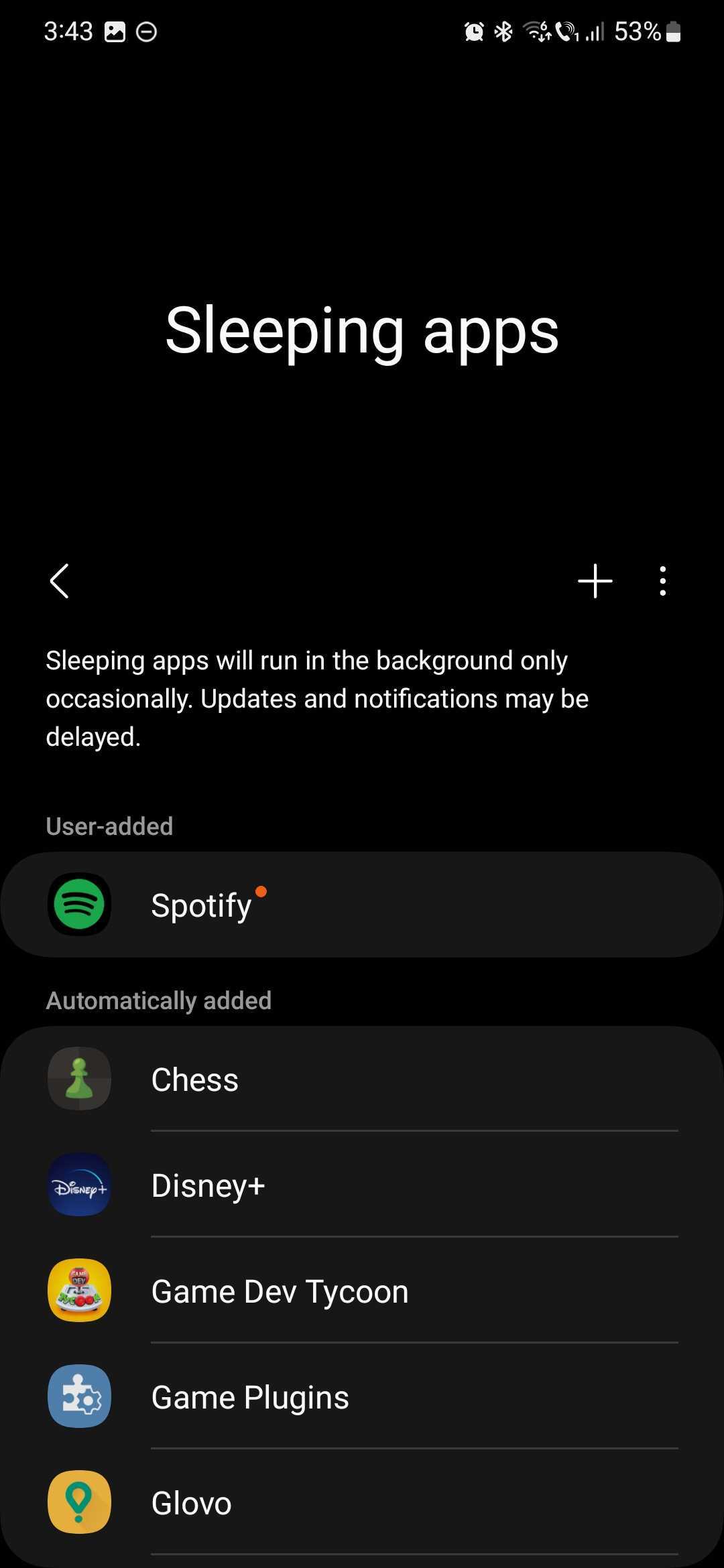
Has this ever happened to you? If it did, we might have the answer and a solution. The most likely reason your streaming apps go quiet while running in the background is that you or your phone added them to the “Sleeping apps” or “Deep sleeping apps” list.
Story continues after our One UI 6.0 overview video
Because these apps may be listed as “sleeping,” well, needless to say, they'll go to sleep after a few minutes of usage in the background.
The good news is that you can easily control which apps should or shouldn't go to sleep. Here's how.
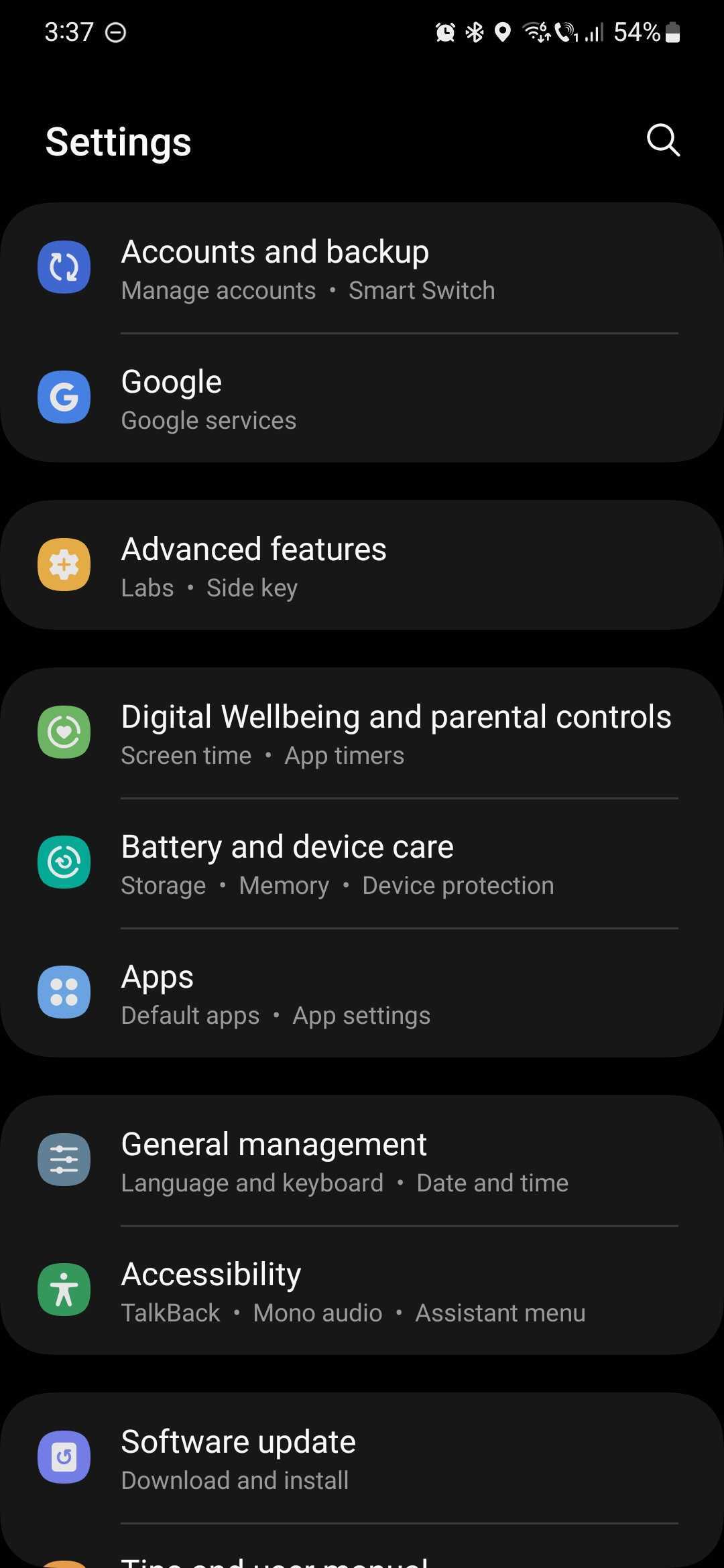
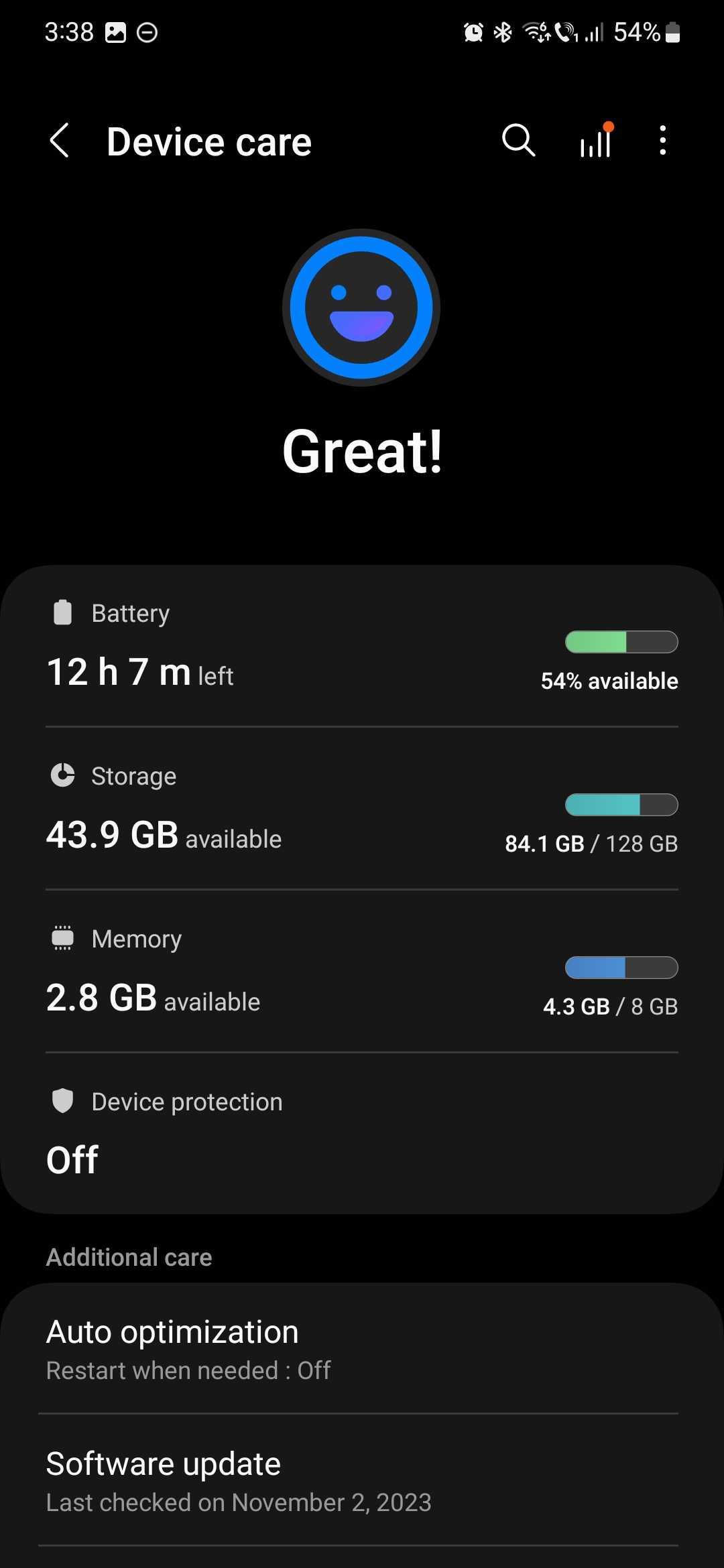
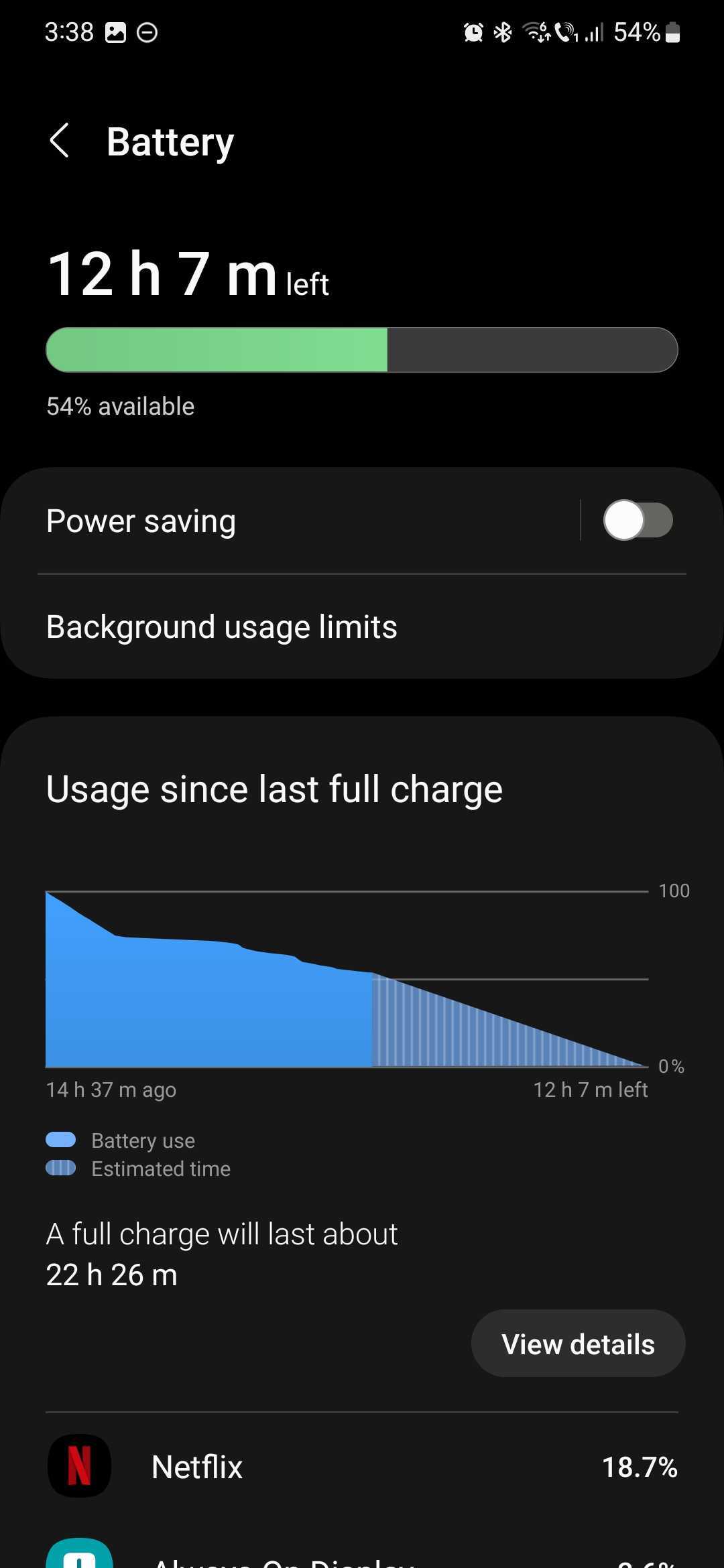
First, open the Settings app on your Galaxy, then access “Battery and device care.” Next, tap “Battery” and go to “Background usage limits.”
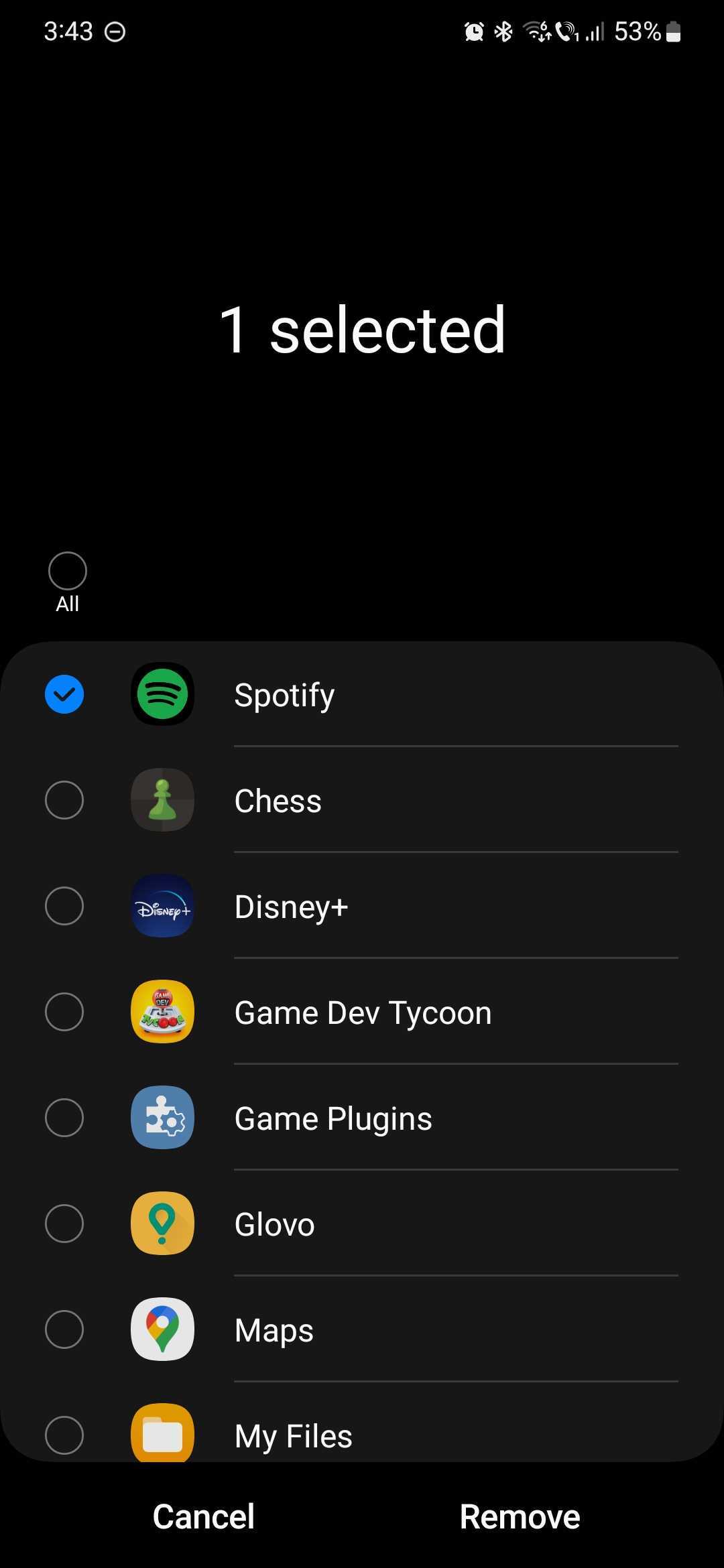
Next, you need to verify if the streaming app that's giving you problems is listed under “Sleeping apps” or “Deep sleeping apps.” If it is, tap and hold the app in the list, then tap “Remove.”
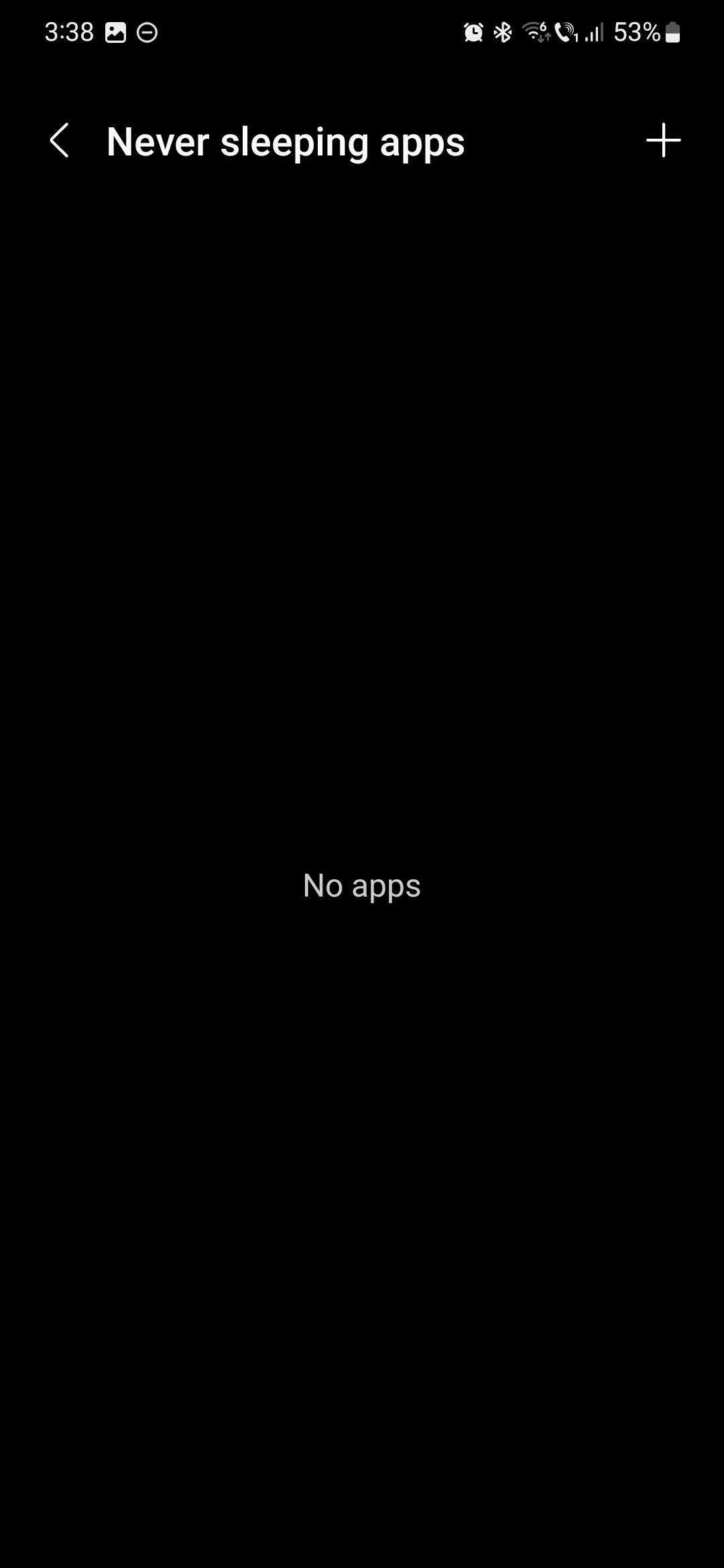
If the problem persists even after removing the app(s) from the Sleeping apps and Deep sleeping apps lists, you can enforce a “Never sleeping apps” rule.
To do this, access that list, tap the “+” button, select the app you never want your phone to put to sleep, and tap “Add.”
Alternatively, you can turn off the sleeping apps system altogether, but this will likely have a negative effect on your Galaxy device's battery life. It's recommended that you let your phone manage sleeping apps or do it manually if needed rather than turning the feature off altogether. This will help you avoid excessive battery life drains caused by apps you barely use.
Mihai is a blogger and column writer at SamMobile. His first Samsung phone was an A800 which took a lot of beating, and a part of him still misses the novelty of the clamshell design. In his free time, he enjoys watching shows, documentaries, and stand-up comedy; listening to music, taking walks, and occasionally playing old(er) video games.