Cyber week deals! Galaxy Watch8 Classic, Fold 7, S25 Ultra. Follow us on YouTube, TikTok, or Instagram
Last updated: February 3rd, 2025 at 16:59 UTC+01:00
SamMobile has affiliate and sponsored partnerships, we may earn a commission.
Reading time: 3 minutes
One of the most useful features that Galaxy AI brought was Chat Assist, which helped you in many ways with writing. However, it was available only with Samsung Keyboard. This meant that if you preferred other keyboards, such as Gboard, over the one from Samsung, you couldn’t use the GenAI-powered feature. Well, with the Galaxy S25 series' One UI 7.0, you don’t have to compromise on anything, thanks to Writing Assist.
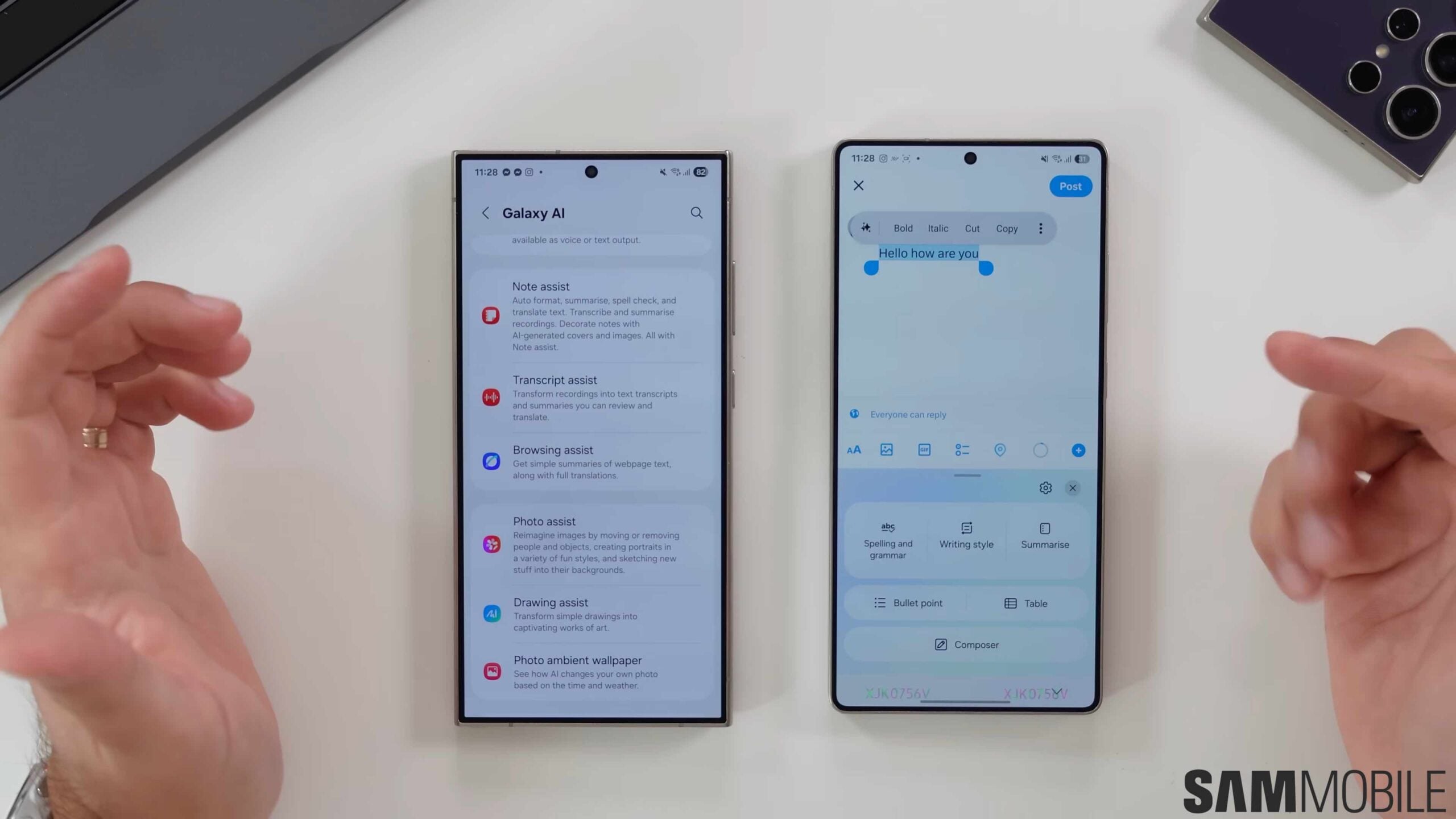
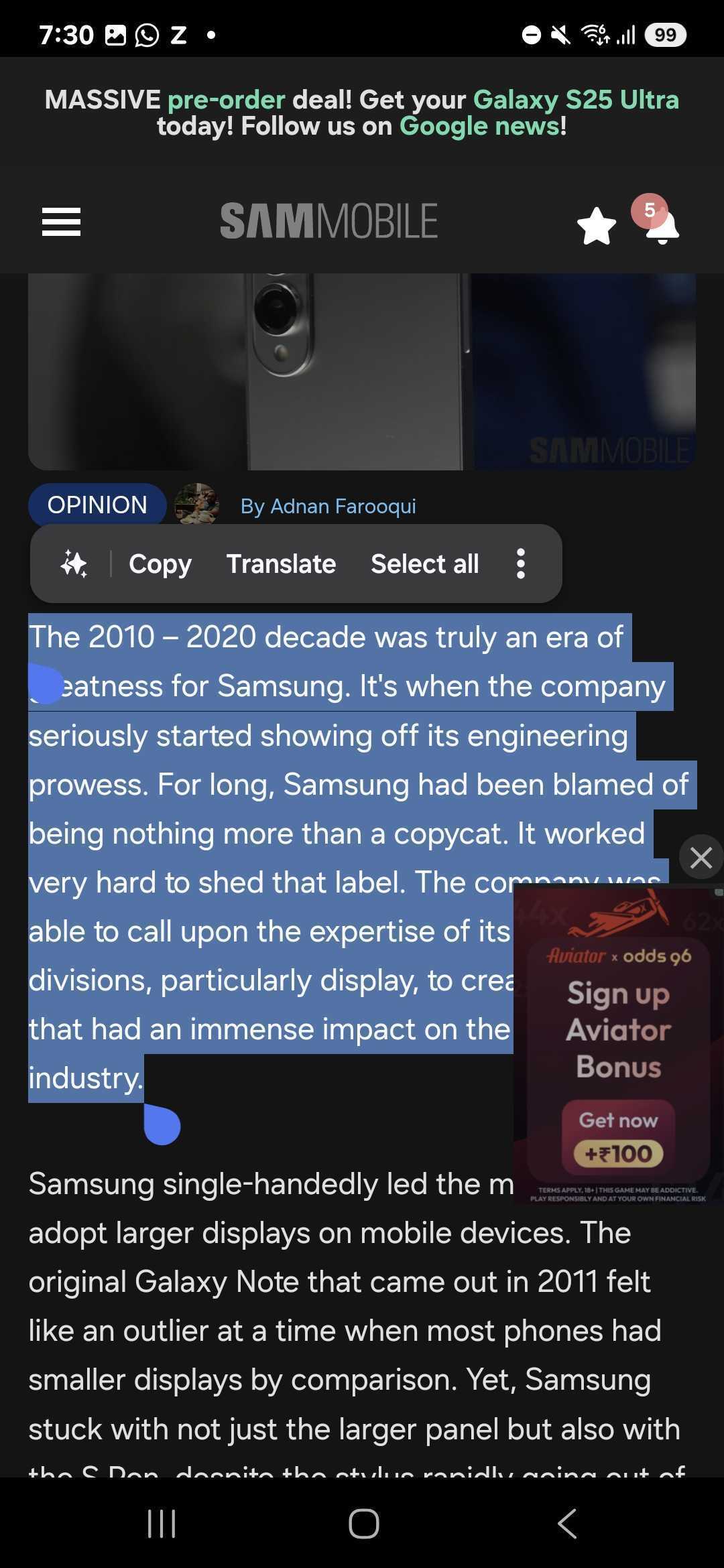
The Galaxy S25 series brings the stable version of Android 15-based One UI 7. Galaxy AI on it features Writing Assist, which offers all the features that Chat Assist does, with any keyboard. To use it, select a piece of text, and from the pop-up that you get after selecting a piece of text, select the Galaxy AI icon. Now, you should be able to see Writing Assist in the area of the keyboard. Check it out in our screenshots below.
Writing Assist offers you six options: Spelling and grammar, Writing style, Summarise, Bullet point, Table, and Composer. The first one helps you with fixing spelling and grammatical errors. The second one can give the piece of text that you’ve written a particular style.
Check out Writing Assist in action in our video about One UI 7 on Galaxy S25 below.
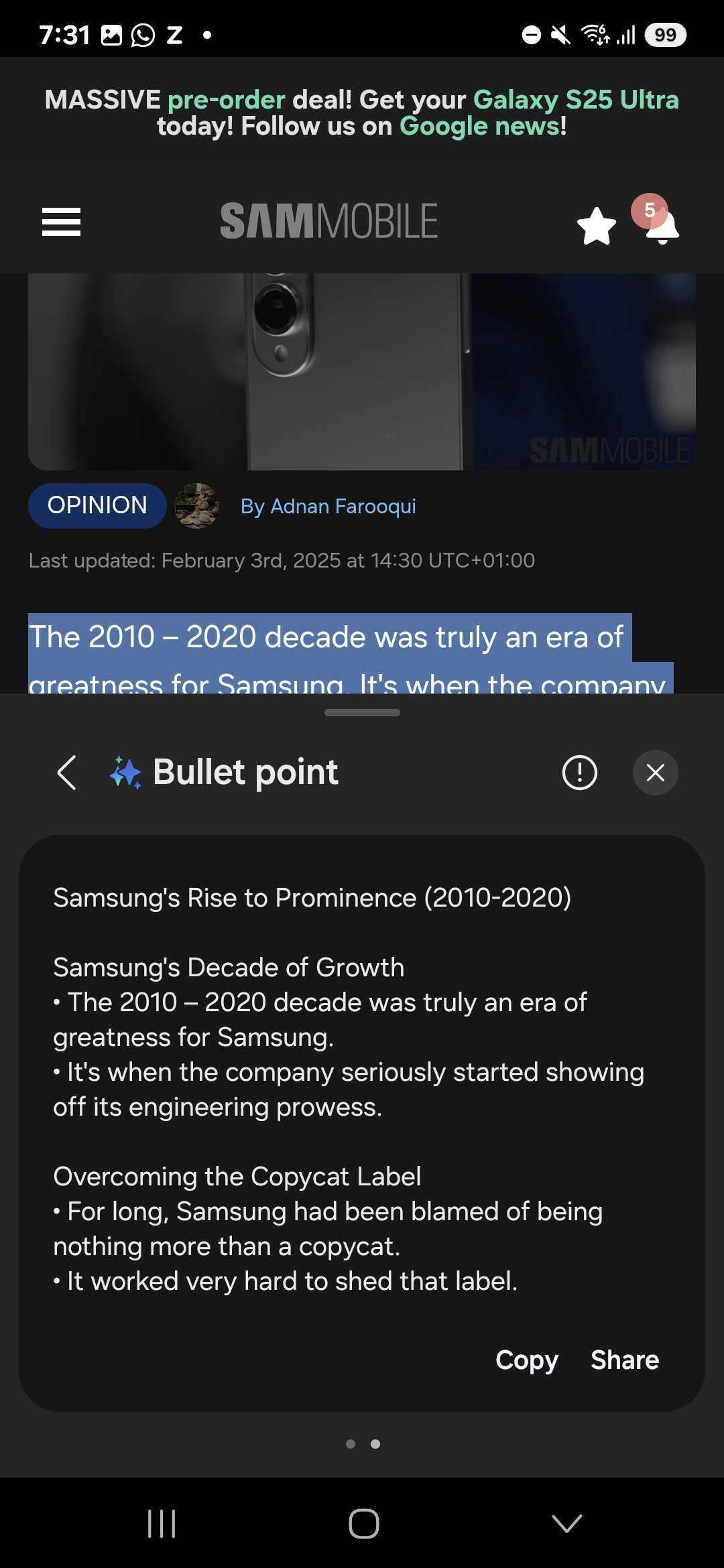
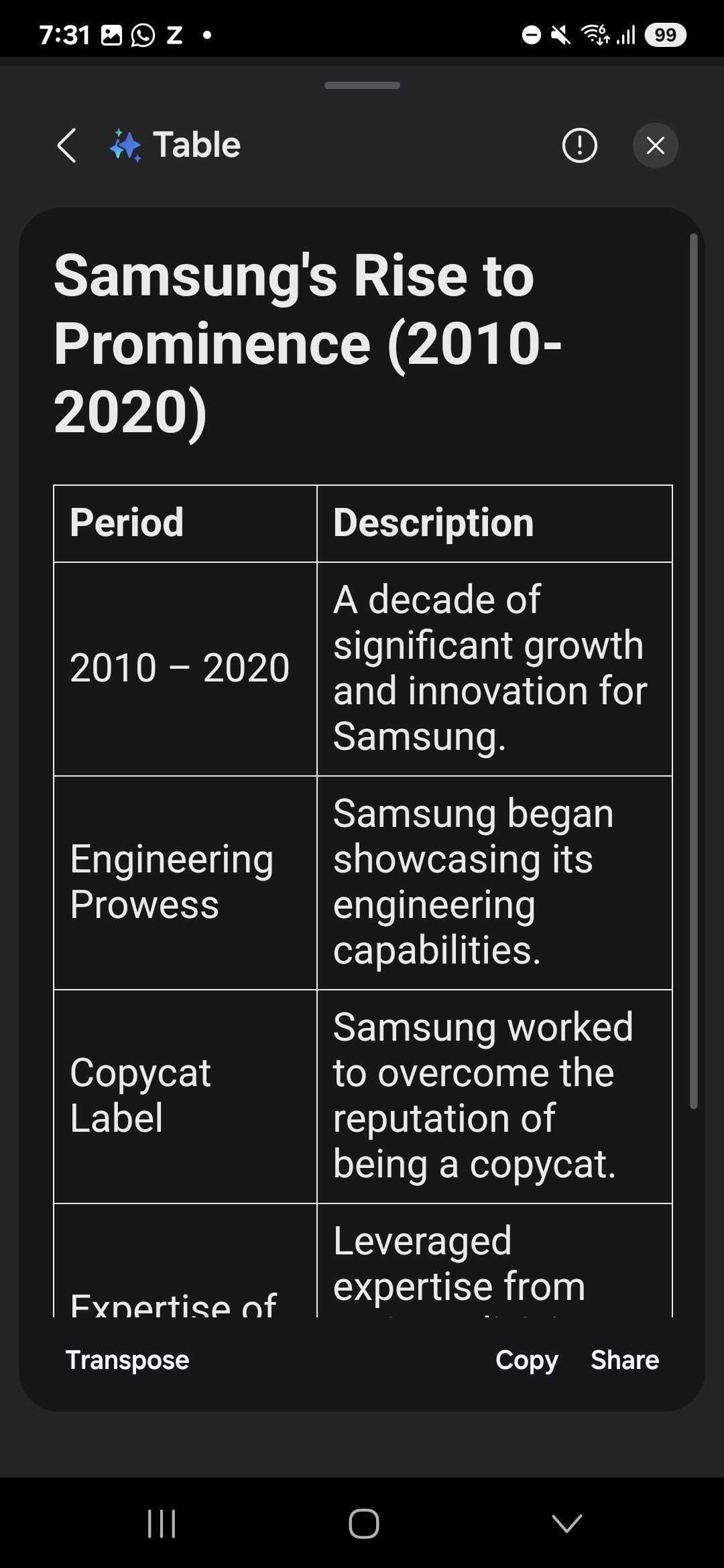
The third feature can summarise the text that you have written. The fourth can convert whatever you’ve written into bullet points. The fifth can convert the text that you’ve written into a tabular form. The sixth can generate a piece of text about what you want to write.
It is also worth pointing out that Chat Assist worked only with an editable piece of text, such as that in a text input field, including ones in messaging or social media apps, or with note-taking and document-creating apps, such as Google Keep and Microsoft Word.
Writing Assist, on the other hand, works with non-editable text as well, such as text in an article on a website. When you use this feature with non-editable text, it offers you the edited version of the text in a window and gives you the option to copy that piece of text.
Since this feature is a part of One UI 7, it is available in the beta version of the new software for the Galaxy S24 series, and hopefully, the South Korean tech giant will offer it to older Galaxy smartphones and tablets with the Android 15 update in the next few months.
I’m a computer science engineer living in Hyderabad, India, who has a keen interest in automobiles and consumer electronics. My journalism career kicked off in 2017 with MySmartPrice where I wrote news, features, buying guides, and explanatory articles about technology among other things, and reviewed many products, including smartphones, tablets, laptops, PC components, smartwatches, audio devices, wearables, and smart home products. Since then, I have worked for 91Mobiles, Apple, and Onsitego, before finally landing on SamMobile.