Last updated: August 12th, 2023 at 13:56 UTC+02:00
SamMobile has affiliate and sponsored partnerships, we may earn a commission.
Reading time: 2 minutes
Story continues after the video
The Custom Camera widget lets you quickly open the camera in a particular mode. For example, if you use the camera to shoot a lot of portrait shots using the front-facing camera or videos or pictures of food using the Food mode, you can configure the Custom Camera widget to open directly in the Portrait Mode.
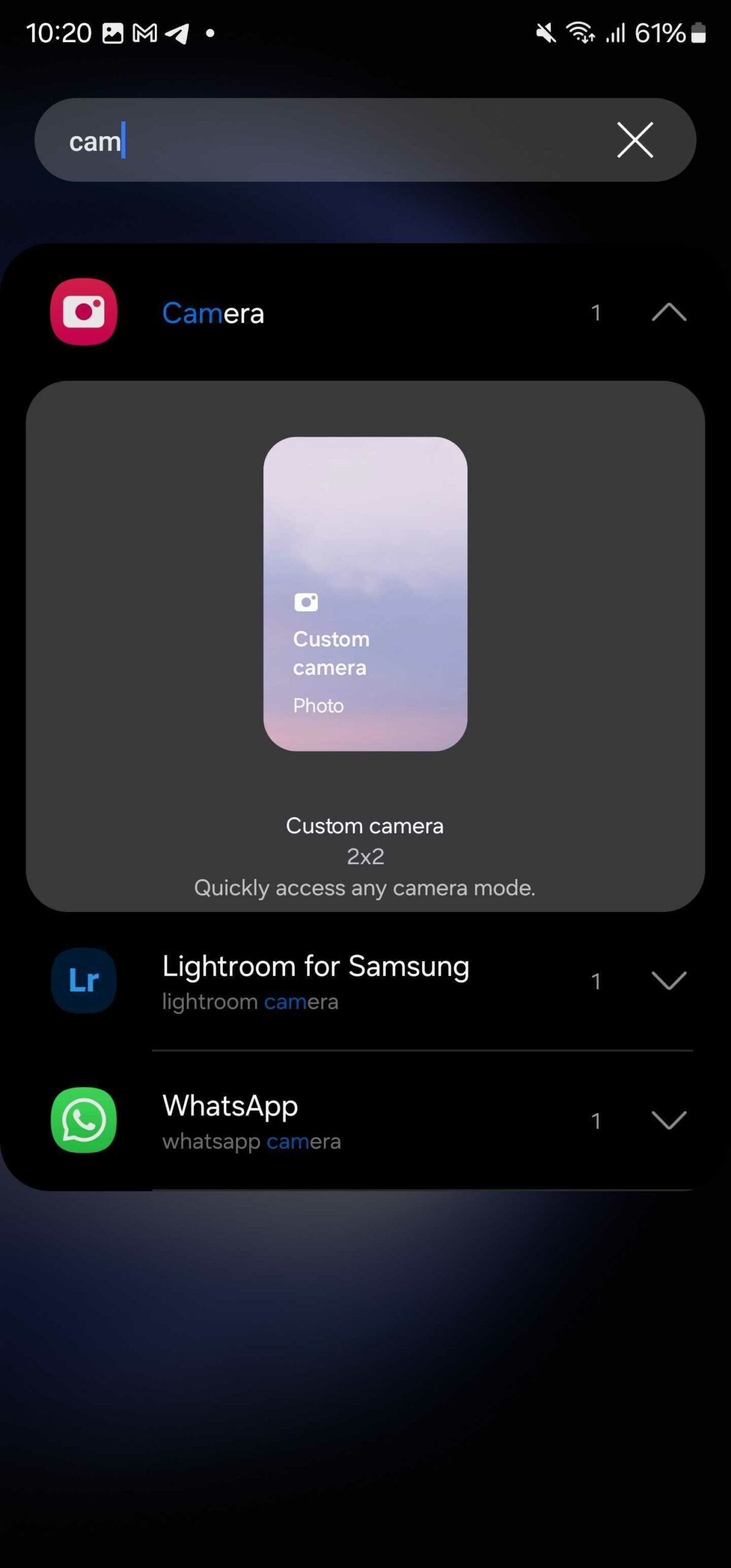
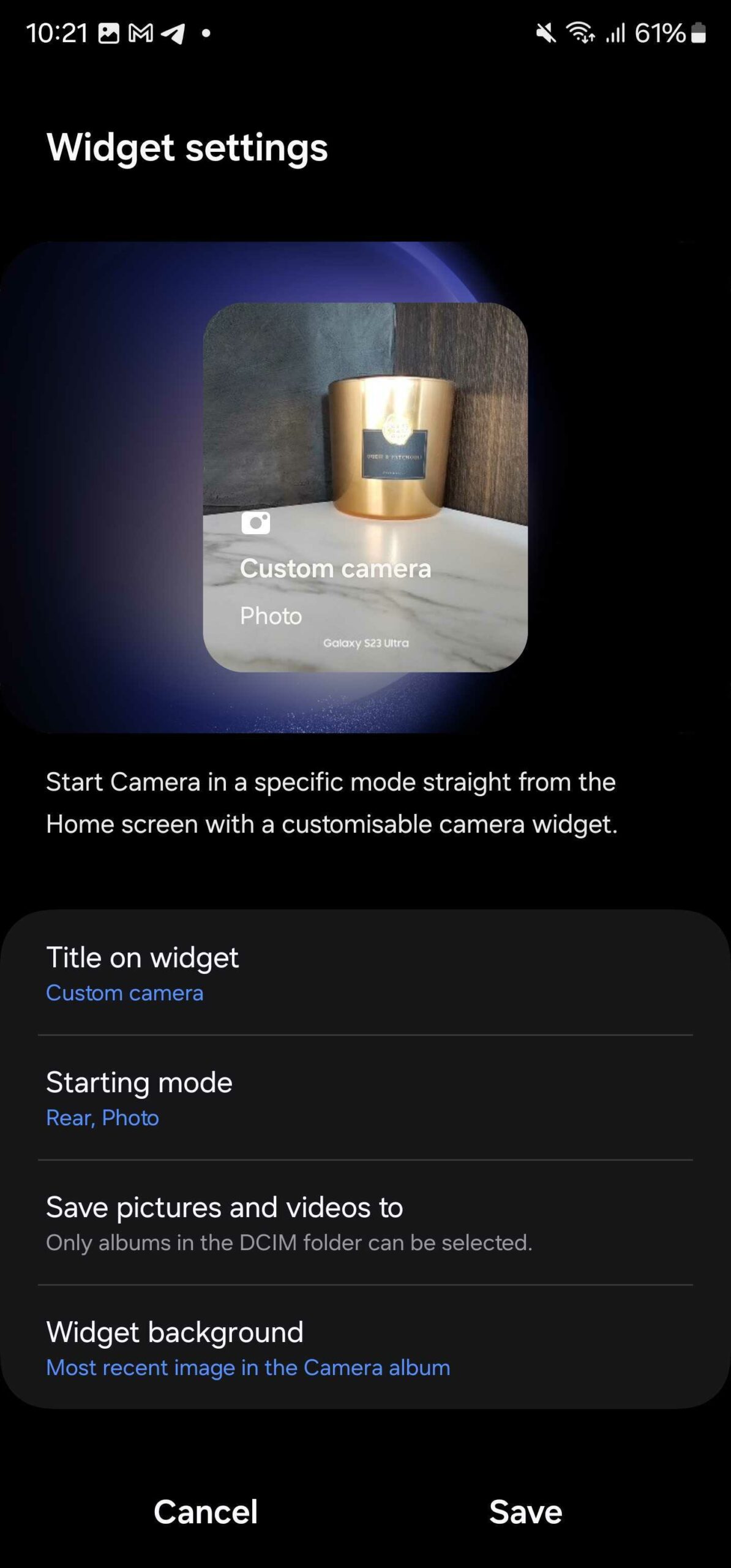
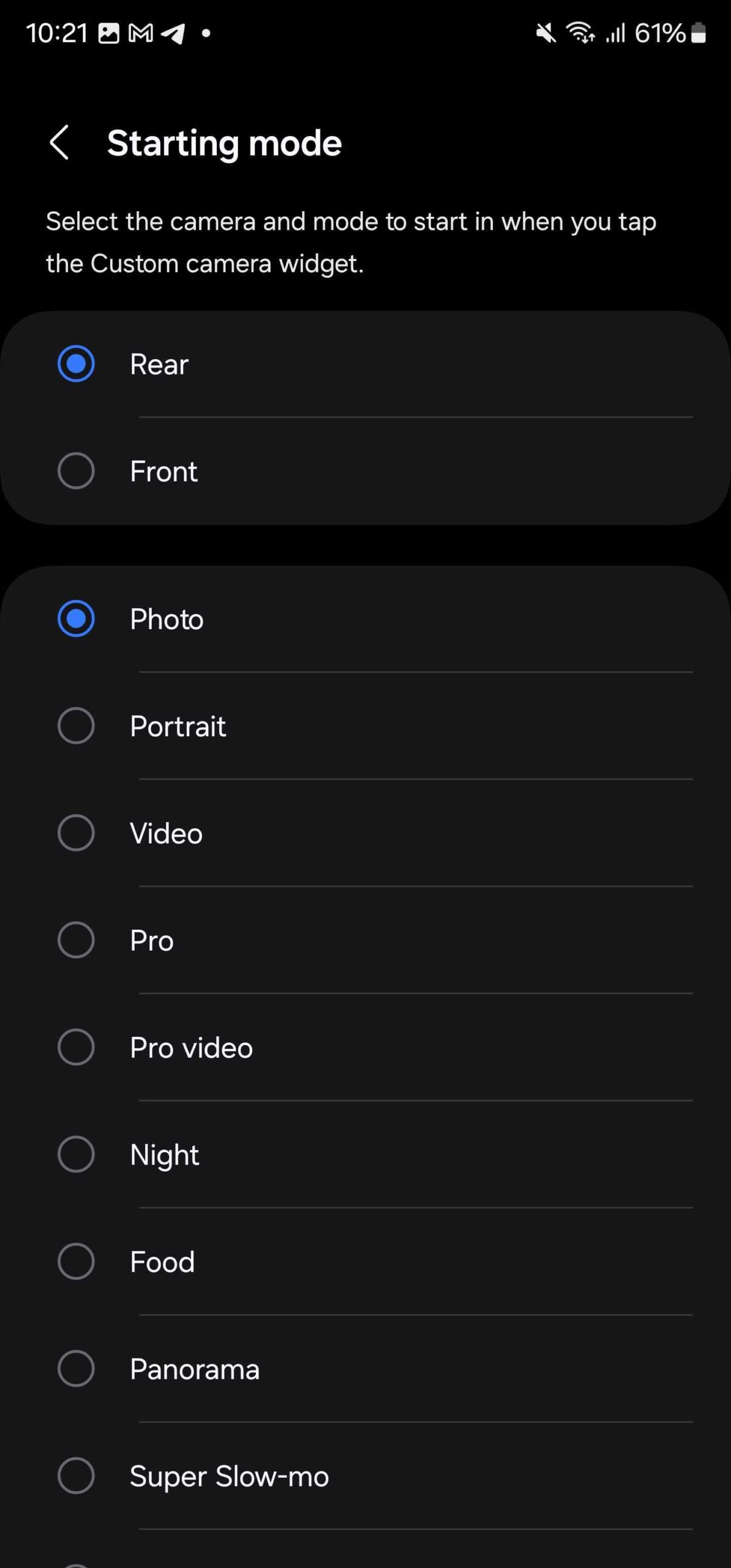
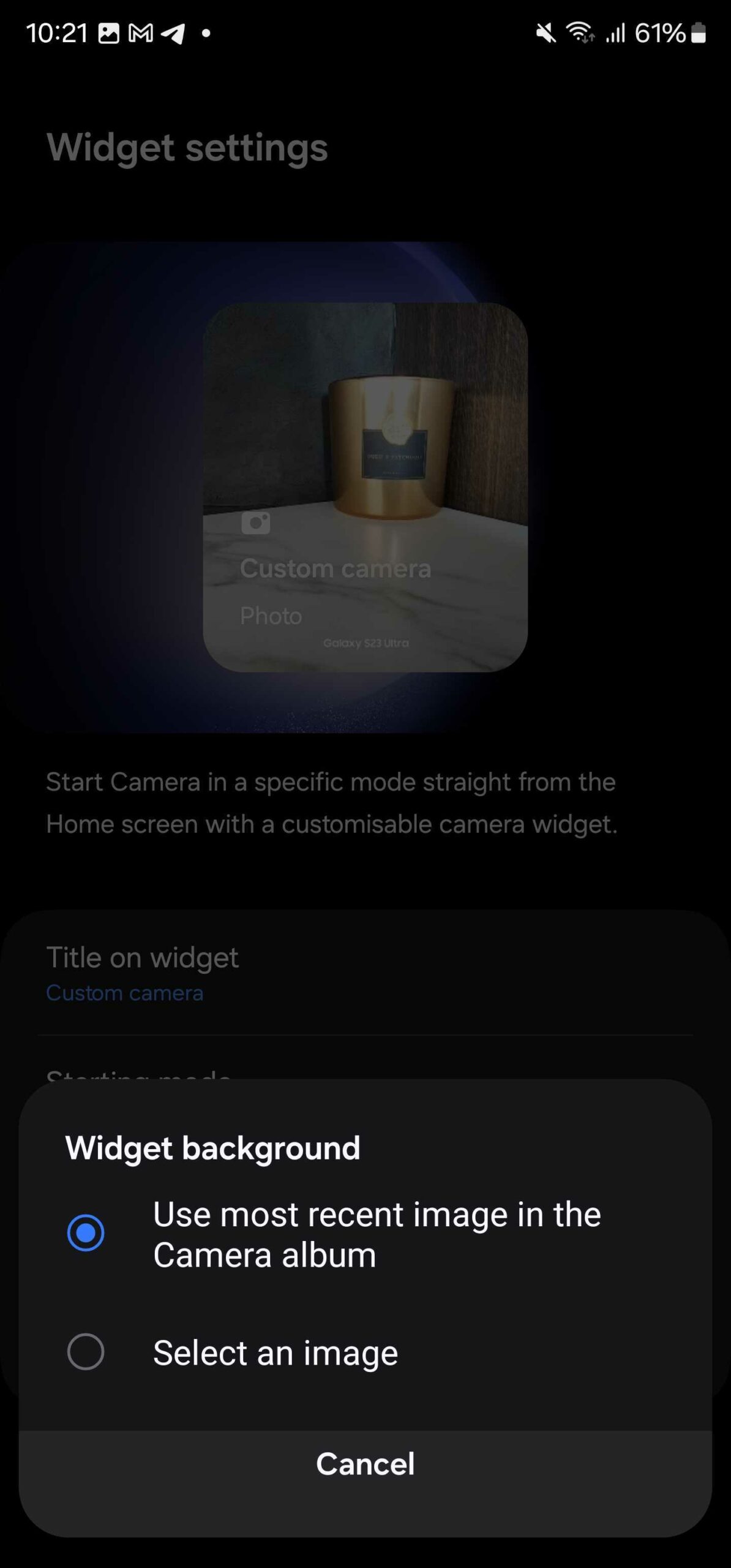
The new widget offers a plethora of options, including which camera and camera mode to use, where to save images and videos captured using that widget, and the background of the widget.
Camera
Mode
Save Pictures & Videos To
Widget Background
This new widget could be handy for creators or those who use the camera frequently. It drastically reduces the time it takes to get to a specific camera mode and minimizes the chances of missing a critical moment. It could reach more Galaxy phones once they get the stable Android 14-based One UI 6.0 update.

Asif is a computer engineer turned technology journalist. He has been using Samsung phones since 2004, and his current smartphone is the Galaxy S23 Ultra. He loves headphones, mechanical keyboards, and PC hardware. When not writing about technology, he likes watching crime and science fiction movies and TV shows.













