Last updated: January 23rd, 2026 at 17:43 UTC+01:00
SamMobile has affiliate and sponsored partnerships, we may earn a commission.
Samsung has announced nine new features/changes for Good Lock's Home Up module as part of upgrading it for One UI 8.5.
Reading time: 2 minutes

Samsung has announced updates to many Good Lock modules as a part of upgrading them for One UI 8.5 (Android 16 QPR2). One of them is Home Up. The upcoming version of the app for the new software will offer nine changes/upgrades. Let’s take a look.
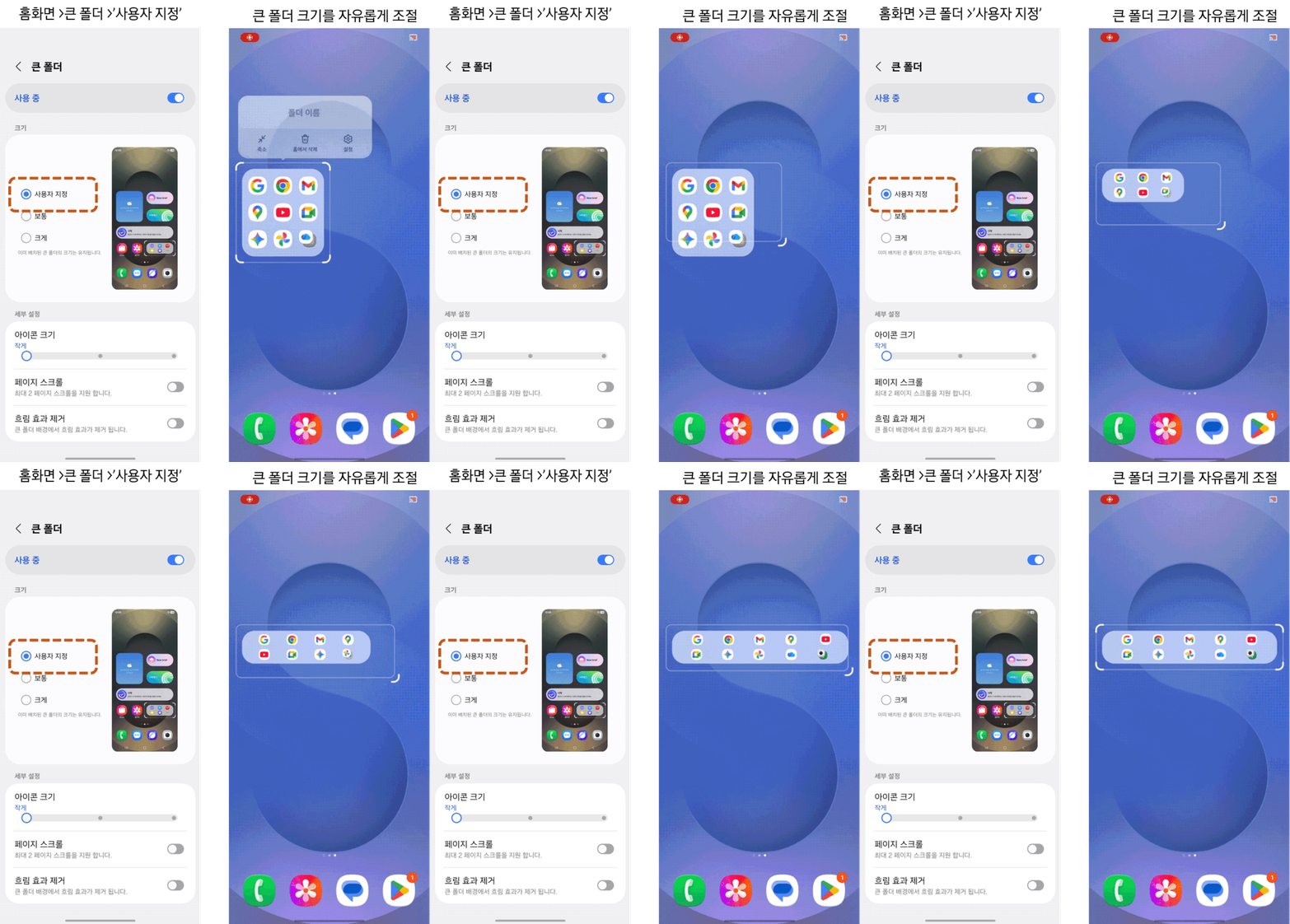
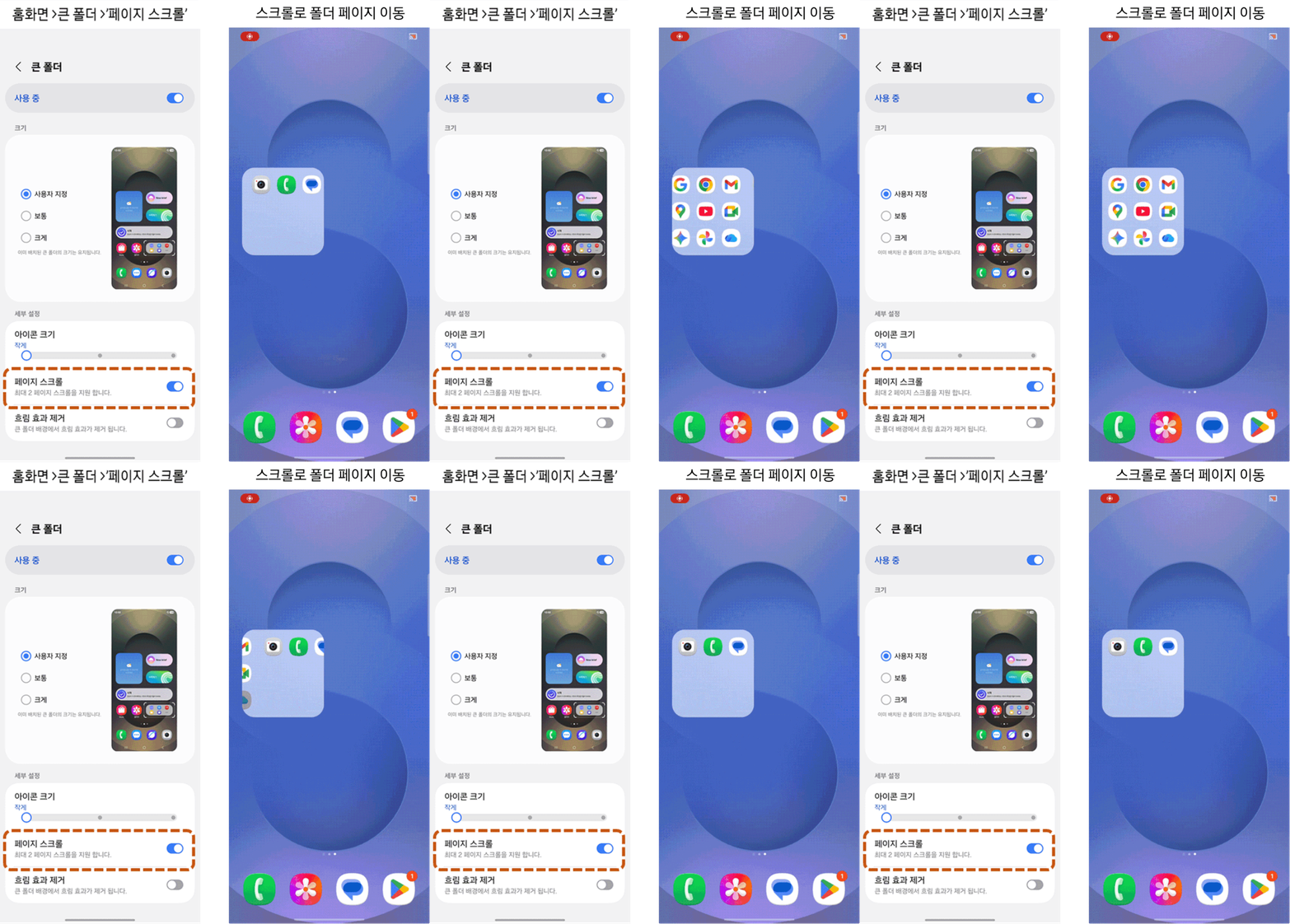
First, Home Up will let you adjust the size of large folders. Second, it will offer options for letting you scroll (swipe right or left) within a large folder. Third, you will get the option to remove the background blur effect from it. You can check them out below.
Fourth, the Good Lock module will let you edit an icon’s label, as well as the font and color of the label text, a feature that many people will love. Fifth, Home Up will let you adjust the size of the content within a widget as well as remove the background blur effect from it. However, Samsung has not provided screenshots for these features.
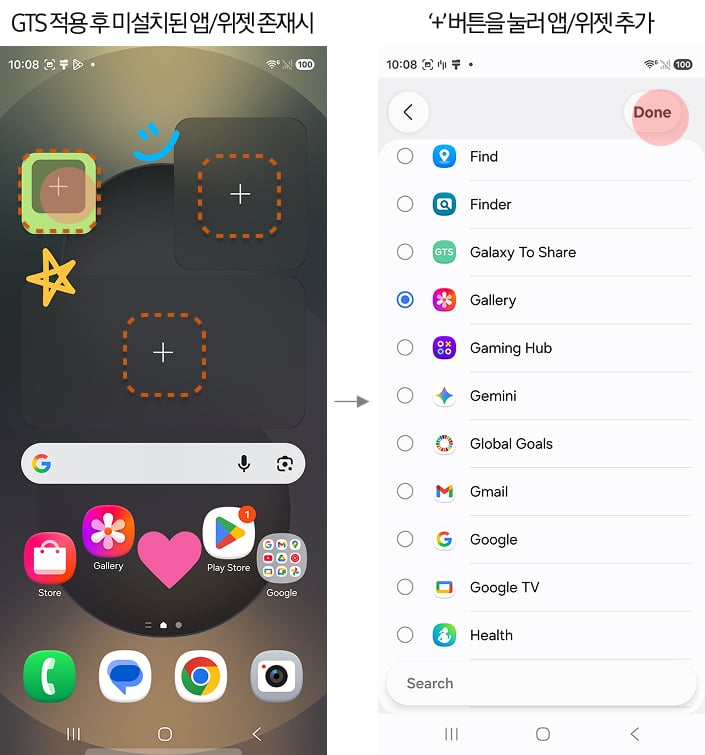
Sixth, Samsung says that when you apply Home Up settings that you have imported using Galaxy To Share (GTS), “non-installed apps/widgets will remain in their places so that the layout is not broken.” The brand further adds, “You can place other apps in that location.” We will have to dig deeper into the change to understand what it does.
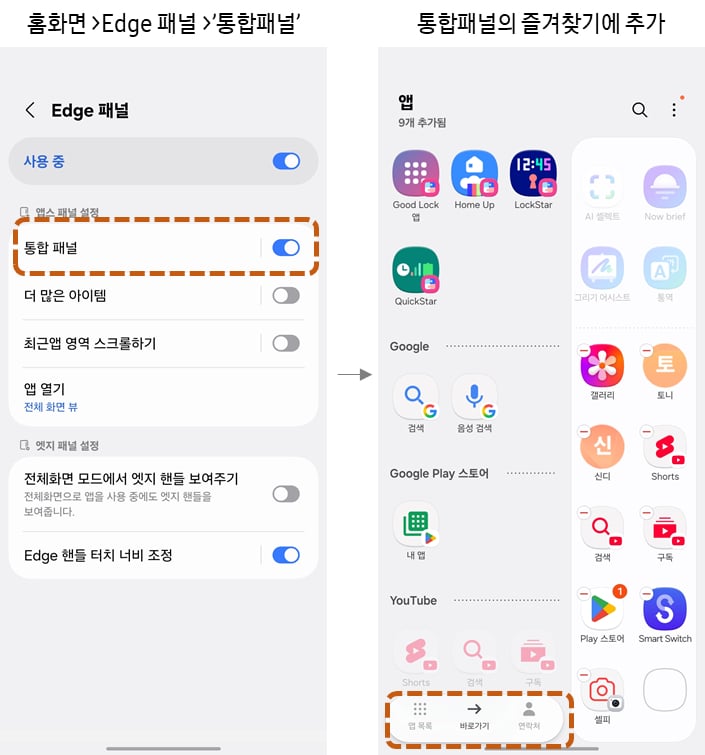
Seventh, Home Up will allow you to turn off the ‘Switch to previous app with gesture’ option even when the ‘Gesture hints’ option is turned on. Eighth, the Good Lock module will provide the ‘Unified panel’ option for the Edge panel, which will let you use apps, function shortcuts, and contacts from one place.
Ninth, the Good Lock module will let you adjust/select the area from where you can access the Edge panel. It will be very useful for people who find accessing it hard, especially due to case thickness or usage habits. Samsung has also updated QuickStar. You can check out the changes it brings here.

I’m a computer science engineer living in Hyderabad, India, who has a keen interest in automobiles and consumer electronics. My journalism career kicked off in 2017 with MySmartPrice where I wrote news, features, buying guides, and explanatory articles about technology among other things, and reviewed many products, including smartphones, tablets, laptops, PC components, smartwatches, audio devices, wearables, and smart home products. Since then, I have worked for 91Mobiles, Apple, and Onsitego, before finally landing on SamMobile.












