3 days until XMAS. Massive discount Galaxy Z Fold7, Watch8, S25 Ultra and S95F OLED TV
Last updated: October 15th, 2021 at 12:15 UTC+02:00
SamMobile has affiliate and sponsored partnerships, we may earn a commission.
Reading time: 2 minutes
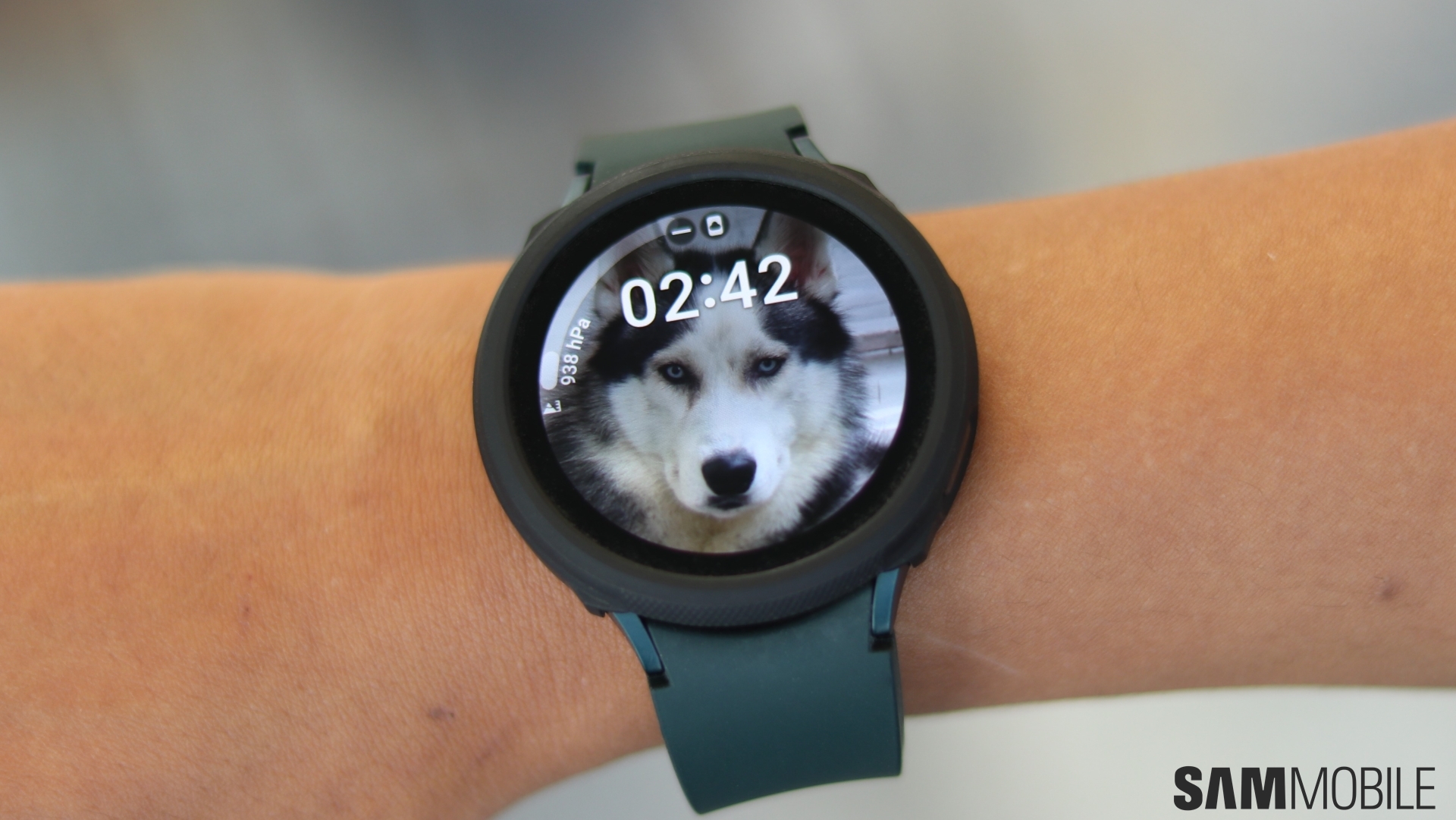
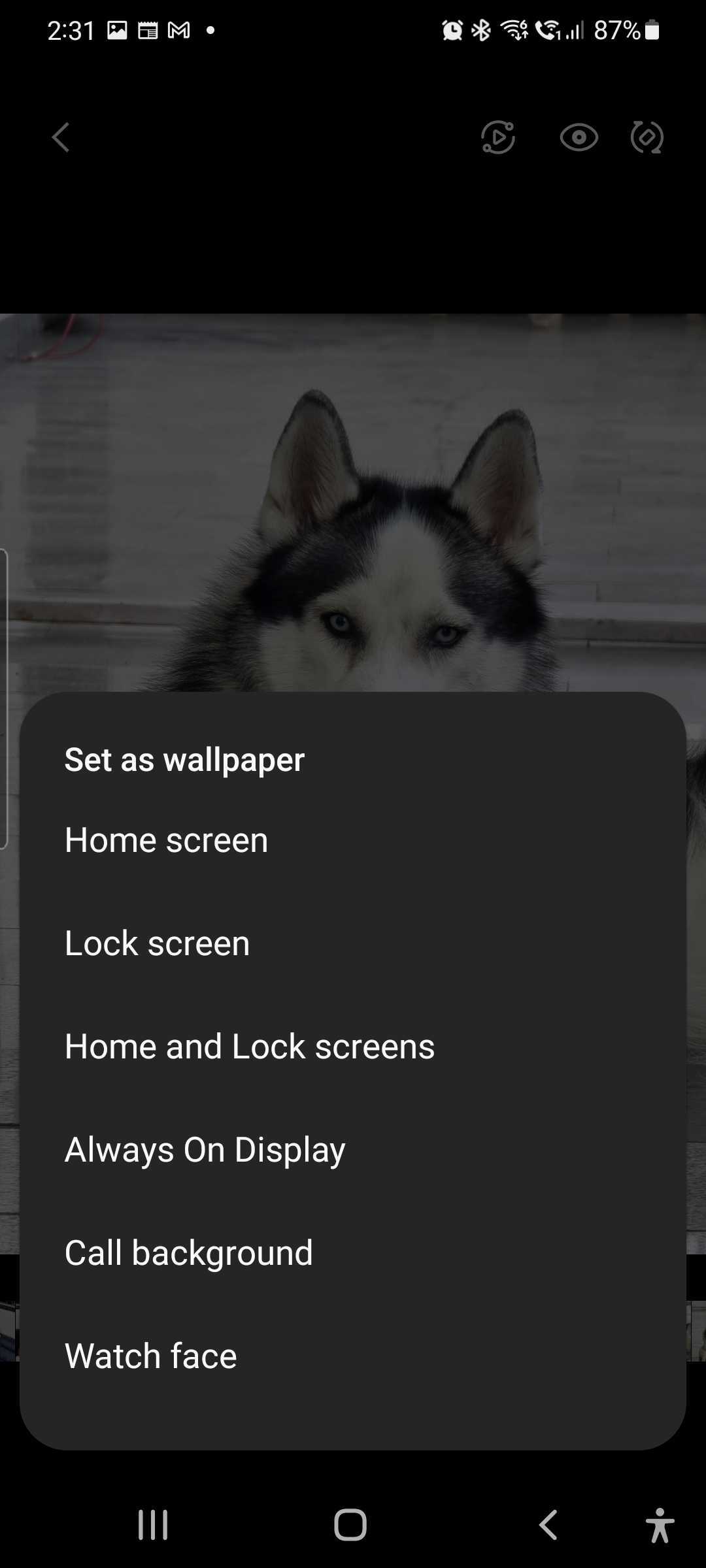
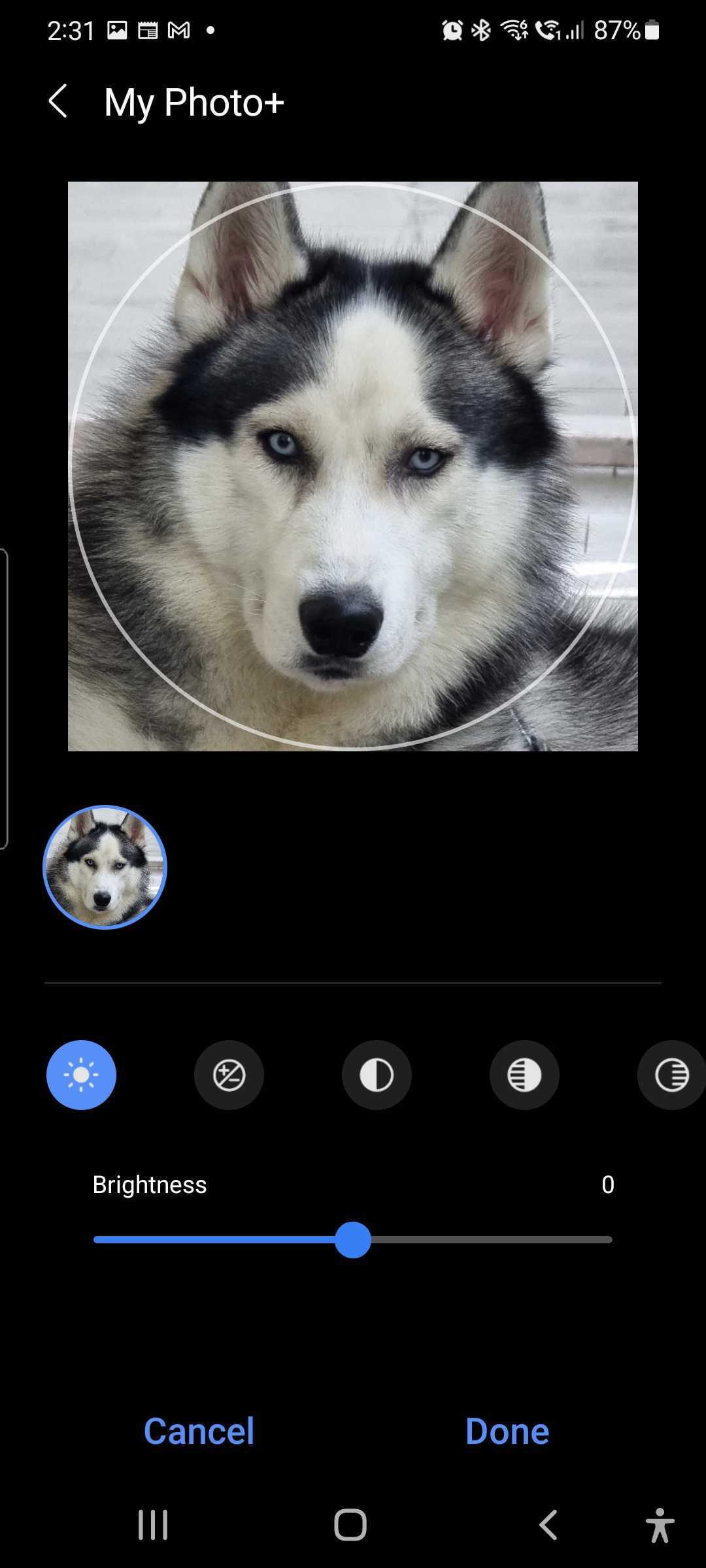
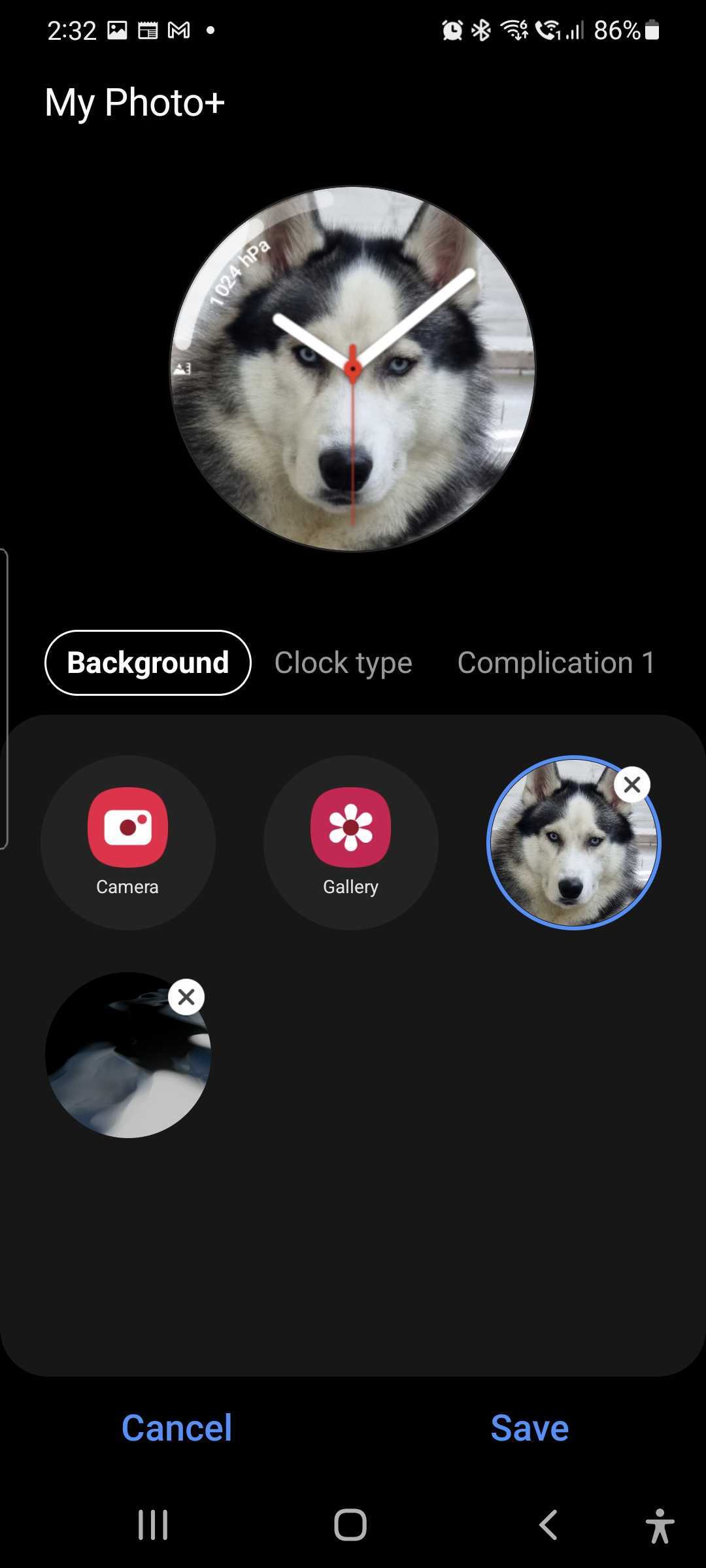
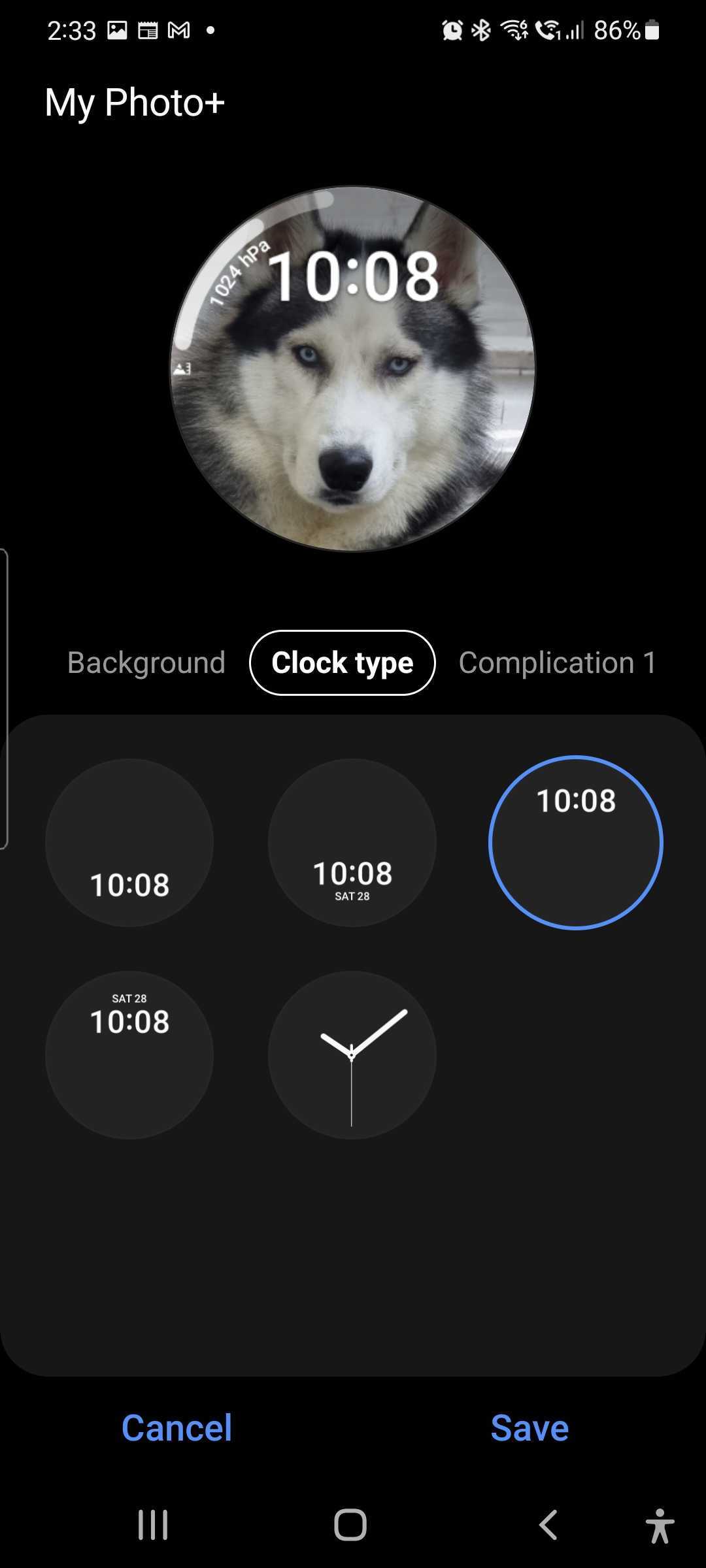
If you're using a Galaxy Watch 4 or Galaxy Watch 4 Classic, you can now change its watch face's background and customize other elements of the watch face by simply opening an image in your phone's Gallery, selecting the Set as wallpaper option, and tapping Watch face. Once you do that, you're taken to the My Photo+ editor, where you can change image parameters such as brightness, contrast, and more, choose from a variety of clock types, and add complications to the watch face (such as app shortcuts, exercise shortcuts, weather info, and more).
Of course, a more intuitive method of applying custom wallpapers to the watch face is far from one of the best reasons you should pick up a Galaxy Watch 4 (or Watch 4 Classic). If you're still on the fence about whether you should buy Samsung's newest smartwatch, our review can help make the decision a lot easier, so do check it out!
Abhijeet's writing career started with guides for custom firmware for Samsung devices (including the original Galaxy S), and he moved to SamMobile in mid-2013 and worked up the ranks to Editor-in-chief. In addition to phones and mobile devices, his interests include gaming on both PC and console, PC hardware, and spending countless hours on YouTube watching videos on tech, movies, games, politics, and internet dramas.