Last updated: January 24th, 2018 at 13:33 UTC+01:00
SamMobile has affiliate and sponsored partnerships, we may earn a commission.
Reading time: 3 minutes
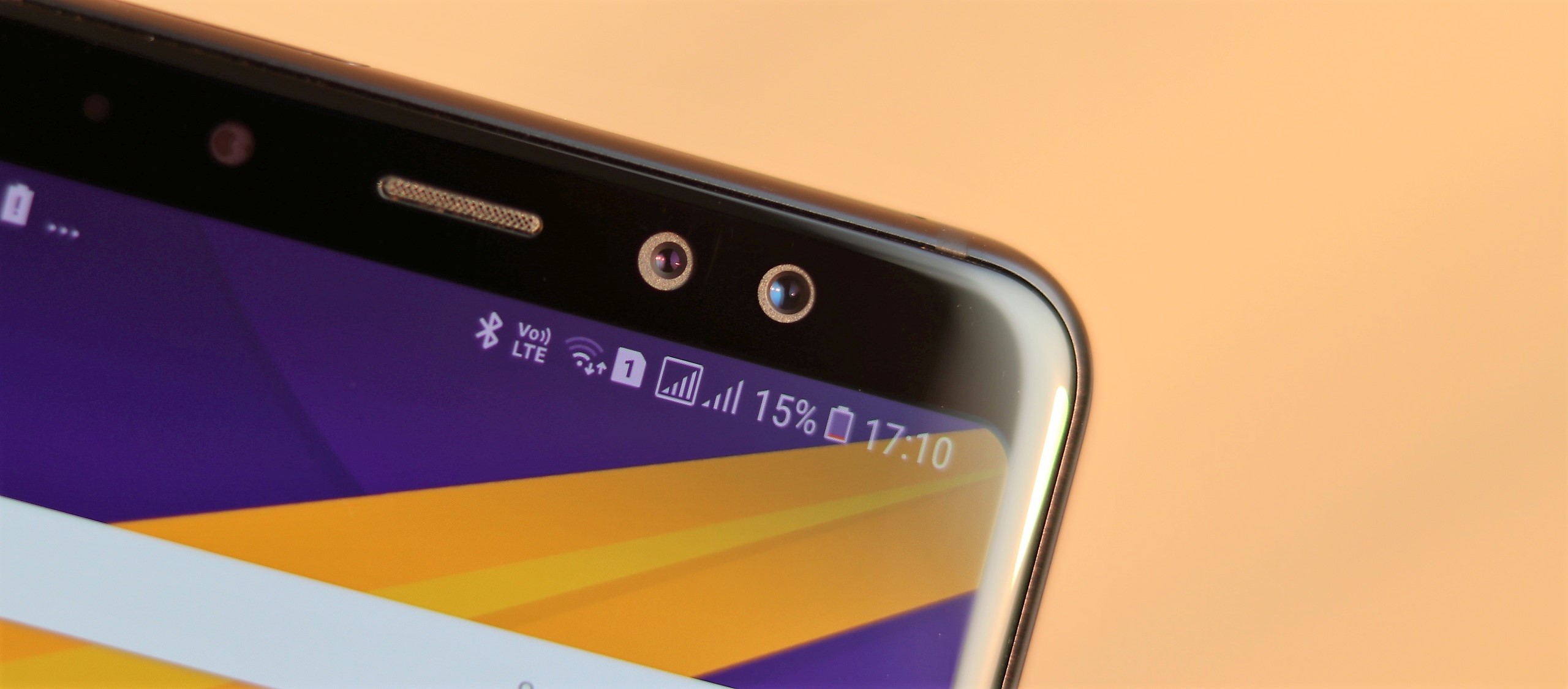
But, unlike the Note 8, the lower-resolution front camera on the A8 and A8+ is used for wide-angle shots that keep both you and the background in clear focus. That's because the 8 MP sensor is the primary sensor (or the one on the left, which you'd consider to be the primary sensor) and has a slightly higher field of view (FOV) than the 16 MP sensor. By default, the front camera on the A8 and A8+ uses the 16 MP sensor for selfies, but the reduced FOV means the camera prioritizes the faces.
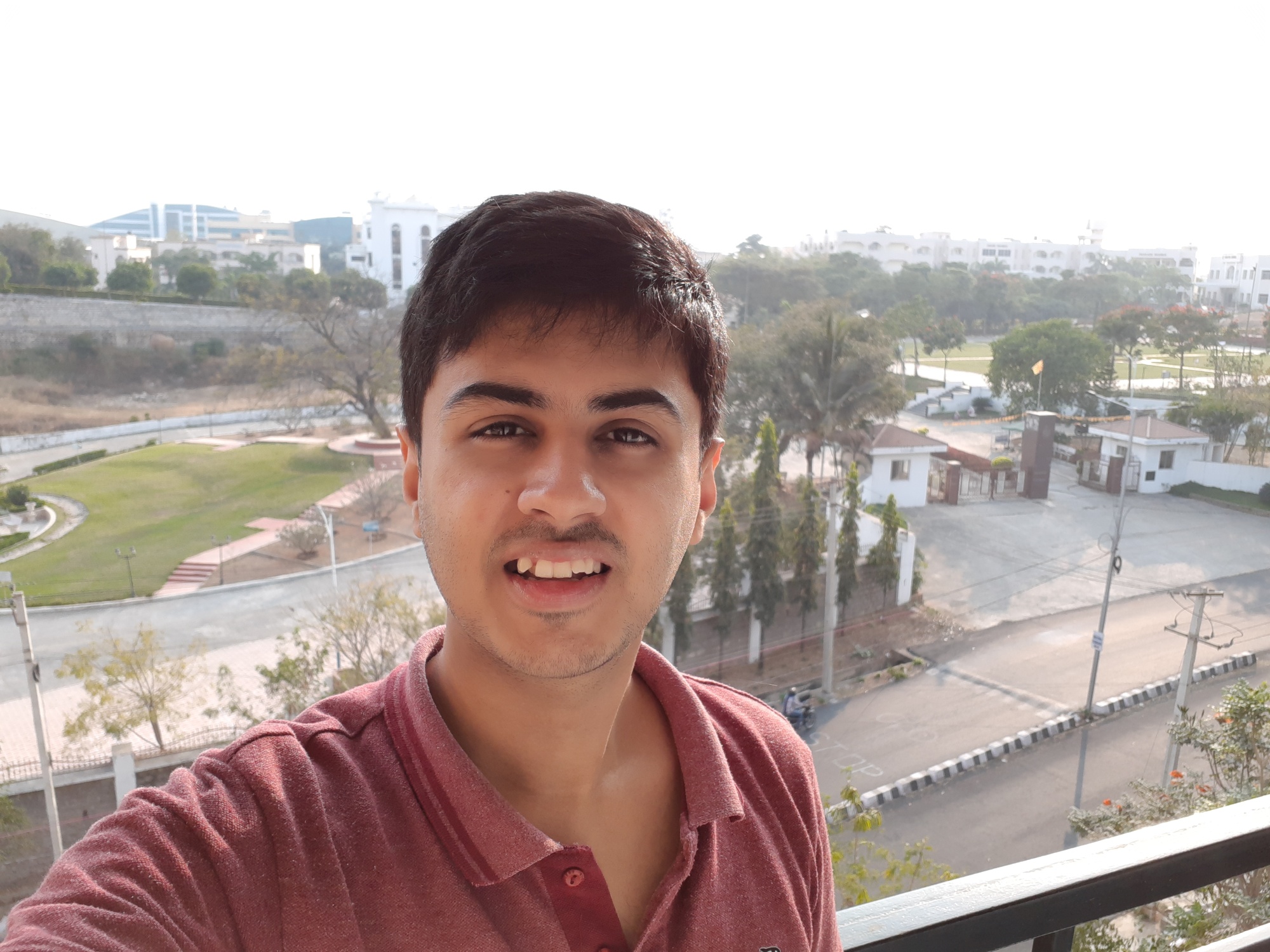
The 16 MP pictures are also brighter, partly because of a larger sensor, but they slightly blur the background even when you're not using the Live Focus feature. Samsung has thankfully built in the option to switch to the 8 MP sensor to keep both the people in the frame and the background in focus, in addition to capturing more of the scene. The difference in FOV isn't much, but it's enough to be noticeable.
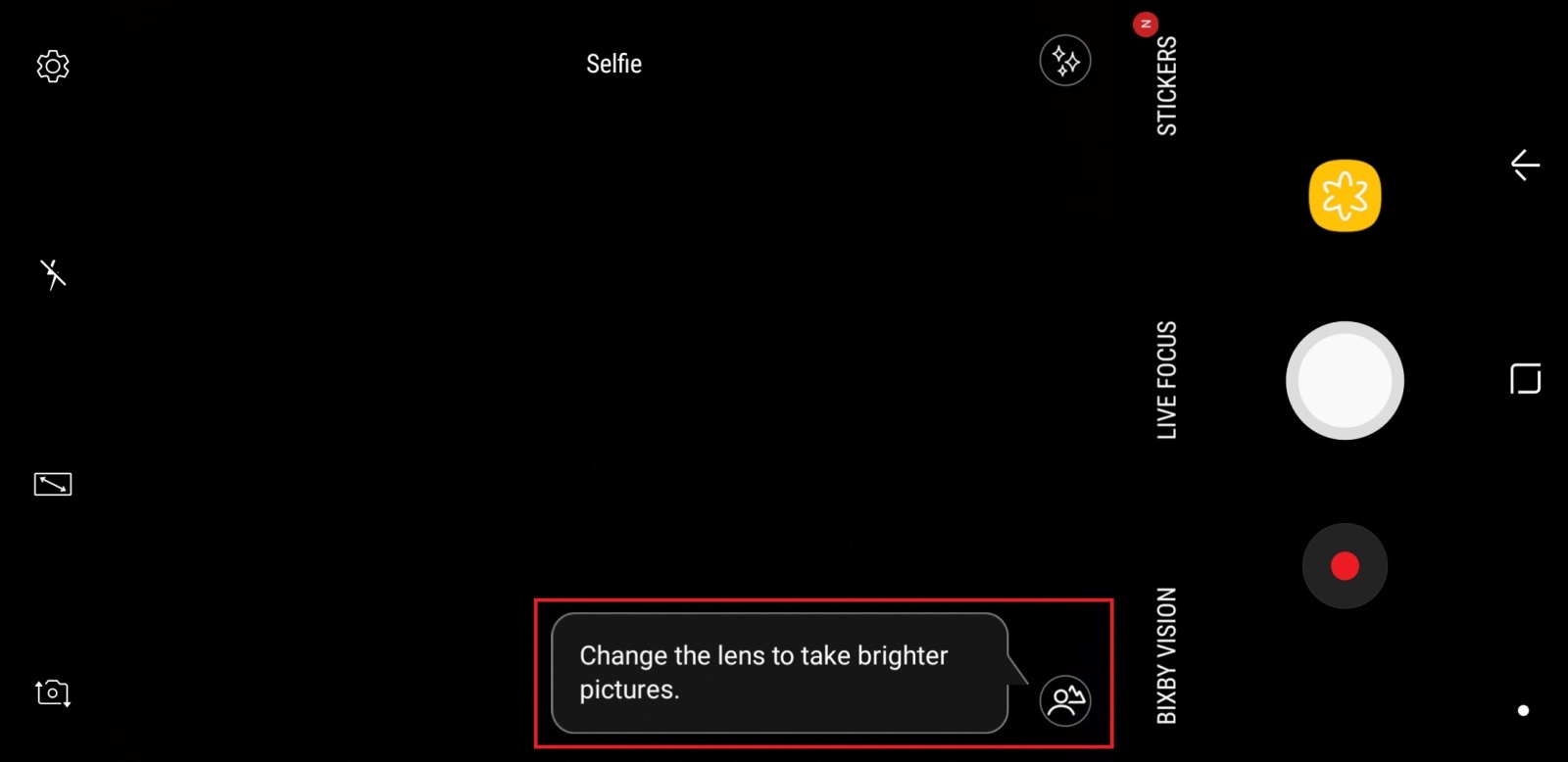
It's also easy to miss the button in the camera app that lets you do this: It's the icon located on the lower right side of the camera app if you're holding the phone in landscape mode, or on the bottom left side if the phone is held in portrait orientation. I've been taking quite a few selfies on the A8+ in the two weeks or so that I've been using it, and it was only today that the icon caught my eye. It doesn't help that Samsung doesn't highlight the feature as it does for other camera functionality.
Here's a comparison of how the two modes differ (click here and here to see the photos in a bigger size).
[uba]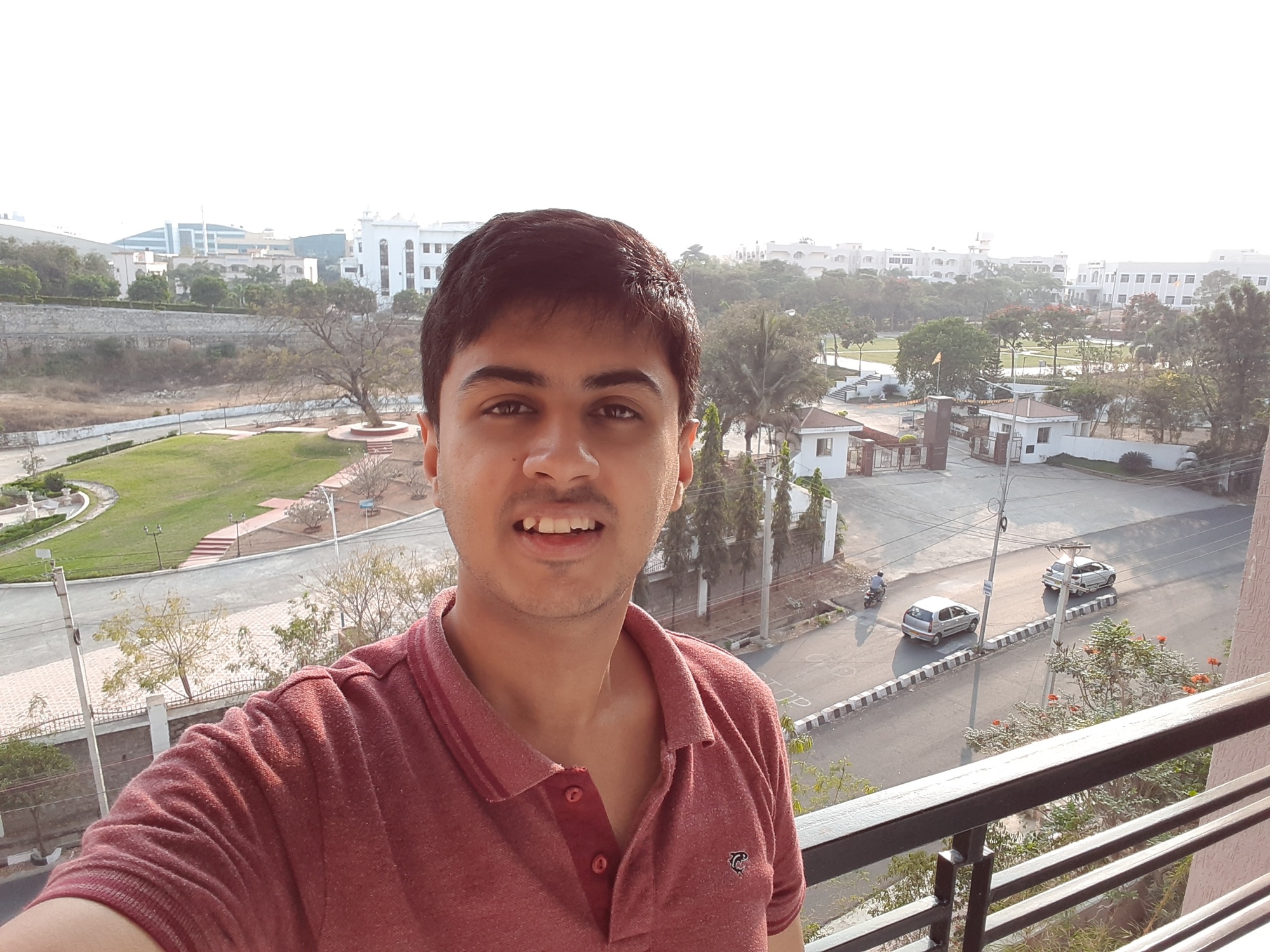
 [/uba]
Selfies in both regular and wide-angle modes offer a similar level of detail, so don't be put off by the fact that the wide-angle pictures are taken at half the resolution of the front camera. Also, remember that the Galaxy A8 and A8+ come with real-time HDR, so scenes with a bright background are also handled well in both modes. And, of course, Live Focus is what you use when you want a picture to be all about yourself, and Samsung's newest mid-range phones do a fine job of that as well.
Check out our initial impressions of the Galaxy A8, see how the A8+ compares to the Galaxy A7 (2017) in side-by-side pictures, and look out for our full review later this week!

Abhijeet's writing career started with guides for custom firmware for Samsung devices (including the original Galaxy S), and he moved to SamMobile in mid-2013 and worked up the ranks to Editor-in-chief. In addition to phones and mobile devices, his interests include gaming on both PC and console, PC hardware, and spending countless hours on YouTube watching videos on tech, movies, games, politics, and internet dramas.













