Awesome deals Galaxy Z Fold7, Watch8, S25 Ultra and S95F OLED TV
Last updated: January 19th, 2026 at 12:54 UTC+01:00
SamMobile has affiliate and sponsored partnerships, we may earn a commission.
You need a device running at least One UI 8.5 and Samsung's Home Up app.
Reading time: 2 minutes
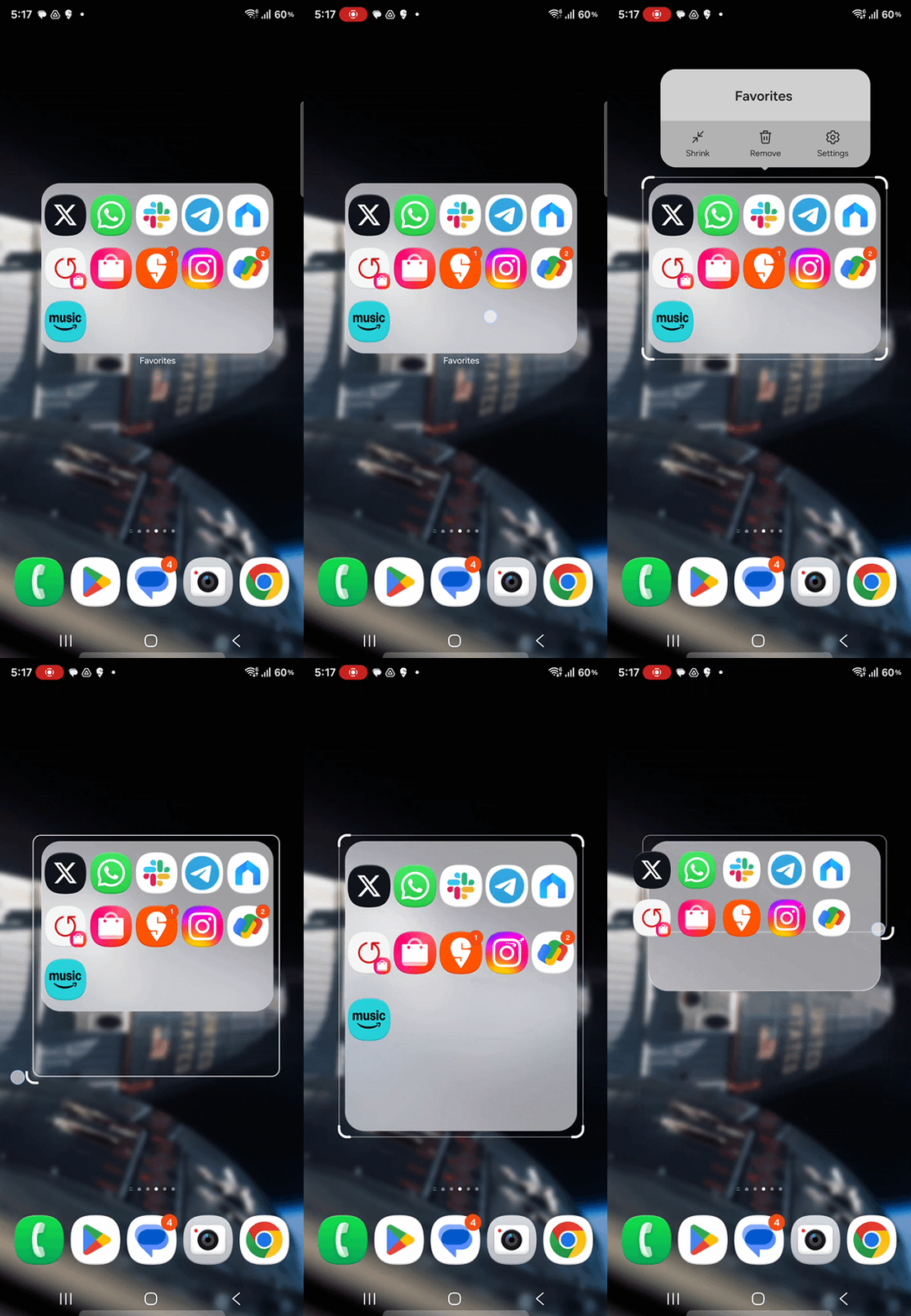
One UI is one of the most customizable smartphone interfaces in the world. With One UI 7, Samsung introduced a new way to personalize the home screen by allowing users to create enlarged folders. With One UI 8.5, Samsung is taking customization a step further by letting users fine-tune the appearance of large folders.
Samsung released a new version of the Good Lock Home Up app for One UI 8.5 that introduces new options to customize the look and feel of large folders. Users can adjust their size any way they want and change the transparency effect to better match their home screen layout.
Setting a custom size for large folders requires a device that is running One UI 8.5. To get started, install the Good Lock app from the Galaxy Store or Google Play, open it, and download the Home Up module.
You will need version 17.5.00.18 of Home Up for this to work. If this version is not yet available on your device, you can download the APK file by clicking this link and installing it on your phone manually from the My Files app.
In addition to folder size, you can adjust the size of app icons inside large folders. You can also remove the background blur effect and enable scrolling inside large folders. Large folders support scrolling across up to two pages, allowing you to navigate more easily with fewer taps.
Asif is a computer engineer turned technology journalist. He has been using Samsung phones since 2004, and his current smartphone is the Galaxy S23 Ultra. He loves headphones, mechanical keyboards, and PC hardware. When not writing about technology, he likes watching crime and science fiction movies and TV shows.