Last updated: January 22nd, 2024 at 16:41 UTC+01:00
SamMobile has affiliate and sponsored partnerships, we may earn a commission.
Reading time: 2 minutes
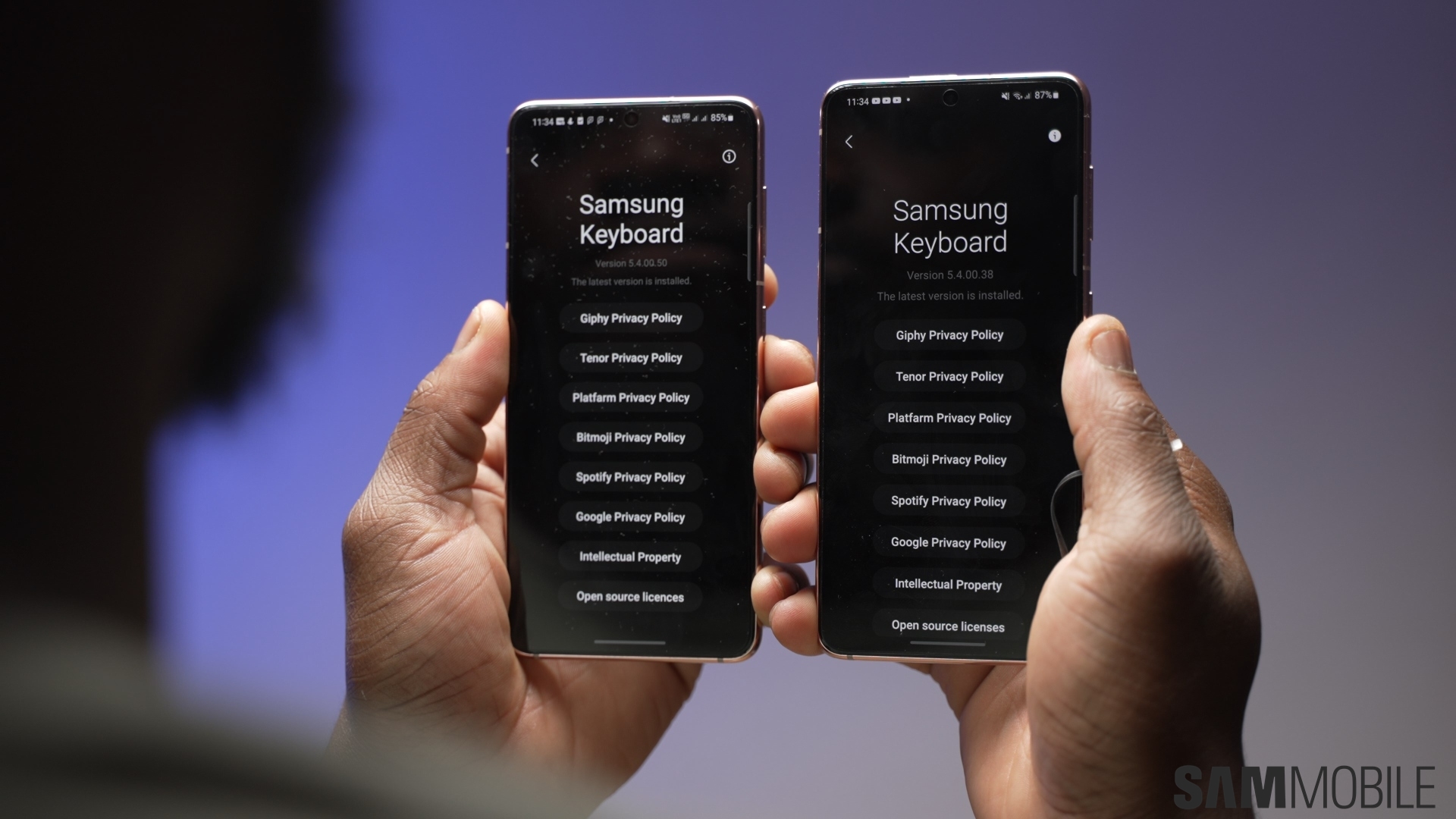
One of the main things that differentiate mobile on-screen keyboards from physical ones is their ability to predict text and offer word suggestions for what users may want to type next. These digital keyboards can even auto-correct your spelling — if you let them.
Samsung Keyboard puts some control back in the hands of the user, and cleverly enough, it lets users create their own text shortcuts for custom text suggestions.
Through text shortcuts, Samsung Keyboard users can create their own pseudo macro commands. Users can assign any combination of letters, words, or sentences to text shortcuts that they create.
In other words, you can make any combination of letters or words reveal a text suggestion pre-set by you. So, if you find yourself writing the same long sentence over and over when using Samsung Keyboard, you can create a text shortcut for it to make your typing experience easier.
To create a custom text shortcut, open the Settings app on your Galaxy phone, access “General management,” go to “Samsung Keyboard settings,” and select “Text Shortcuts.”
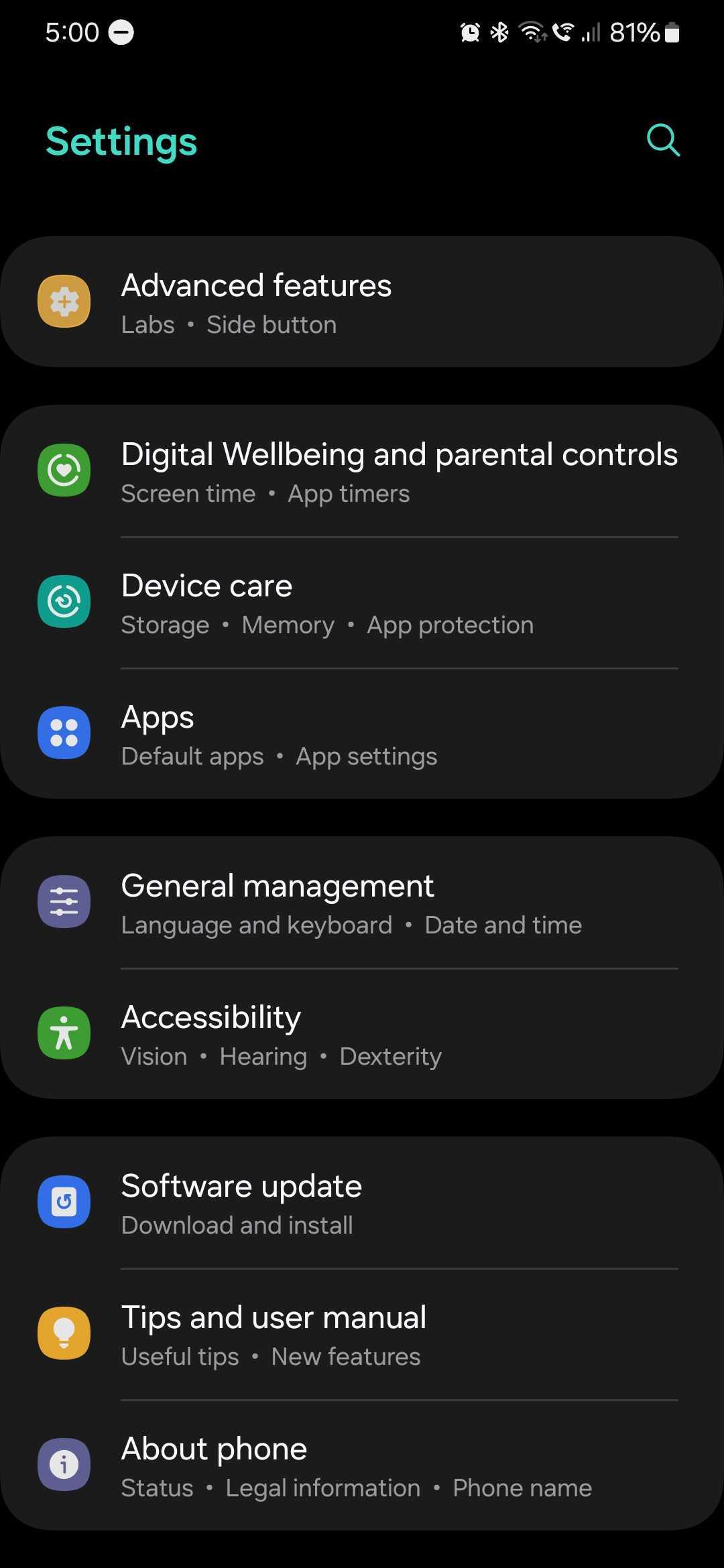
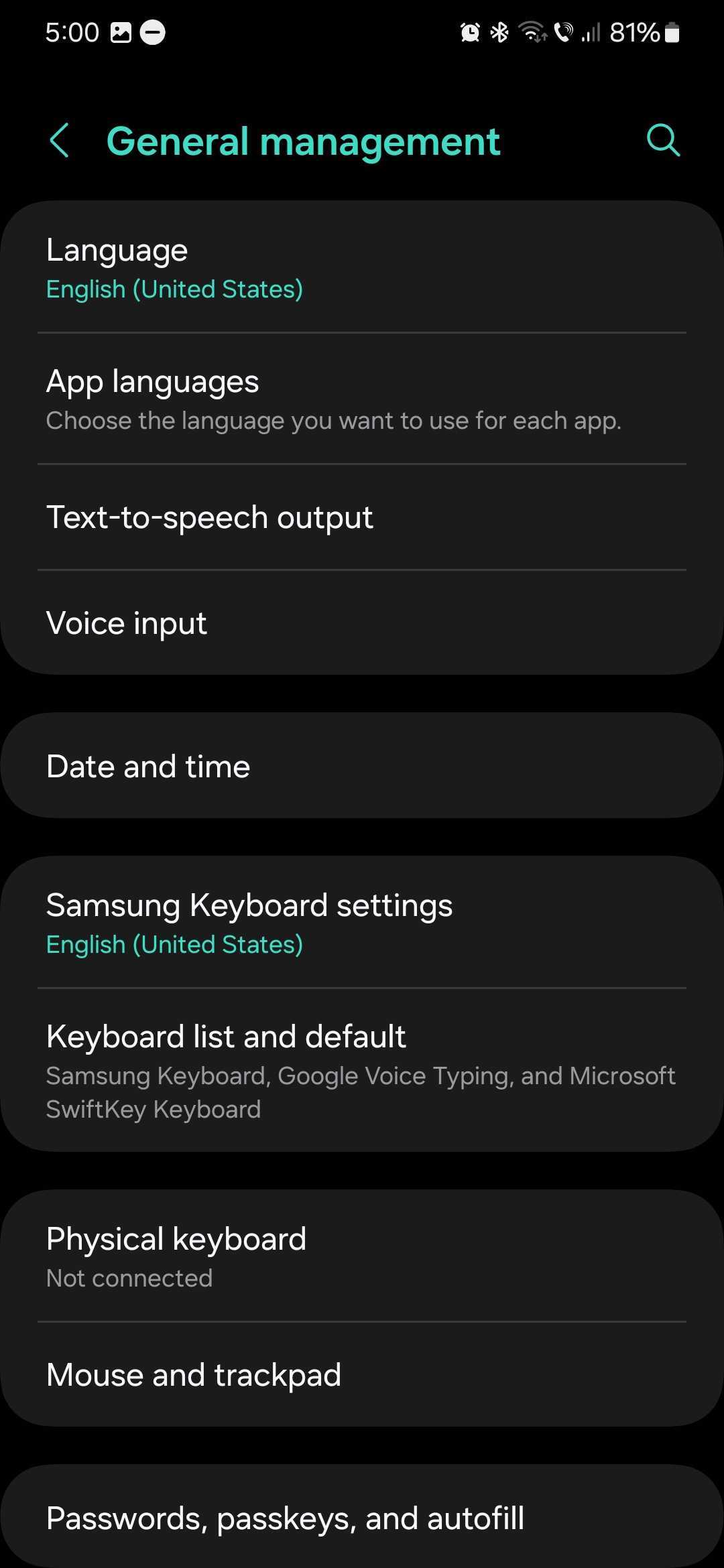
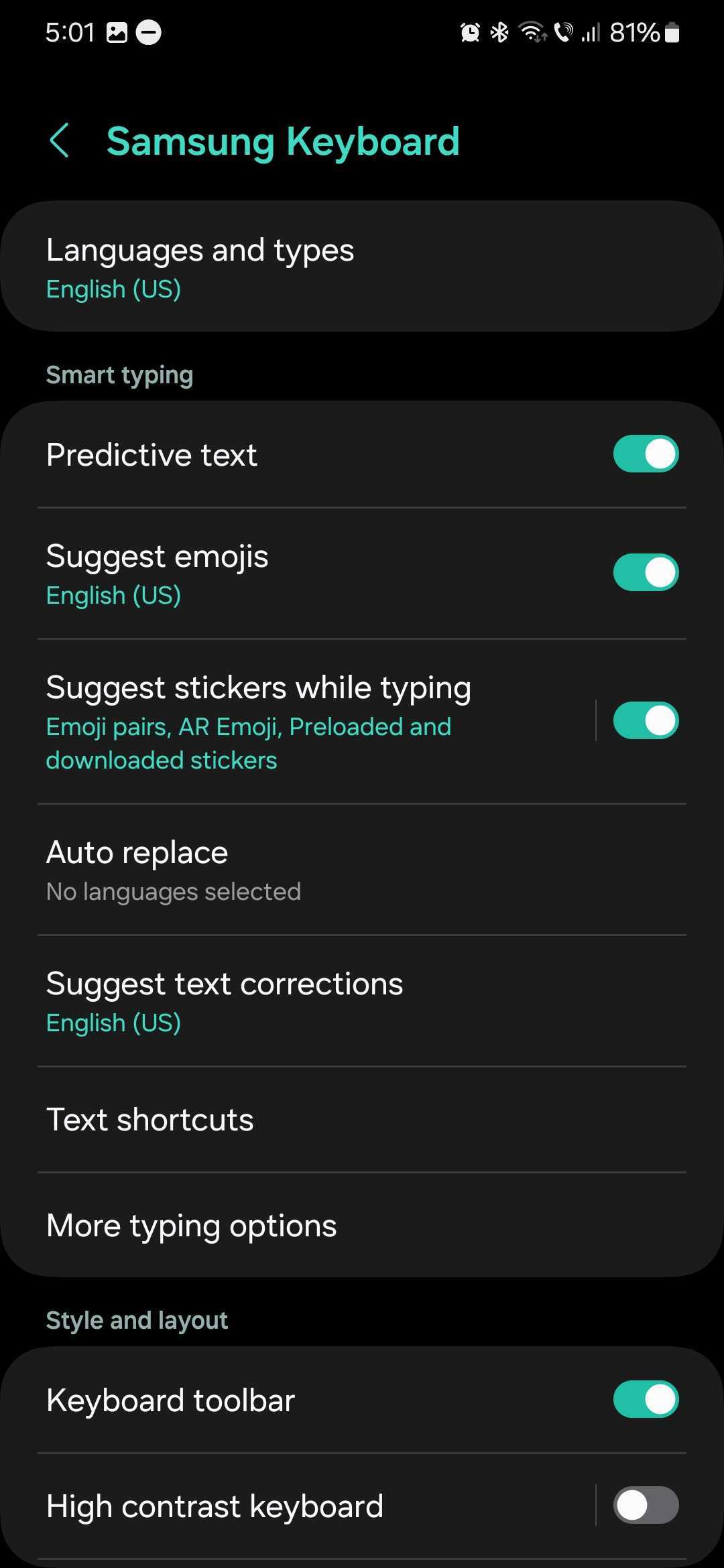

To create your own text shortcut, tap the “+” button, enter the desired text shortcut in the “Shortcut” field, and enter the desired text suggestion in the “Expanded phrase” box. Tap “Add” to confirm.
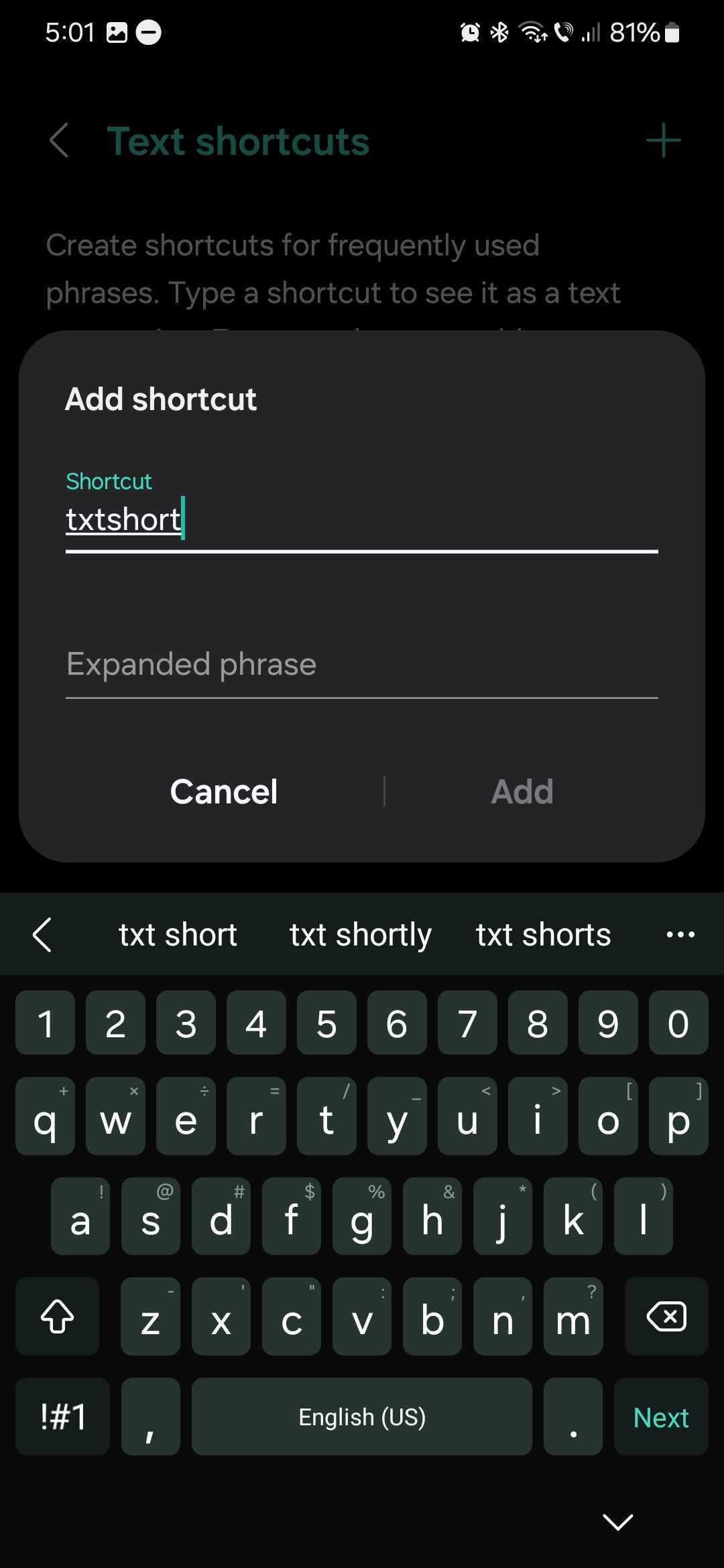
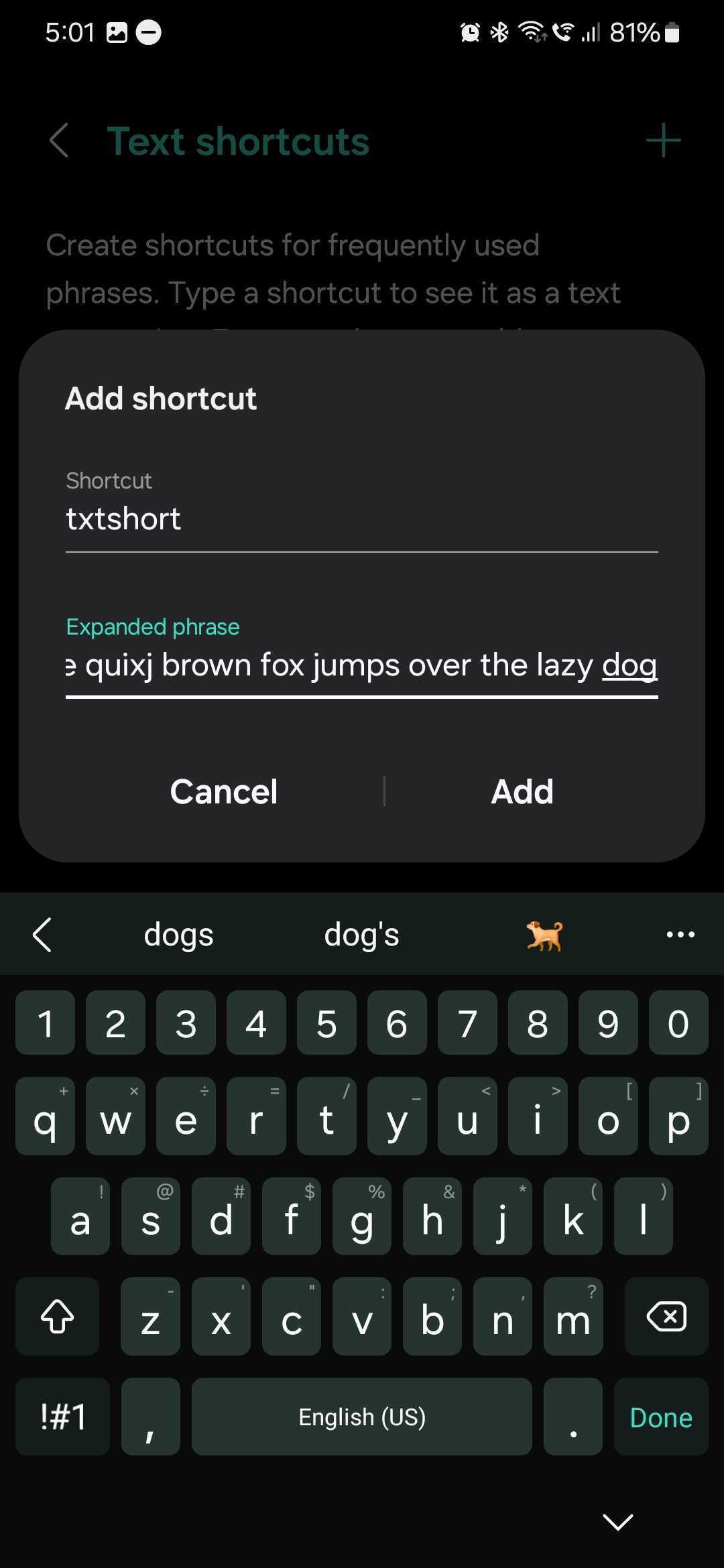

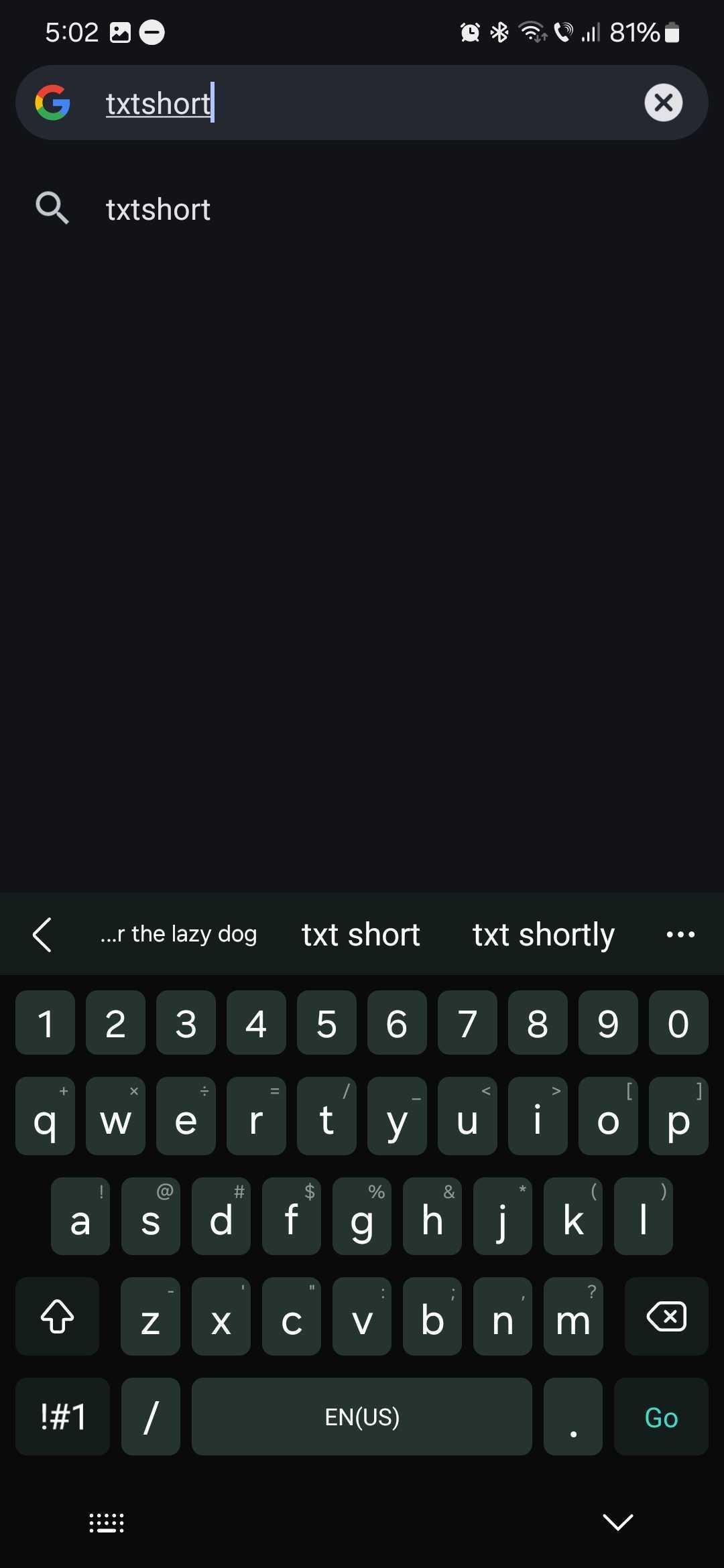
Now, every time you write the text shortcut in a text field, the content you wrote in the “Expanded phrase” box will be shown as a suggestion atop the Samsung Keyboard toolbar.
If you want to remove one of your text shortcuts, follow the steps above to access “Samsung Keyboard Settings,” then, at the “Text Shortcuts” screen, tap the trash can icon and select which shortcut you want to delete.

Mihai is a blogger and column writer at SamMobile. His first Samsung phone was an A800 which took a lot of beating, and a part of him still misses the novelty of the clamshell design. In his free time, he enjoys watching shows, documentaries, and stand-up comedy; listening to music, taking walks, and occasionally playing old(er) video games.












