Last updated: February 28th, 2024 at 16:51 UTC+01:00
SamMobile has affiliate and sponsored partnerships, we may earn a commission.
Reading time: 2 minutes
AI-powered transcribing, translating, and summarizing works for apps like Samsung Internet, Samsung Notes, and Voice Recorder. But here's what you might not know. Strangely, these AI features don't work in the Voice Recorder's Interview Mode.
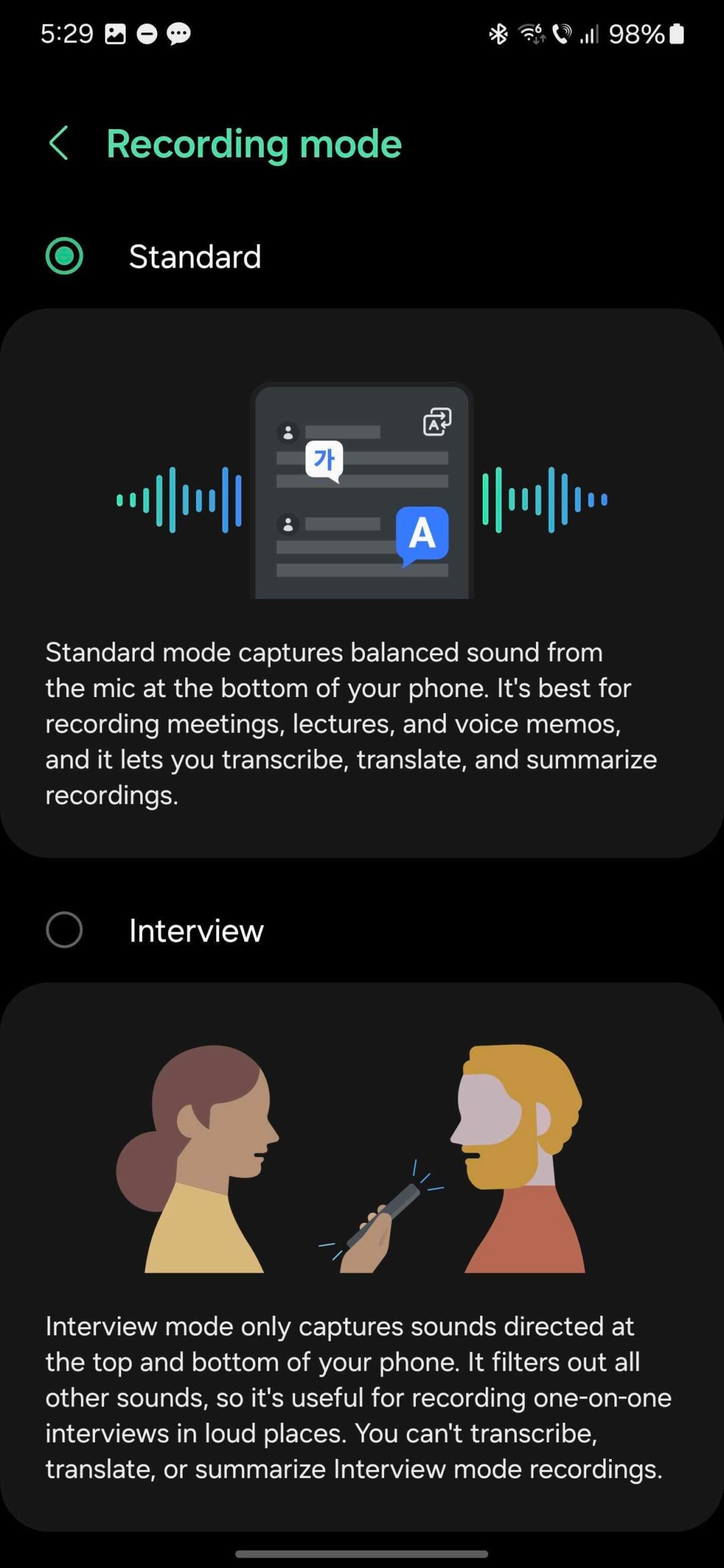
The Voice Recorder app for the Galaxy S24 series offers two main modes, and they work as follows:
You probably expect Samsung's AI-powered transcribe, translate, and summarize tools to work with both Standard and Interview Voice Recorder modes. Maybe even more so when Interview Mode is selected.
Oddly, that's not the case, as these tools are limited to audio clips recorded in Standard Mode.
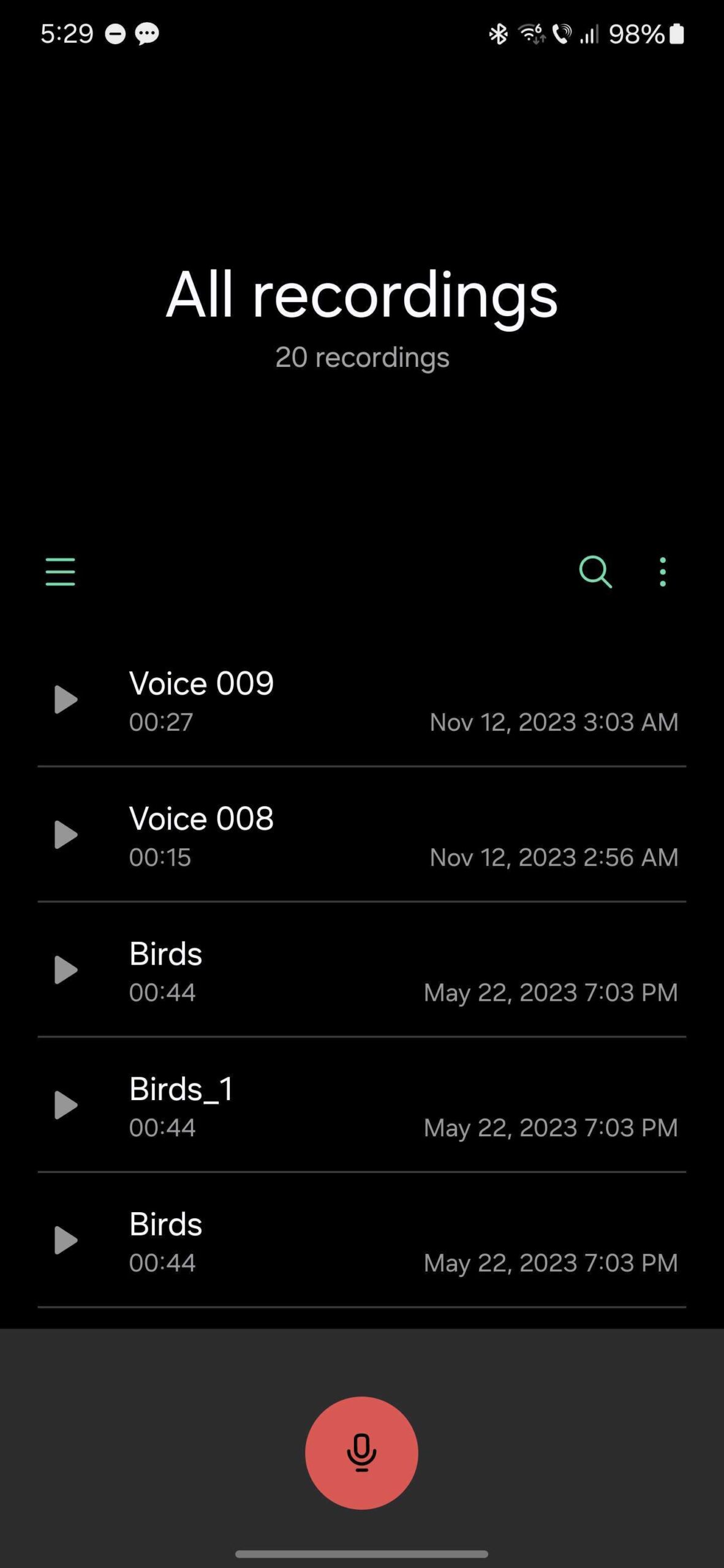
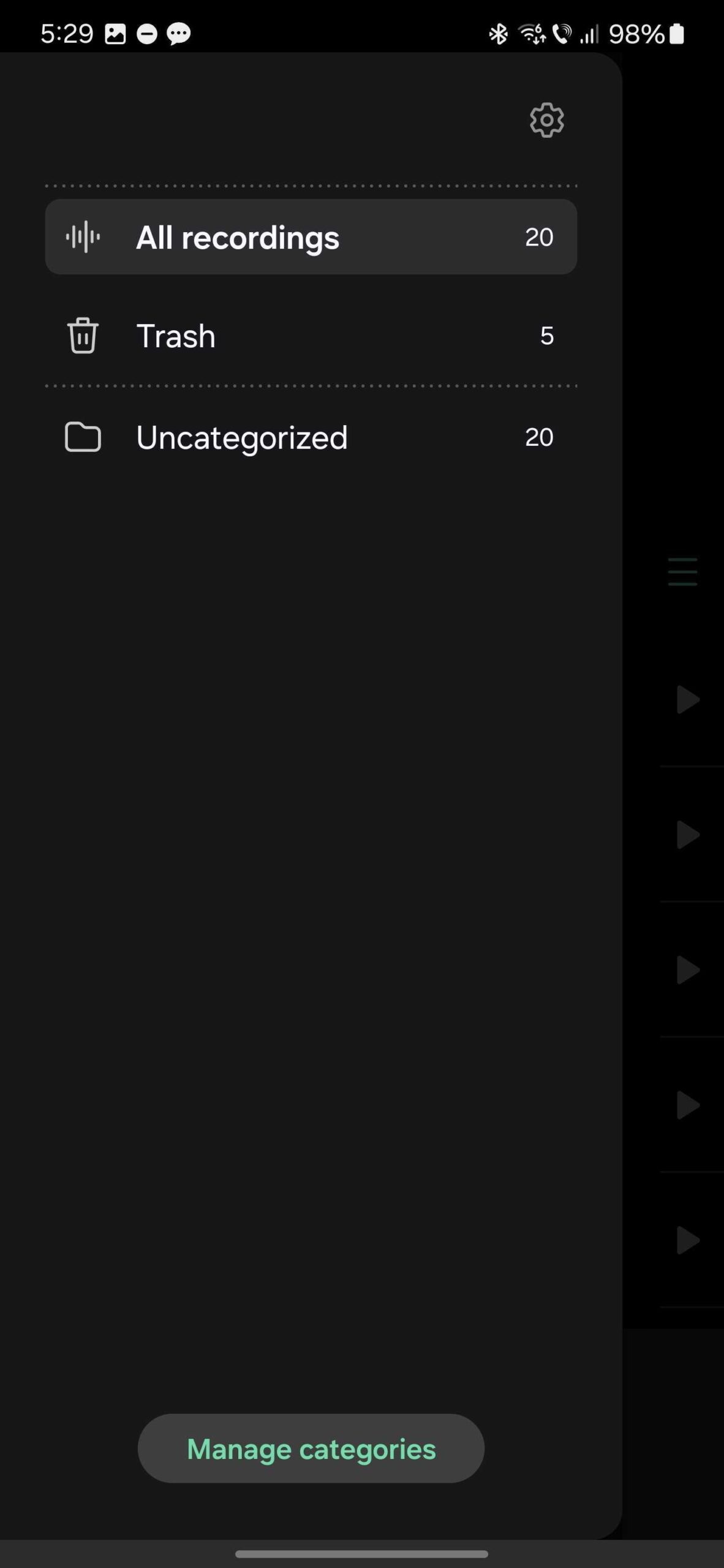
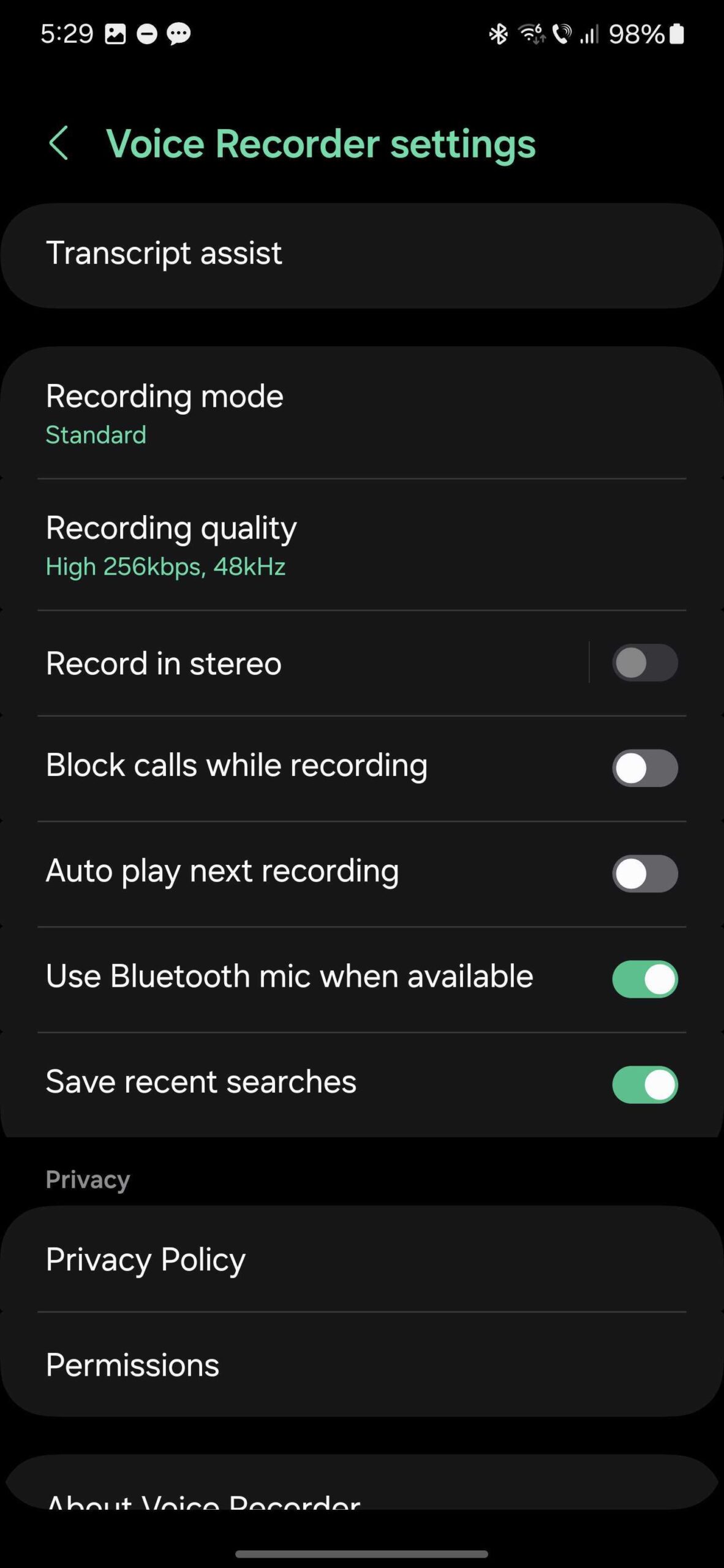
So, if you want to make sure that you will be able to translate, transcribe, or summarize your audio recordings, you'll need to open the Voce Recorder app on the Galaxy S24 and tap the hamburger menu, access “Voice Recorder settings” by tapping the cogwheel icon, go to “Recording mode,” and select “Standard.”

Mihai is a blogger and column writer at SamMobile. His first Samsung phone was an A800 which took a lot of beating, and a part of him still misses the novelty of the clamshell design. In his free time, he enjoys watching shows, documentaries, and stand-up comedy; listening to music, taking walks, and occasionally playing old(er) video games.












