Samsung hasn't officially unveiled One UI 9.5 yet, but we've already had a look at plenty of the changes it's preparing. Between leaked firmware and early versions of Samsung's apps, the update is shaping up to bring much more than a few visual tweaks.
There's a long-requested App Lock feature, more capable AI assistants, new ways to keep up with games, and updates to everything from Samsung Keyboard to Expert RAW.
We've brought those discoveries together below. Some features have appeared in apps we've tried, while others come from leaks and development findings, so the final release could look different.
App Lock could finally arrive to Galaxy phones
One of the most welcome additions could be a straightforward App Lock feature. Secure Folder already provides a separate space for private apps and files, but users have long wanted a simple way to lock an app where it already sits.
In the leaked One UI 9.5 build, you can press and hold an app or game icon on the home screen or in the app drawer, then tap a padlock in the shortcut menu.
Locked apps use your phone's existing screen unlock method, so you wouldn't need to remember another password or PIN.
Fahad Ali Javed / X
App Lock feature in One UI 9.5
A glass-inspired look, smoother animations, and darker icons
Samsung appears to be adding glass-inspired styling to selected parts of the interface. Floating tab bars, widgets, and action buttons have shinier edges and shadows that give them more depth.
Fahad Ali Javed / X
Now Brief widget in One UI 9.5
Fahad Ali Javed / X
Search icon in floating tab bar in the Samsung Phone app
Early firmware leaks also point to smoother home screen animations, new fingerprint enrollment graphics, and changes to Camera controls. Camera quick setting menus open in floating overlays, with circular buttons and some gold accents.
Fahad Ali Javed / X
Subtle design improvements in stock Camera app's sub-menus
Samsung may also introduce dedicated dark app icons. An asset found in the Nearby Devices app shows icons with black backgrounds and colorful details for apps such as Gallery, Phone, Messages, and My Files. These could switch automatically when Dark Mode is enabled, though the asset alone doesn't confirm the final implementation.
SammyGuru
Darker app icons in the Dark Mode, possibly in One UI 9.5
Easier-to-reach search in Samsung apps
Several Samsung apps are moving important controls closer to your thumb. In the Phone app, search moves from the top of the screen to the bottom bar beside Keypad, Recents, and Contacts.
SamMobile
One UI 9.5 Phone app
SamMobile
One UI 9.5 Phone app
Samsung Calendar gives search its own circular button at the bottom right, alongside a narrower Add event bar. search also gains Key events shortcuts, while the sidebar groups Settings, Sync now, and Recycle bin above the calendar and account list.
SamMobile
Search button at the top in One UI 9
SamMobile
Search button at the bottom in One UI 9.5
SamMobile
Search screen in One UI 9
SamMobile
Search screen gets Key events in One UI 9.5
Samsung Notes moves search to the bottom right and New Note to the bottom center. It also gets refreshed animations and a subtle glow behind note thumbnails. Sensitive information in private notes is masked in thumbnail previews outside those notes.
Custom widgets that combine information from different apps
Samsung is reportedly developing My Custom Widget, which would let you choose information from supported apps and arrange it in a personalized layout.
Fahad Ali Javed / X
My Custom Widget feature on One UI 9.5 gets leaked
One example combines Calendar and Messages information in a widget for sharing travel plans with friends. It appears to offer more flexibility than choosing from a fixed set of widgets, although the full customization options haven't been revealed.
Memory could organize the things you save
Samsung's upcoming Memory app is designed to bring screenshots, links, text, voice notes, and content shared from other apps into one place.
Galaxy AI generates titles, summaries, and tags, then groups related items into collections. Memory can also recover the original webpage link from a screenshot and fetch useful details when you paste a link.
Abhijeet Mishra / SamMobile
Memory app's entry in the Galaxy AI section of the Settings app
Abhijeet Mishra / SamMobile
Samsung Memory app's activation toggle
Abhijeet Mishra / SamMobile
Samsung Memory app's home screen
Abhijeet Mishra / SamMobile
Collections in Samsung Memory app
You can edit entries, mark favorites, lock items, and organize collections yourself. The app also describes quick capture options, including a three-finger screenshot gesture and holding Volume Up and the Side button together to record a voice note.
Bixby could handle recurring tasks and work across apps
In our testing, asking for the USD-to-INR exchange rate every morning created a scheduled action. Bixby waits for your approval before activating it, and an Actions section lets you pause, delete, or pin tasks and review their activity.
Asif Iqbal Shaik / SamMobile
Deleting, pausing, or pinning Bixby Actions in the Bixby app in One UI 9.5
Asif Iqbal Shaik / SamMobile
Checking activity log of Bixby Actions in the Bixby app in One UI 9.5
A broader system called Personal Agent Core is being developed to coordinate work across Samsung and Google apps. Workflows could include checking your calendar, messaging someone to arrange a meeting, following their replies, and adding confirmed plans to Calendar.
Asif Iqbal Shaik / SamMobile
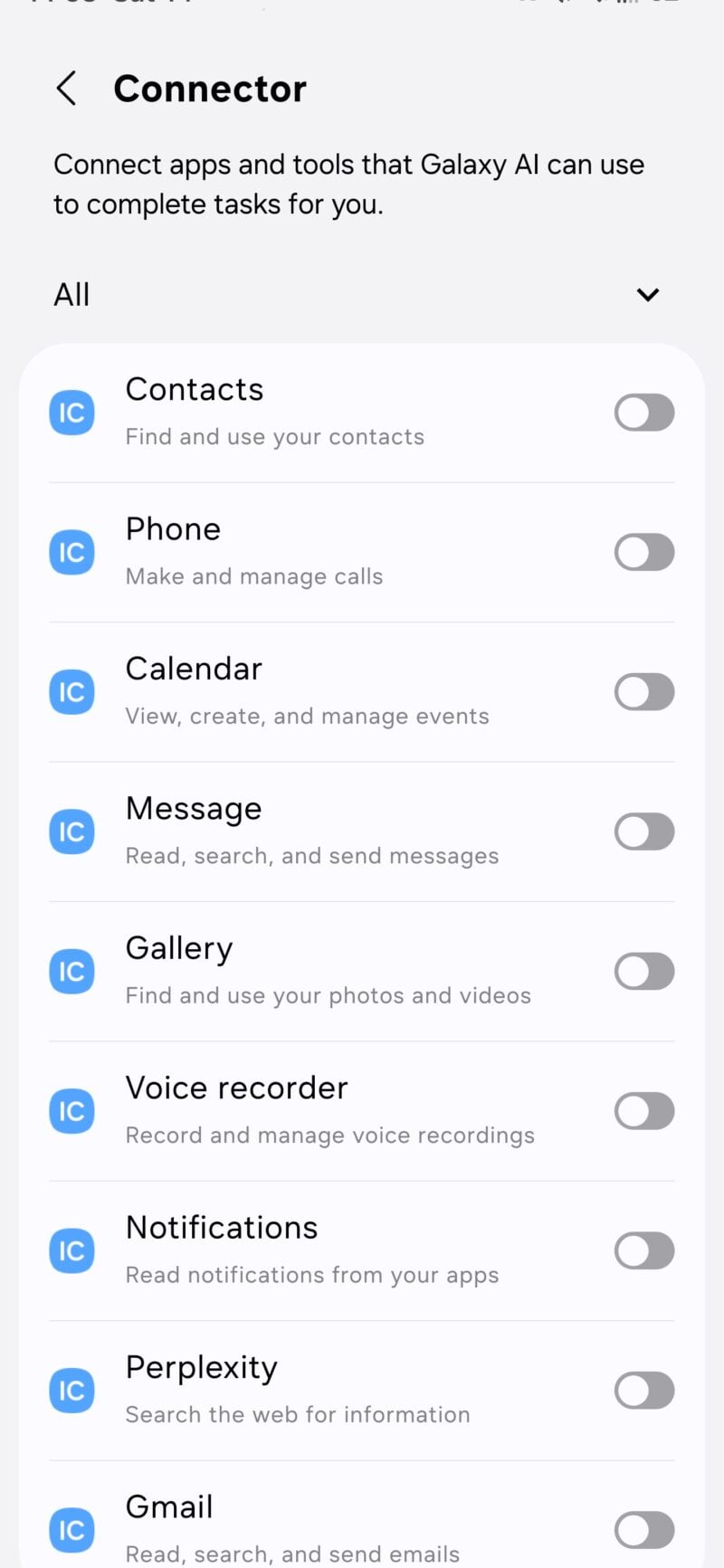
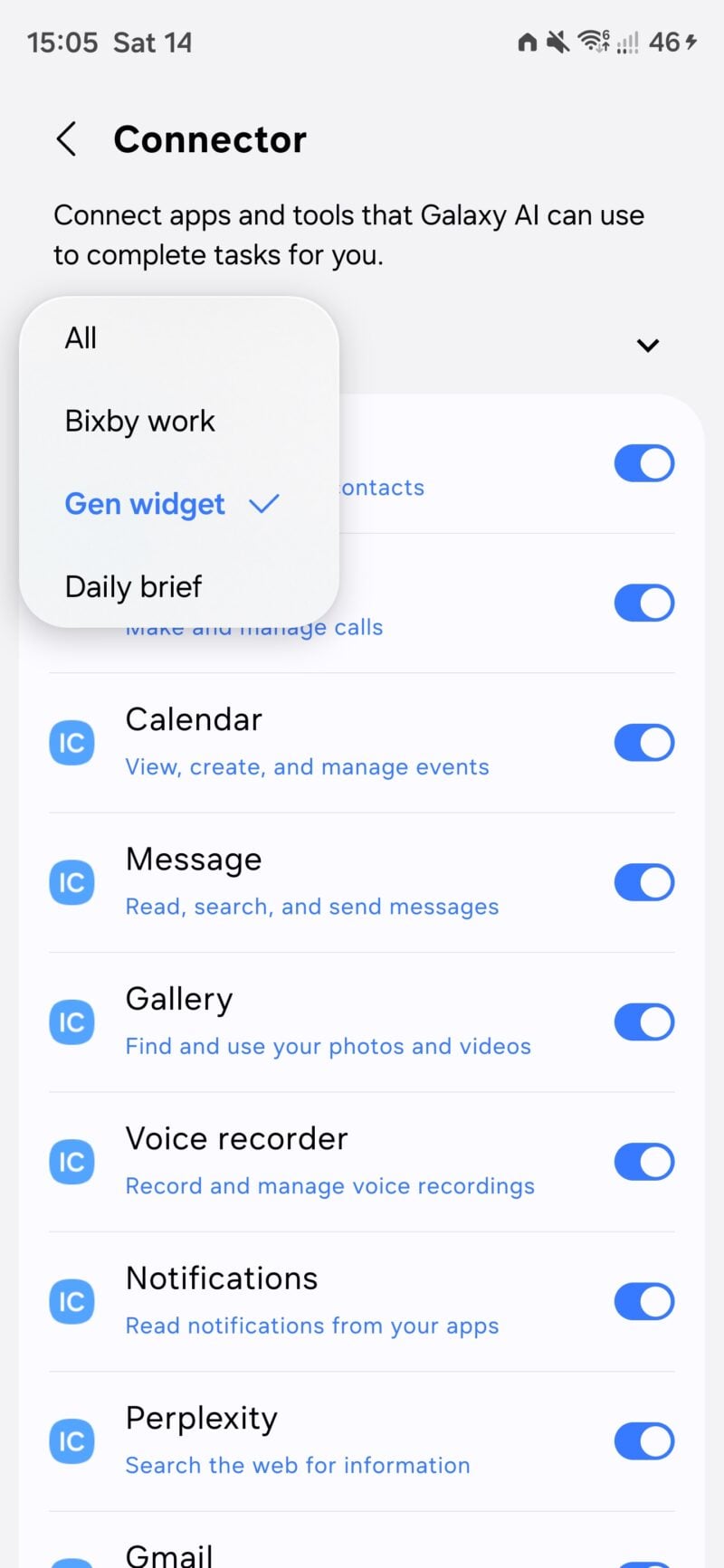
Personal Agent Core connectors for stock One UI and Google apps
Asif Iqbal Shaik / SamMobile
Personal Agent Core connectors for Bixby Work, Custom Widget, and Daily Brief.
It could also extract commitments from conversations, summarize recordings, manage reminders, and notify you when an expected message arrives.
Meanwhile, Bixby's widgets are becoming more useful. The 2×2 and 4×2 widgets gain camera shortcuts for visual questions and a text box for typed requests. The larger widget also adds a file upload shortcut for asking questions about documents and PDFs.
Asif Iqbal Shaik / SamMobile
Bixby widgets in Light Mode in One UI 9.5
Asif Iqbal Shaik / SamMobile
Bixby widgets in Light mode in One UI 9.0
Samsung Keyboard could clean up your voice dictation
Refine Voice Input uses Galaxy AI to remove filler words, hesitations, and false starts from dictated speech.
Instead of leaving you to tidy up a rambling message, it aims to produce cleaner, better structured text. When enabled, it replaces the keyboard's standard voice input.
There's one difference in how it works: the text appears after you've finished speaking and the on-device AI has processed the recording, rather than appearing continuously as you talk.
Asif Iqbal Shaik / SamMobile
Refine Voice Input toggle to activate AI-powered voice dictation cleanup in Samsung Keyboard in One UI 9.5
Asif Iqbal Shaik / SamMobile
Galaxy AI icon to activate Refine Voice Input dictation using Samsung Keyboard in One UI 9.5
Call recording could expand to WhatsApp, Telegram, and Meet
This points to built-in recording for voice calls made through those services. Those were the compatible apps installed on our test device; the list doesn't establish that support is limited to those three.
Abid Iqbal Shaik / SamMobile
Record calls in other apps in One UI 9.5
Abid Iqbal Shaik / SamMobile
Individual toggles to enable call recording for third-party VoIP calling apps in One UI 9.5
Availability could vary by country or region, as is the case for regular phone call recording. It's also unclear if there's support for recording video calls.
Contacts could get a dedicated birthday section
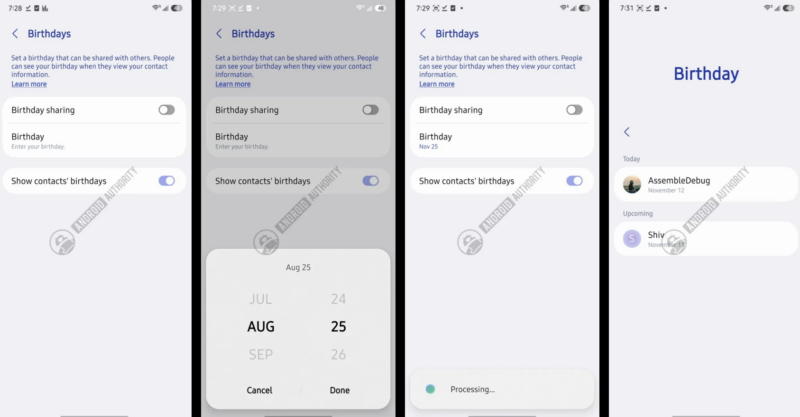
Samsung is preparing a birthday hub for the Contacts app that groups birthdays into Past, Today, and Upcoming.
Saving a birthday against an individual contact is already possible. This change would bring those dates together in one place, with shortcuts for sending birthday cards and gifts.
Samsung is also working on an option to share your own birthday through your contact profile.
AssembleDebug / AndroidAuthority
One UI 9.5 Samsung Contacts Birthday feature
PlayOn could bring your games into everyday apps
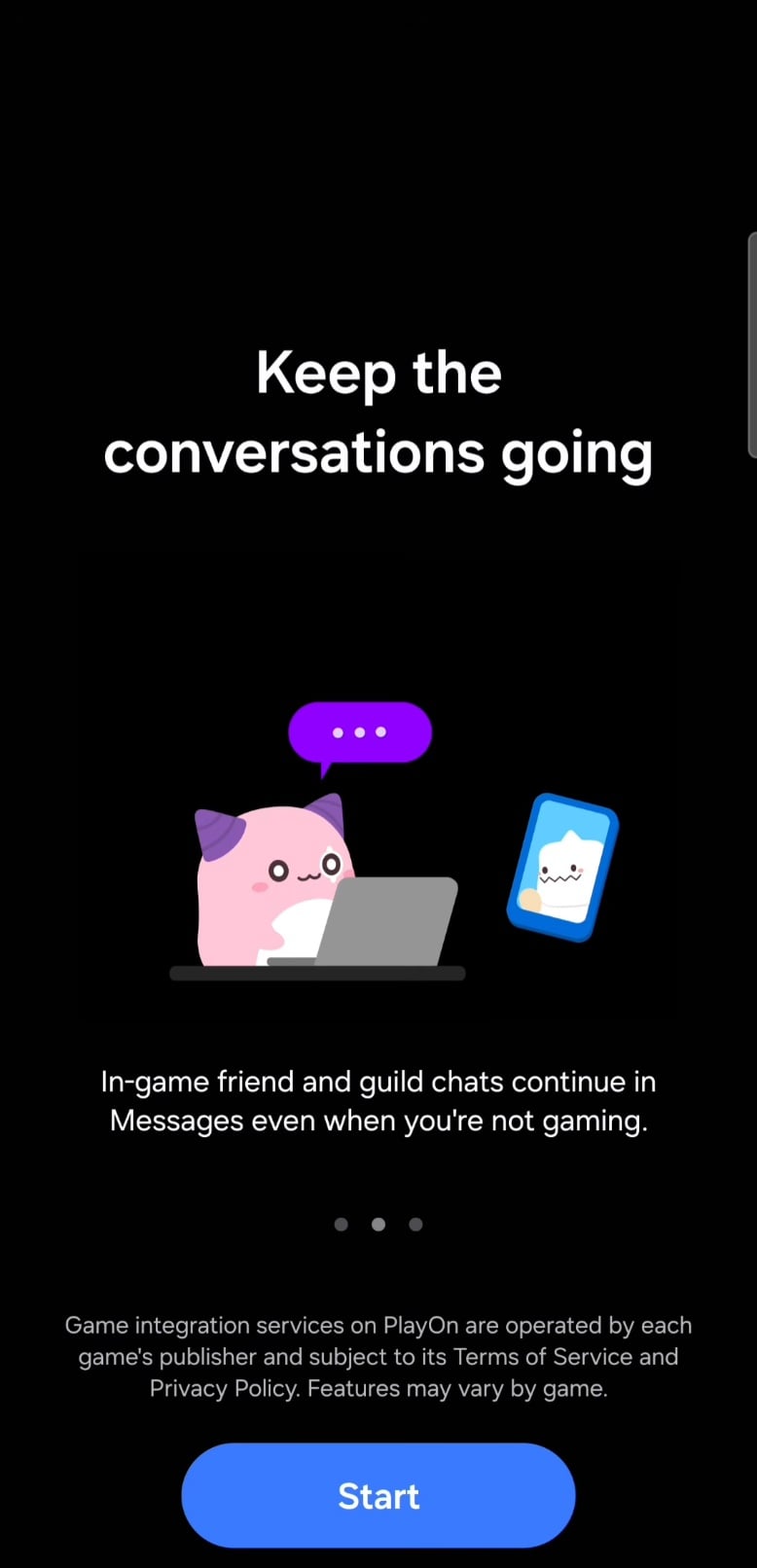
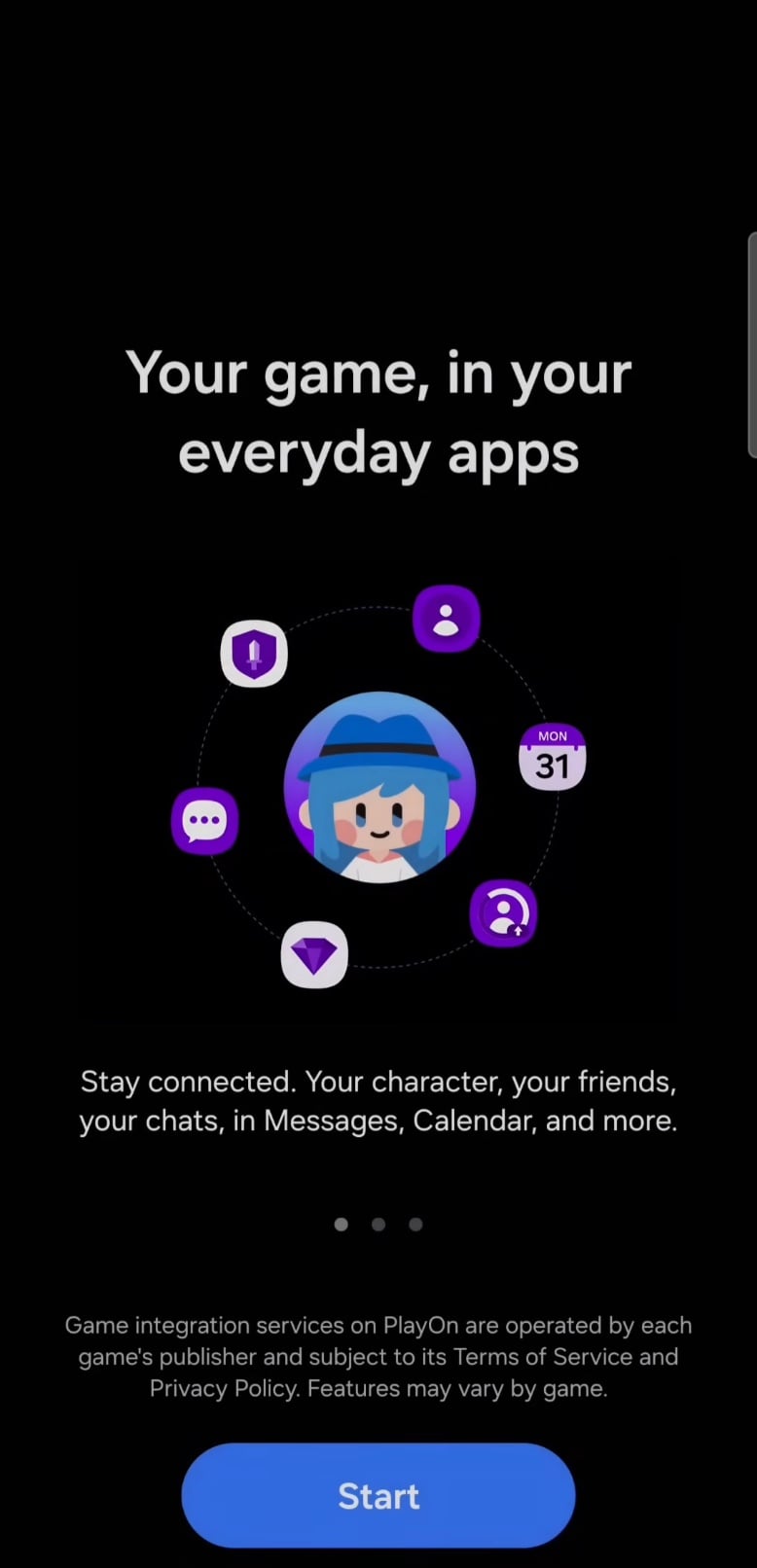
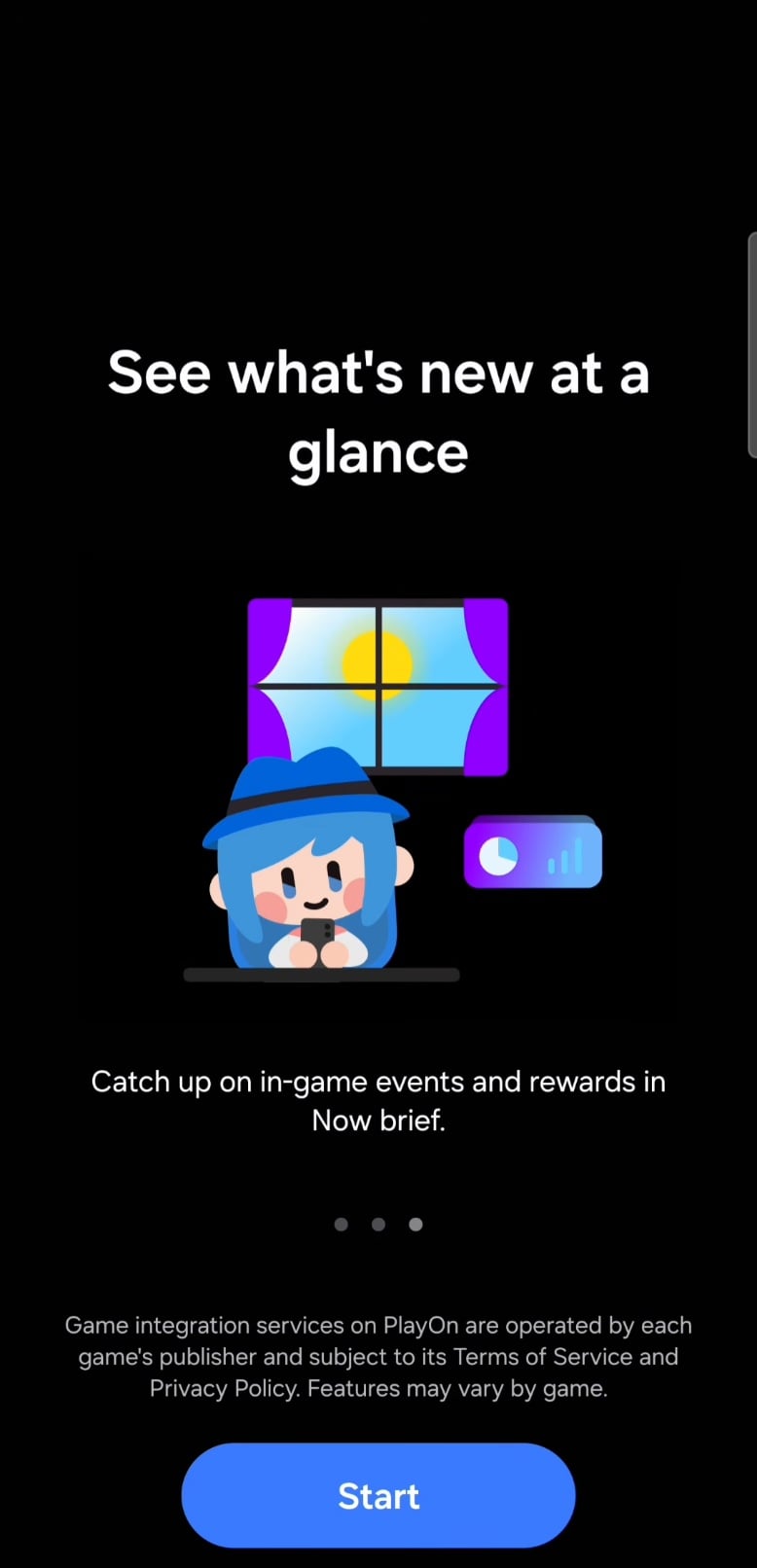
PlayOn Agent is designed to let you keep up with supported games without opening each one.
It brings in-game conversations into Samsung Messages, gaming friends into a dedicated area in Contacts, and information about events, daily quests, and login rewards into Now Brief cards and widgets. It also provides a hub for multiple games, accounts, and characters.
Asif Iqbal Shaik / SamMobile
Introduction screen for the PlayOn feature
Asif Iqbal Shaik / SamMobile
PlayOn brings in-game messages to the Messages app on Galaxy phones
Asif Iqbal Shaik / SamMobile
Introduction of PlayOn's Calendar, Messages, and Now Brief integration
Asif Iqbal Shaik / SamMobile
In-game events and rewards will show up in Now Brief via PlayOn
New Samsung Browser UI on large screens in DeX mode (One UI 9.5)
A sidebar brings together the Ask Anything, Read Highlights Aloud, Summarize, and Translate functions. You can also type or speak a request to find and open a webpage, making it easier to navigate without entering a precise address or search query.
Abid Iqbal Shaik / SamMobile
New Galaxy AI sidebar in Samsung Browser on large-screen devices in DeX mode (One UI 9.5)
Another addition lets you generate a QR code for the page you're viewing. That feature also works in the normal phone and tablet interface, so you wouldn't need to launch DeX to use it.
Abid Iqbal Shaik / SamMobile
Using Galaxy AI chatbot in the sidebar in Samsung Browser (One UI 9.5)
Expert RAW gets new controls and RAW burst shooting
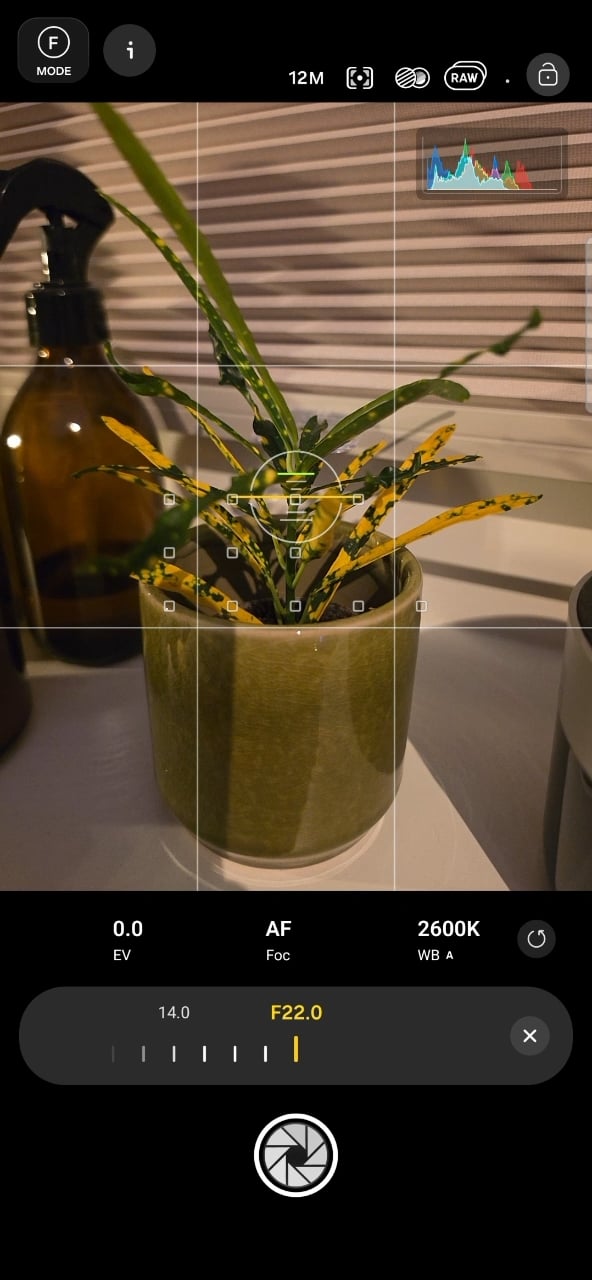
There is also a camera settings lock to prevent accidental adjustments, while tapping the histogram opens a larger view with separate white, red, green, and blue graphs.
The new Burst mode supports up to 30 shots per session, saved in DNG format. Virtual Aperture extends from f/1.4 to f/22, compared with the f/16 maximum on existing Galaxy devices. This remains a software effect that simulates changes to depth of field.
SamMobile
Virtual aperture goes up to F22 vs F16 on S26 series
SamMobile
Expert RAW burst mode
A separate Tint adjustment adds another white balance control. There are signs of video support, too, including stabilization settings and video resolution/frame rate controls in Ocean mode, although video capture doesn't currently work in the build we examined.
Galaxy Enhance-X gets a cleaner editing interface
Galaxy Enhance-X is getting a redesigned home screen that displays gallery images directly, making it quicker to choose something to edit.
Abid Iqbal Shaik / SamMobile
Galaxy Enhance-X app's home screen in One UI 9.0
Abid Iqbal Shaik / SamMobile
Galaxy Enhance-X app's home screen in One UI 9.5
Its bottom navigation changes to Plugins, Home, History, and Discover. Inside the editor, Undo, Redo, and Save move higher, while the floating background around those buttons is removed.
Abid Iqbal Shaik / SamMobile
Galaxy Enhance-X app's image editor screen in One UI 9.5
Abid Iqbal Shaik / SamMobile
Galaxy Enhance-X app's image editor screen in One UI 9.5
Editing tools gain text labels beneath their icons, and the toolbar switches to a black background. The Suggested tab is also removed. The changes we've seen focus on the interface rather than new editing capabilities.
Galaxy AI Premium plans and a usage dashboard
Samsung is also preparing optional paid Galaxy AI plans. Our findings point to photo-to-video generation, advanced automation through features such as Bixby Action and Galaxy Claw, a separate Daily Briefing feature, and higher usage allowances.
Asif Iqbal Shaik / SamMobile
Galaxy AI Premium plan usage tracker in One UI 9.5
Asif Iqbal Shaik / SamMobile
Galaxy AI Premium upgrade option in One UI 9.5
Existing core Galaxy AI tools, including Browsing Assist and Now Brief, are expected to remain free. Daily Briefing is described as a separate feature from Now Brief.
We've also seen a Galaxy AI usage dashboard showing the current plan, usage progress, upgrade options, and extra credits that can be purchased separately. The usage meter is described as resetting monthly.
Asif Iqbal Shaik / SamMobile
Galaxy AI usage tracker screen in One UI 9.5
Asif Iqbal Shaik / SamMobile
Galaxy AI usage details in One UI 9.5
Plan names differ between the early screens we've examined, and prices may be placeholders, so the final subscriptions, limits, and costs remain unsettled.
Samsung is expected to introduce the stable version of One UI 9.5 with the Galaxy S27 series in early 2027, with a beta program expected for the Galaxy S26 series and other existing devices beforehand.
The final feature list and availability on individual devices are still to be confirmed, and Samsung could add, change, or remove features before release.



 Keeping Flex Mode and the Galaxy Z Fold 8 separate might've been Samsung's most inspired idea
 While EU iPhone users wait for Siri AI, the Galaxy Z Fold 8 is getting things done
 I'm glad the Galaxy S Ultra's most predictable spec is finally changing
 Galaxy S27 Pro is how Samsung raises prices while giving an illusion of choice
 The iPhone Duo suffers because Apple mistook blind arrogance for fierce leadership
 Three reasons I’d pick the Galaxy Z Fold 8 Ultra over the Fold 8
 Galaxy Z Fold 9 wishlist: 3 things I want from Samsung's next-gen foldable
 "It's first-gen" iPhone Duo apologists make the phone look even worse
 Galaxy S27's biggest threat is a cheaper iPhone crashing its party