Posted by FaryaabS on 22 February 2013 at 19:09

I9300XXUFMB3 – Galaxy S III Android 4.2.1 Jelly Bean LEAKED firmware

fruity jelly beans

We of SamMobile would like to give you the latest I9300XXUFMB3 – Android 4.2.1 Jelly Bean test firmware for the Galaxy S III. Big Thanks to forum member Saturn from XDA-Developers who made this possible by giving us the dump files from his device.

Android 4.2.1 is still under testing phase by Samsung and they will release the official final Android 4.2.1 Jelly Bean update for the Galaxy S III after the launch of the Samsung Galaxy S IV. We wanted to give Samsung’s hardcore fans a sneak preview of what Samsung is up to in their dev center.

New enhancements in I9300XXUFMB3 FW:
- Android 4.2.1 – JOP40D
- Improved Ripple effect on Lockscreen
- New Android 4.2.1 Lockscreen with widgets
- Daydream (Settings>Display)
- New Additions in Notification Center
- Notifications are more actionable
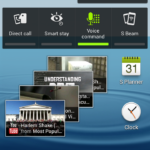
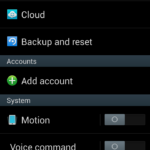
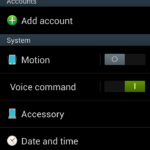
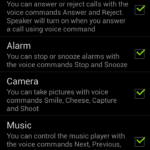
- Voice Command (Let’s you control various parts of the phone using voice commands)
- Found more? Tell us about them in the comments below!

WARNINGS:
We have repackaged this firmware into an ODIN Flashable firmware ourselves from the dump files we took from Saturn’s device. This firmware will increase your binary counter, if you don’t know what this means then don’t flash this firmware. This Firmware will also change your device status to Modified. This firmware doesn’t contain any Modem so the Modem you are using before flashing this firmware will remain. This is a PRE-RELEASE version so not official from KIES. As this is a PRE-RELEASE firmware some minor bugs are to expect.

We have FULLY TESTED this firmware and this firmware works perfectly as any other official firmware.

Firmware Details
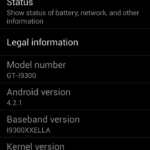
Android Version: 4.2.1 – JOP40D (Jelly Bean)
PDA: I9300XXUFMB3
CSC: I9300OJKFMB3
MODEM: N/A
Region: Middle East
Carrier: Unbranded
Changelist: 171637
Build Date: 19th February 2013
Download: I9300XXUFMB3_I9300OJKFMB3_ILO.zip

Flashing Instructions:
- Unzip the file
- Open Odin 3.04 (already included in the firmware package)
- Restart phone in download mode (Press and hold Home + Power + Volume down buttons)
- Connect phone and wait until you get a blue sign in Odin
- Add I9300XXUFMB3_I9300OJKFMB3_HOME.tar.md5 to PDA
- Make sure re-partition is NOT ticked
- Start flash, sit back and wait a few minutes.
- If you encounter any issues with the firmware (Any FC, Bootloop etc)
- Boot into recovery mode (Home+power+vol up)
- Choose to wipe/factory reset. (THIS WILL ERASE ALL OF YOUR DATA INCLUDING YOUR INTERNAL SD CARD!)
- Then choose reboot and you should be good to go!

Screenshots:

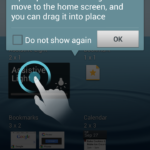
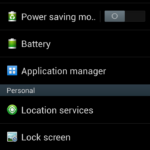
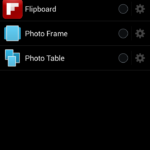
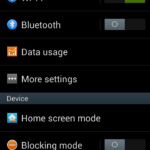
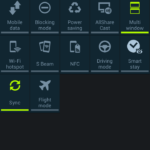
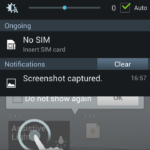
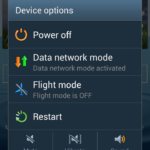
Screenshot_2013-02-22-16-57-13 Screenshot_2013-02-22-16-57-05 Screenshot_2013-02-22-16-56-46 Screenshot_2013-02-22-16-56-38 Screenshot_2013-02-22-16-56-37 Screenshot_2013-02-22-16-56-36 Screenshot_2013-02-22-16-56-35 Screenshot_2013-02-22-16-56-29 Screenshot_2013-02-22-16-56-20 Screenshot_2013-02-22-16-56-12 Screenshot_2013-02-22-16-55-43 Screenshot_2013-02-22-16-55-42Screenshot_2013-02-22-16-55-26 Screenshot_2013-02-22-16-55-12 Screenshot_2013-02-22-16-55-01 Screenshot_2013-02-22-16-53-08 Screenshot_2013-02-22-16-52-55 Screenshot_2013-02-22-16-52-32 Screenshot_2013-02-22-15-52-05Screenshot_2013-02-22-16-57-20Screenshot_2013-02-22-16-59-23 Screenshot_2013-02-22-16-59-07 Screenshot_2013-02-22-16-58-57 Screenshot_2013-02-22-16-58-51 Screenshot_2013-02-22-16-58-28 Screenshot_2013-02-22-16-58-13 Screenshot_2013-02-22-16-58-02  Screenshot_2013-02-22-16-57-16 Screenshot_2013-02-22-16-57-15Screenshot_2013-02-22-16-59-38Screenshot_2013-02-22-16-57-14Screenshot_2013-02-22-16-59-51 Screenshot_2013-02-22-17-00-04 Screenshot_2013-02-22-17-00-06 Screenshot_2013-02-22-17-17-30 Screenshot_2013-02-22-22-16-45 Screenshot_2013-02-22-16-58-58 Screenshot_2013-02-22-16-58-59 Screenshot_2013-02-22-16-59-01

Related Posts:

159 comments on “I9300XXUFMB3 – Galaxy S III Android 4.2.1 Jelly Bean LEAKED firmware

  1. avcavin on said:

    yeah how about photosphere?

    Report this comment

  2. jgjd691995 on said:

    Please samsung release it for the s2 PLEASE I FRICKING BEG OF U, THERE R NO HARDWARE LIMITATIONS!!!!

    Report this comment

  3. jgjd691995 on said:

    im depressed now

    Report this comment

  4. virtualsk on said:

    Message App FCs … Any solution anyone ?

    Report this comment

  5. vaibhavdcool on said:

    where is jelly bean update for ace plus…?wtf…

    Report this comment

  6. whiplesh on said:

    e x note 2 quando ? ;-)

    Report this comment

  7. David3zx on said:

    How about the battery problems? Still the same?

    Report this comment

  8. ammarasmaro on said:

    did (my sound) feature exist in previous versions? you can find it in settings -> sound

    Report this comment

  9. AdL2012 on said:

    the lag problem was solved? i mean…unblock touchscreen lag,contacts lag,end of voice call lag,phone lag…

    Report this comment

  10. Alfred03 on said:

    Hi! My device(SGS3 GT-I9300 free) is anxious 4 this update and I’m very excited! ;)

    Report this comment

  11. Metaljukebox on said:

    ADVICE! The SPANISH is NOT includded in languaje, only English and other middle east languajes.

    Report this comment

  12. mikedallastx2 on said:

    where is jelly bean update for Samsung Galaxy S2 Skyrocket SGH-I727 WTH?

    Report this comment

  13. angelargoitia on said:

    this shit dont have spanish lenguage -.-

    Report this comment

  14. vikram reddy on said:

    plz also add same leaked version of 4.2.1 for GT-I9100 s2 plz

    Report this comment

  15. sunny2 on said:

    PLEASE HELP,I HAVE ANDROID JELLY BEAN 4.1.2 ON MY SAMSUNG GALAXY S3 AND I WANT TO UPGRADE IT TO 4.2.1 BUT THE PROBLEM IS MY PHONE DOES NOT CONNECT TO MY PC WITH THE USB CABLE.I TRIED 3 DIFFERENT CABLES BUT NOTHING WORKS.IT ONLY CHARGES WHEN IT CONNECTS TO THE PC..

    I HAVE TRIED EVERYTHING INCLUDING HARD RESET,WIPING CACHE ETC.

    PLEASE GIVE ME A SOLUTION..AND WHAT IS THIS PROBLEM..

    Report this comment

  16. hitechashu on said:

    Cool Samsung,You promised update for Galaxy Tab 7.0 Plus,but still not even a leaked ROM,while S3 has Android 4.2.1 Now,soon after,S3 too will beg for updates.
    Cool Samsung,Flaws in your update system will be the only reason you will lose No.1 Smartphone Manufacturer Title.

    Report this comment

  17. waseemgh on said:

    looks so good with new features, i hope it will release for S2 I9100 also, as soon as possible

    Report this comment

  18. karawi on said:

    hey I have flashed XXUFMB3, acquainting myself with it now. but something annoying has happened : I’m innundated with cb messages from some nearby station; dozens of them evry few minutes; how can I disable whatever function is responsable????

    Report this comment

  19. payamkh on said:

    Is there any mirror with resume download ?

    My download speed is very weak

    Report this comment

  20. mito150 on said:

    PhotoSphere or not??

    Report this comment

  21. jinfu on said:

    Does this firmware fix SDS issue?

    Report this comment

  22. b_u_n_i on said:

    Hey Sammobile :)
    Do you know how can I change the language to German? Because it isnt officialy supported.

  23. Sirsalomon on said:

    There is no German-Language at this moment…

    Report this comment

  24. dimkit on said:

    I install it with mobile Odin pro and My status is still official without increasing the custom binary.how is this possible

    Report this comment

  25. snaxzor89 on said:

    any problems with the 3G on 4.2.1 on the s3?

    Report this comment

  26. karawi on said:

    can someone explain why it is so laggy? why it take ages for contacts to show up and roll for you? why so many nice features and useful features are missing? come on, surely samsung can do better than cyanogenmod!!! and these guys do not even have the exynos code!!!! I hope samsung won’t frustrate us when the official firmware is aired!

    Report this comment

  27. galnet on said:

    The only reason people are having issues with Messaging FC’in or lag is because they are refusing to follow the instructions.

    RULE ONE:

    Read the instructions

    RULE TWO:

    Read the instructions

    RULE THREE:

    Don’t flash if you haven’t followed step 1 and 2

    Report this comment

  28. silvergsm on said:

    Test 101%
    Also My status is still official without increasing the custom binary.

    WBR,
    Karim silver

    Report this comment

  29. scunner on said:

    Hey I just got 4.1.2 JB uk btu from kies update

    Report this comment

  30. Abdo_sh on said:

    I downloaded and installed the JB 4.2.1

    But the messaging not working I even tried to get messaging apps from store but none of them worked, and when I do wipe cache from the (Power+Home bottun+Volume up) nothing happen even the call logs stay the same but when I do it from the 4.1.2 the call logs all get deleted
    PLEASE HELP ….. and sorry for my bad language :|

    Report this comment

  31. easy2boy on said:

    Any1 know how i put facebook news bar in the lock screen like it was in 4.1.2 ? coz i have searched inside the setting to how to put facebook news bar into lock screen but no luck

    Report this comment

  32. cotonwic on said:

    Ok I am new to these things…i followed the instructions but it is laggy and the messaging app does not work….what did i do wrong and how do i fix pleasee
    Report this comment

  33. choppiii on said:

    You all need to read the instructions properly, for all thouse having problems with messaging app force closing then you will need to do a factory data reset. Note that you will lose all your apps, messages, contacts and so forth but it will fix the problem.
    Report this comment

  34. mkindiabiz on said:

    what is the problem with Samsung?, Every time they forget about speed up call logs, dialer screen and contact loading. Please fix this problem. its really frustrate…

    Report this comment

  35. cecco.will88 on said:

    after wipe/factory reset the message app is working but now sPlanner FC and for as many times i wipe, its not working

    Report this comment

  36. mariosorama on said:

    My i9300 is stuck with this firmware, and i can’t downgrade it

    Report this comment

  37. samisax on said:

    Stop being selfish assholes and post torrents and free download sites. :)

    Report this comment

  38. alerson on said:

    OH My GOD
    After root this Official Rom Wipe factory reset and delet all of my data Why?
    in CWM When do factory reset not delete data befor
    Why this happen ….

    Report this comment

  39. sammy1970 on said:

    You can Change the Language :-) Delete the folder CSC in System wipe factory reset and you can change it.

    Report this comment

  40. petrovcanin on said:

    This is very bad :( 4.1.2 for now is beather.

    Report this comment

  41. ichitaka79 on said:

    Leak 4.2.1 installed on my GS3 (no brand) and found few bugs: I had to remove the Kaspersky antivirus as it was crashing all the time. SMS messaging (default app) don’t open and crash (with 3 strange vibrations). Gallery don’t open if I try to share a pic from inside an app. I cannot change/choose anymore the shortcut’s apps in the lock screen. Developer option disappeared from the Settings menu. I know that a factory reset will fix some of those issues but I wonder if the battery will perform better too, as for now its drain is unsustainable. Keep testing ;)

    Report this comment

  42. NorciXBlack on said:

    Crap,tested 15.min (Leak 4.2.1),wipe,return to back 4.1.2 Backup. :) )

    Report this comment

  43. bio.tarek.s3 on said:

    the same thing here; at first worked like a charme and after i did restore to all my contacts and the other stuf with kies, the nightmere started with messaging stoped and then my calender. only solution i found is to return back to xxemb1. any way this leaked firmware is so fast but pity that it is not stable. thanks sammobile

    Report this comment

  44. ajesh7s on said:

    I found few bugs.
    1) There is no Developer Options Menu in Settings.
    2) In Google Now application, unable to open Menu

    Report this comment

  45. heyster on said:

    Hello ajesh7s,

    I can confirm both bugs.
    You can enter the Google Now menu by clicking very fast at any option of the menu. Once you are at the setting you can change the settings.
    My biggest problem is the battery consume. I use the modem that comes with the Build Numer JZO54K.I9300XXEMB1.

    Report this comment

  46. nicolasrg on said:

    I can’t believe that nobody ever used voice commands on 4.1.1 and 4.1.2. Every website is saying that it’s a new feature. LOL.

    Report this comment

  47. dynamind on said:

    to be honest, it looks good but it was
    stuttering on my SGS III, so I went back to CM10.1 : )

    PS: you can’t downgrade to 4.1.2 nor use a custom kernel (blackscreen)!

    Report this comment

  48. epicake on said:

    Flashed my phone with this, but unfortunately it made my phone heat up pretty quick every time I use wifi and caused significant battery drain(before, my S3 can last for a day with a single charge, but after flashing to 4.2.1 I had to charge twice a day). But I can feel the ‘buttery’ UI and enhanced performance. Reverted back to 4.1.2 since the official release of the S IV is in the couple of weeks, which means the official update will come next. I just can’t live with a phone heating up and draining my battery real quick.

    Report this comment

  49. standm on said:

    Will this update operate in South Africa?

    Report this comment

  50. s20cbr on said:

    Sadly I had heaps of FCs, Freezes and Shutdowns. I did 3 wipes (2 from recovery mode, 1 from system settings menu) but those problems still persisted. Trying to downgrade back to 4.1.2 now (which worked perfectly fine on my phone).

    Report this comment

  51. andvarp on said:

    When I open the message app, it crash!
    What can I do?

    Report this comment

  52. SweetBear76 on said:

    I installed the leak and is working really great, no FC, no battery drains, i wonder what happened to others?

    Report this comment

    • Koblavi on said:

      IRK, I’m getting much better battery performance from my device after this update…. I’ve done 14.5 hrs and I just hit 48%, been listening to music all day. Power saving is off, done about 1.5 hrs of phone calls. Wondering to myself what I did right

      Report this comment

  53. kris8009 on said:

    I just installed in Spanish …… what they have to do is go to the system folder and delete the folder with root explorer CSC and then give it a wipe / factory reset and ready to be able to install the Spanish and enter the messages app works ….. I will continue testing

    Report this comment

  54. Vidoc on said:

    Hi Guys u know that in SGS2 with Jelly Bean 4.2.1 u got hide options:
    - S-Pen options
    -NFC
    -S Beam
    I find it with one program which do shortcut to this options :)

    Report this comment

  55. Vidoc on said:

    i write bad in 4.1.2

    Report this comment

  56. Vidoc on said:

    so maybe Samsung planed to do last update with multiwindow for SGS2 owners

    Report this comment

  57. vikram reddy on said:

    plz also upload leaked version 4.2.1 for GT-I7100

    Report this comment

  58. hacosta on said:

    I installed the leak: battery drains (less than 8hs) therefore heats up, splanner and snote sudddenly stop and increase binary counter

    Report this comment

  59. Elishco on said:

    We write a lot of petitions for i9001 galaxy s plus…I don’t thik samsung looks on these petitions and what we want. The couldn’t release even a stable 2.3.6 and they said that our phone it’s too old and it’s not high-end. But they release 4.1.2 for s advance,ace plus,mini2 and ace 2.. which are lower than our phone. I feel unrespected but we all know that after a period of time we must change our phones is order to have the newest softwere, even though i have my phone for about 10 months..

    Report this comment

  60. arturocs14 on said:

    I flash this update and my batery drains is crazy. i re-flash (full wipe) and battery drains as hell. i come back to stock 4.1.2 and problem solved.

    Report this comment

  61. Mikel3332 on said:

    Will this work on my S3 from Tmobile?

    Report this comment

  62. Encica on said:

    Anyone else had problems with bluetooth? I just can`t turn it on at all. Any ideas and solutions?

    Report this comment

  63. luisgomesrj on said:

    On every s3 new firmware:
    SAMMOBILE IS NOT THE LAMENTATION WALL…

    Report this comment

  64. igor281984 on said:

    This ROM has all languages please answer as soon

    Report this comment

  65. farazshaikh on said:

    I am wait for d official leak or I wil switch 2 s4 by dat time it cums

    Report this comment

  66. heavymarcos666 on said:

    it’s working whit s3 SGH-T999??

    Report this comment

  67. ixn on said:

    why at the top of the screen like burning (black) ???

    Report this comment

  68. King Ahmed on said:

    I really have tried this rom on my GS3 international version .. but unfortunately It didn’t meet my expectation .. maybe there is something wrong on my side but let me tell you what happened and hopefully you can advise me what to do because seriously i am truly concerned and so interested in this upgrade
    once i have installed that rom following your steps mentioned above .. and it’s not the first time to flash a rom
    My phone became slower and lagging, and for some reason it started to freeze, I wiped data and its still the same ..
    I have tried to flash it again but its nothing new .. so I had to uninstall it and stick to the 4.1.2
    is there any advice you can give ?

    Report this comment

  69. moreira mike on said:

    Quando que o galaxY s3 SGH- I747 receberá a atualização do android 4.2.1?

    Report this comment

  70. milotaku on said:

    Hi All,
    -any idea how to add widget in the lock screen?
    tq

    Report this comment

  71. hyera on said:

    Hope that Smart Scroll and Smart Pause will work on official. I found only the switch but not work….

    Report this comment

  72. xPr0metheus on said:

    Is there a way to get this into german?

    and sometimes my apps stop working (settings, playstore) how can I fix that?

    Report this comment

  73. Rony Wijaya on said:

    when the next update ?

    Report this comment

  74. siddharth365 on said:

    Dont nid 2 install dis just 4 d lock screen feature nd day dream!
    the custm os is nt worth it! u sud wait up2 april nd u will get 4.2 official update.. kudos!

    Report this comment

  75. croach246 on said:

    One or two minor glitches – when tapping “voice commands” in settings, settings app crashes. Also there is no developer options.. (can anyone confirm that they have this option in settings?) I did not wipe cache or factory reset when flashing, it still worked and preserved all my settings (glorious), so I’m aware that wiping may help with these issues.

    GS3 i9300, Rooted with chainfire superSU 1.25,and flashed new camera app with photosphere .. Works quite nice. Also flashed S Note zip which is cool. Overall the rom is slightly faster than 4.1.2 and besides new camera, lock screen widgets, and minor changes to the look, not much different to the previous JB. That’s my 2cents, any questions hit me up.

    Report this comment

  76. ramesh bk on said:

    Hv anybody flashed the same (4.2.1) on Galaxy notes?

    Report this comment

  77. xPr0metheus on said:

    Have another problem: does anyone know an all app enabler for mw in this leak? Mw always crashes for me.

    Report this comment

  78. jeranio on said:

    Keeps locking up with giving a vibration also Samsung keyboard and Play store keeps stop working. Freezes when unlocking or bluetooth startup

    Report this comment

  79. varun chaitanya on said:

    I TRIED TO UPGRADE MY S3 TO 4.2 VIA ODIN. BUT ATLAST IT SAYS FAILED. WHEN I REMOVED BATTERY AND SWITCHED IT ON IT SAYS ,”FIRMWARE UPGRADE ENCOUNTERED AN ISSUE.PLEASE SELECT RECOVERY MODE IN KIES AND TRY AGAIN “. PLEASE HELP ME…..EVEN KIES IS NOT DETECTING MY PHONE……I AM TERROR STRICKEN…..PLEASE HELP ME ANYONE…..PLEASE…

    Report this comment

  80. varun chaitanya on said:

    EVEN DOWNLOAD MODE IS NOT COMING…..RECOVERY MODE TOO…..PLEASE HELP…..TNX IN ADVANCE..

    Report this comment

    • botosso on said:

      don’t worry!!! just downgrade official rom and it’s work!!! disconnect the cable of the computer, power off enter recovery mode,,,, do you know? select “file md5 official don’t forget” odin (3.07) last version, end start,,, works fine!!!!!

      Report this comment

  81. marco.m1971 on said:

    How many and which languages ​​are present?

    Report this comment

  82. ghalil on said:

    Did get problems with reading my message. It freeze when i try to open sms.

    Report this comment

  83. souhhiel on said:

    SMS App not working ….

    Report this comment

  84. AdenTCS on said:

    Hey installed this looks amazing, I’m in the UK and its an international one, unbranded. Would would the “Update” function on the phone work for me? Or would I have to keep checking up on the firmware page on this website?

    Report this comment

  85. intelcorei8 on said:

    All are work fine..but top of the screen black colour is my problem..i think the wheather apk is still beata or undergroung service

    Report this comment

  86. Micho951 on said:

    Can i downgrade my GT-I9300 from 4.2.1 to 4.1.2 official jelly bean?

    Report this comment

  87. viulian on said:

    There is a fix for the Messaging app closing provided that you made a backup of all your SMSes before flashing this firmware. The logs indicate that the Messaging app tries to upgrade the mmssms.db app from version 58 to 61 and fails because some tables / columns already exist.

    If you have a backup of your SMSes (or you don’t want to wipe the phone but don’t care about the SMSes) then you can remove the file – of course, you loose all SMSes.

    You need to have the phone rooted, and delete the file from here:
    /data/data/com.android.providers/telephony/databases/mmssms.db

    If you want to keep the SMS-es, the only solution is to take the db on your PC, use an sqlite editor to drop the tables / columns that are reported in the logcat. I didn’t try this one ..

    Report this comment

  88. Genezi15 on said:

    Theres no spanish lenguage in this firmware?? please someone tell me if you can set it at spanish!

    Report this comment

  89. byonbravo on said:

    Sometimes keypad is blank need to restart and burning black on top up the display really annoying. :(

    Report this comment

  90. bug_me_not_please on said:

    Tjis firmware is not good beause there is no s voice in 4.2.1 and another drawback is that its is very duunlocking

    Report this comment

  91. DIGITALSLG on said:

    Hello, yesterday i just take this update from Isreal, butr i have question, why all is going good, just sms, is not working, hes even dont get in sms, showing black screen, vibrating once, then twice, and back to home screen!
    Theres is for everyone, or just me!?

    Report this comment

  92. halagore on said:

    this 4.2.1 update is cool..but yeah its heating up my s3 when online and drains the battery faster..i’m charging 3@4 times a day..pheeww..

    Report this comment

  93. 0x12stounesx0 on said:

    I found some problem in that version , can i simply flash it again whit 4.1.2 even i that new version ?

    Report this comment

  94. juanfe.co on said:

    this in not official and dosent work all the time

    Report this comment

Leave a Reply


SamMobile
© 2013 SamMobile.com  |  Privacy & Cookies  |  Find us on Facebook, Google+ and Twitter