Last updated: October 30th, 2025 at 18:02 UTC+01:00


Samsung's SolarCell TV Remote is almost perfect, except for one annoying flaw

A great product that could be even better after a few tweaks.

Mihai Matei

Reading time: 3 minutes

screenshot
Opinion

Samsung brought several innovations to the TV market in recent years, and one of my favorite outcomes of the company's ambitious projects is the SolarCell Remote. It's darn near perfect and would have been a 10/10 if it weren't for one shortcoming.

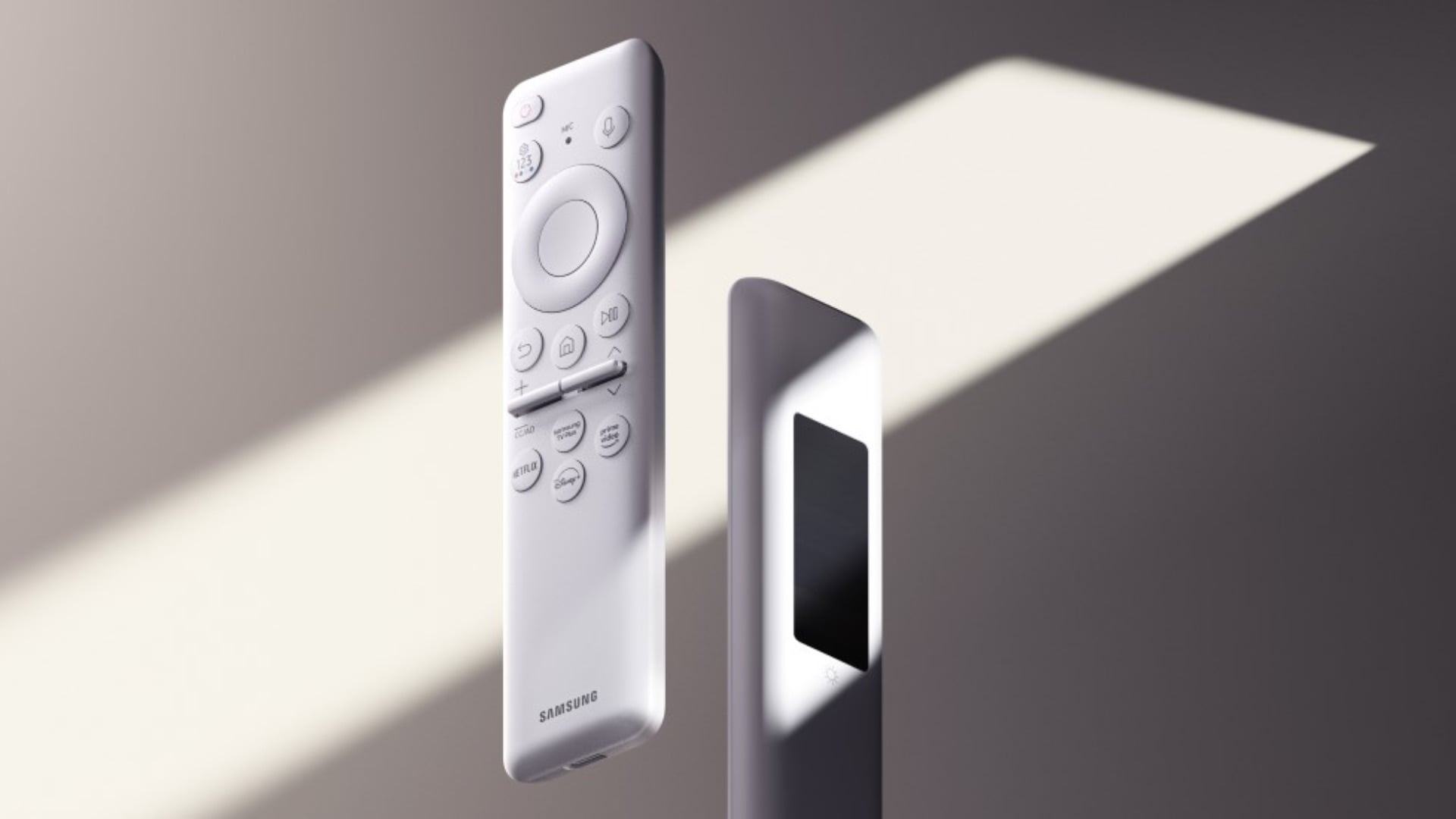
Where do I begin? Should I mention that the SolarCell Remote features tactile, clicky buttons instead of rubbery, mushy ones? Or its lightweight and compact form factor? Or the fact that, instead of disposable batteries, the remote has a built-in battery that recharges via USB-C or, more impressively, the solar cell panel at the back?

All things considered, Samsung's SolarCell Remote is an almost-perfect device, but it has one blemish. The dedicated media buttons are its biggest fault.

Can you remap buttons on Samsung's SolarCell Remote?

Samsung's SolarCell TV Remote features four dedicated media buttons that cannot be remapped. In my case, these buttons are labeled and assigned from the factory to the following apps/platforms, but your mileage might differ depending on year of release and so on.

  • Netflix.
  • Disney+.
  • Amazon Prime Video.
  • Samsung Internet Browser.
samsung solarcell remote white

Image credit: Samsung

What happens if you don't use one of those streaming services and press the associated button? The TV immediately opens the download page for that streaming app.

It's annoying, and for me at least, accidental presses happen more often than you might think. As simple as the SolarCell Remote's layout is, it's easy to hold the remote upside down when you're not paying attention. After all, it's a Bluetooth remote that doesn't have to be pointed at the TV.

Far too often have I grabbed the remote upside down without even looking and pressed one of the dedicated media buttons instead of the usual back, home, and play-pause navigation keys.

What's the solution?

I'm not too bothered by these accidental button presses, to be completely honest. I can admit that I hold half the blame for not paying enough attention, and I wouldn't want Samsung to completely redesign the otherwise awesome SolarCell Remote to address this fault.

But I wish there were a way to remap or, at the very least, disable these media buttons. They are dead weight if you don't use the services associated with them. And even if you do, accidental presses can still get in the way of the user experience.

I understand that Samsung might be benefiting from partnering with these streaming platforms. And remapping them might not sit well with said partners when the buttons carry their company logos printed from the factory.

But can we at least have the option to turn these buttons off?

Alternatively, perhaps the best middle ground might be to retain the existing media buttons, add a few user-configurable ones, and change the layout just enough to make it easier to distinguish between the media and navigation keys.

As I've said, the SolarCell Remote is nearly perfect, and all this might seem like nitpicking. But I think Samsung could make a great product even better with just a few small tweaks.

Need a new TV?

Browse the latest Samsung offers

Buy Now