Last updated: January 9th, 2024 at 16:12 UTC+01:00
SamMobile has affiliate and sponsored partnerships, we may earn a commission.
Reading time: 2 minutes
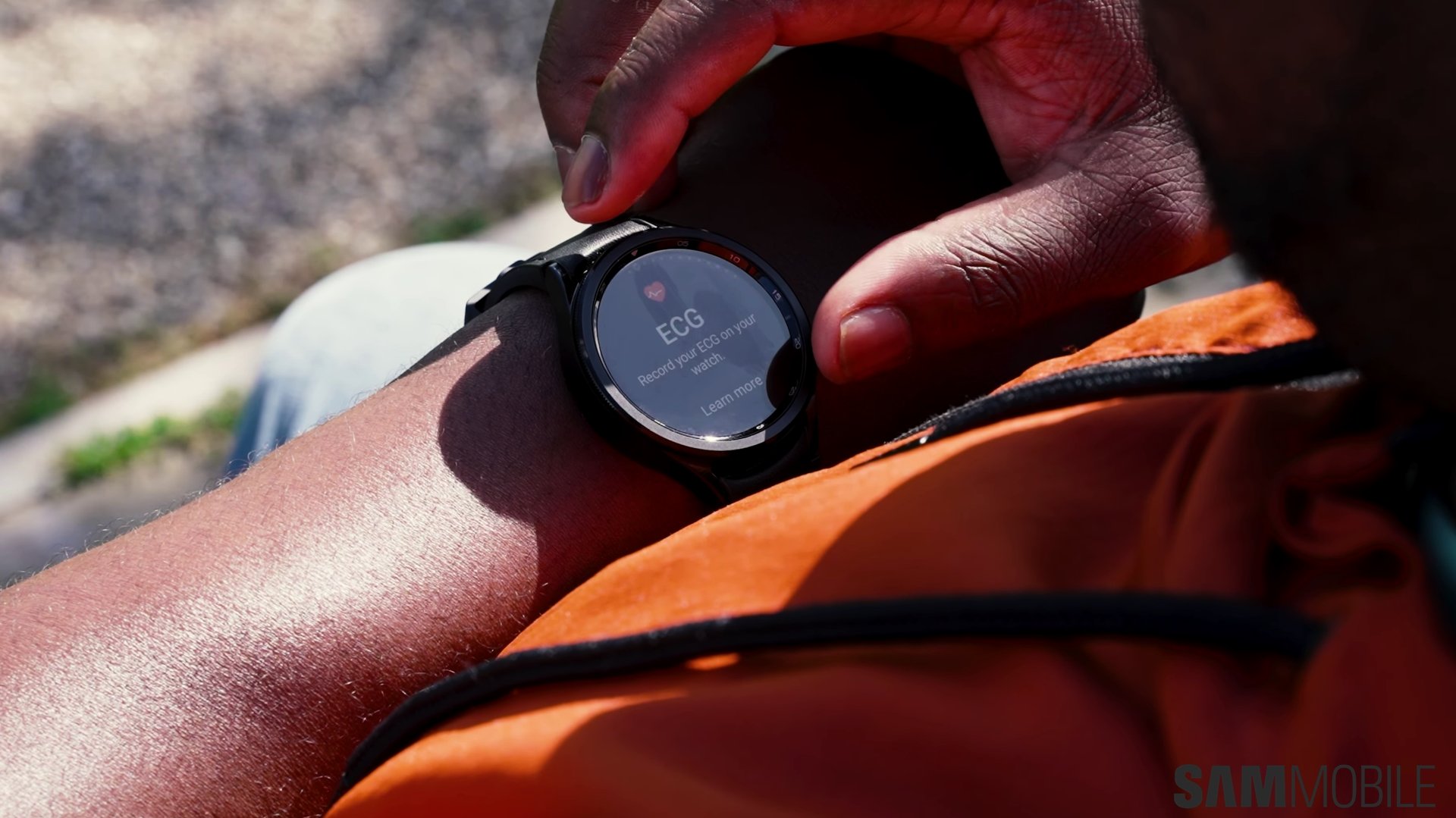
Fortunately, modern touchscreens are sensitive enough that you can use them while wearing gloves. You don't have to abandon your mobile device in the winter, and if you are a Galaxy Watch user who wants to keep track of your fitness and health levels even in the cold, you can.
Samsung Galaxy Watches have a touchscreen mode designed specifically for users when they're wearing gloves. Here's all you need to know.
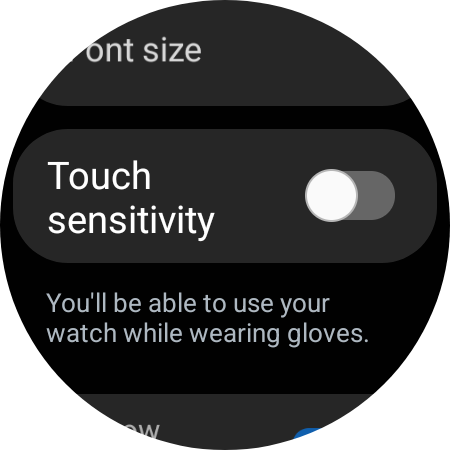
If your Galaxy Watch is unresponsive as you try to use it with gloves on, you'll probably have a higher chance of success if you turn on the Touch Sensitivity feature.
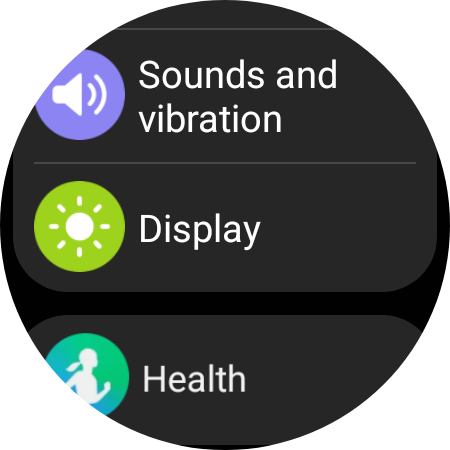
To do this, open the Settings app on your Galaxy Watch, access “Display,” and scroll to the “Touch sensitivity” toggle. Under it, you'll notice some text explaining that “You'll be able to use your watch while wearing gloves.” Tap the ON/OFF toggle to enable this feature and see the results.
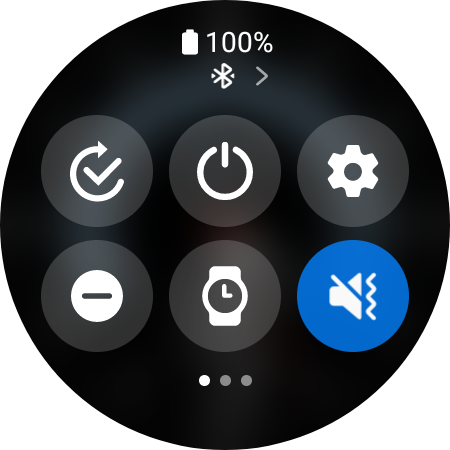
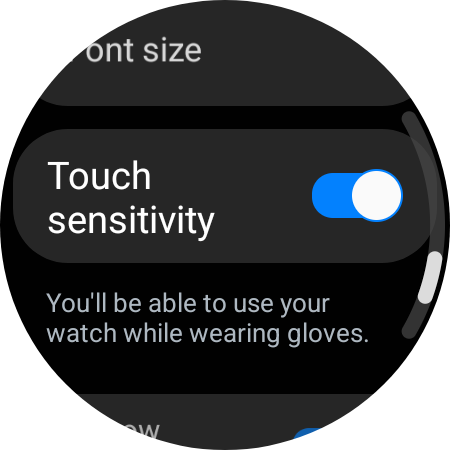
With Touch sensitivity enabled, you may experience more accidental screen touches on your Galaxy Watch when you wear it under your sleeve. You can avoid them and still be able to use the Galaxy Watch while wearing gloves by turning off “Touch to wake.”
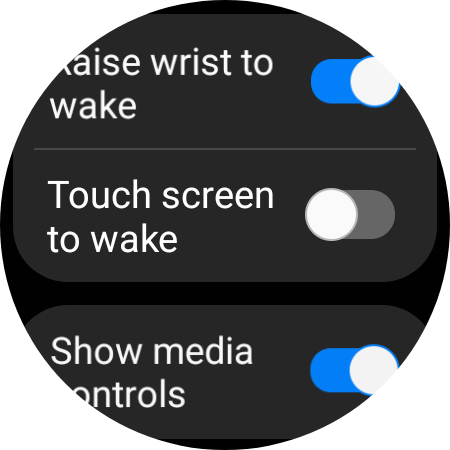
To do this, open the Settings app on the smartwatch, access “Display,” and set the “Touch to wake” toggle to the OFF position.
If you're looking to buy a new Galaxy Watch, the 6-series is usually available at a discount. And if it isn't, you can get a hefty price cut if you trade-in and upgrade from an older model. Hit the “Buy” button below for more details.

Mihai is a blogger and column writer at SamMobile. His first Samsung phone was an A800 which took a lot of beating, and a part of him still misses the novelty of the clamshell design. In his free time, he enjoys watching shows, documentaries, and stand-up comedy; listening to music, taking walks, and occasionally playing old(er) video games.












