Last updated: October 9th, 2026 at 21:35 UTC+02:00
SamMobile has affiliate and sponsored partnerships, we may earn a commission.
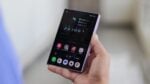
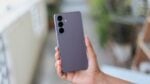
At 180 grams, 13.1mm thick when folded and 6.1mm when open, the Flip8 is Samsung's thinnest and lightest Galaxy Z Flip yet.
Reading time: 3 minutes
Abhijeet Mishra / SamMobile
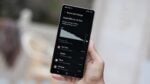
Checking a widget only takes a moment. Watching a longer video or editing a photo calls for more room. The Galaxy Z Flip8 lets you move from quick checks on the FlexWindow to a full-size main display, then fold the phone down when you're ready to put it away.
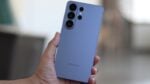
At 180 grams, 13.1mm thick when folded and 6.1mm when open, the Flip8 is Samsung's thinnest and lightest Galaxy Z Flip yet. Its shorter folded shape makes it easier to carry in a pocket or bag, while the FlexWindow keeps information, widgets and supported apps within reach.
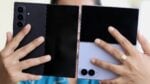
The idea differs from a book-style foldable, which opens into a tablet-like screen. The Flip8 folds a regular smartphone-sized display into a smaller footprint. Compared with earlier Galaxy Z Flip generations, its lower weight and thinner body take that portable design further.
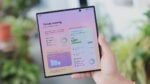
Opening the Flip8 reveals a 6.9-inch Dynamic AMOLED 2X display with an adaptive refresh rate of up to 120Hz. That gives you a large screen for watching, scrolling and creating content, despite the phone's compact folded shape.
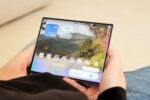
You can watch a quick YouTube clip on the FlexWindow, then open the phone for a longer video, a movie or an episode of a TV series. The larger display gives those viewing sessions more space.
The same applies to social media. Unfolding gives you more room to scroll through feeds, watch vertical videos, write replies and create or upload your own content.
Flex Mode adds another way to use the main display. Partially fold the Flip8 and place it on a stable surface, and the hinge holds the screen at an angle for watching content or making a video call.
You can also use that position to take photos or record yourself hands-free, without propping the phone against another object or carrying a separate stand.
Dual Recording lets you capture what is happening in front of you and your own reaction at the same time. Both views appear on the main display while you record, so you can keep an eye on each perspective.
Once you've taken a photo, the unfolded display also gives you more space to review it and check your edits. Photo Assist[1] in the Gallery lets you move, resize or remove objects and fill in parts of an image. You can capture a shot, review it and make those changes on the same device.
These are the tasks where opening the Flip8 makes a practical difference. The full-size screen is there for watching and creating, and the phone folds down again when you're done.
| Specification / feature | Details |
| Weight | 180g |
| Thickness when folded | 13.1mm |
| Thickness when unfolded | 6.1mm |
| Main screen | 6.9-inch Dynamic AMOLED 2X |
| Main-screen refresh rate | Adaptive; up to 120Hz |
[1] Photo Assist requires a network connection and Samsung account login. A visible watermark is overlaid on the saved image to indicate it was generated by Galaxy AI[2]. Accuracy of output is not guaranteed.
[2] Samsung account login is required for certain AI features.