Last updated: April 24th, 2023 at 09:30 UTC+02:00
SamMobile has affiliate and sponsored partnerships, we may earn a commission.
Reading time: 2 minutes
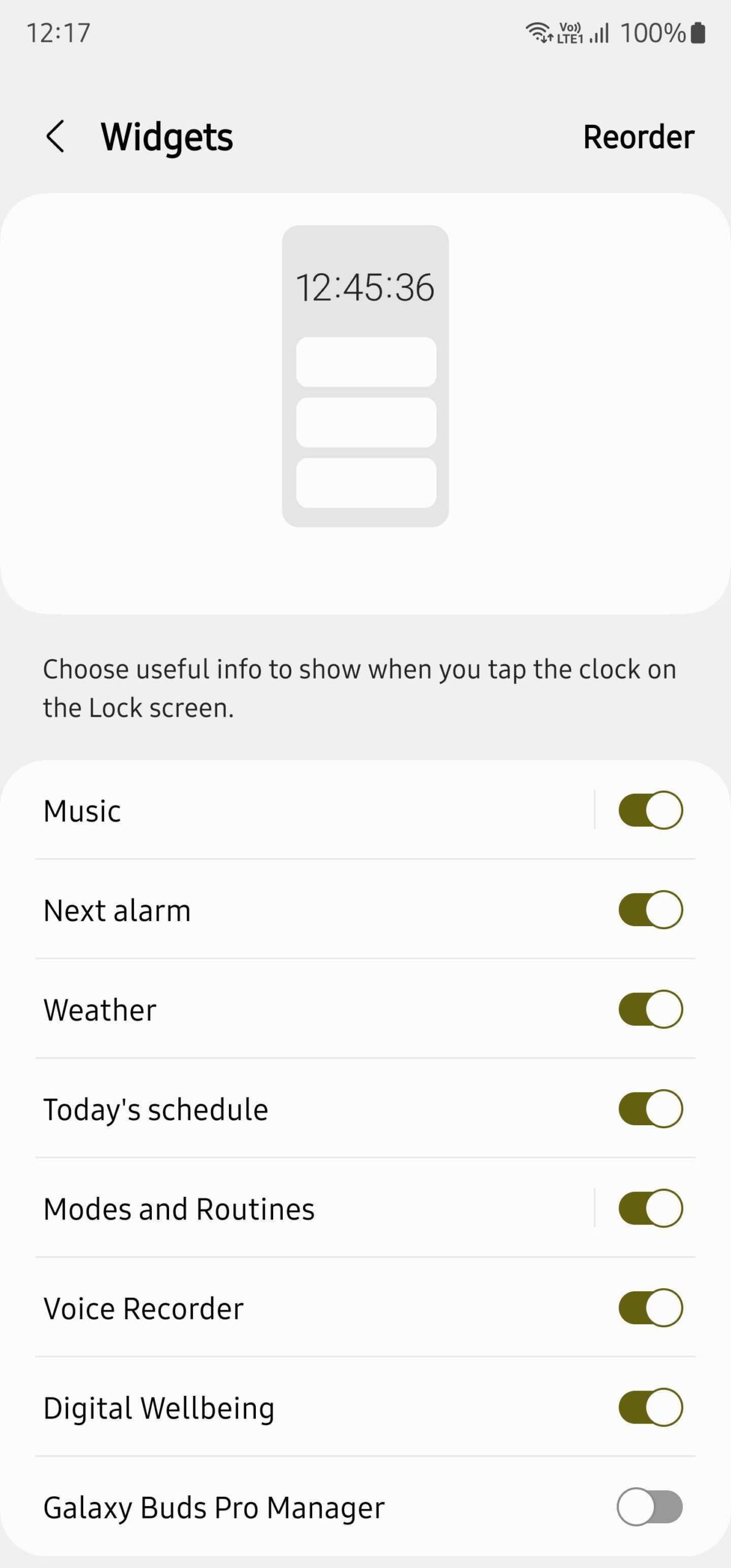
Devices running One UI 5.1 and the April 2023 security update now have the option to add the Galaxy Buds widget on the lock screen. The lock screen widgets section in the Settings app now lists the Galaxy Buds Pro Manager widget, and it is disabled by default. You can enable it using the switch beside its name and even reorder its placement on the lock screen.
The Galaxy Buds Pro Manager widget shows noise cancellation, touch controls, and the battery charge level of the earbuds on the phone's lock screen. However, only the Galaxy Buds Pro widget is available on the lock screen right now. The Galaxy Buds 2 Pro widget isn't available yet for the lock screen.
You can find whether your Galaxy Buds widget is available on your phone's lock screen by navigating to Settings » Lock screen » Widgets and then turning on the Galaxy Buds Pro widget. We haven't tested it with the Galaxy Buds, Galaxy Buds+, or Galaxy Buds 2 yet. We hope Samsung enables this feature for all its wireless earbuds.

Thanks for the tip, Dave!

Asif is a computer engineer turned technology journalist. He has been using Samsung phones since 2004, and his current smartphone is the Galaxy S23 Ultra. He loves headphones, mechanical keyboards, and PC hardware. When not writing about technology, he likes watching crime and science fiction movies and TV shows.













