Last updated: February 28th, 2025 at 04:27 UTC+01:00
SamMobile has affiliate and sponsored partnerships, we may earn a commission.
Reading time: 2 minutes

The new Quick Panel makes it easier to access several Galaxy Buds 3 and Galaxy Buds 3 Pro controls on devices running One UI 7.0.
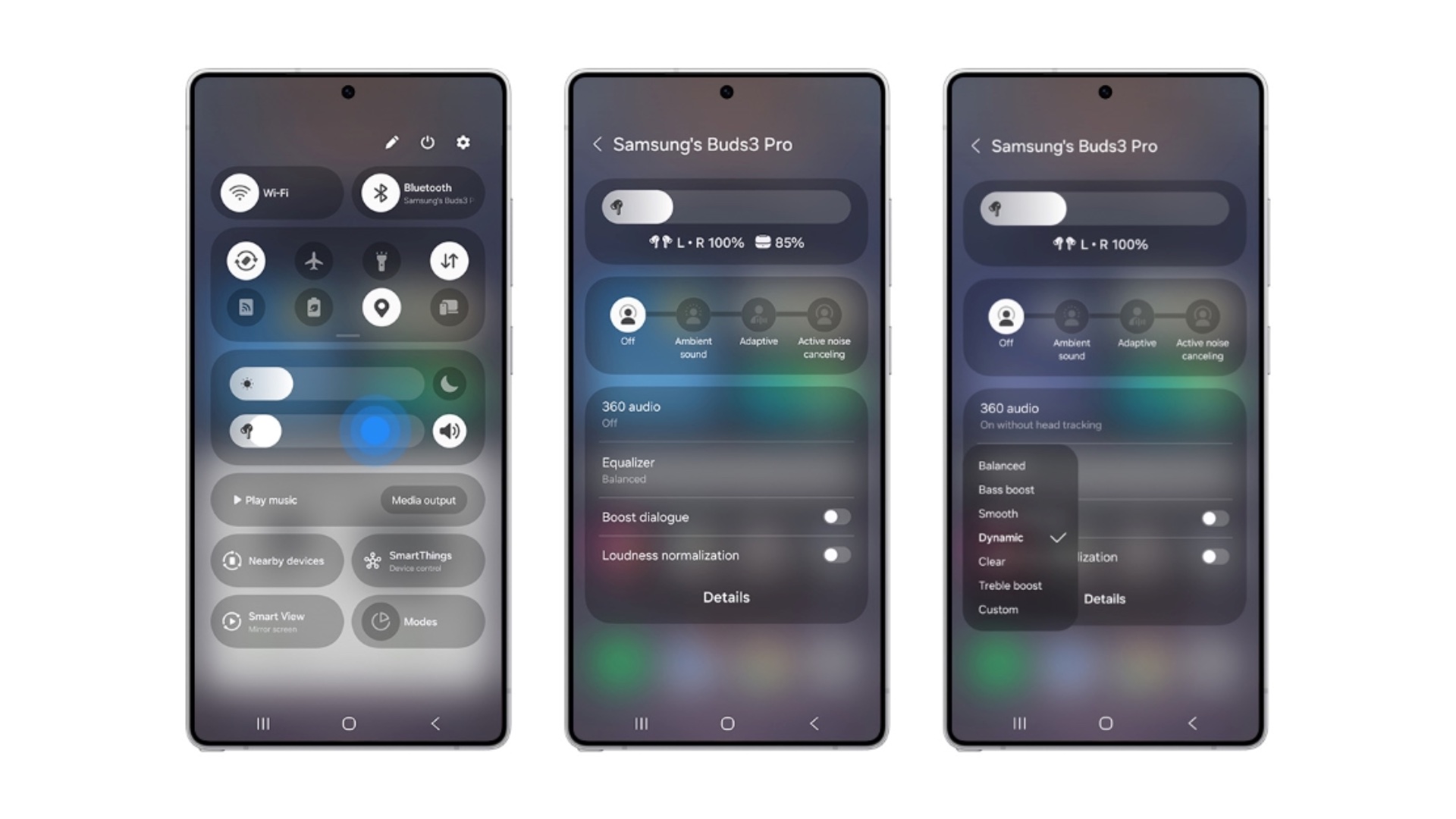
When you long-press the volume slider in the Quick Panel, a pop-up menu on the screen lets you adjust the volume, switch between noise control modes, adjust the audio equalizer, and enable/disable Boost Dialogue and Volume Normalization features. You can also adjust 360 Audio settings.
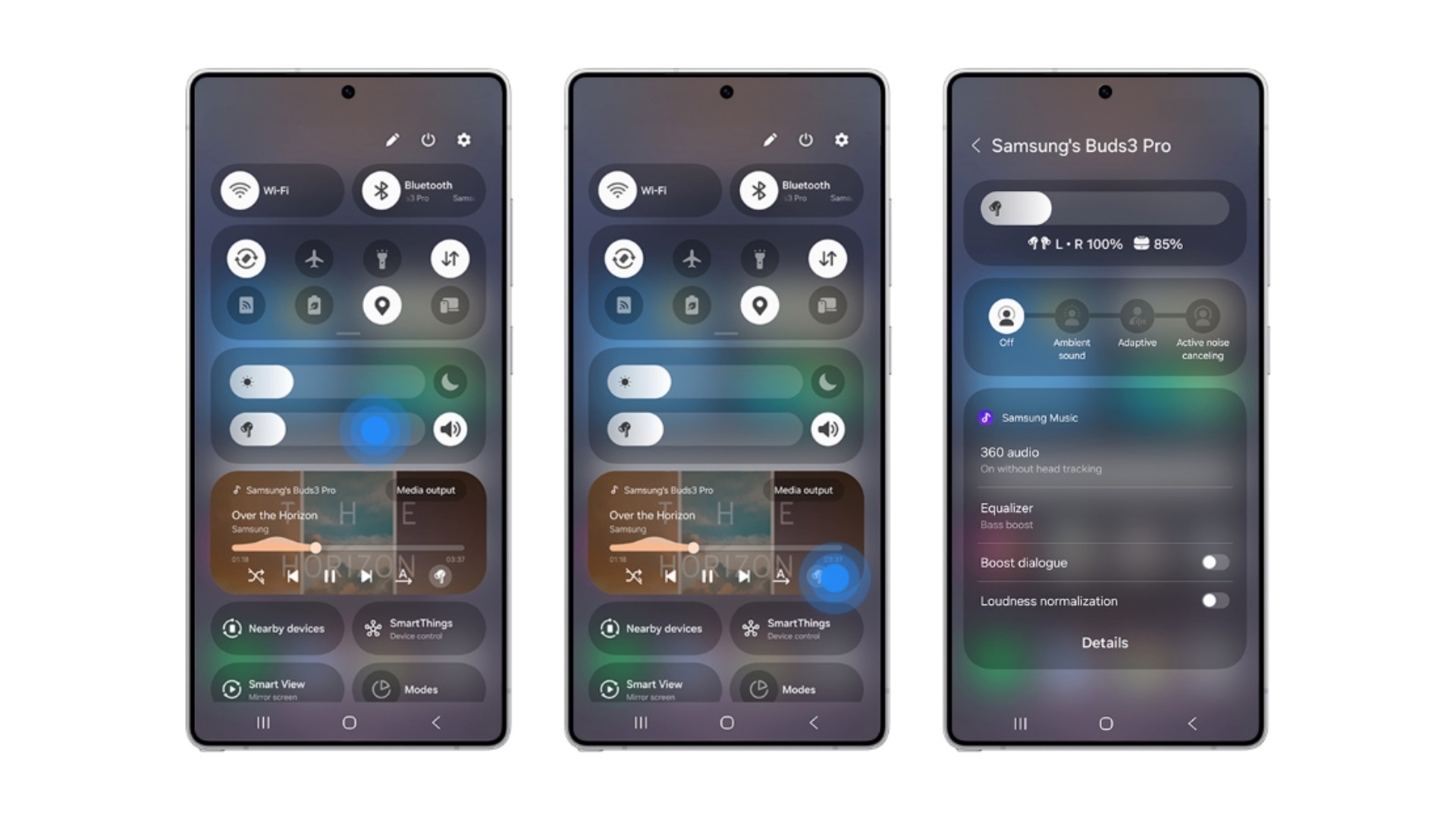
Moreover, when you adjust audio settings for your Galaxy Buds 3 series earbuds, One UI 7.0 remembers which app those settings are for. So, the next time you use that music or video streaming app and listen to audio via the Galaxy Buds, your phone will retain the settings that you last used. One UI 7.0 remembers the Galaxy Buds audio settings for each app you used in the past.
One UI 7.0 also brings a new widget design for the Galaxy Buds 3 series. The new widget now looks more in line with other widgets introduced with One UI 7.0.
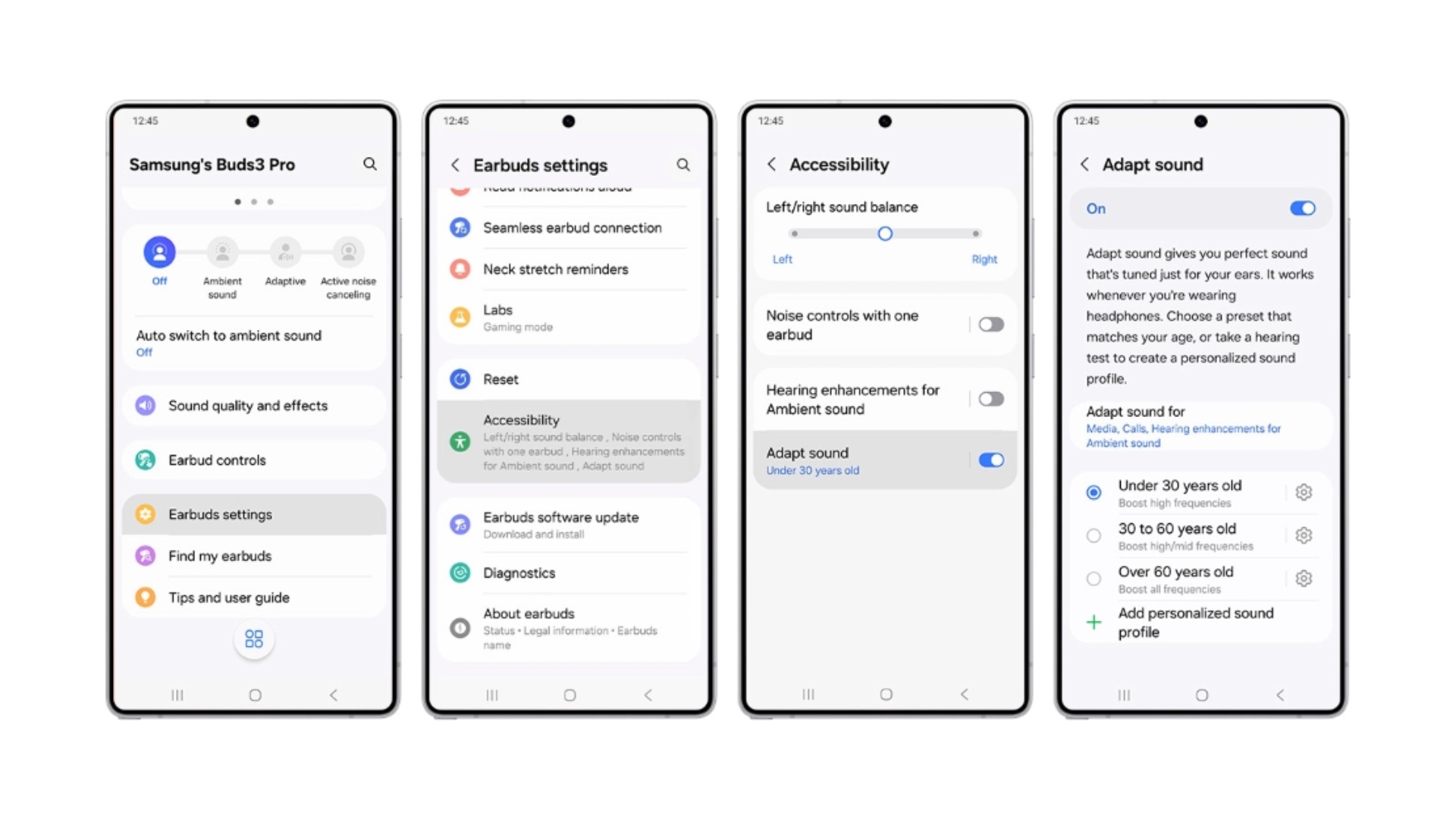
Another new feature that Galaxy Buds get is age-based audio tuning:
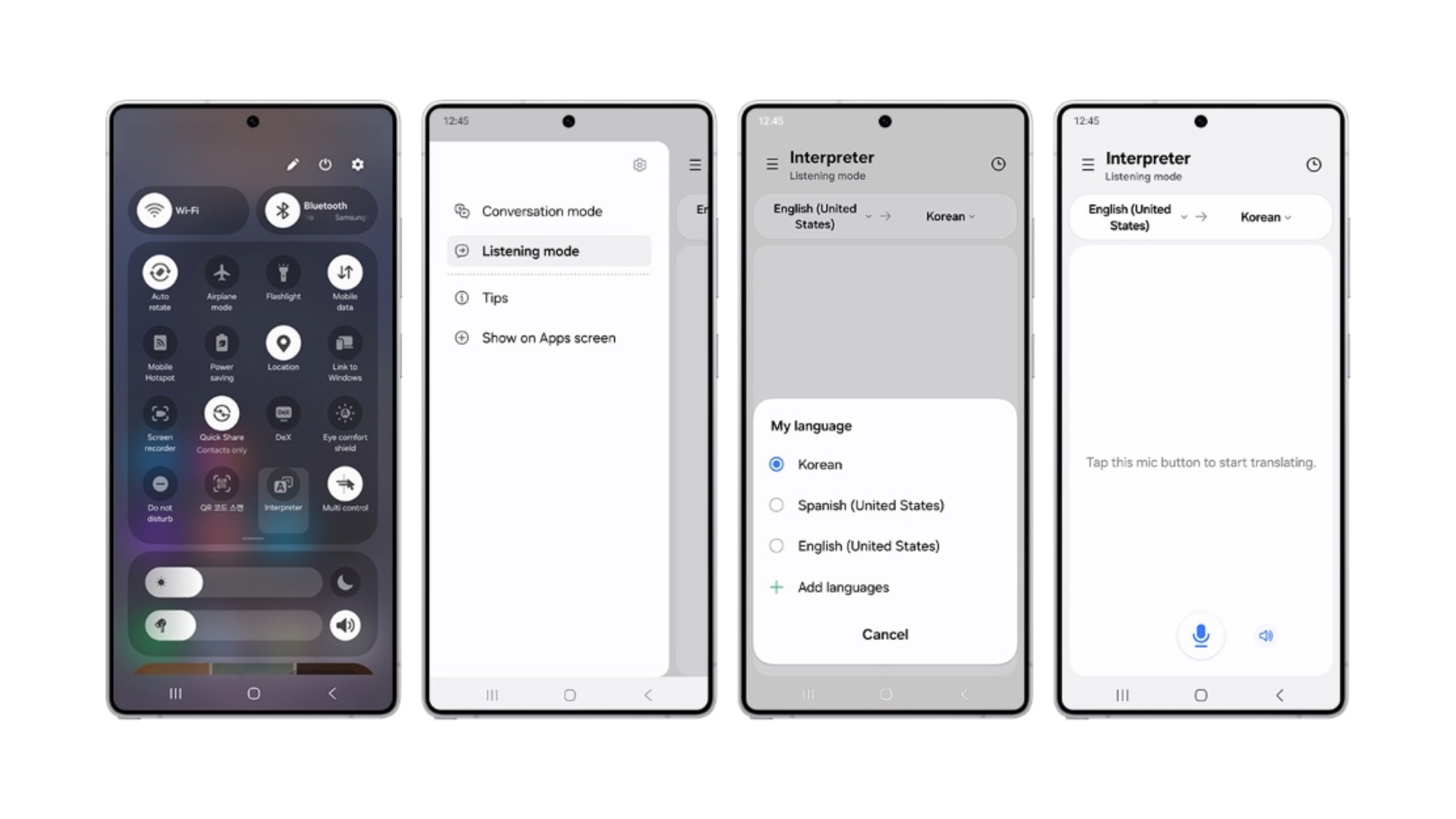
The Galaxy Buds 3 series also gets Interpreter In Listening Mode, a feature that lets you hear translated audio in real time. You don't need to look at the phone's screen to understand what the person around you is saying. Their language gets translated to your preferred language in real-time, and you can listen to that translated text on your Galaxy Buds.
All these new controls might not come to older Galaxy Buds, such as the Galaxy Buds+ or the Galaxy Buds 2 Pro. They might get some controls but not as many as the once available for the Galaxy Buds 3 series.

Asif is a computer engineer turned technology journalist. He has been using Samsung phones since 2004, and his current smartphone is the Galaxy S23 Ultra. He loves headphones, mechanical keyboards, and PC hardware. When not writing about technology, he likes watching crime and science fiction movies and TV shows.












