3 days until XMAS. Massive discount Galaxy Z Fold7, Watch8, S25 Ultra and S95F OLED TV
Last updated: January 13th, 2023 at 13:19 UTC+01:00
SamMobile has affiliate and sponsored partnerships, we may earn a commission.
Reading time: 2 minutes
Although this feature works fine most of the time when enabled, it can also create some issues. The algorithm doesn't always detect subtle changes in your photos, even if they were captured at different times. So, for instance, if you want to photograph multiple steps of your food cooking over a certain period, you might end up with just one “best” photo, and you won't be able to view the rest when swiping through your gallery.
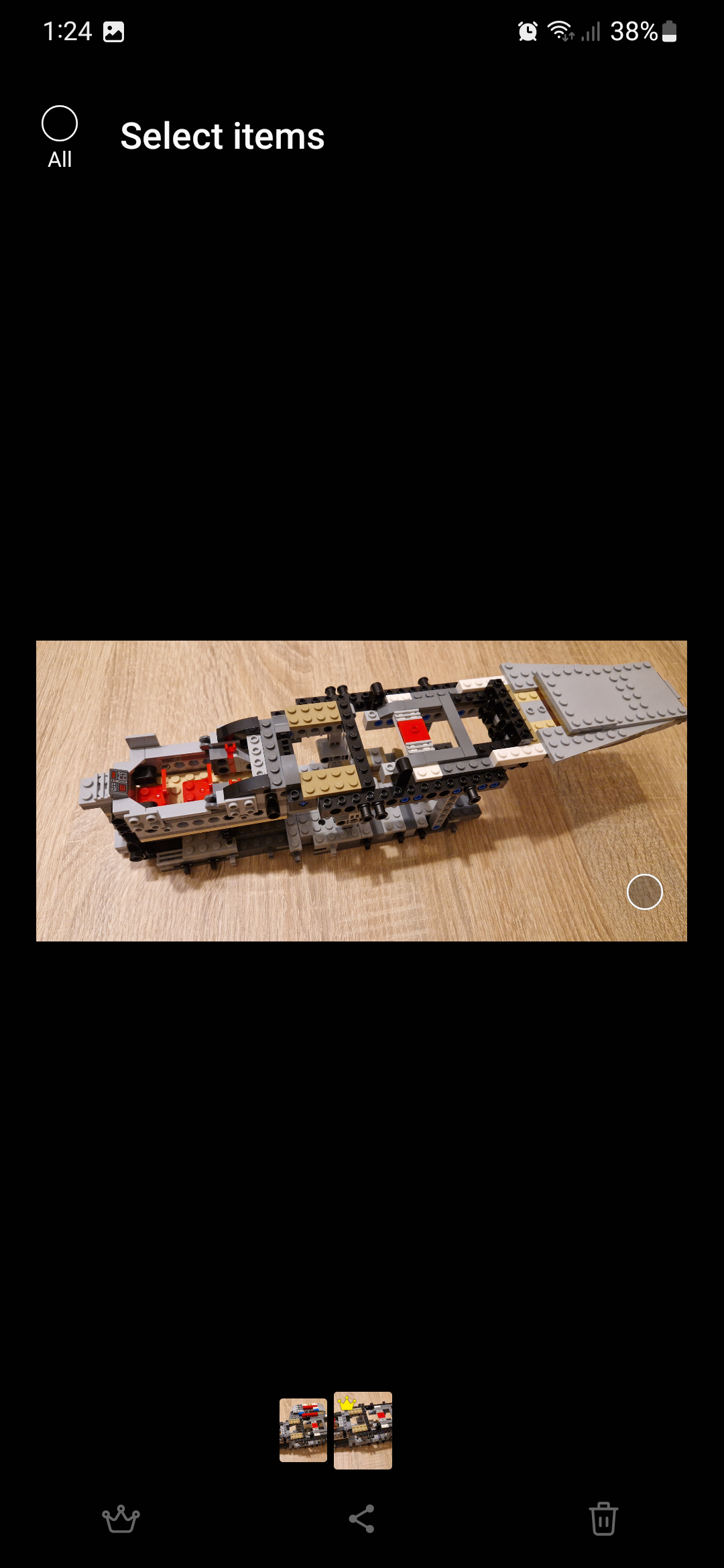
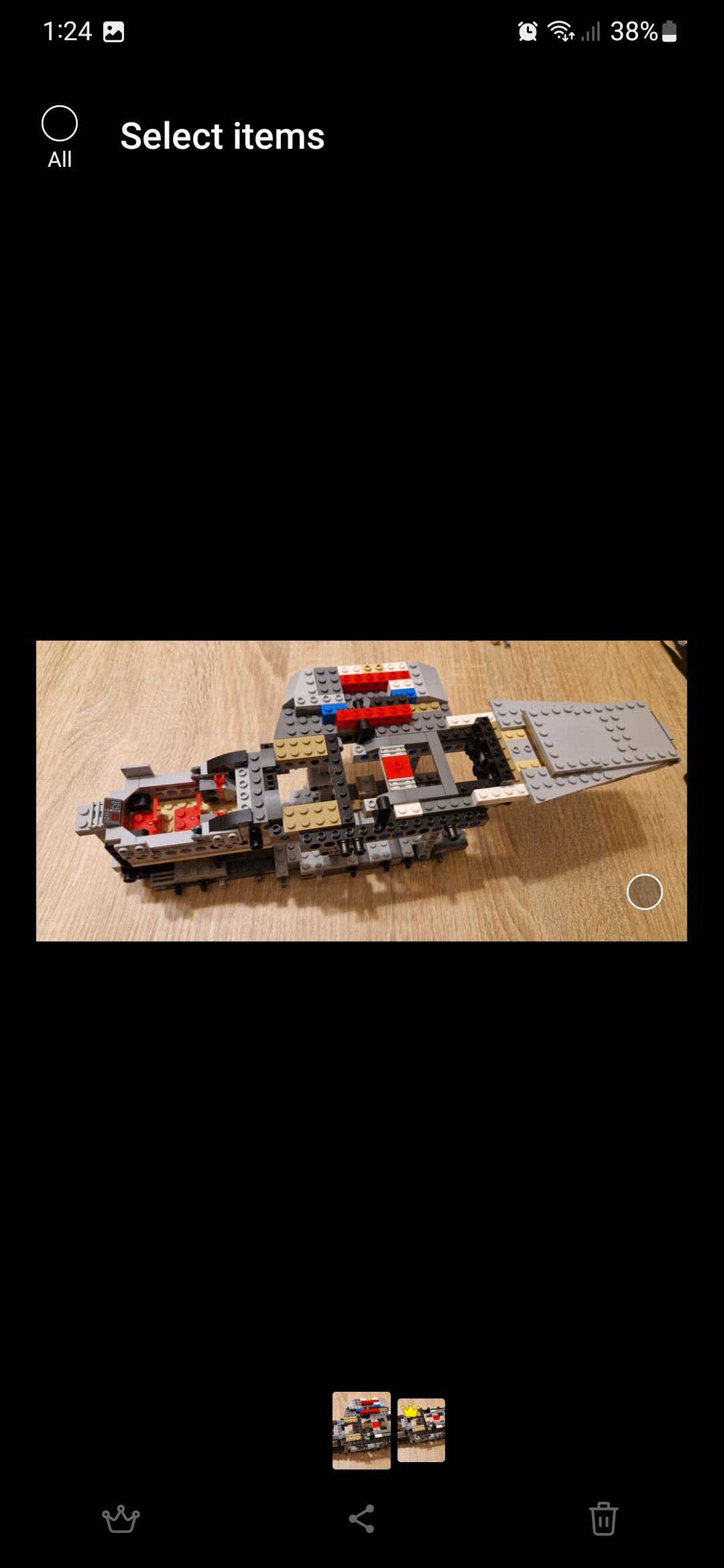
The two images below demonstrate this shortcoming. The Gallery app can't differentiate between two photos of a LEGO set that's under construction, and it can't determine that one of the photos was captured at a different stage in the build (or a different time). As far as the Gallery app is concerned, the subject is identical in both photos, except one has better lighting and composition.
All in all, the Gallery app may group similar photos when you might not want it to do so. Thankfully, there's an easy way to disable this feature and ungroup similar images.
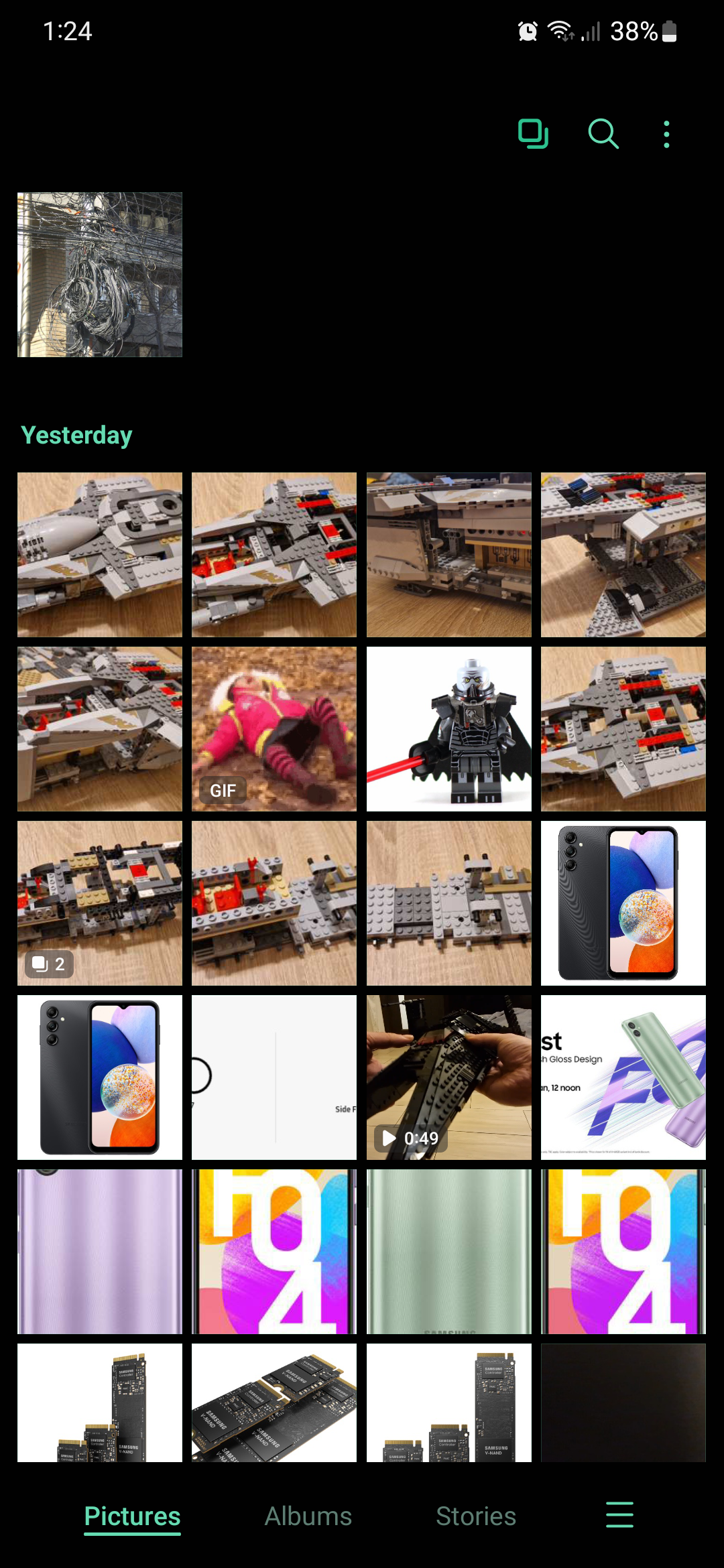
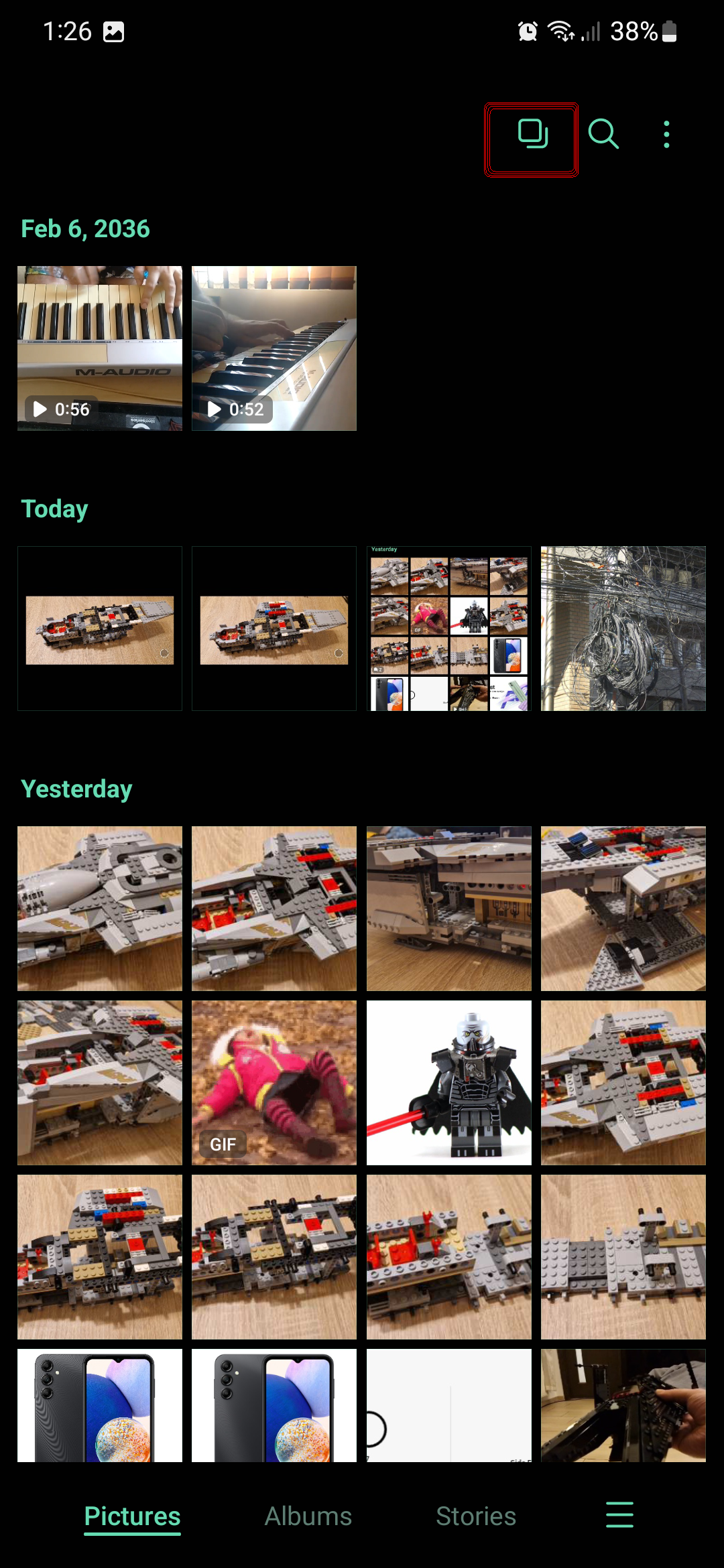
To ungroup similar images in Samsung Gallery — in One UI 5.0 at the very least — simply open the Gallery app, make sure you view the “Pictures” tab at the bottom and tap the button at the top that's shaped like two squares overlapping.
This button is visible only when you're at the top of your Gallery, and scrolling down through your images will hide it. So, make sure you've scrolled all the way up before looking for the “Group similar images” / “Ungroup similar images” button.
Note: Grouped images can be identified in the Gallery preview by a small tag that contains a number — the latter of which tells you how many images are in said group.
Mihai is a blogger and column writer at SamMobile. His first Samsung phone was an A800 which took a lot of beating, and a part of him still misses the novelty of the clamshell design. In his free time, he enjoys watching shows, documentaries, and stand-up comedy; listening to music, taking walks, and occasionally playing old(er) video games.