






Latest opinions
-
 While EU iPhone users wait for Siri AI, the Galaxy Z Fold 8 is getting things done
 -
 I'm glad the Galaxy S Ultra's most predictable spec is finally changing
 -
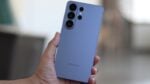 Galaxy S27 Pro is how Samsung raises prices while giving an illusion of choice
 -
 The iPhone Duo suffers because Apple mistook blind arrogance for fierce leadership
 -
 Three reasons I’d pick the Galaxy Z Fold 8 Ultra over the Fold 8
 -
 Galaxy Z Fold 9 wishlist: 3 things I want from Samsung's next-gen foldable
 -
 "It's first-gen" iPhone Duo apologists make the phone look even worse
 -
 Galaxy S27's biggest threat is a cheaper iPhone crashing its party
 -
 Samsung is doing too little with the golden opportunity the iPhone Duo handed it



