Last updated: January 9th, 2026 at 07:10 UTC+01:00
SamMobile has affiliate and sponsored partnerships, we may earn a commission.
It could get integration with DeepSeek and Perplexity for a much better chatbot experience.
Reading time: 3 minutes
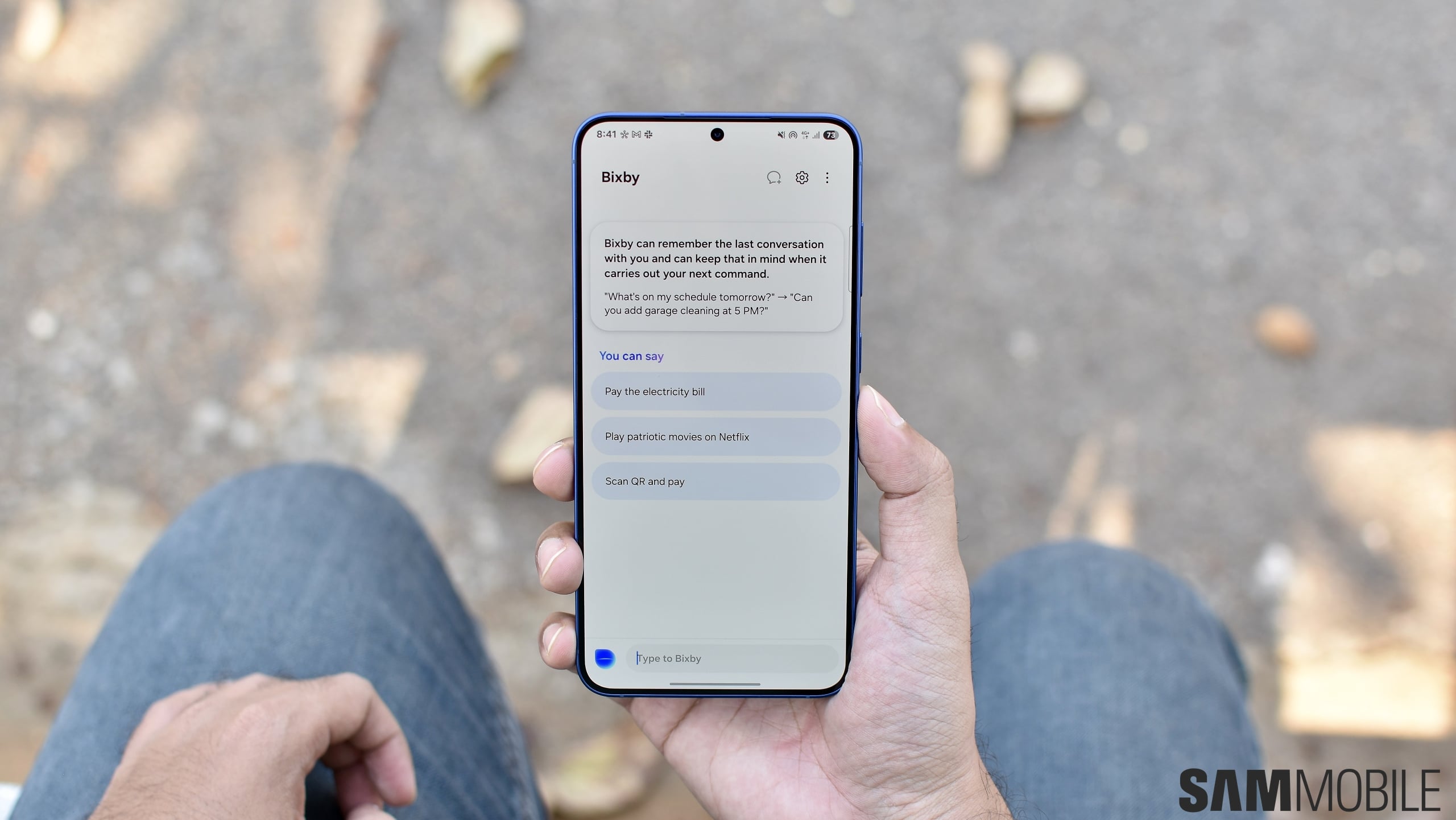
It has long been rumored that Bixby will be resurrected as a much-improved AI chatbot, powered by large language models (LLMs) and third-party integrations. While that didn't happen with One UI 7.0 and One UI 8.0, it looks like the upgrade could finally come with the One UI 8.5 update. Several leaked screenshots reveal how the upgraded Bixby could work.
A developer and tinkerer has posted screenshots on Reddit that show how Bixby would work with Perplexity integration to retrieve information from the internet. Screenshots also reveal integrations with more third-party services, including The Weather Channel, HERE Maps, SkyScanner, and Uber. These features were spotted by using a rooted device and with One UI 8.5 firmware files.


When you summon Bixby, it opens in a mini window hovering over other contents on the screen. You can continue conversation on any topic, like/dislike the result, copy the text, and tap on the ‘Sources' button to view more information direct on Perplexity's app or website.
When you open the Bixby app from the app drawer or the home screen, you can view all your previous conversations with the AI chatbot from the left-side hamburger menu. Bixby can perform several device-related actions, like turning on or off Bluetooth, Dark Mode, Flashlight, and more. You can even upload documents or images to discuss them with Bixby.


It appears that Bixby can even discuss an uploaded document in a podcast-style conversation, just like Google's Gemini can. Samsung appears to have an in-house feature similar to Google's Circle to Search that debuted with the Galaxy S24 series. It is called Circle To Ask.


Bixby Live is another new feature visible in these screenshots. It appears exactly similar to Gemini Live and can respond to your questions in real-time as a part of an active conversation. It even appears to have several conversational styles: General Agent, Interview, Listening Ear, Positive Speaker, Storyteller, and Tour Guide. You can switch between them using a drop-down menu at the top of the screen.


You may also be able to share your phone's camera viewfinder with Bixby Live to let it see what's around you. You can even share your phone's screen with it and discuss it. When you are sharing the camera viewfinder with it, you can use one of the three modes: AI Solver, General, and Translation.
The AI Solver mode could help students with their assignments and homework, while Translation could be tailored-made to offer live language translation. For other tasks, you may be able to use Bixby Live's General mode.


It appears that Samsung has tried to develop a lot of features that are already available in Google's Gemini AI assistant. And it appears to have taken help from Perplexity and its in-house LLMs to develop those features. However, you should take this information with a grain of salt, as it is still unclear whether these features are only being tested internally or if Samsung is really ready to release them with One UI 8.5.
One UI 8.5 is expected to debut with the Galaxy S26 series next month. Whether or not these new Bixby features will be released to existing or older devices remains to be seen.
Image Credits: Proshis Saha Swopna (Galaxy Techie)

Asif is a computer engineer turned technology journalist. He has been using Samsung phones since 2004, and his current smartphone is the Galaxy S23 Ultra. He loves headphones, mechanical keyboards, and PC hardware. When not writing about technology, he likes watching crime and science fiction movies and TV shows.













