Last updated: October 21st, 2023 at 02:29 UTC+02:00
SamMobile has affiliate and sponsored partnerships, we may earn a commission.
Reading time: 2 minutes
And like the rest of us, you probably have moments where you pick a few pictures and videos, hit the share button to send them to your friends or family or to another app on the device, but then decide to hit the back button to make sure you haven't selected anything you don't want to share.
Well, once your Galaxy smartphone or tablet gets the Android 14-based One UI 6.0 update, you won't need to go back from the share menu to review the pictures and videos you don't want to send or to add some that you may have forgotten to select. Instead, on One UI 6.0, you can see those pictures and videos at the top of the share menu.
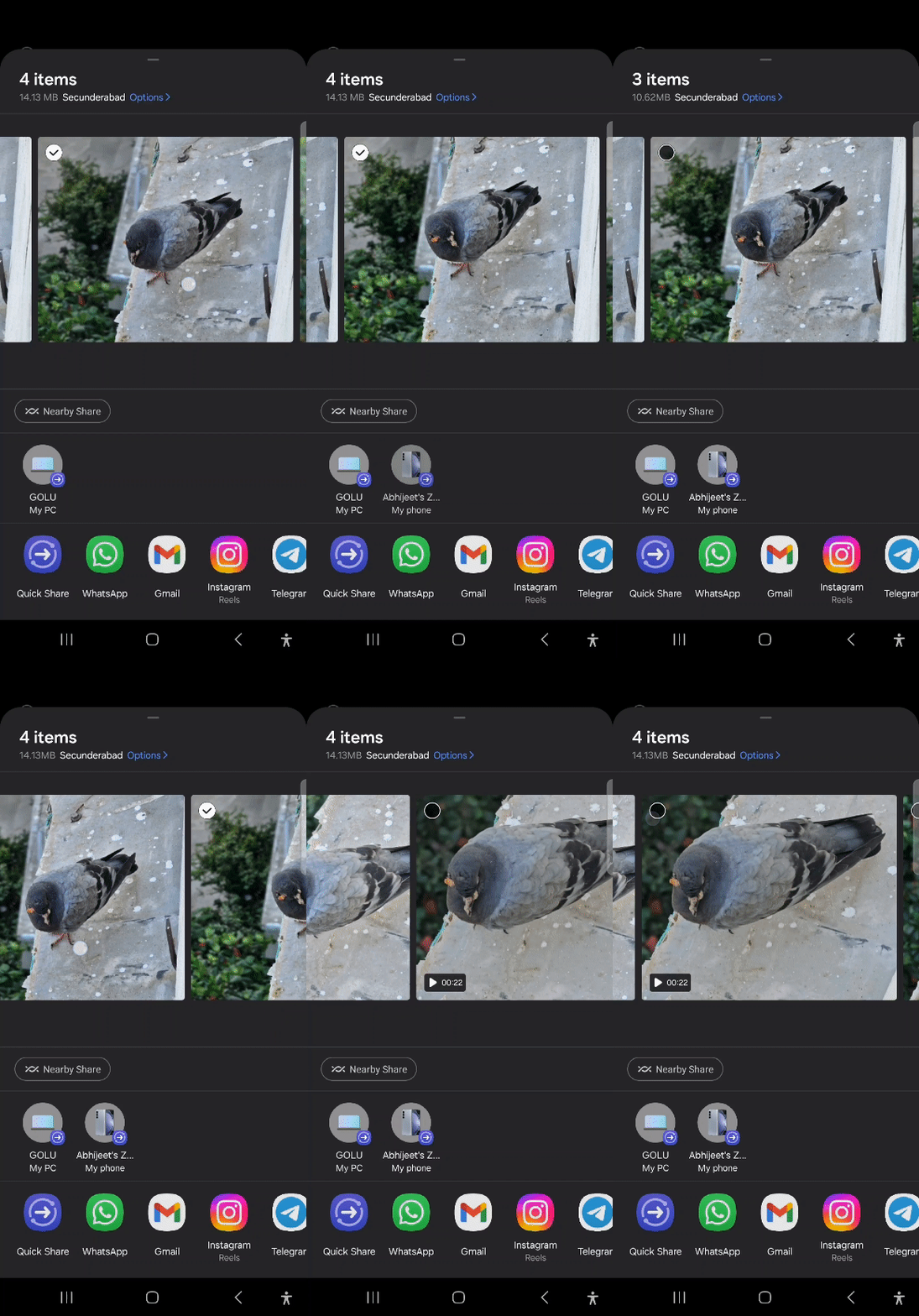
As you can see in the GIF above, the One UI 6.0 share panel lets you horizontally scroll through all selected images and videos and deselect the ones you don't need. In fact, when sharing from an album in the Gallery app, the share menu shows all images and videos in that album and you can scroll through and select those images and videos.
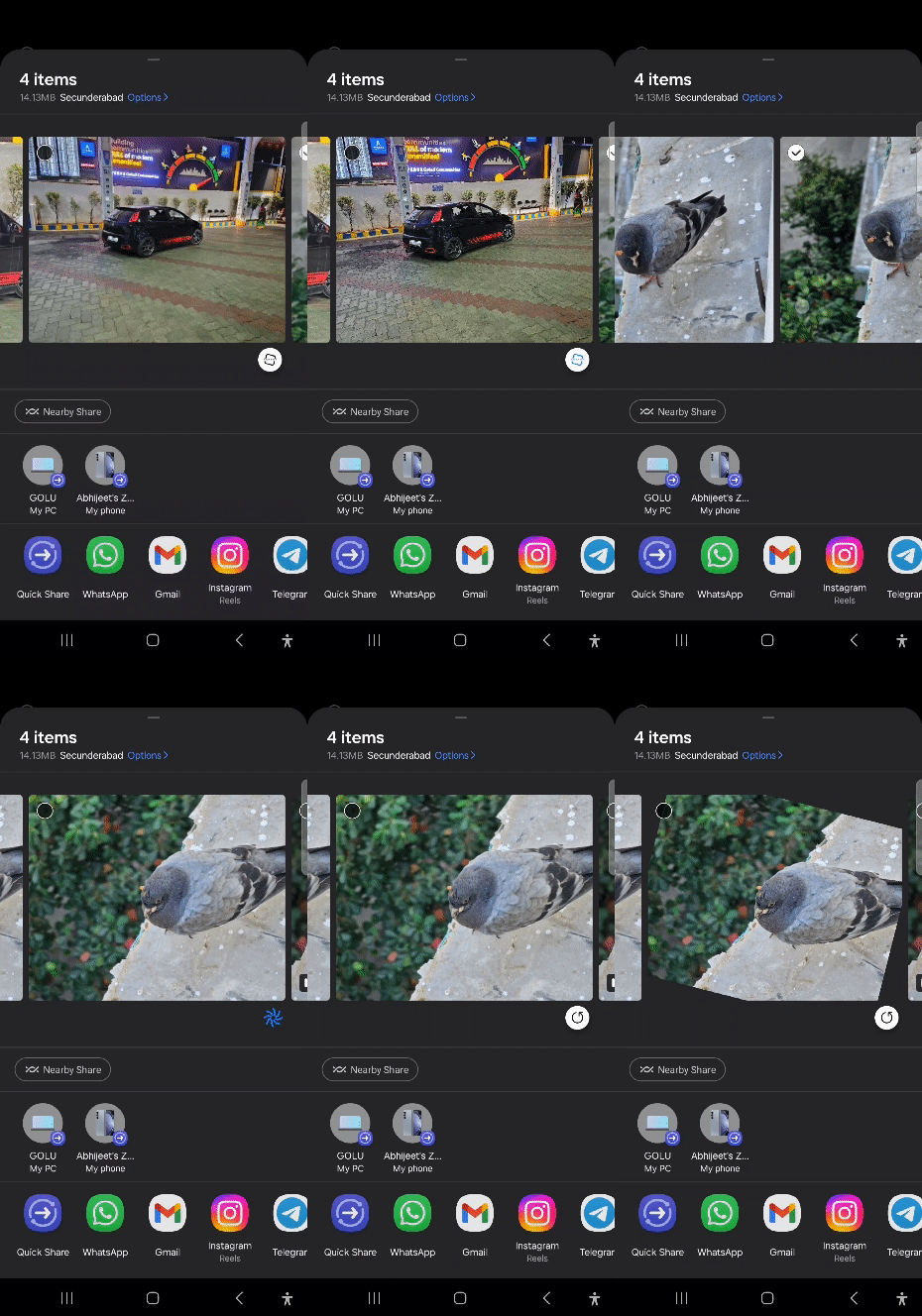
That's not all. Samsung has also built in some simple image fixing tools right in the share menu. Any image that the device thinks is not in the correct orientation or isn't as straight as it could be will have an option to rotate or tilt that image right below it.
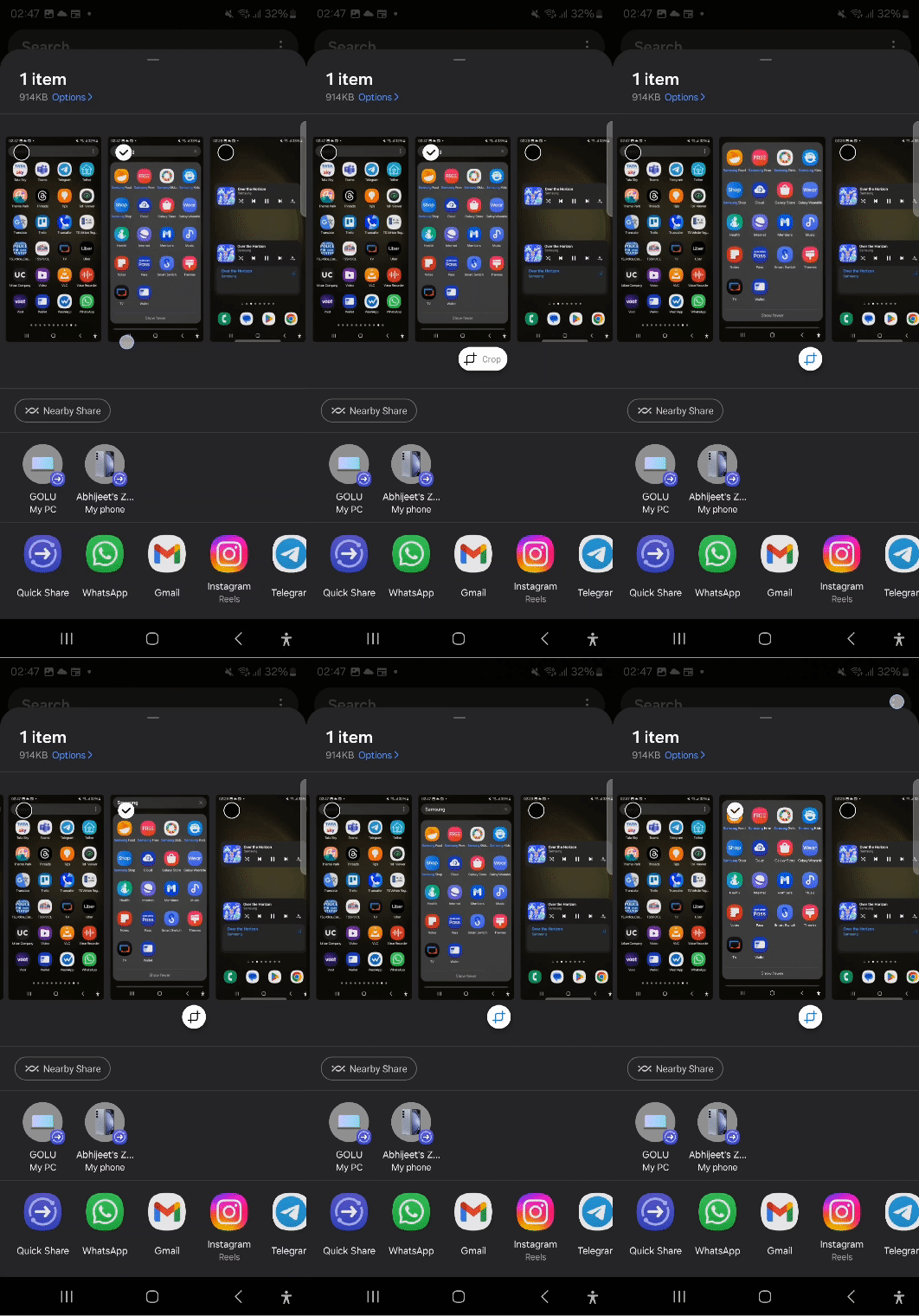
The share menu is also smart enough to detect if there is a part of an image that can cropped out. If it detects something, hitting the related button will actually crop that part out right then and there and replace the original image with the cropped image, as you can see in the GIF below.
It's rather crazy to think how much new functionality Samsung has added to something as mundane as Android's share panel. But that's in keeping with the general theme of One UI 6, which is one of the most exciting and feature-packed One UI releases in recent years.

Abhijeet's writing career started with guides for custom firmware for Samsung devices (including the original Galaxy S), and he moved to SamMobile in mid-2013 and worked up the ranks to Editor-in-chief. In addition to phones and mobile devices, his interests include gaming on both PC and console, PC hardware, and spending countless hours on YouTube watching videos on tech, movies, games, politics, and internet dramas.













