Last updated: October 27th, 2025 at 13:06 UTC+01:00
SamMobile has affiliate and sponsored partnerships, we may earn a commission.
If you disable ads, you have to sacrifice a potentially convenient feature.
Reading time: 3 minutes

Samsung produces some fantastic home appliances, including $2,000+ connected refrigerators with large touchscreen displays. While these refrigerators offer many convenience features, we reported last month that they will soon begin displaying advertisements. Those ads will start appearing next week, but you can stop seeing them.
Earlier today, Samsung announced that a new software is arriving for its 2024 range of Family Hub refrigerators. It is the same software that debuted with Family Hub refrigerators launched this year. Besides improvements to AI-powered food recognition, a personalized Bixby experience for each family member, and widgets, the update will also bring ads on the screen.
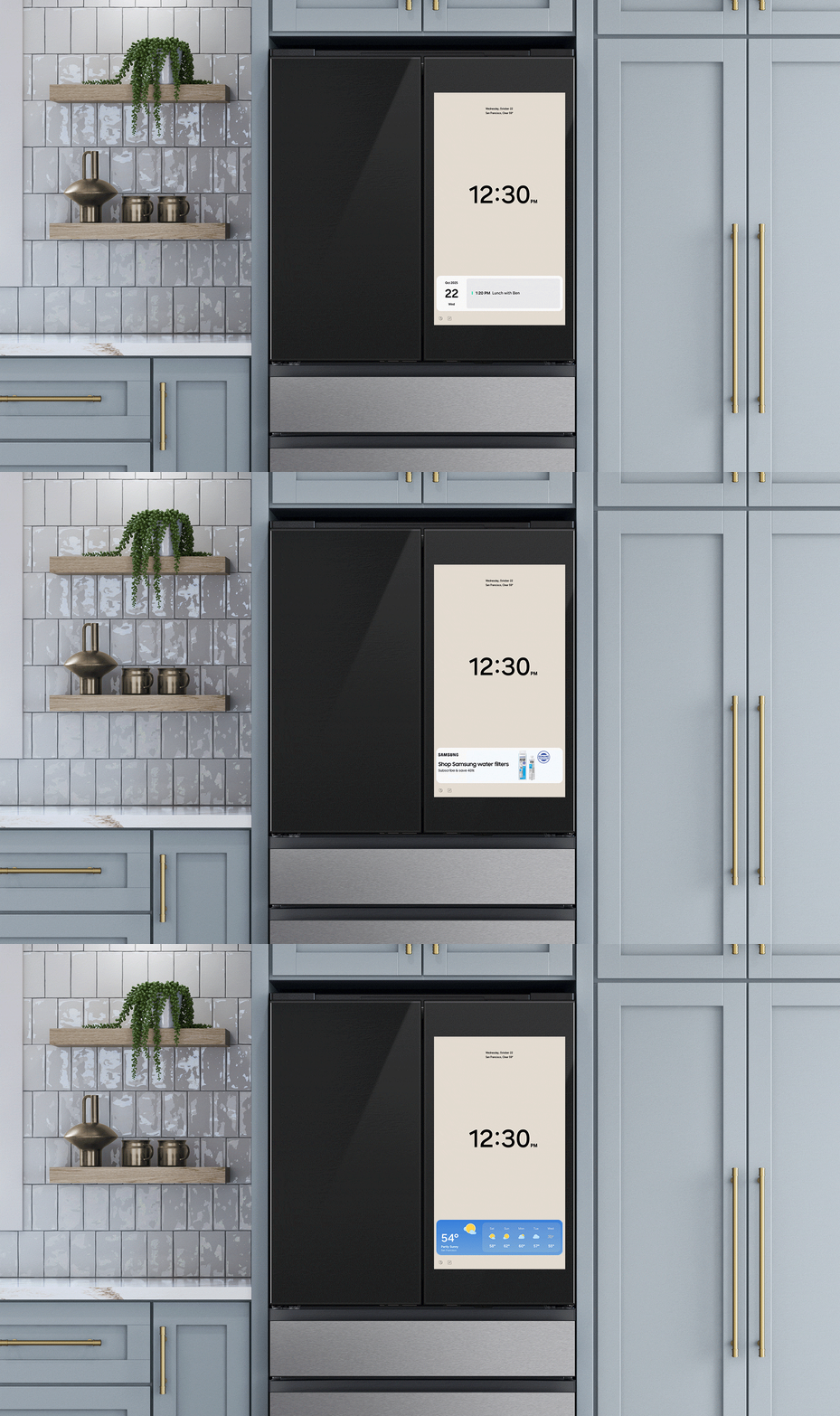
Ads will appear in the widget on Cover Screen themes. Those four widgets are: Calendar Events, News, Weather Forecasts, and ‘Curated Advertisements.' This widget appears on the bottom of the refrigerator's screen and rotates between the four options every ten seconds.
Samsung has made it clear that ads will appear only. on Color Theme and Weather screens and not on Album and Art sections. The new software update also brings a new screen called the Daily Board, and it has six tiles. One of those tiles will display an unobtrusive ad.

Currently, these ad spaces will only showcase advertisements for Samsung's own products, like water filters, other appliance care accessories, and SmartThings. However, based on user feedback, Samsung could open up those ad spaces to third-party advertisers in the future.
Don't worry, though, as you can turn off these ads for now. To do that follow the steps listed below.
If you want to keep using those widgets, tap the X button on top of an advertisement, and you won't get that advertisement until the end of the promotion. However, you will start seeing ads once again with the next promotion.
The company has also mentioned that ads on Family Hub Cover screens will serve contextual or non-personal ads and that those devices are not collecting personal information or tracking you.
Samsung has confirmed to TheVerge that it won't display ads on its other home appliances that have 7-inch or 9-inch touchscreen displays. Those appliances include dryers, ovens, and washing machines.

Asif is a computer engineer turned technology journalist. He has been using Samsung phones since 2004, and his current smartphone is the Galaxy S23 Ultra. He loves headphones, mechanical keyboards, and PC hardware. When not writing about technology, he likes watching crime and science fiction movies and TV shows.













