Last updated: January 23rd, 2024 at 15:35 UTC+01:00
SamMobile has affiliate and sponsored partnerships, we may earn a commission.
Reading time: 2 minutes
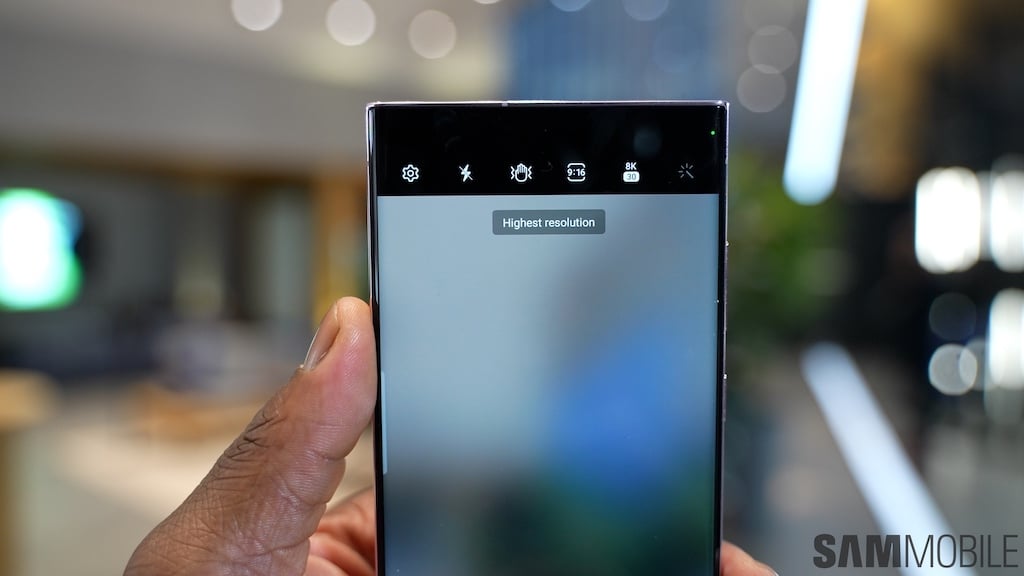
The point is that most Galaxy phones have a camera cutout embedded in the display. And since this design characteristic hasn't changed, the option to hide the camera cutout through software hasn't, either.
If you want to hide the camera cutout on your Galaxy phone, you can specify which apps should draw a black strip across the top of the screen.
This bar will make it look like the phone has a thicker upper bezel. It will also result in a slightly shorter aspect ratio. However, the Infinity-O cutout will be nearly invisible, as it will no longer be surrounded by active display pixels.
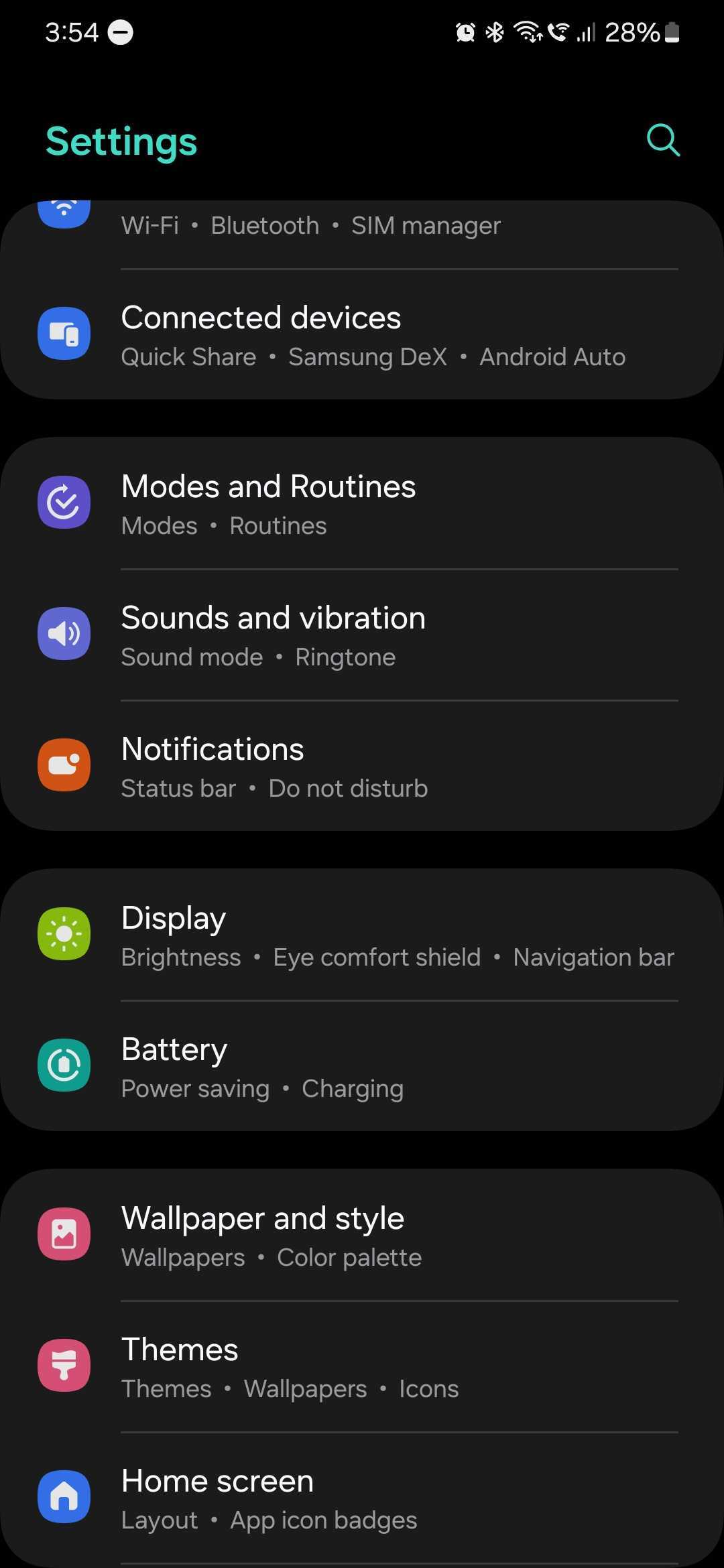
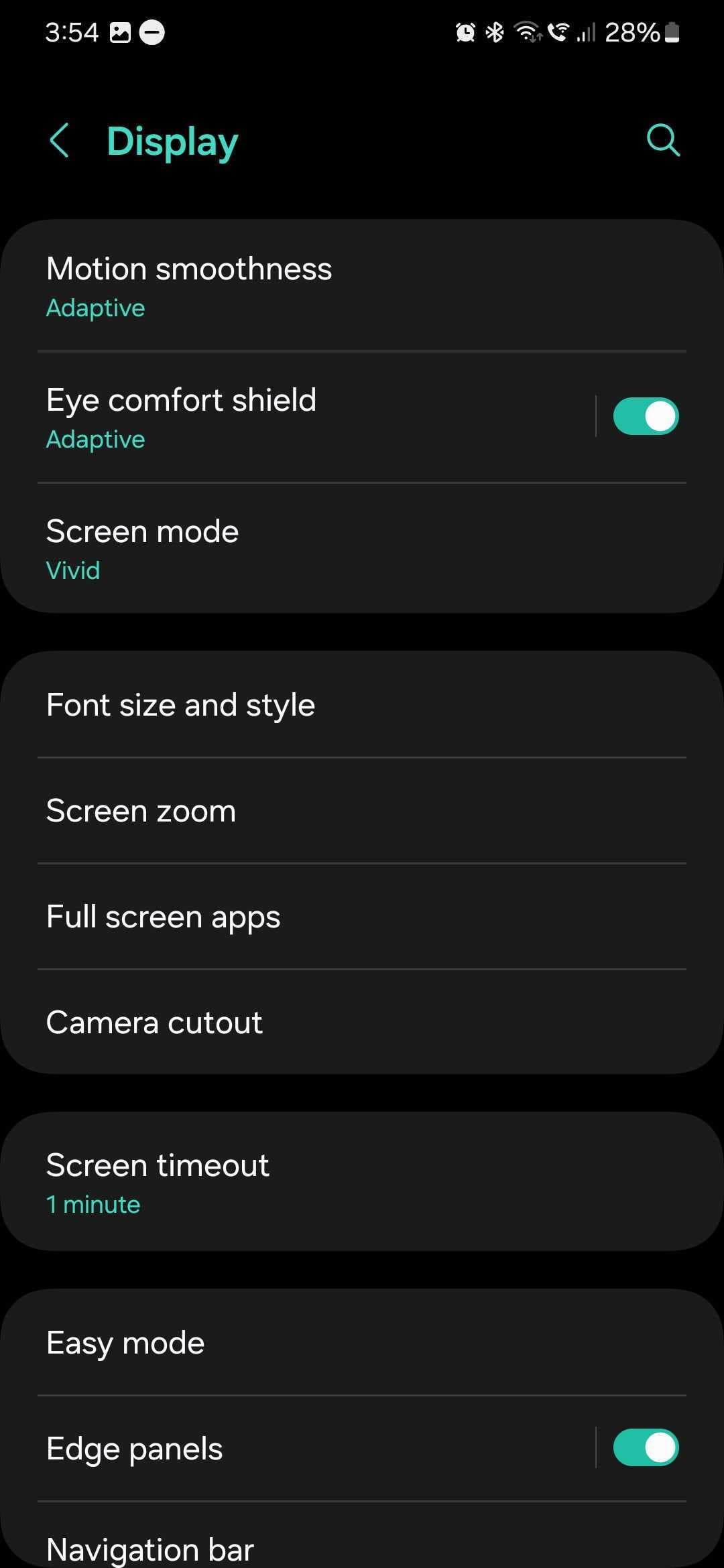
To instruct mobile apps to hide the camera cutout, first open the Settings app, then go to “Display,” and then, access “Camera cutout.” In older versions of One UI, this option did not exist and you had to access “Full screen apps.”
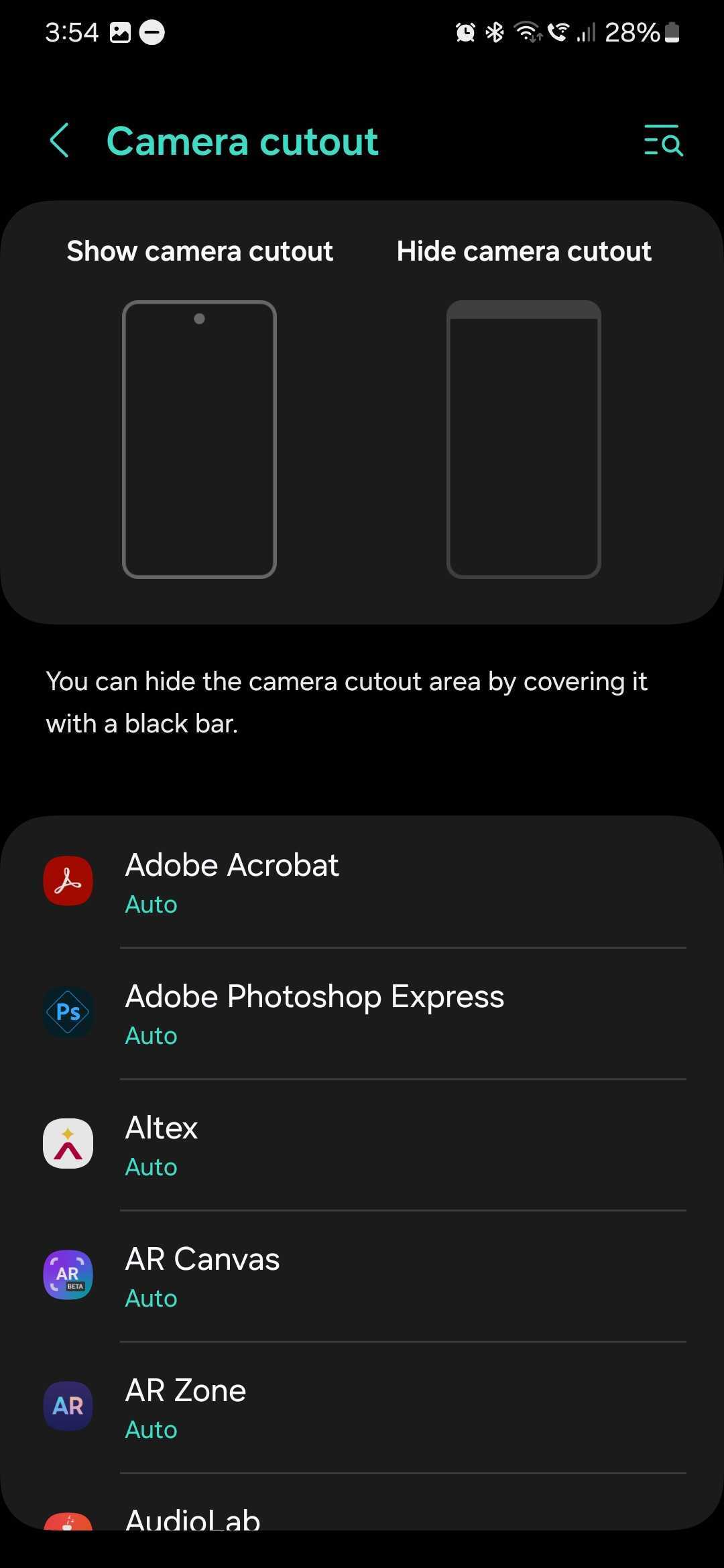
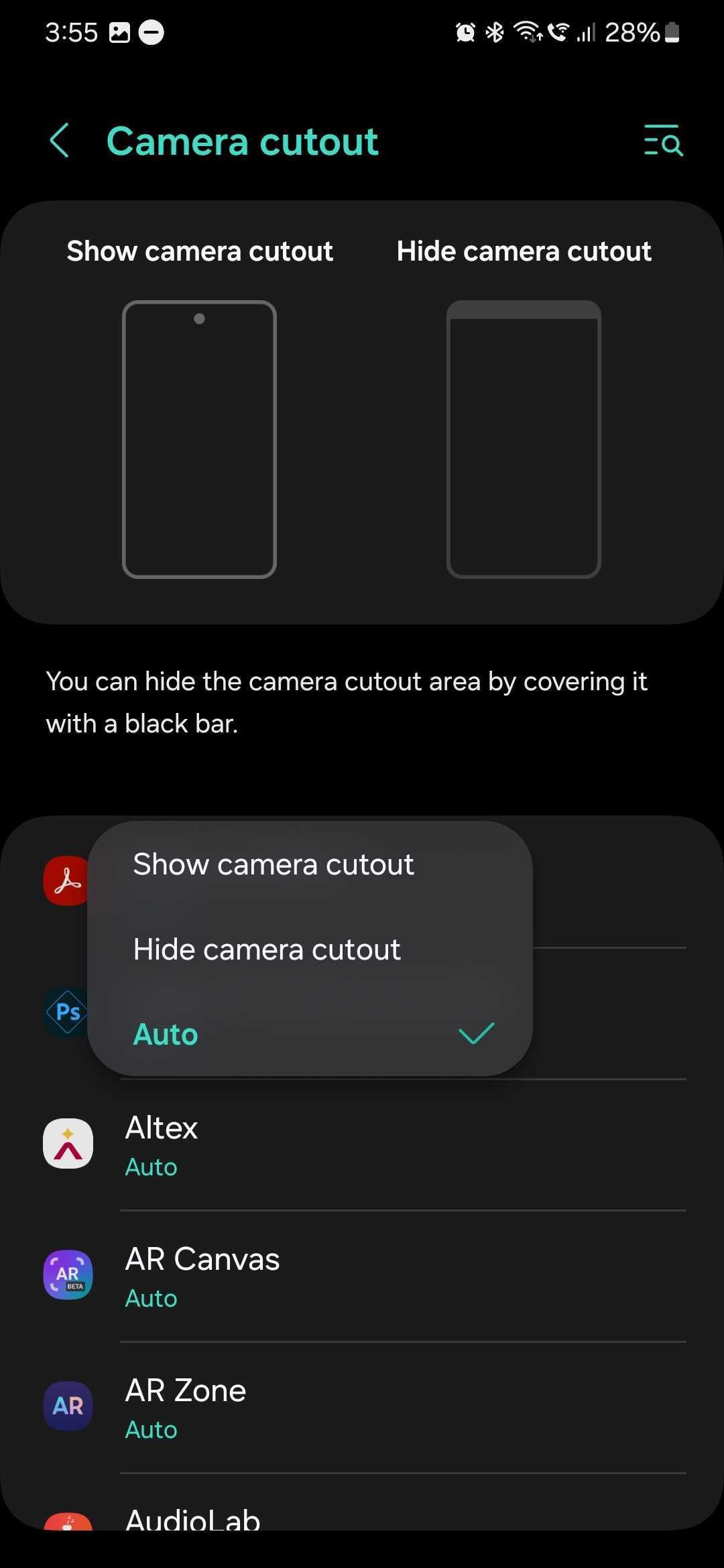
Inside the Camera cutout menu, select the desired app and choose “Hide camera cutout” from the drop-down menu.
You will have to repeat this process for any and all apps you want to hide the Infinity-O cutout.

Mihai is a blogger and column writer at SamMobile. His first Samsung phone was an A800 which took a lot of beating, and a part of him still misses the novelty of the clamshell design. In his free time, he enjoys watching shows, documentaries, and stand-up comedy; listening to music, taking walks, and occasionally playing old(er) video games.












