Last updated: October 8th, 2026 at 11:29 UTC+02:00


Samsung Galaxy Z Fold8: Big-screen experience in a lighter, more portable design

The Galaxy Z Fold8 takes a different approach to Samsung's book-style foldables with a shorter, wider shape.

Max Jambor

Reading time: 3 minutes

Samsung Galaxy Z Fold 8

Abhijeet Mishra / SamMobile

Phone

Samsung Galaxy Z Fold 8

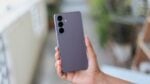
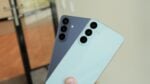
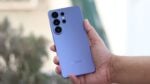
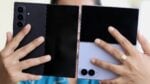
The Galaxy Z Fold8 takes a different approach to Samsung's book-style foldables. Its shorter, wider shape pairs a 5.5-inch cover screen with a 7.6-inch main display, giving quick phone tasks and longer viewing or reading sessions different amounts of space. At 201 grams, it is also Samsung's lightest Galaxy Z Fold yet.

Unfolding it brings movies, TV shows and longer videos onto the larger main screen for a more immersive viewing experience.

A cover screen for messages, browsing and short videos

The 5.5-inch cover display has a 10:16 aspect ratio. It's designed for the things you might only spend a few moments doing: replying to a message, checking a social feed, browsing a website or watching a short video.

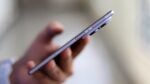
Those tasks don't require the main screen to be open. You can leave the phone folded and use it much like a conventional smartphone, then unfold it when the content needs more room. The Fold8 measures 9.7mm thick when closed and 4.5mm when open.

The lower weight matters on either screen. It reduces what you're carrying throughout the day, but also the amount of phone you have to hold during a longer reading or viewing session.

Unfold for a wider view

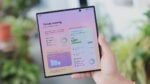
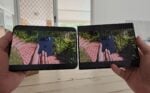
Open the Fold8 and the 7.6-inch main display gives you a 4:3 layout. That wider shape is useful for movies, TV shows and longer videos when the smaller cover screen starts to feel limiting.

Reading benefits from the extra space as well. Rotate the phone into portrait orientation and articles, websites, magazines and e-books have more room to spread out. Depending on the app and its layout, that can mean more content visible at once and less scrolling through a narrow column of text.

The advantage is being able to choose the screen for the task. A quick check doesn't need to become a big-screen session, but the larger display is there when you settle in to watch or read something.

Keep two things on screen instead of switching between them

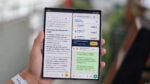
The additional width also makes room for Split View. You can keep a browser beside a messaging app, or leave a video running while looking something up alongside it. The Fold8 supports both two-way and three-way Split View with supported apps.

That lets you keep the information you need in view instead of repeatedly jumping between apps. The video above takes a closer look at these layouts and the everyday uses of the Fold8's two displays.

Galaxy Z Fold8: Display and design specifications

Specification / featureDetails
Weight201g
Thickness when folded9.7mm
Thickness when unfolded4.5mm
Cover screen5.5 inches; 10:16 aspect ratio
Main screen7.6 inches; 4:3 aspect ratio
Split ViewTwo-way and three-way; supported apps