Cyber week deals! Galaxy Watch8 Classic, Fold 7, S25 Ultra. Follow us on YouTube, TikTok, or LinkedIn
Last updated: December 18th, 2024 at 13:59 UTC+01:00
SamMobile has affiliate and sponsored partnerships, we may earn a commission.
Reading time: 2 minutes
There are two ways to turn SpaceFit Sound ON for your Samsung soundbar.
However, using the remote, you might find that the soundbar says the feature is “Not available.”
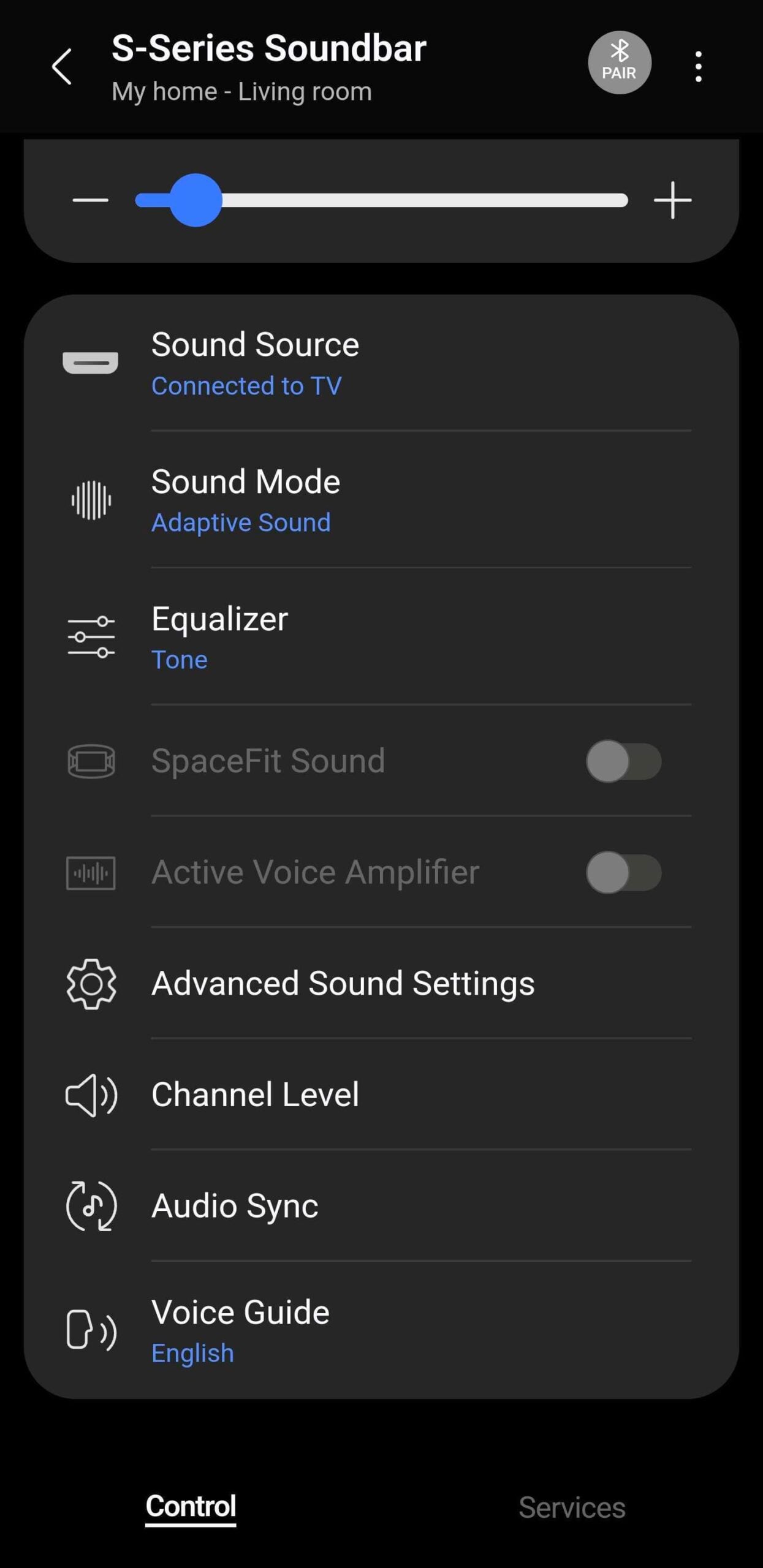
Or, as seen in the screenshot above, you might find that the ON/OFF toggle is grayed out when trying to enable SpaceFit Sound through the SmartThings mobile app.
Here's how to fix this.
SpaceFit Sound uses the soundbar's onboard microphones to analyze your environment and optimize the sound. In other words, the feature is disabled if the microphones are turned off, and without them on, you can't enable SpaceFit Sound.
To fix this, simply press the rightmost button on your Samsung soundbar. It should be shaped like a circle with a line going across it.
Once your soundbar's microphones are turned on, you can enable SpaceFit Sound through the remote or the SmartThings app and enjoy an improved audio experience.
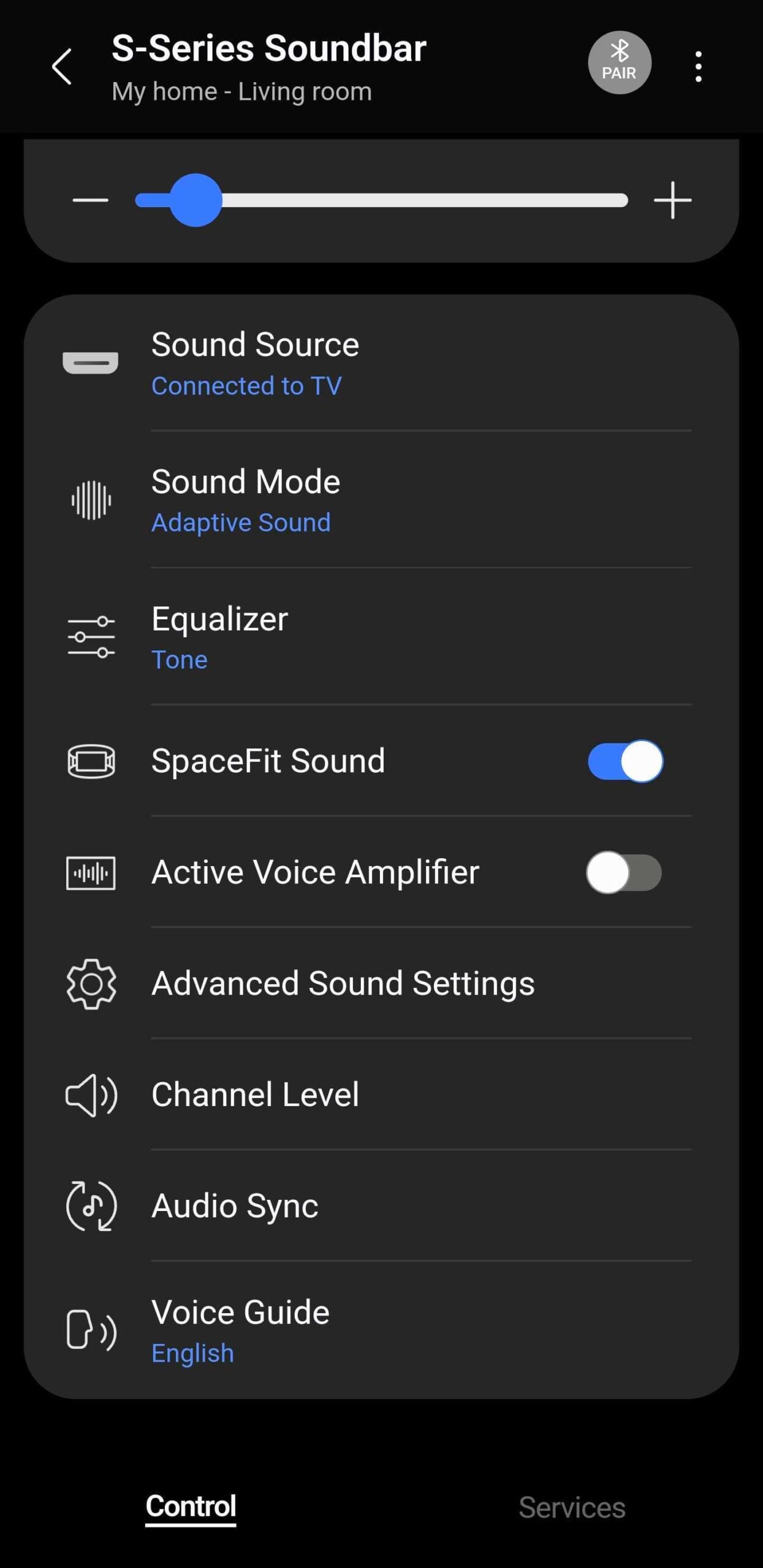
As seen in the screenshot above, when the soundbar's microphones are on, the SpaceFit Sound option in SmartThings is no longer grayed out.
Mihai is a blogger and column writer at SamMobile. His first Samsung phone was an A800 which took a lot of beating, and a part of him still misses the novelty of the clamshell design. In his free time, he enjoys watching shows, documentaries, and stand-up comedy; listening to music, taking walks, and occasionally playing old(er) video games.