Last updated: July 23rd, 2023 at 16:04 UTC+02:00
SamMobile has affiliate and sponsored partnerships, we may earn a commission.
Reading time: 3 minutes
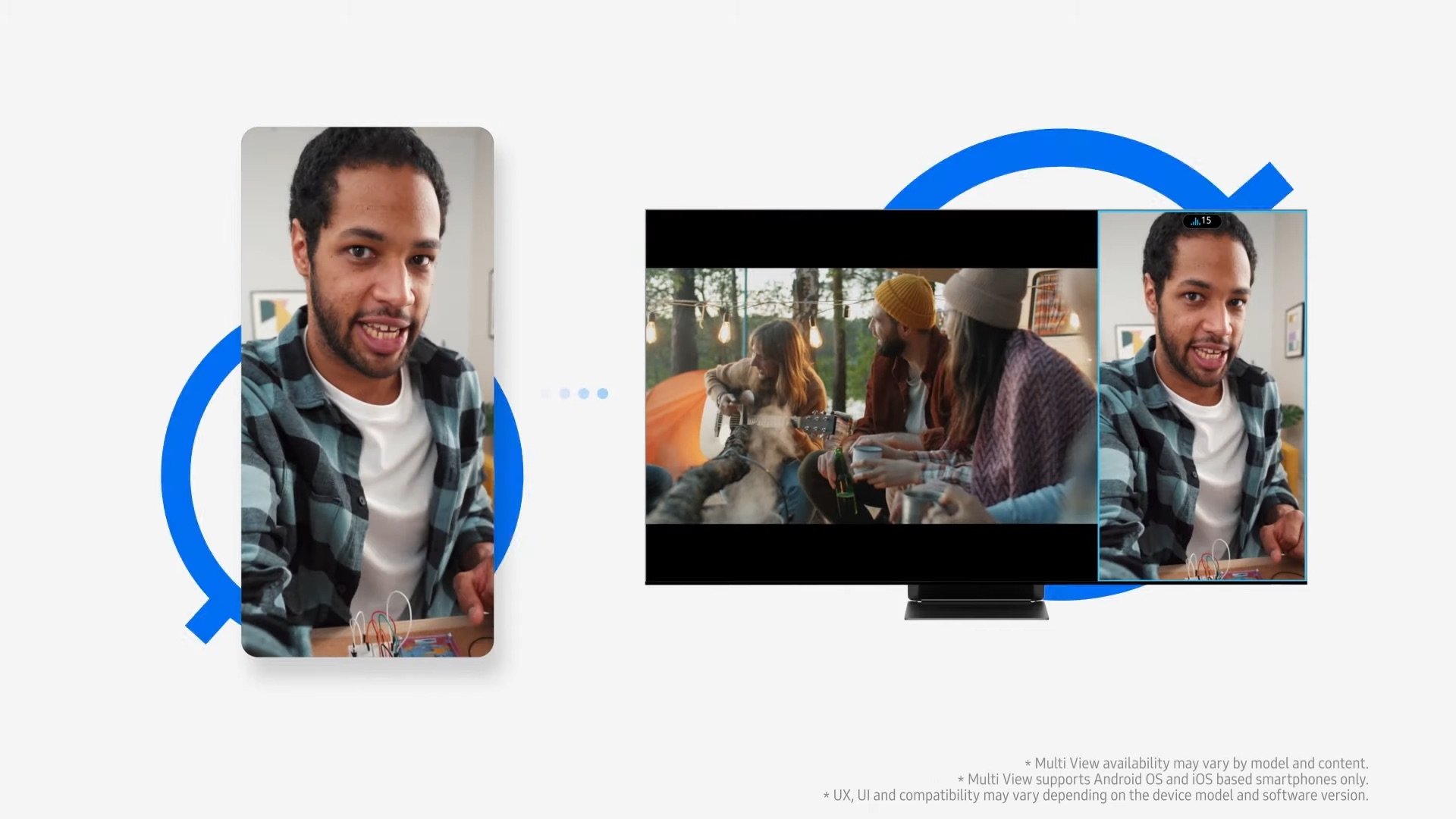
Recently released Galaxy phones and tablets (running One UI 5.1) have a hidden Labs section (via Android Police) in Smart View. This hidden menu has a feature that makes accessing Google Cast screen mirroring as easy as Smart View screen mirroring. To activate this feature, follow these steps:
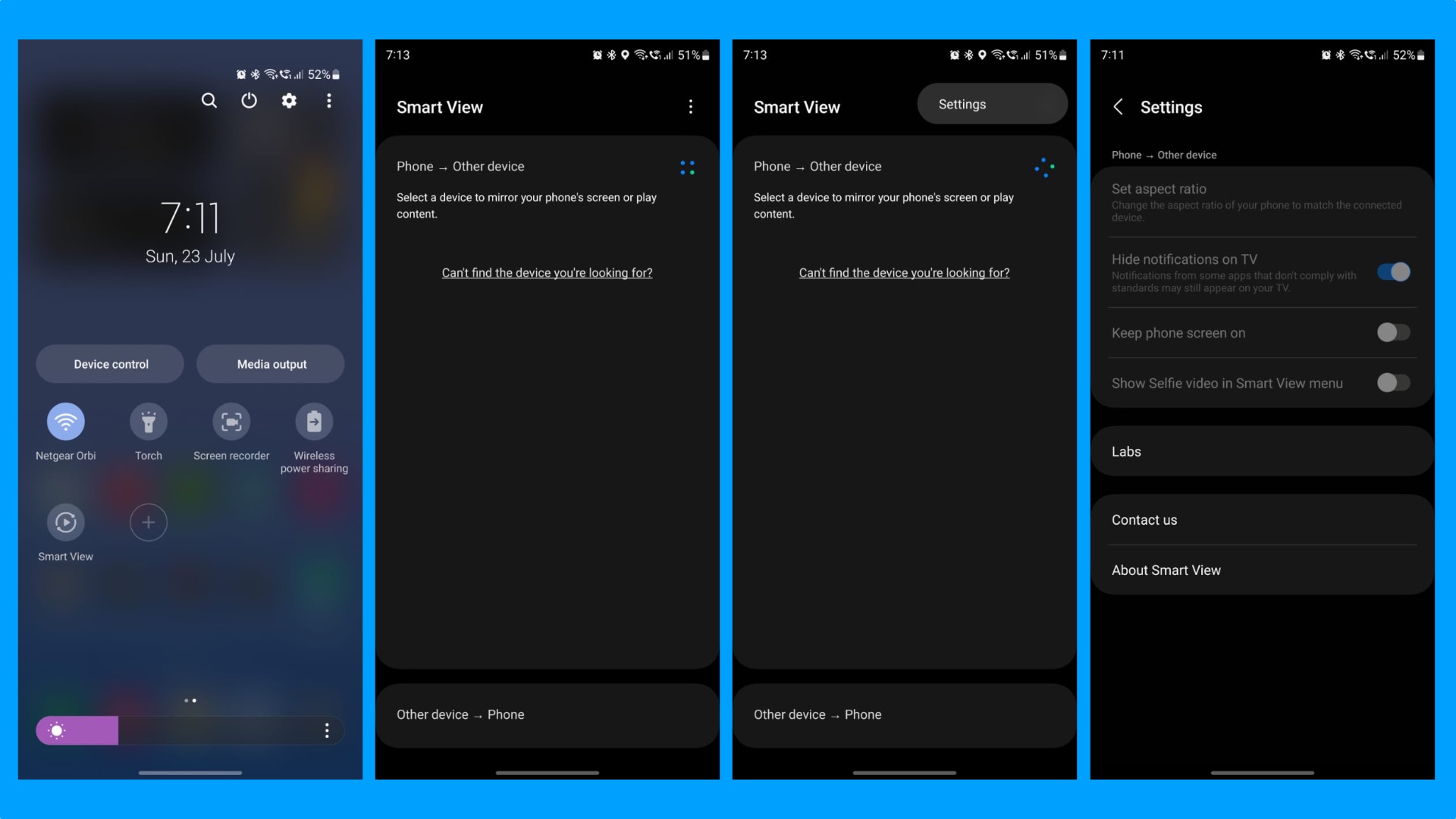
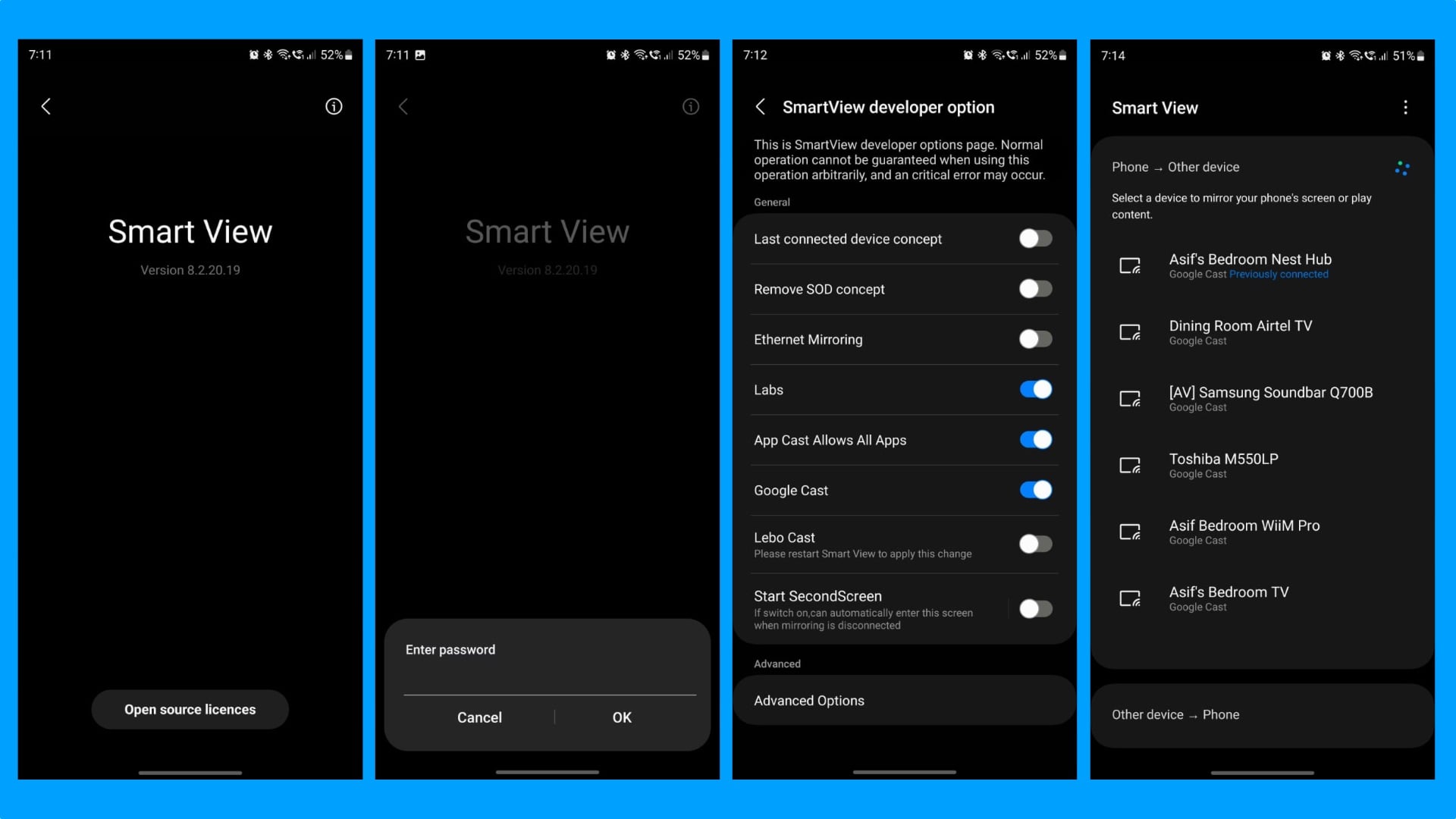
Once you complete this process, when you open Smart View for screen mirroring on your Galaxy phone or tablet, you can see all the smart TVs and devices on your network that support Google Cast for wireless screen mirroring. It means you can wirelessly mirror your phone or tablet's screen on any Android TV, Chromecast, or Google TV device.
This hidden SmartView Developer Option screen also has other features you can enable. For example, you can use your phone or tablet's screen as a second monitor for your Windows 10 or 11 PC. Sadly, Windows only supports a 16:9 aspect ratio, so there will be black bars if you use your Galaxy phone as a second monitor for your Windows computer.
Hopefully, Samsung will decide not to hide this helpful feature in future versions of One UI. It is incredibly useful for people with Galaxy phones or tablets and a TV compatible with Google Cast.

Asif is a computer engineer turned technology journalist. He has been using Samsung phones since 2004, and his current smartphone is the Galaxy S23 Ultra. He loves headphones, mechanical keyboards, and PC hardware. When not writing about technology, he likes watching crime and science fiction movies and TV shows.












