Last updated: April 10th, 2026 at 15:16 UTC+02:00


Which camera lens should I use for different types of photos?

Daniel van Dorp

Reading time: 6 minutes

Taking great photos with your Samsung phone becomes much easier once you understand which camera lens to use in different situations. Your Samsung Galaxy device comes equipped with multiple camera lenses, each designed for specific types of photography. Whether you're capturing family moments, stunning landscapes, or detailed close-ups, knowing when to switch between lenses can dramatically improve your photo quality.

Modern Samsung phones typically feature three main camera lenses that work together to give you professional-level photography options. Understanding how each lens performs in different scenarios helps you make the most of your phone's camera capabilities without getting overwhelmed by technical details.

What are the different camera lenses on Samsung phones?

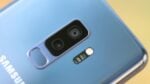
Samsung Galaxy phones typically include three main camera lenses: a wide-angle lens for standard photos, an ultra-wide lens for capturing more of the scene, and a telephoto lens for zooming in on distant subjects. Many Samsung phones also include a macro lens or a macro mode for extreme close-up photography.

The wide-angle lens serves as your primary camera and handles most everyday photography situations. It captures images with a natural field of view similar to what your eyes see. This lens typically offers the best image quality and performs well in various lighting conditions, making it your go-to choice for general photography.

The ultra-wide lens significantly expands your field of view, allowing you to fit much more into a single frame. This lens is perfect when you want to capture expansive scenes or when you're in tight spaces but need to include more of your surroundings. The telephoto lens, available on many Samsung Galaxy models, lets you zoom in on distant subjects without losing image quality, while macro capabilities help you photograph tiny details up close.

Which lens should I use for taking photos of people?

For portrait photography and photos of people, the wide-angle lens typically produces the most flattering results, with natural proportions and pleasing background blur. Many Samsung phones also offer a dedicated Portrait mode that automatically selects the best lens and applies background blur for professional-looking results.

The wide-angle lens maintains natural facial proportions and doesn't distort features, which is important when photographing people. If your Samsung phone has a telephoto lens, you can also use it for portraits when you want to stand farther away from your subject or create more dramatic background blur. This distance often makes people feel more comfortable and can result in more natural expressions.

Avoid using the ultra-wide lens for close-up portraits of individuals, as it can distort facial features and make people appear stretched or unnatural. However, the ultra-wide lens works well for group photos when you need to fit many people into the frame or when you're taking photos in confined spaces where you can't step back far enough with the main camera.

What's the best lens for landscape and scenery photos?

The ultra-wide lens is typically the best choice for landscape photography, as it captures expansive scenes and dramatic perspectives that showcase the full scope of natural scenery. This lens allows you to include foreground elements, middle ground, and distant horizons all in a single frame.

When photographing landscapes, the ultra-wide lens helps you capture sweeping vistas, mountain ranges, cityscapes, and architectural scenes with impressive scope. The wider field of view creates a sense of depth and scale that makes viewers feel like they're standing right there with you. This lens is particularly effective for sunrise and sunset shots, when you want to capture both the sky and the landscape below.

The wide-angle lens also works well for landscapes when you want a more natural perspective or when the ultra-wide view might be too expansive for your composition. Some photographers prefer the wide-angle lens for landscapes because it maintains more natural proportions and doesn't create the slight distortion that can occur with ultra-wide photography.

How do I take close-up photos with my Samsung camera?

For close-up photography, use your Samsung phone's macro mode or macro lens, which allows you to focus on subjects just a few centimeters away from the camera. If your phone doesn't have a dedicated macro lens, the wide-angle lens can often focus quite close for detailed shots of flowers, food, or small objects.

To access macro photography on your Samsung phone, look for a flower icon in your camera app or switch to macro mode in the camera settings. This mode optimizes the camera settings for extreme close-up photography and helps you achieve sharp focus on tiny details. When taking macro photos, steady hands are important, so consider using a timer or voice commands to reduce camera shake.

Good lighting is particularly important for close-up photography, since you'll be working with a shallow depth of field. Natural light often works best, but you can also use your phone's flash or LED light for macro photography. Try photographing flowers, insects, food textures, jewelry, or any small objects with interesting details to practice your macro photography skills.

When should I switch between different camera lenses?

Switch between camera lenses based on what you want to include in your photo and how close you are to your subject. Use the ultra-wide lens when you want to capture more of the scene, the wide-angle lens for most standard situations, the telephoto lens when you need to zoom in, and macro mode for extreme close-ups.

Consider switching to the ultra-wide lens when you're photographing in tight spaces, want to capture dramatic architecture, or need to fit large groups of people into your frame. The telephoto lens becomes useful when you want to photograph wildlife, sporting events, or any situation where you can't physically get closer to your subject. This lens also helps create more flattering portraits by allowing you to maintain distance from your subject.

Pay attention to lighting conditions when choosing lenses, as the wide-angle lens typically performs best in low-light situations. The ultra-wide and telephoto lenses may struggle more in dim conditions, so you might need to stick with the main camera when shooting indoors or during evening hours. Experimenting with different lenses in various situations helps you develop an intuitive sense of which lens works best for each type of photo you want to take.

Understanding your Samsung camera's different lenses opens up new creative possibilities and helps you capture exactly what you envision in each photo. With practice, switching between lenses becomes second nature, and you'll find yourself naturally reaching for the right lens for each situation. We hope this guide helps you make the most of your Samsung phone's camera capabilities and take photos you'll be proud to share.

Related Articles