Last updated: June 12th, 2018 at 16:33 UTC+02:00
SamMobile has affiliate and sponsored partnerships, we may earn a commission.
Reading time: 2 minutes

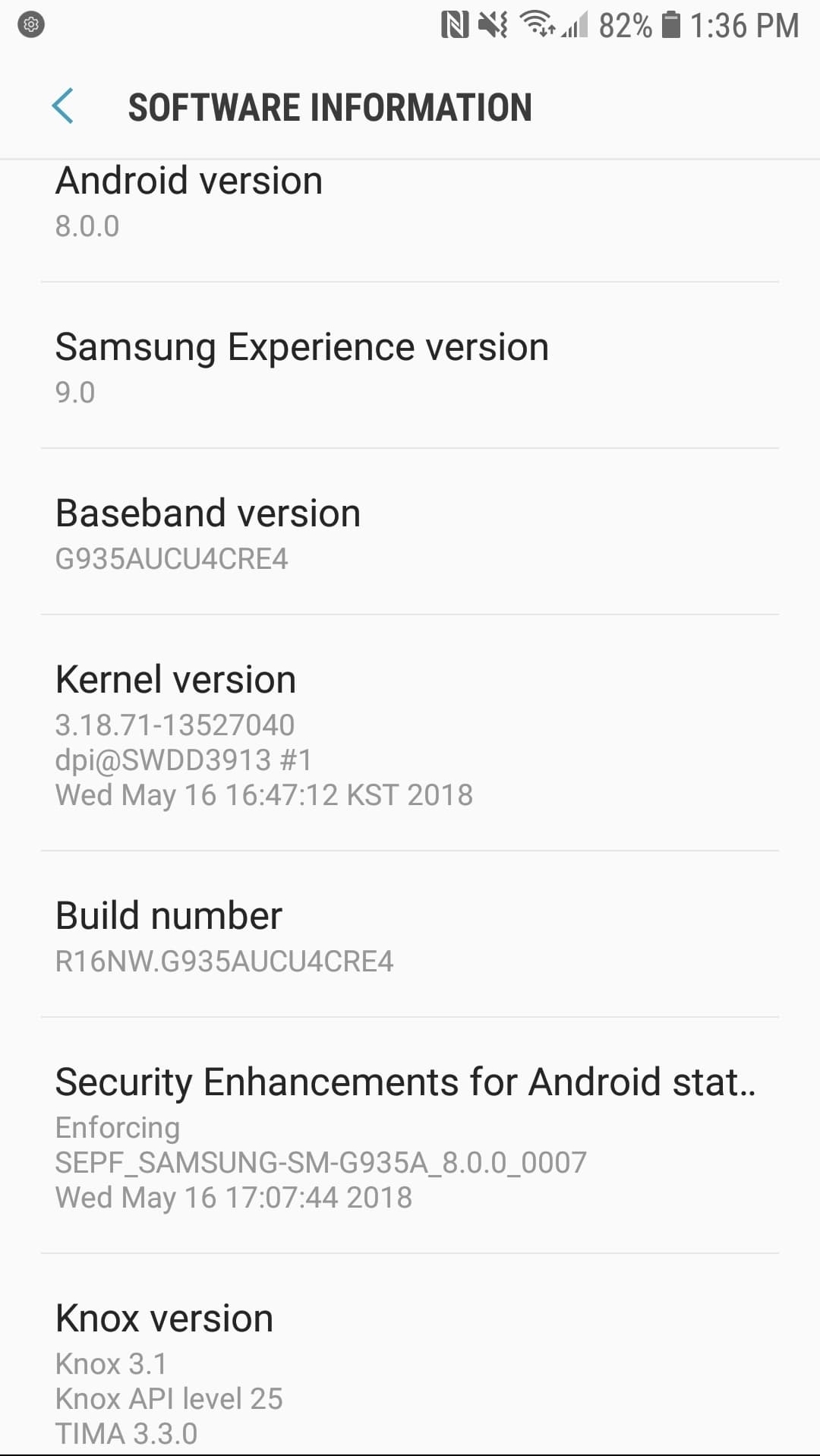
The Galaxy S7 Oreo update has now been released in a number of markets around the world, though it still hasn't reached everyone. In the US, T-Mobile and Sprint still haven't said anything about the update, but it shouldn't be long before that changes. If you have a Galaxy S7 or Galaxy S7 edge on AT&T, you can check if Oreo is available for you by going into the Settings » Software update menu on the phone and tapping Download updates manually. It's a big update, so a Wi-Fi network is recommended for the download.
The build number after updating should be G935AUCU4CRE4 and the security patch date would be April 1. New features include an upgraded Samsung keyboard with new emojis and high-contrast options, autofill support, Picture-in-Picture mode, App Pair, Dual Messenger, App Pair, notification dots for app icons, and more. We have covered these features in detail in our What's New With Android 8.0 Oreo series of articles, so be sure to take a look to see what functionality Oreo brings to your Galaxy S7.
Let us know if your Galaxy S7 or Galaxy S7 edge has received the Oreo update if you're on AT&T's network.

Abhijeet's writing career started with guides for custom firmware for Samsung devices (including the original Galaxy S), and he moved to SamMobile in mid-2013 and worked up the ranks to Editor-in-chief. In addition to phones and mobile devices, his interests include gaming on both PC and console, PC hardware, and spending countless hours on YouTube watching videos on tech, movies, games, politics, and internet dramas.













