Last updated: June 11th, 2018 at 19:41 UTC+02:00
SamMobile has affiliate and sponsored partnerships, we may earn a commission.
Reading time: 2 minutes
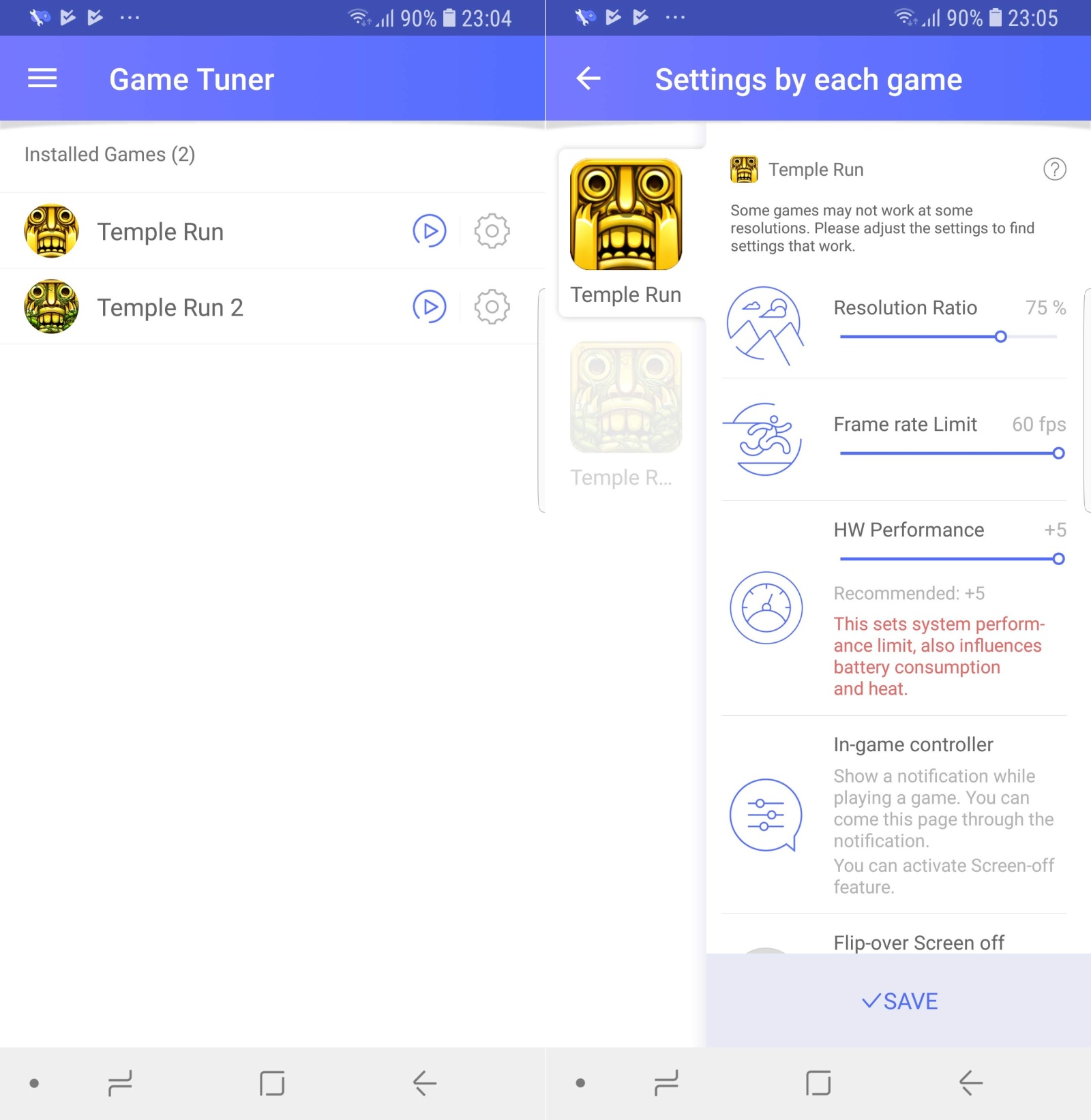
The biggest change is the removal of preset modes that apply universally to all games. Now, Samsung wants you to individually adjust various parameters for every game. That doesn't exactly simplify things, does it? It does make for a cleaner interface, though, as you can see in the image below. Some of the game parameters you could modify have been removed as well: You can no longer adjust texture quality and brightness levels for a game. Finally, the ability to adjust a non-game app's resolution has been dropped as well.
The latest version of Game Tuner (version 3.4.04) is available on the Play Store. If you would prefer to remain on the older, more feature-packed version, you should avoid installing the update (be sure to disable auto update for Game Tuner from its page on the Play Store on your phone or tablet). You can also download the APK file for the previous version (3.3.11) from our APK section and sideload it on your phone manually. Do let us know if Game Tuner is something you use frequently and what you think of the latest update.

Abhijeet's writing career started with guides for custom firmware for Samsung devices (including the original Galaxy S), and he moved to SamMobile in mid-2013 and worked up the ranks to Editor-in-chief. In addition to phones and mobile devices, his interests include gaming on both PC and console, PC hardware, and spending countless hours on YouTube watching videos on tech, movies, games, politics, and internet dramas.













