Last updated: November 2nd, 2017 at 15:32 UTC+01:00
SamMobile has affiliate and sponsored partnerships, we may earn a commission.
Reading time: 2 minutes
If you tend to have a lot of apps on your device then it's best to sort them neatly into folders. It makes it easier to find the apps that you're looking for without having to scroll endlessly.
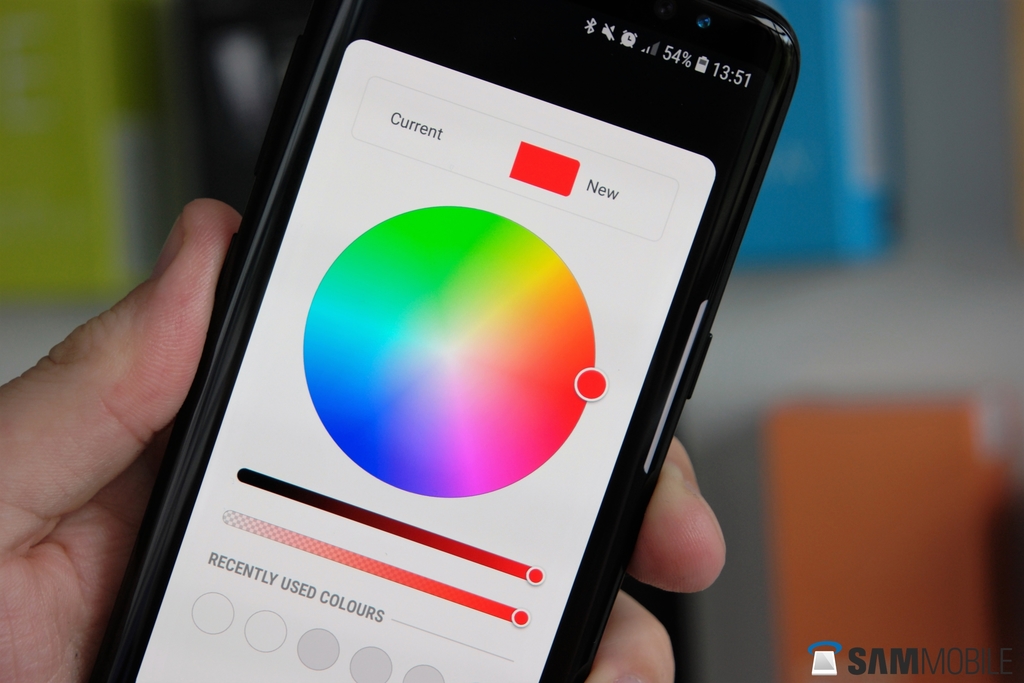
The Galaxy S8 Android 8.0 Oreo beta lets users add some flair to the folders. Tapping on the icon alongside the folder's name brings up a list of available color options. The multi-colored option can be selected to pick a custom color for the folder from a full-fledged color picker.
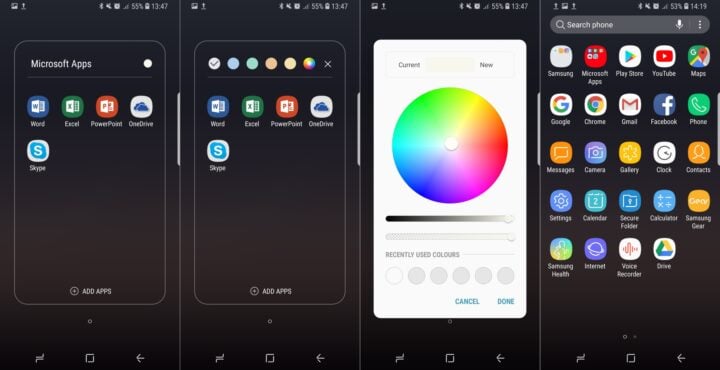
Once the preferred color has been selected, users just need to tap “Done” and the folder will automatically be filled with that color. It's as simple as that.
We'll be sharing more observations as part of this ongoing What's New With Android 8.0 Oreo series so do check back for more. If you don't already know, here's how you can download Galaxy S8 Android 8.0 Oreo beta on your device.

Adnan Farooqui is a long-term writer at SamMobile. Based in Pakistan, his interests include technology, finance, Swiss watches and Formula 1. His tendency to write long posts betrays his inclination to being a man of few words.












