Last updated: November 14th, 2024 at 09:02 UTC+01:00
SamMobile has affiliate and sponsored partnerships, we may earn a commission.
Reading time: 2 minutes
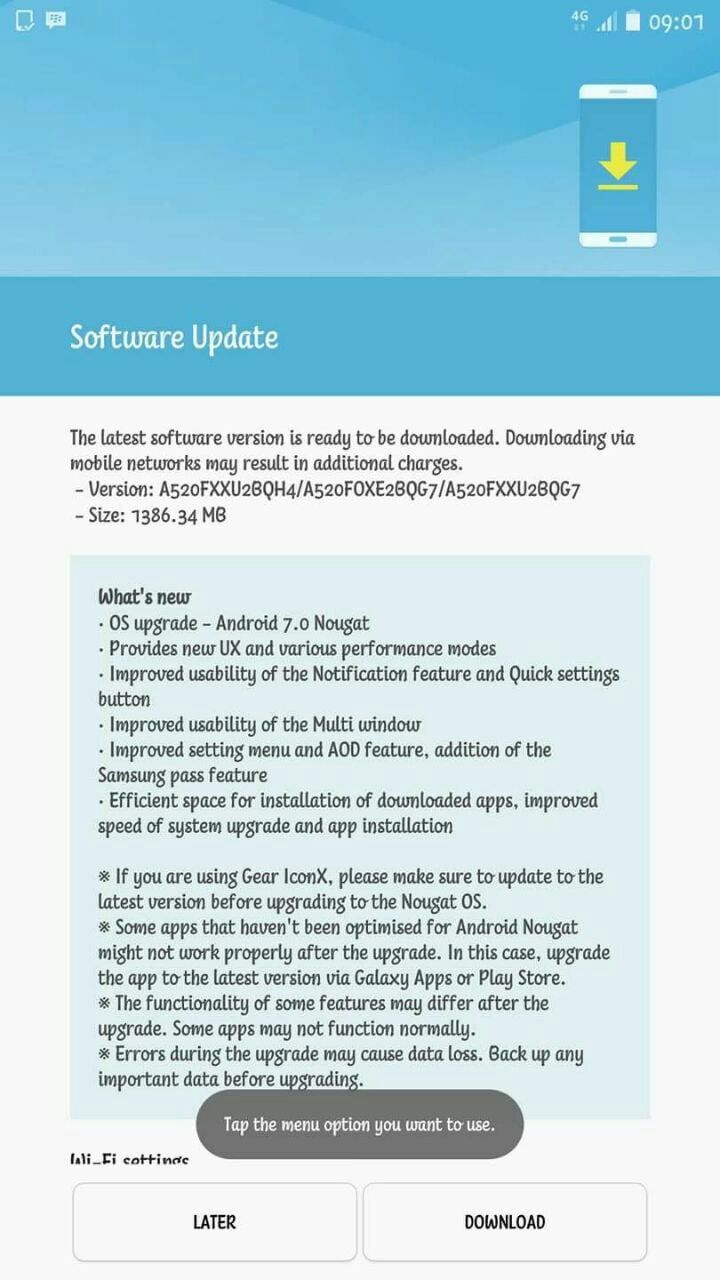
The Galaxy A5 (2017) Nougat update brings almost the same set of features and improvements as the update for the A3 and A7, although the new Dual Messenger feature isn't listed in the changelog for the A5, suggesting it could be market dependent (or it's there but not mentioned, unless Samsung has forgotten to implement it on every device). You'll see a newer user interface after the update, a slightly different version of Multi Window mode (which now takes after the stock Android implementation), enhanced notifications, Samsung Pass, and improved Always On Display functionality.
To see if the Nougat update is available for you, go into the settings menu, followed by Software update, then hit the Download updates manually button. Being a major OS upgrade, the download size will cross 1GB, so it's recommended to use a Wi-Fi connection for a quicker download and for saving on data costs. If your Galaxy A5 has received the update, do let us know in the comments section!

Abhijeet's writing career started with guides for custom firmware for Samsung devices (including the original Galaxy S), and he moved to SamMobile in mid-2013 and worked up the ranks to Editor-in-chief. In addition to phones and mobile devices, his interests include gaming on both PC and console, PC hardware, and spending countless hours on YouTube watching videos on tech, movies, games, politics, and internet dramas.












