Last updated: April 27th, 2017 at 09:19 UTC+02:00
SamMobile has affiliate and sponsored partnerships, we may earn a commission.
Reading time: 1 minutes
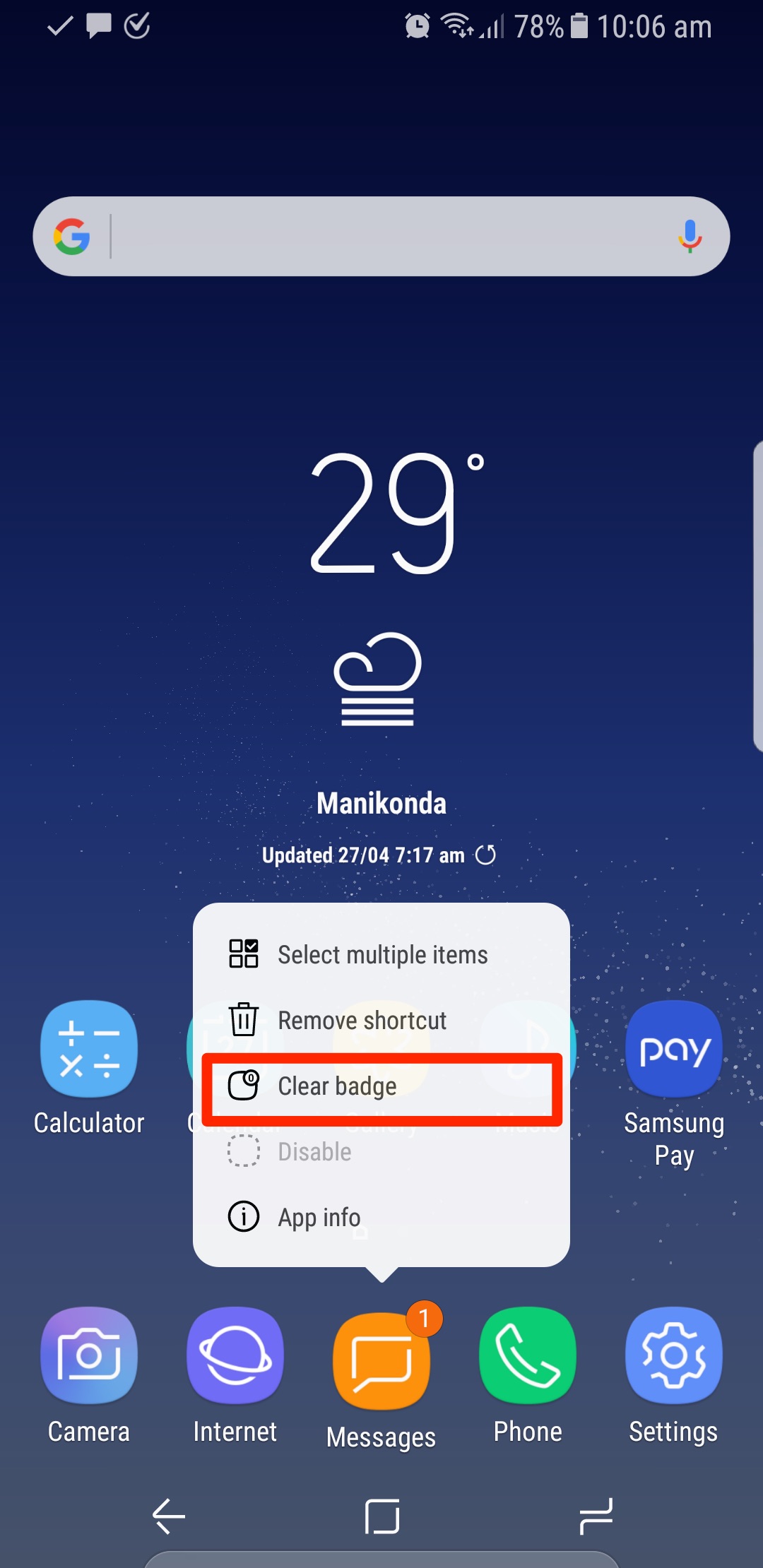
It’s quite easy, actually, to clear notification badges from app icons without opening the corresponding app. You just need to long press the app icon (either from the home screen or from the dedicated app drawer), and a pop-up menu will appear. Click on Clear Badge option from the menu, and you’re done!
You can read more tips and tricks related to the Galaxy S8 and S8+ here.

Asif is a computer engineer turned technology journalist. He has been using Samsung phones since 2004, and his current smartphone is the Galaxy S23 Ultra. He loves headphones, mechanical keyboards, and PC hardware. When not writing about technology, he likes watching crime and science fiction movies and TV shows.












