Last updated: March 14th, 2016 at 15:02 UTC+01:00
SamMobile has affiliate and sponsored partnerships, we may earn a commission.
Reading time: 3 minutes
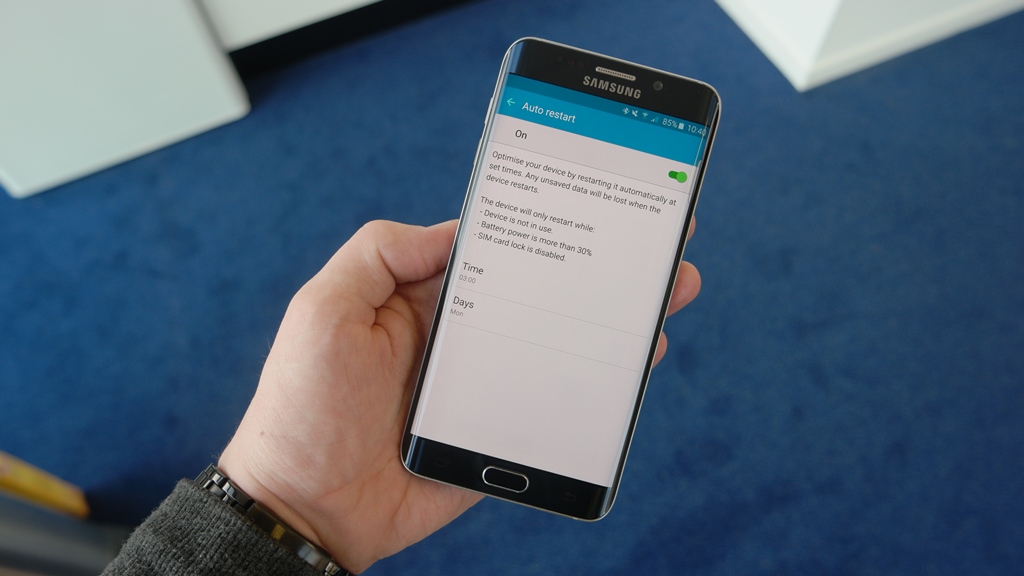
Yep, Samsung really does give you an option to restart your device to make sure its performance remains optimum. The problem? Well, the company has hidden the auto restart option in the Backup and reset menu in the settings screen. This isn't a section of the settings most people access unless they are looking to factory reset their smartphone or tablet, and the Auto restart option has gone under the radar as a result.
Well, we have been aware of this option since the Galaxy S6 and S6 edge were updated to Android 5.1.1, and here's how you can set your Galaxy smartphone or tablet (running Android 5.0 or later) can be set to restart automatically at set intervals. Keep in mind that Auto restart is only available on devices launched in or after 2015 that came with at least Android 5.0 out of the box.
That's it. Once you've turned it on, your smartphone or tablet will automatically restart at the defined time. Selecting a time at night is the best thing to do, since you can wake up in the morning to a device that is faster and smoother than it was when you went to sleep. With newer Samsung devices the software is very optimized so a restart isn't exactly necessary, but regular automatic restarts are certainly a nice way of getting your device back to smoother operation without having to manually restart it.
Note: Your Samsung phone or tablet might not have this option if it is locked to a carrier, as some carriers remove the auto restart option (in addition to some others).

Abhijeet's writing career started with guides for custom firmware for Samsung devices (including the original Galaxy S), and he moved to SamMobile in mid-2013 and worked up the ranks to Editor-in-chief. In addition to phones and mobile devices, his interests include gaming on both PC and console, PC hardware, and spending countless hours on YouTube watching videos on tech, movies, games, politics, and internet dramas.













