Last updated: December 15th, 2019 at 17:10 UTC+01:00
SamMobile has affiliate and sponsored partnerships, we may earn a commission.
Reading time: 2 minutes
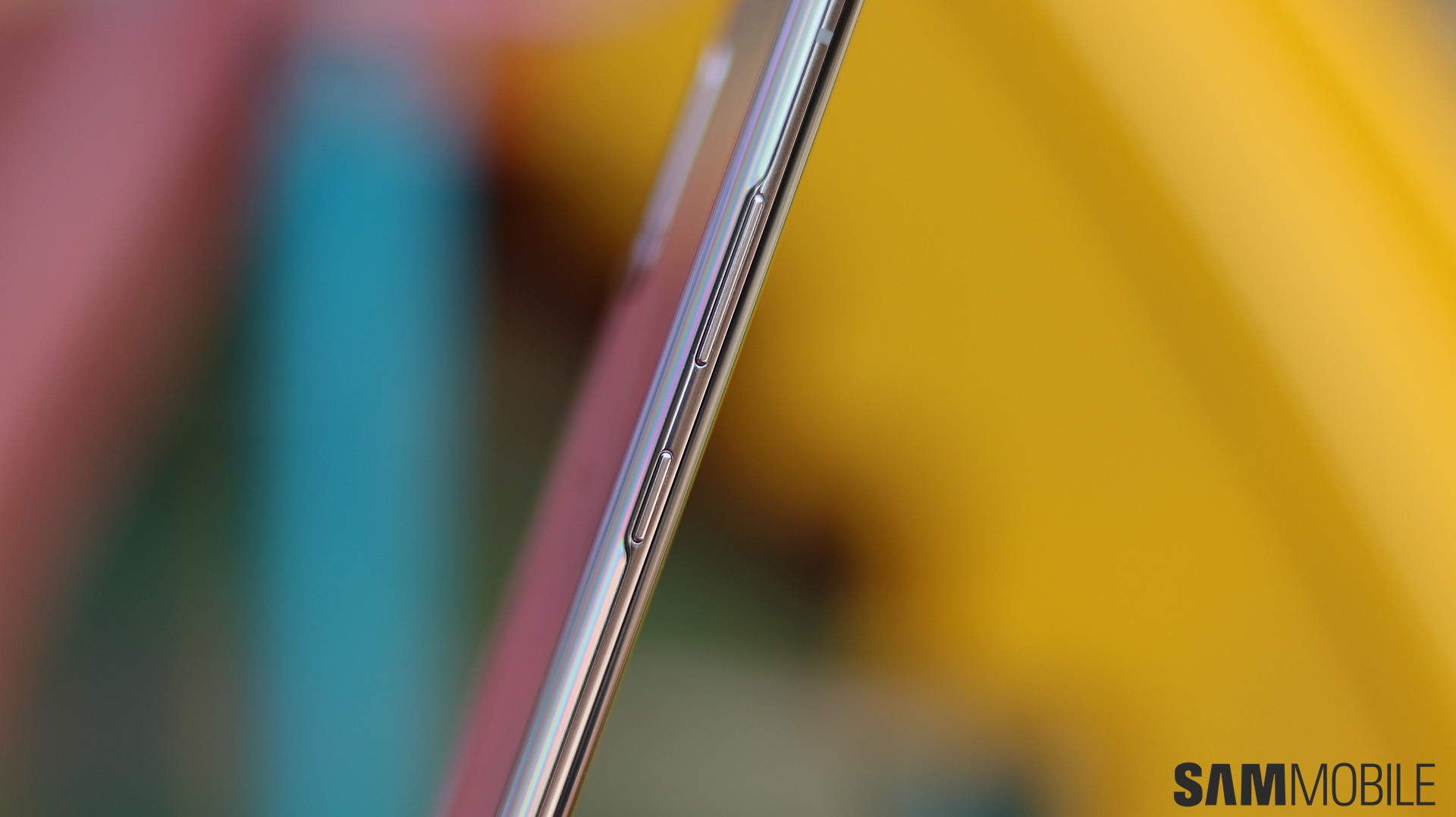
The feature is, in fact, available on all Galaxy phones that shipped with One UI 1.5 out of the box. If you happen to own one, you can follow this walkthrough to find out how you can customize the side key on your device with ease.
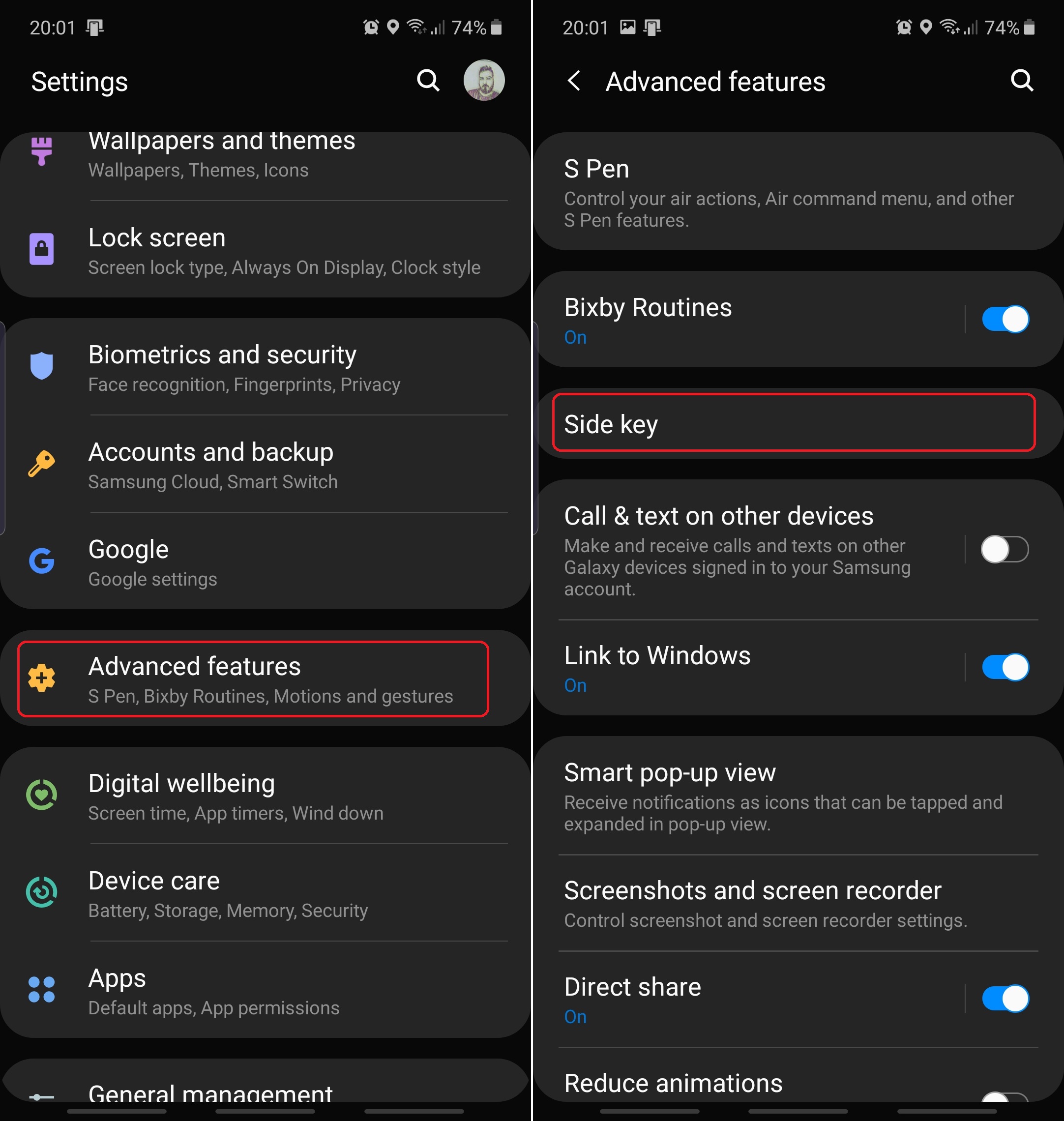
First, open Settings and access Advanced Features. This is the same menu where you can find Bixby Routines, Motions and Gestures, and other One UI features we've covered previously. Once in Advanced Features, tap Side key.
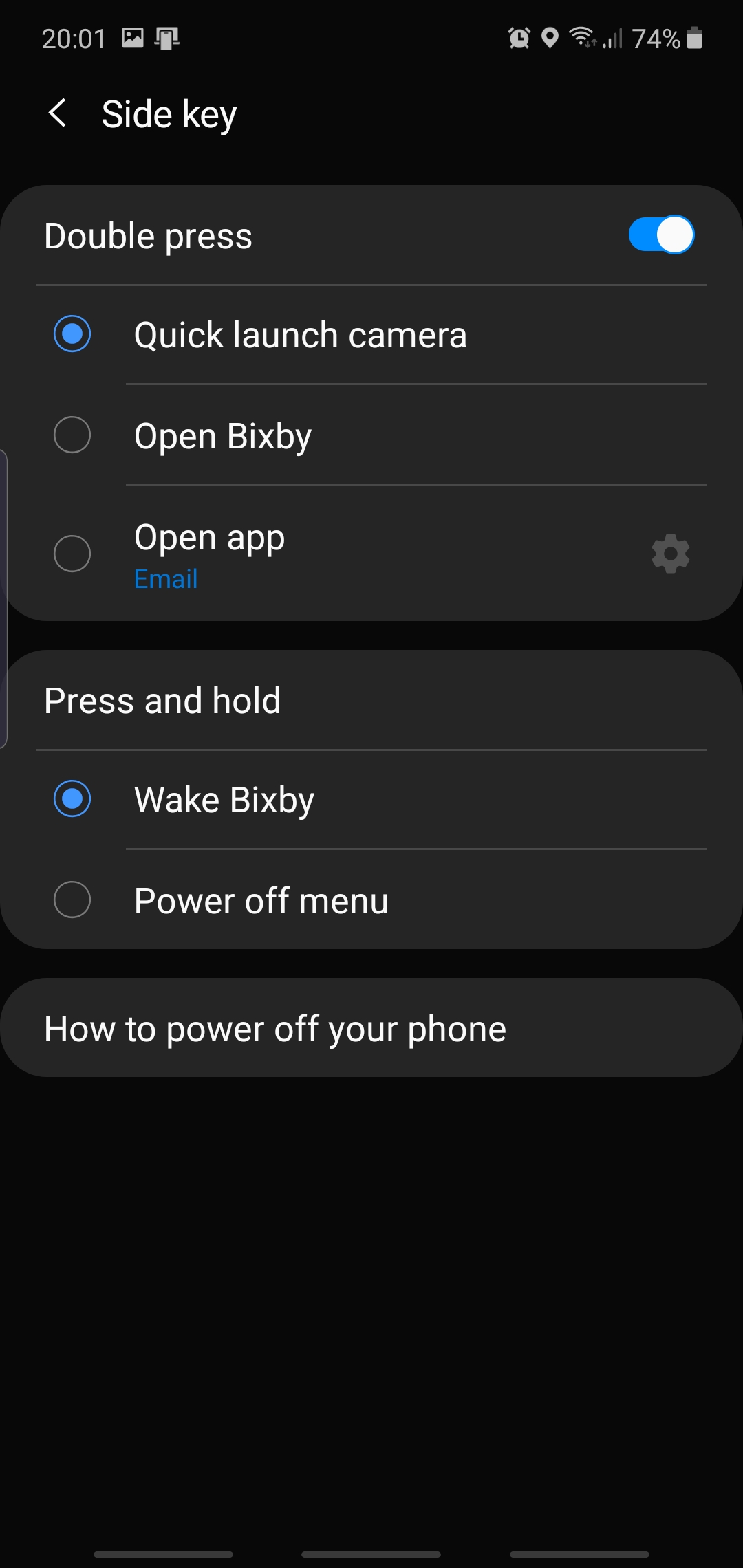
Choosing a function for double-pressing the side key
Side key is split between two main functions, namely Double press, and Press and hold. You can choose between quick launching the Camera app, launching Bixby, or opening a custom app when double-pressing the side key. Tap the cogwheel icon to select an app. Alternatively, you can tap the toggle and turn off the double-press function altogether.

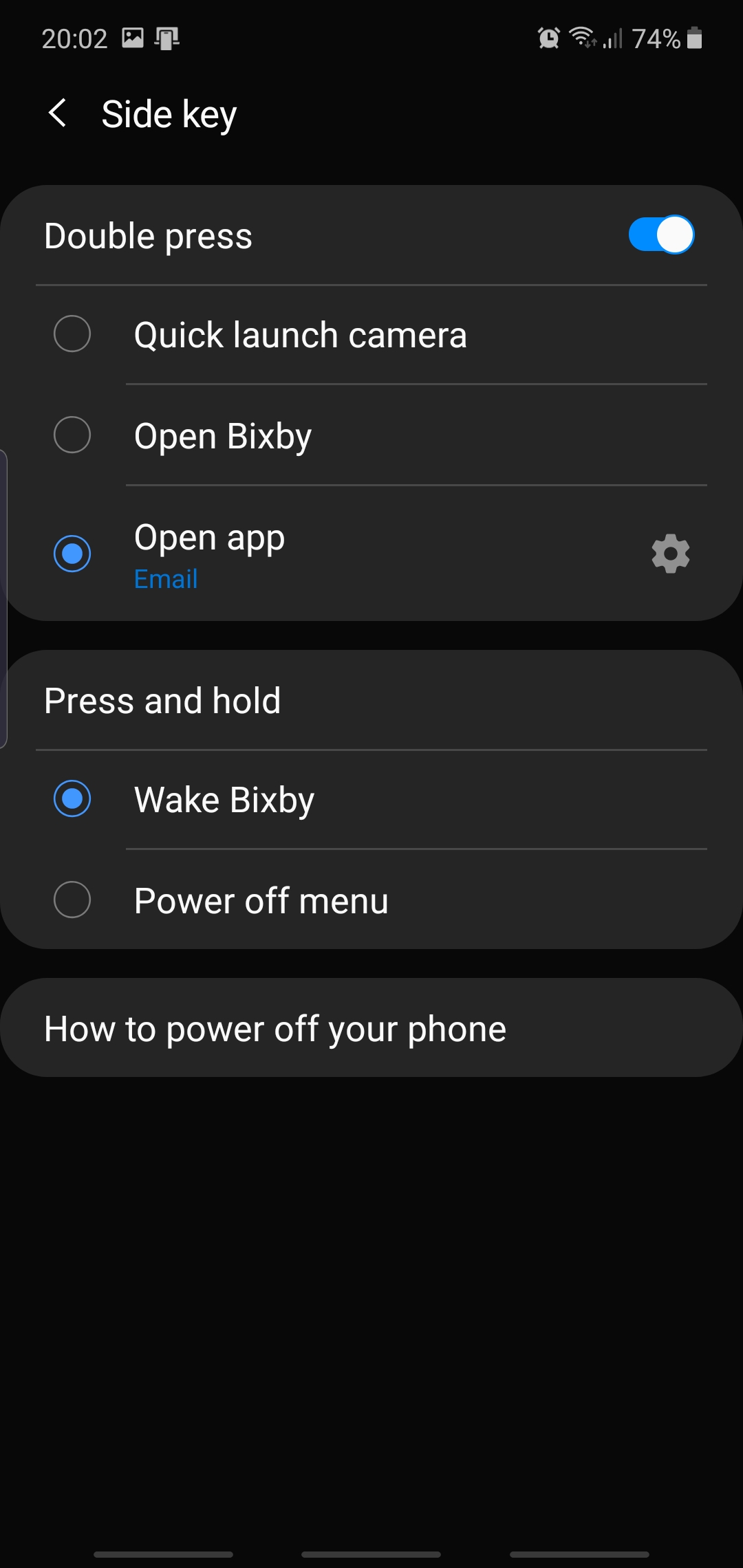
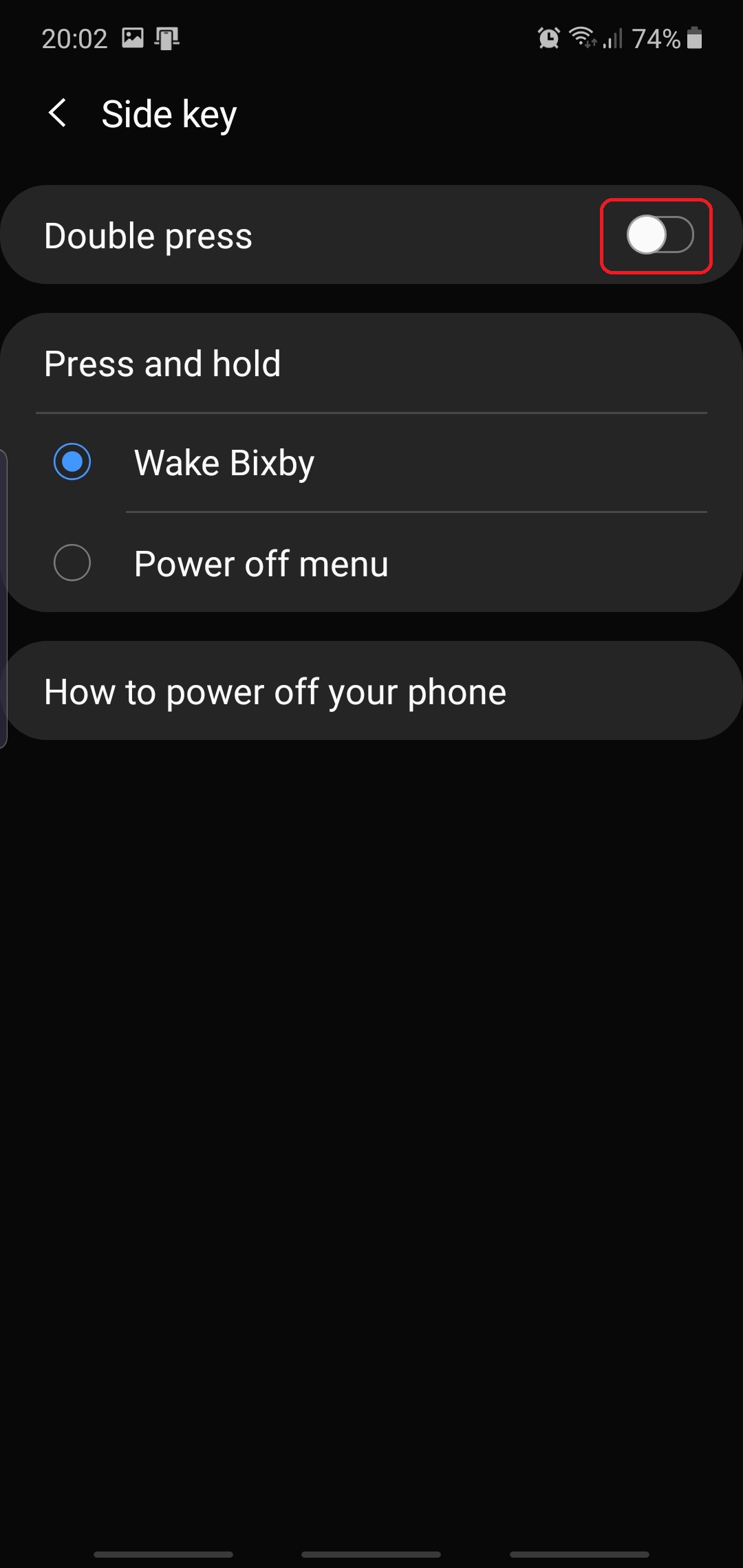
NOTE: Double-pressing the side key to quick-launch the Camera works even if your phone is locked, unlike Open Bixby and Open app, both of which require you to unlock your phone before you can use them.
Choosing a function for long-pressing the side key
As for pressing and holding the side key, you can choose between waking up Bixby or summoning the classic power off menu. Normally, Galaxy devices running One UI 1.5 have the power off and restart options hidden behind the small power icon inside the quick toggle area, but you can revert to a more conventional setup as long as you're willing to give up on the Wake Bixby feature. And we suspect that many users won't have an issue with that.
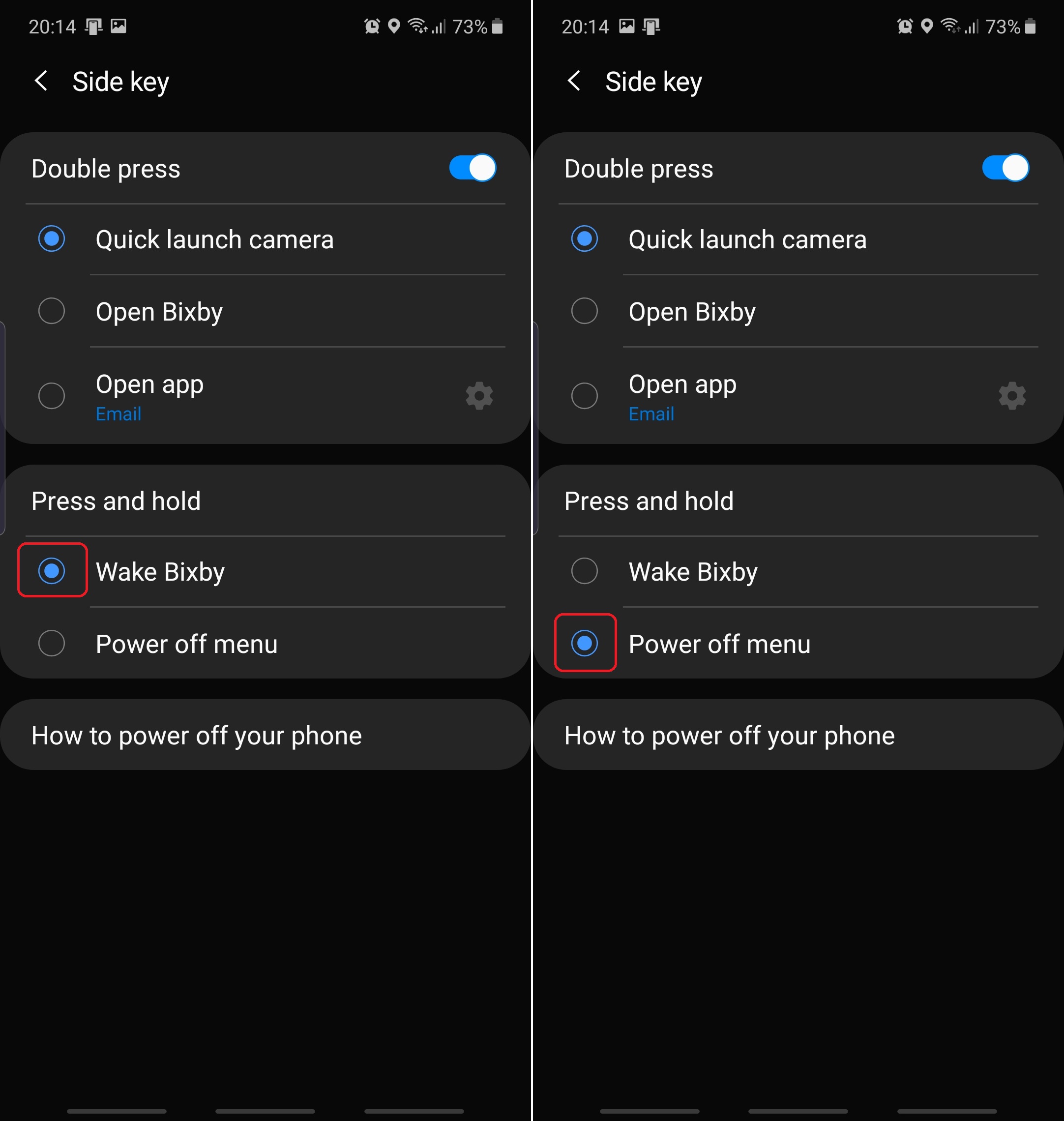
How have you set up the side key on your Galaxy device? Do you use the double-press function? Are you a classic power off menu user or do you prefer keeping the side key connected to Bixby? Join us in the comment section and tell us about your ideal configuration.
[modelinfo model=”SM-F900F”]
[modelinfo model=”SM-N970F”]
[modelinfo model=”SM-N975F”]

Mihai is a blogger and column writer at SamMobile. His first Samsung phone was an A800 which took a lot of beating, and a part of him still misses the novelty of the clamshell design. In his free time, he enjoys watching shows, documentaries, and stand-up comedy; listening to music, taking walks, and occasionally playing old(er) video games.














