Last updated: May 14th, 2024 at 14:55 UTC+02:00
SamMobile has affiliate and sponsored partnerships, we may earn a commission.
Reading time: 2 minutes
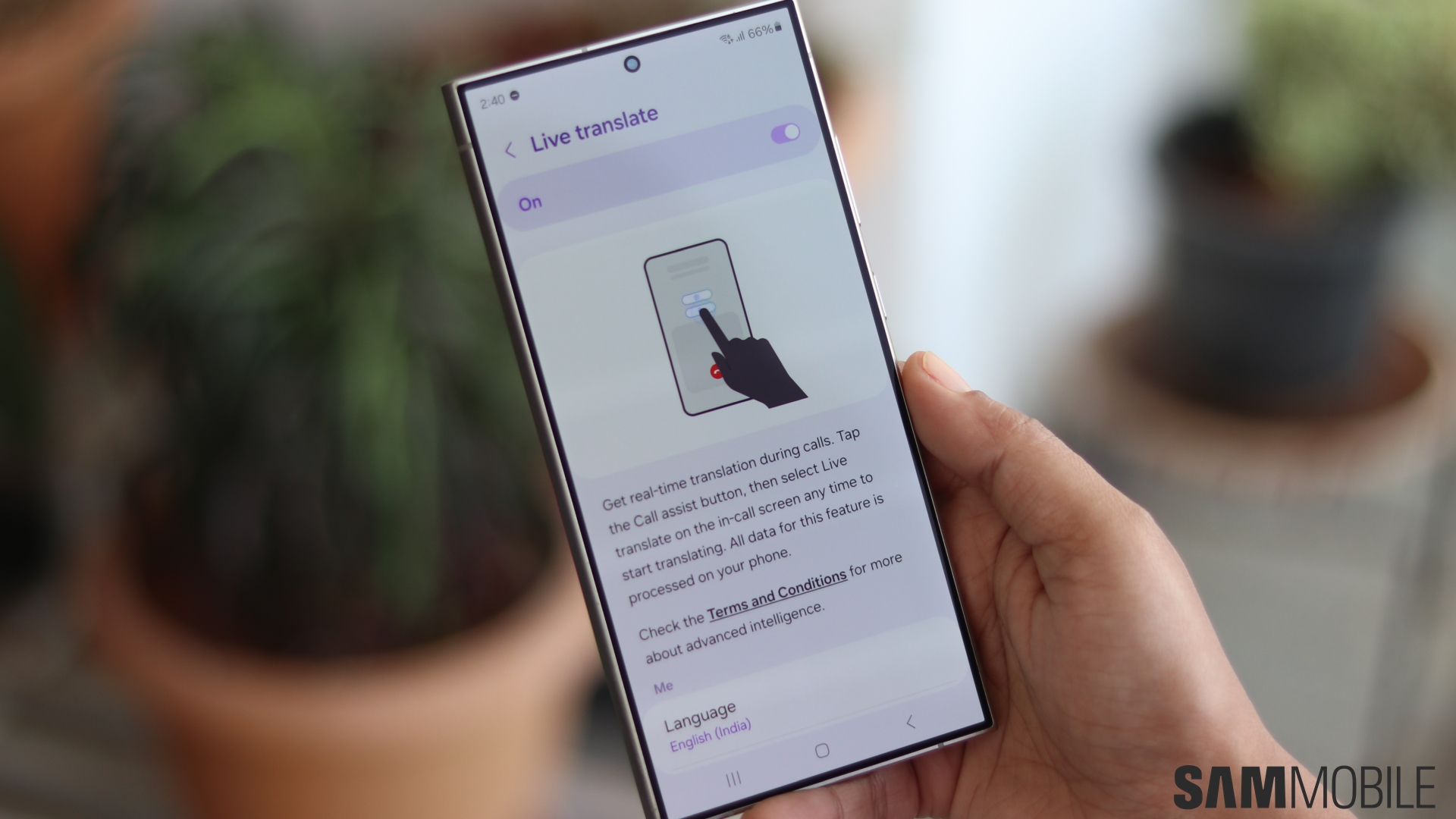
Users who often need to make phone calls to people or businesses that speak another language will become particularly fond of Galaxy AI's Live Translate feature. As the name suggests, this feature provides live translation of phone calls, making it very easy to have conversations with people who speak a different language. The translation is processed entirely on-device.
Live Translate is a very useful addition to this suite, much like Galaxy AI's Interpreter feature, that allows for simple and effortless live translation of phone calls. The caller speaks in their language while the person on the other end hears the translated version in their language.
Samsung currently supports more than a dozen languages for Live Translate currently and will continue to add support for more languages down the line. Users can adjust the voice option and speech speed in Live Translate settings. There's also an option for the caller to mute their voice so that the other person only hears the translated voice. The recipient's voice can also be similarly muted so the caller will only hear the translated audio.
There are a few simple steps that need to be followed to enable the Live Translate feature on Galaxy AI-enabled devices. These are:
For real-time translation during calls, just tap on the Call Assist button and select Live Translate at any point during the call to start translating.
All Samsung phones that have Galaxy AI support the Live Translate feature.